Can confirm, I have the same issue. Also, I tried to import a DAZ character into CC4 (latest version) to see if it could be a workaround, but have the same problem. Eyes and teeth replacement, are offset, for me they’re above the nose, not below, like yours. The funny thing is, old DAZ figures imported prior to the update and CC5 release, work fine when replacing the eyes and teeth.
1 Like
Transformer DAZ to CC 4.6 and also CC5 imports Accessories as Shapes and Shapes can’t be moved or Modified
I use the Transformer to import DAZ clothing and accessories frequently. With CC4.6 and CC5 when I ask the transformer to import an item as an Accessory, the transformer instead imports the item as a .Shape which means that I can’t move, rotate or Modify it.
I tested this with an fbx that the Transformer imported an accessory successfully in CC4.5, but will not successfully import in CC4.6 or CC5.
Importing the objects as Cloth is not a good option for many of them because the body causes the mesh to deform in ways that are very hard to fix.
Please change this back to the way CC4.5 and previous versions worked so that I can move my accessories around and / or Modify them into Cloth.
In the forums, others are having troubles with accessories as well
Link to the Feedback Tracker
Man Ive got no idea whats happening. Out of no where I cant get iclone or CC5 to work. They crash or come to a screeching halt. Uninstalling and reinstalling does nothing. It was working perfectly yesterday
Sir,
Please include this feature back again. The solution you gave is great but it is difficult some time to put this in the work flow. The previous scale method worked like a charm.
Please put this feature back.
This was Exactly my point. Some time we have to go back n forth 100 times. Imagine scaling it every time. This is so annoying 
1 Like
Character Creator 5.01 has now been released which fixes a number of issues reported with the 5.0 release. Please update using the Hub. If you still encounter issues, after updating to v5.01, please continue to report them in this thread and importantly also in the Feedback Tracker to get the issue logged. Thank you.
v5.01 (5.01.0909.1) released on Sep. 9th, 2025
Several bug fixes.
ActorMIXER
- For users who installed content in multiple drives, entering ActorMIXER failed and displayed the error message: “An unexpected error occurred while loading Mixer assets.”
- The character height display in Viewport > Info did not update after exiting ActorMIXER Edit. Feedback Tracker
- Morph Gizmo failed to update immediately after exiting Start Mixing mode in ActorMIXER. Feedback Tracker
Content
- Updated the initial Download Now link to point to the CC5 Resource Pack.
- Updated SkinGen Transfer UV Tool compatibility for Daz G9. (update via Content Manager) Feedback Tracker
- Missing textures on Male Heavy in the HD Human Anatomy Set. (update via Content Manager)
- Aaron did not deliver proper AccuLips results with updated “Facial Profile > Viseme > V_Open”. (update via Content Manager)
General
- Content saved in C8.6, CC5, or CC4.6 did not display thumbnail previews in File Explorer. Feedback Tracker
- Missing Set Default Project option in the right-click menu of Content Manager Custom Projects.
Morph
- Legacy Pack Sliders (non-CC3+) did not appear in the Modify panel after installation. Feedback Tracker
- Hair Builder and Cloth Morph Sliders had no effect after adjustment. Feedback Tracker
Load File
- Loading specific projects or characters caused crashes in CC5, CC4.6, and IC8.6. Feedback Tracker 1, Feedback Tracker 2
- Some clothing items failed to apply MaterialPlus. Feedback Tracker
- CC5 crashes when applying “Embedded Material Plus > Mannequin Gray” followed by any ccSkin on CC5 HD characters.
Import FBX
- After converting cloth to accessory, running Create Hair, Brows, Beard, Lashes caused the geometry of the original content to disappear.
- FBX files imported via “Menu > Create > Accessory” cannot be repositioned or deleted when selected from either the viewport or Scene Manager. Feedback Tracker
Daz Transformer
- Misaligned eyes and teeth when replacing them after importing Daz characters into CC via Transformer. Forum
- Transformer imported Daz accessories into CC4.6 and CC5 as shapes that can’t be moved or modified. Feedback Tracker
Appearance Editor
- Certain clothing items did not respond when the Appearance Editor (Modify > Appearance > Outfits) is launched.
Facial Profile
- Characters using Embedded Content - HD Toon Teeth 01 reverted to their original shape after adjustments in Facial Profile Editor after applying “Morph Slider Editor > Split Part”.
Optimized
- CC crashed during Texture Optimize when Max Texture was enabled, Bump / Normal was unchecked, and Convert was executed.
GoZ
- GoZ ZBrush scaling was unavailable in both CC5 and CC4. Feedback Tracker 1, Feedback Tracker 2
Headshot
- Incorrect texture results when generating characters in Image Mode using SubD 1 or SubD 2 models.
Please see the release note of IC8.61 & UE Auto Setup 1.41
2 Likes
CC5’s problem verifying my content with the RL server continues same as before, making the app totally useless for me, as before. This info has updated at the Tracker.
Today I updated my Reallusion programs, CC5 and iClone. I had some issues with the previous version, which I was able to fix in general. However, with this last version, when I apply a motion-plus animation to a custom CC3+ character (which is not even subdivided), it takes a long time (more than 5 minutes). And the transfer to iC8 takes a similar time. This did not happen with the previous version. Also, a hair accessory was placed in a very different position after applying the animation (see the screen capture). The versions are CC5 5.01.0909.1 and iC8 8.61.4509.1. The same happens when I open the character in the updated CC4. When I apply the motion-plus, the progress is fast until it reaches 72%, then it slows for several minutes. This does not happen when I load the CC3+ neutral base, but with all my custom characters. I will issue a ticket about this tomorrow morning.
The program start image has also been changed, thanks, that man was depressing, the girl looks happier
1 Like
Yes, we are still fixing this issue.
Unfortunately, the fix did not make it in time for version 5.01, but we expect it to be fixed soon.
Cause:
When a character’s hair, facial hair, or clothes have morph sliders (for animation),
saving MotionPlus will wrongly store a value of 0 for every slider on every frame.
This creates a lot of redondant keys, which makes applying MotionPlus very (super) slow.
Note. The upcoming fix will also validate the existing saved data.
Current Workaround:
When saving MotionPlus, please remove the cloth, hair, or facial hair that contains morph sliders first. The saved MotionPlus file should then work and avoid this defect.
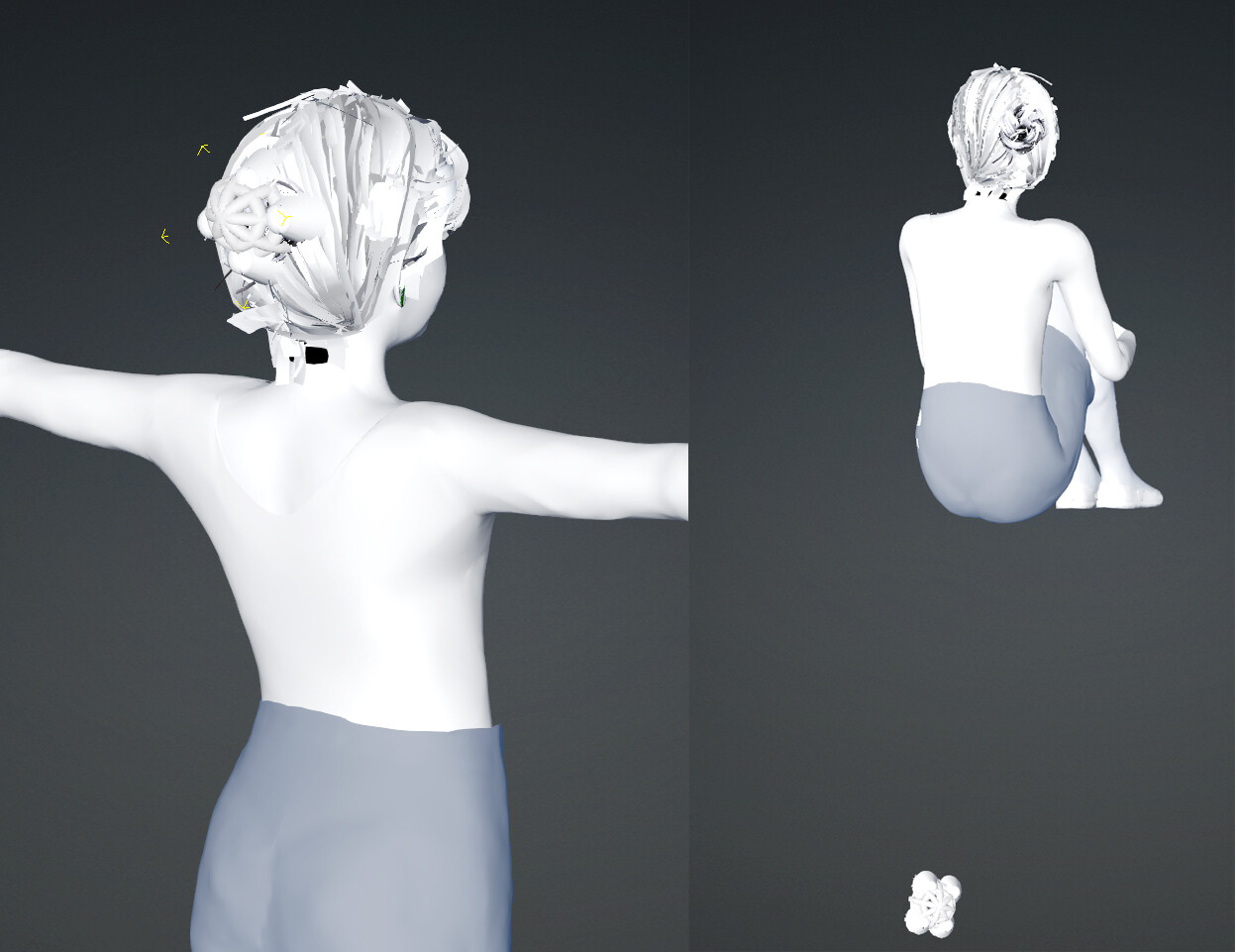
The image shows the difference between saving motionplus with the cloth (with morph-slider ) removed vs. keeping it. (lots of redondant data)

We sincerely apologize for the inconvenience.
Hi tonywgrant,
regarding the issue with importing clothing assets or hair from Blender, this has already been fixed in the recently released version 5.01, so please update to the latest version. (test video with CC5.01 / Auto Setup 2.3.2 / Blender 4.5.1)
In addition, regarding the transferring skin weights you mentioned, could you provide more detailed information about your workflow or perhaps a video? We are currently unable to reproduce this issue. Thank you!
Can anyone explain why I haven’t heard from RL, either at Tracker (which sent me an initial reply many days ago), or here on the Forum? My issue makes CC5 and its add-ons at $400 brick.
I bought a Character Creator 5 license and why I am not allowed to create a new topic inside Character Creator section ?
Hi… You should be able to create a new topic.
So for example, if you wish to post in the Character Creator > General forum, navigate to it using the left hand categories list and then click “New Topic” as shown below.

Hi…
The status of your tracker report indicates this issue can’t be reproduced, which may indicate it is a local system/network issue.
Do you have a stable and always on internet connection or are you trying to use CC5 offline?
As I reported to Tracker, iClone validates all its content just fine. There’s no problem with my internet connection - it’s CC5. Can we even use content offline???
1 Like
SUPPORT: “We do offer a 14-day money-back guarantee, but your order has just passed that period. If you’d like us to look into the root cause of the issue, please share more details with us — we’ll be glad to help. If you’re interested, please submit another ticket under the Product category, and our technical support team will be happy to guide you further. Thank you very much for your understanding.”
ME: “No, that’s not acceptable! The software was described as having many problems, and you were also described as actively working to fix them. I didn’t know about the warranty limitations, but it does NOT apply to failed software. Furthermore, there were no timely responses to my inquiries about this. If you had notified me about your limited warranty, I would NOT have waited on you to fix it. In addition, you give me no reason to think it WILL ever BE fixed in any remotely timely manner. I will not be the victim of your failures. Refund the purchase.”
I do understand this must be extremely frustrating, but this issue isn’t a bug affecting everyone. Instead it appears a local system issue with how CC5 functions on your particular setup.
I would recommended you work with Support on this issue and I’m sure they will do their best to get it working for you.
No it’s greyed with a fobidden sign…
Hm, I finally installed CC5 and also updated to IC8.61 and CC4.61… In CC4.6 all my content is visibly installed. In CC5 all my content is grey, so I have to click and install again, I assume this won’t create a duplicate of the CC4 files but do we really have to install everything manually again or am I missing something?
I found this thread:
Though no solution…
All my custom content (over 4000) synced flawless as soon I clicked on custom within a few minutes.
Why does template content installed in CC4 does not sync the same way??