You’re just saved me from uninstalling the trial. You sir deserve a shiny medal! Something so simple, thank you!
Hi,
the fix Pixel_Self suggested didn’t work, since I am on Zbrush 2026.2 its already fixed in the registry.
Any other fix?
I dont get any kind of error, the model just doesn’t go through.
Pixel_Self, your solution worked for me. Thanks!
For me it does not work anymore, probably the last update for CC.
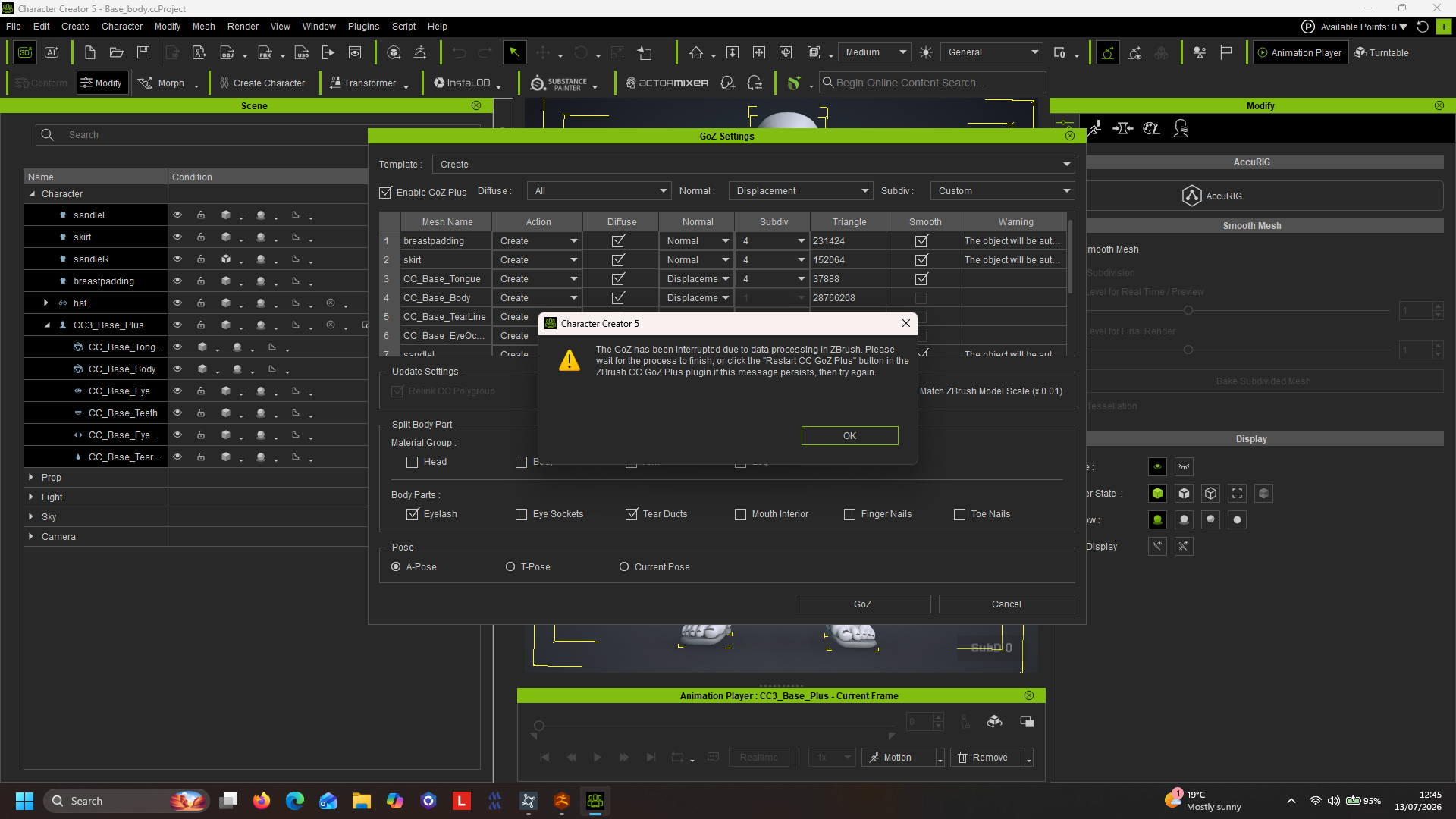
It worked perfectly with my Zbrush 2022.0.8 but now I only get a message that ZBrush is busy (it is not even started) and I should try again or restart GoZ Plus.
But there is no button to restart it.
All the folders are there and the path is correct.
it looks like an internal problem as Zbrush is not started even.
Also the Pose Tools do not work (without any message).
On the other hand,
ZBrush Face Tools works:
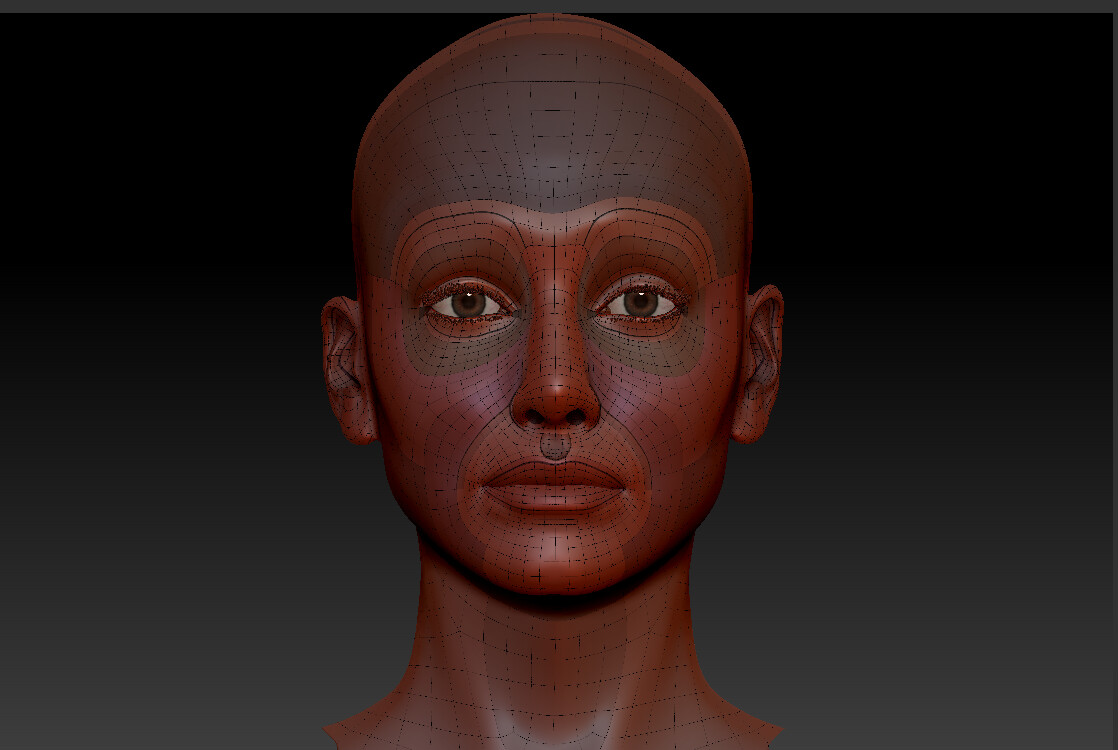
So there is a bug with the handling of ZBrush, which does not affect Face Tools. Also unchecking “GoZ Plus” does not resolve it.
It immediately pops up with the message, without compressing etc… anything.

Done the/thing, still doesn’t work. Including the trial period which was a complete waste of time and money and because it didn’t work very well during the trial period and now after paying for the program it is still crashing. I’ve turned off OneDrive, this seemed to work but yesterday nothing. With ZBrush you can tell it where to look for a program, CC. But with C C there seems to be no way you can tell it where Zbrushe is . As far as the learning curve goes I’d got to the point of GoZ clothing across . But unless I deleted the clothing item in CC before I moved over a new version from ZBrush CC just locked and then crashed.
I guess nobody has got any other suggestions. Two months to get this sorted out is a ridiculous. This is supposed to be professional software. I don’t think I’ve ever come across a problem that took two months with any other company.
It’s probably time I got my money back. And tried to rigging package that works.
Hi alexP84,
There are two possible reasons:
-
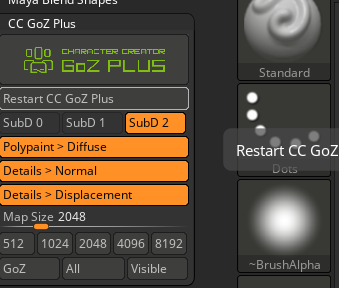
The Restart button is not in CC; it is in ZBrush. (See Image1)
-
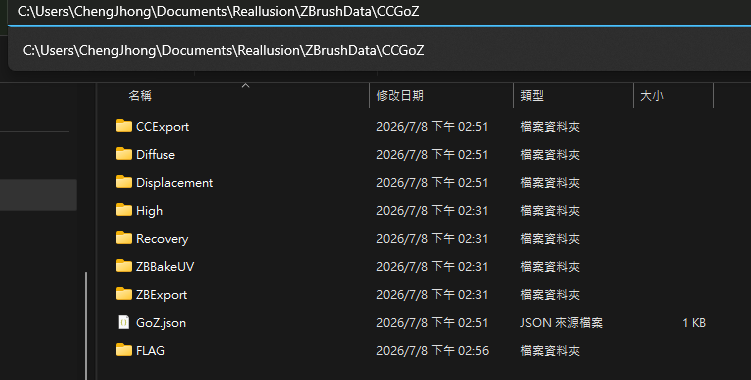
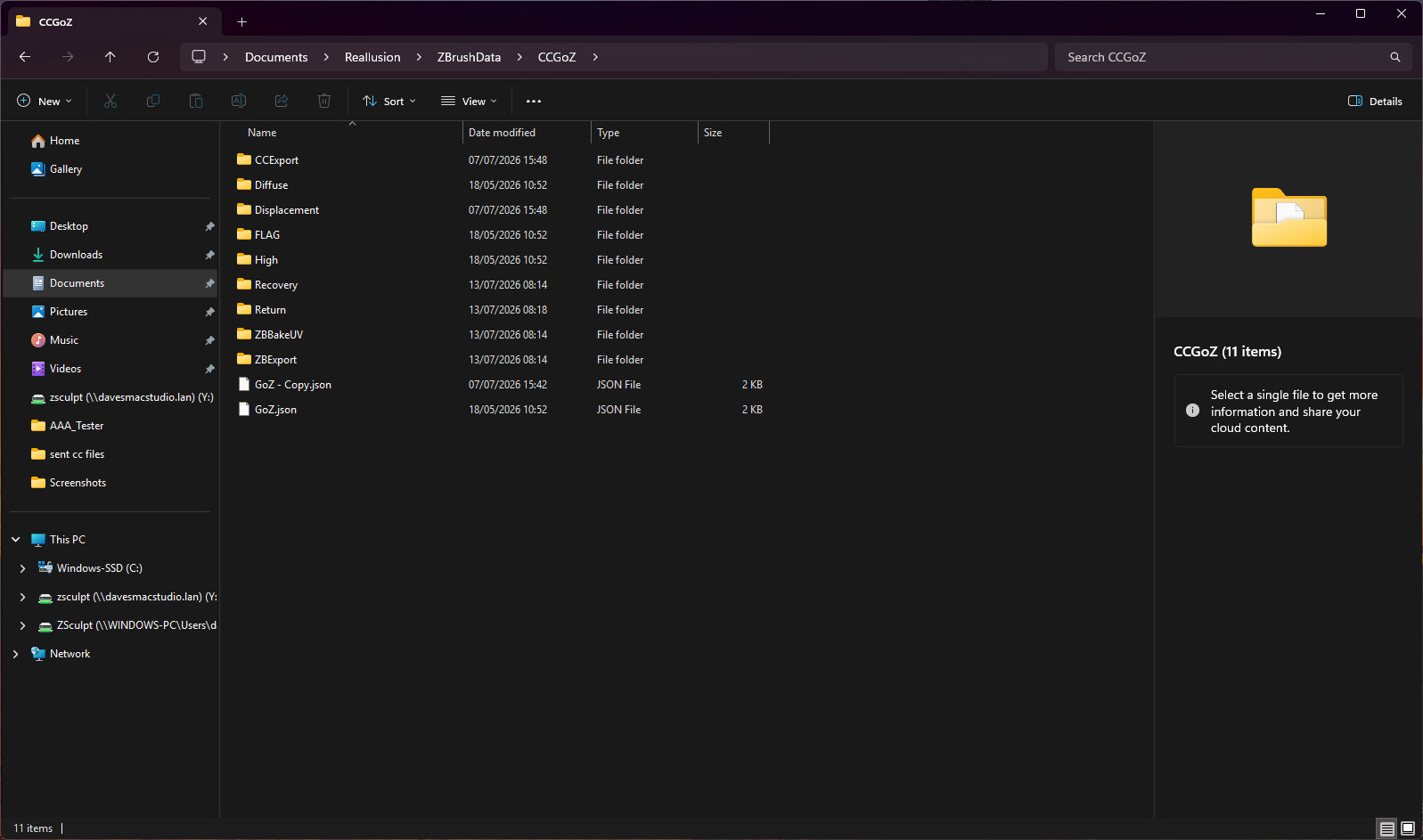
Your file might be blocked by OneDrive, and preventing the button from deleting the file. In this case, the Flag file needs to be deleted manually.
Path: C:\Users\YourName\Documents\Reallusion\ZbrushData\CCGoZ
(See Image2)
Thanks!
Hi dave.hoyles_829504,
Would you want to try to restart GoZ (see Image 1)
or manually delete the Flag file located at
Path: C:\Users\YourName\Documents\Reallusion\ZbrushData\CCGoZ
(See Image2)
Please share your working files with us; we will need more information to investigate. Could you kindly send it to winnerhung@reallusion.com or send us the drive link.
Regarding ZBrush not being found, we suspect it may be caused by the 2026.2 path. This issue will only be resolved in the next version. For now, if ZBrush cannot be found, you will have to set the path manually.
Thanks!
I disabled OneDrive before and it works now again like intended.
Thank you!
I manually deleted the flag file. I press the restart CC. To know effect.
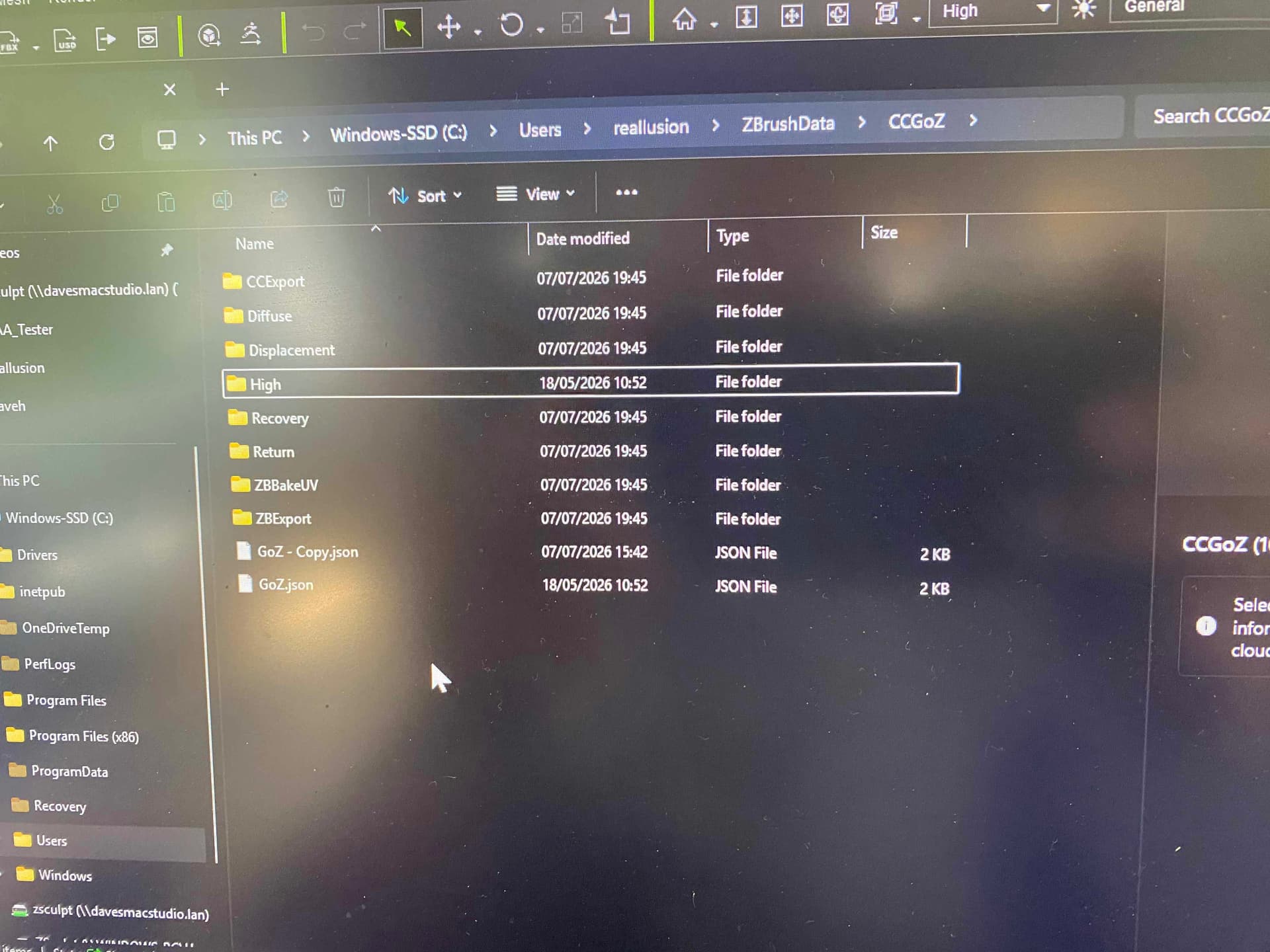
How do I set the path manually? I’ve looked in preferences but cannot find anything regarding paths… In preferences, there is an external texture drop-down. This is the only thing I can find for external files.
Can you explain further what you need to investigate, working files? Or the Drive link.
Hi dave_hoyles_829504,
If you are on version 2026.2, you will need to manually fix the registry path same as the Image.
- Current Path:
C:\ProgramFiles/Maxon Zbrush - Correct Path:
C:\ProgramFiles\Maxon Zbrush
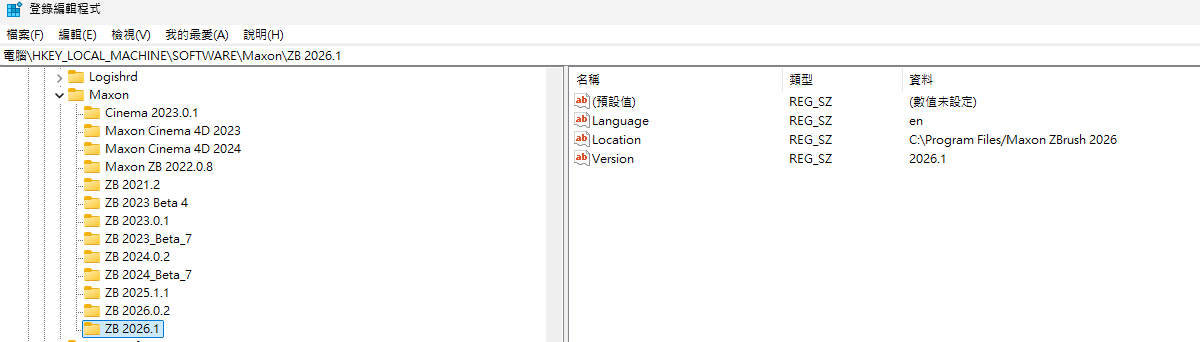
Also, we wanted to check in on the CC crashing issue you mentioned earlier. Are you still running into that problem?
Thanks!
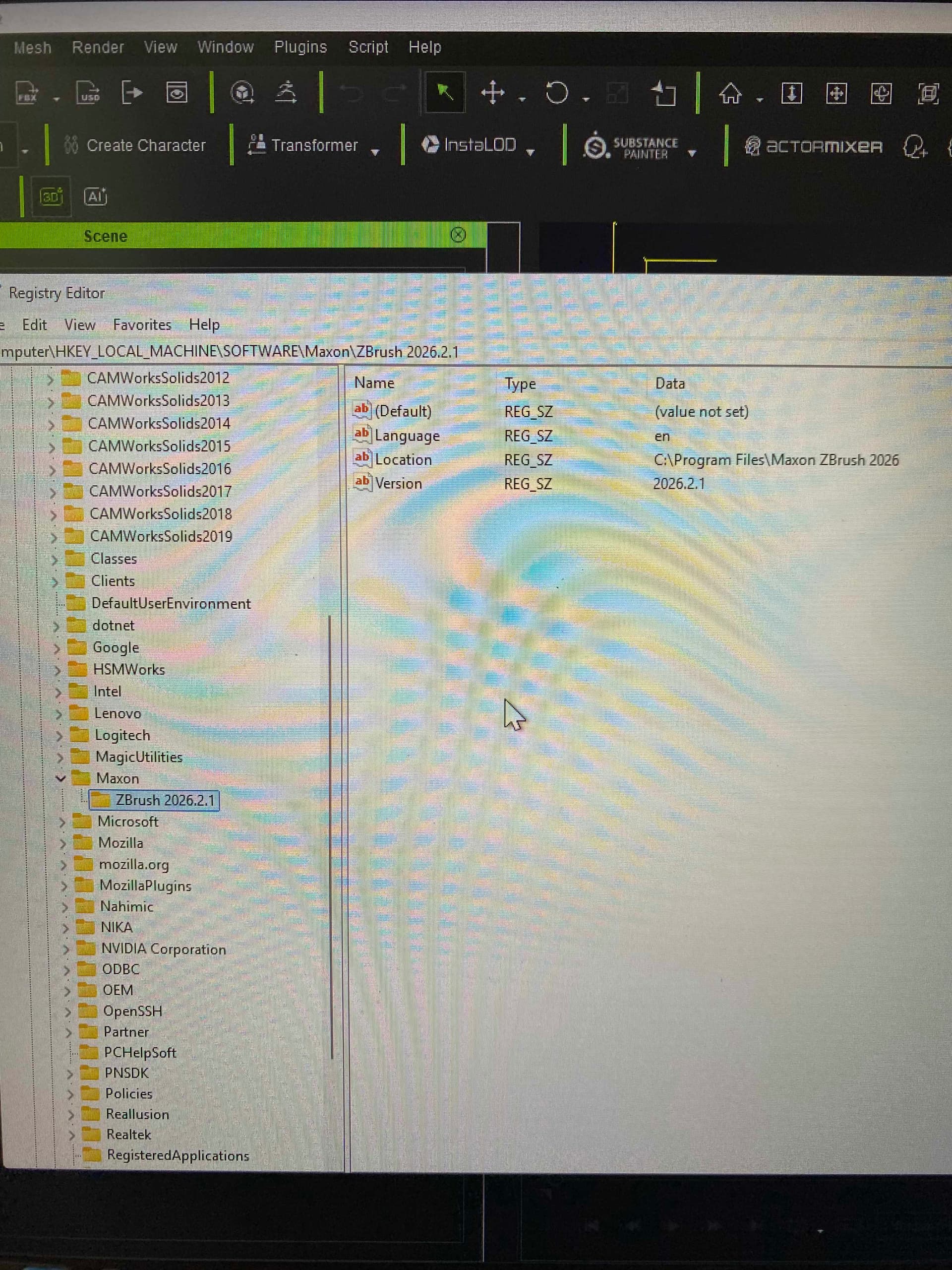
As you can see, I had already altered the registry, but it has made no difference
The problem with the crash between Zbrush and CC. When I GoZ Zbrush to CC it loads the CC figure including eyes, teeth et cetera. But when it comes to loading the altered clothing from ZBrush back to CC, CC just locks, then a couple of minutes and it just crashes out. I can refresh the clothing if I first delete the clothing item in CC, it will load the clothing without CC locking up.
Hi dave.hoyles_829504,
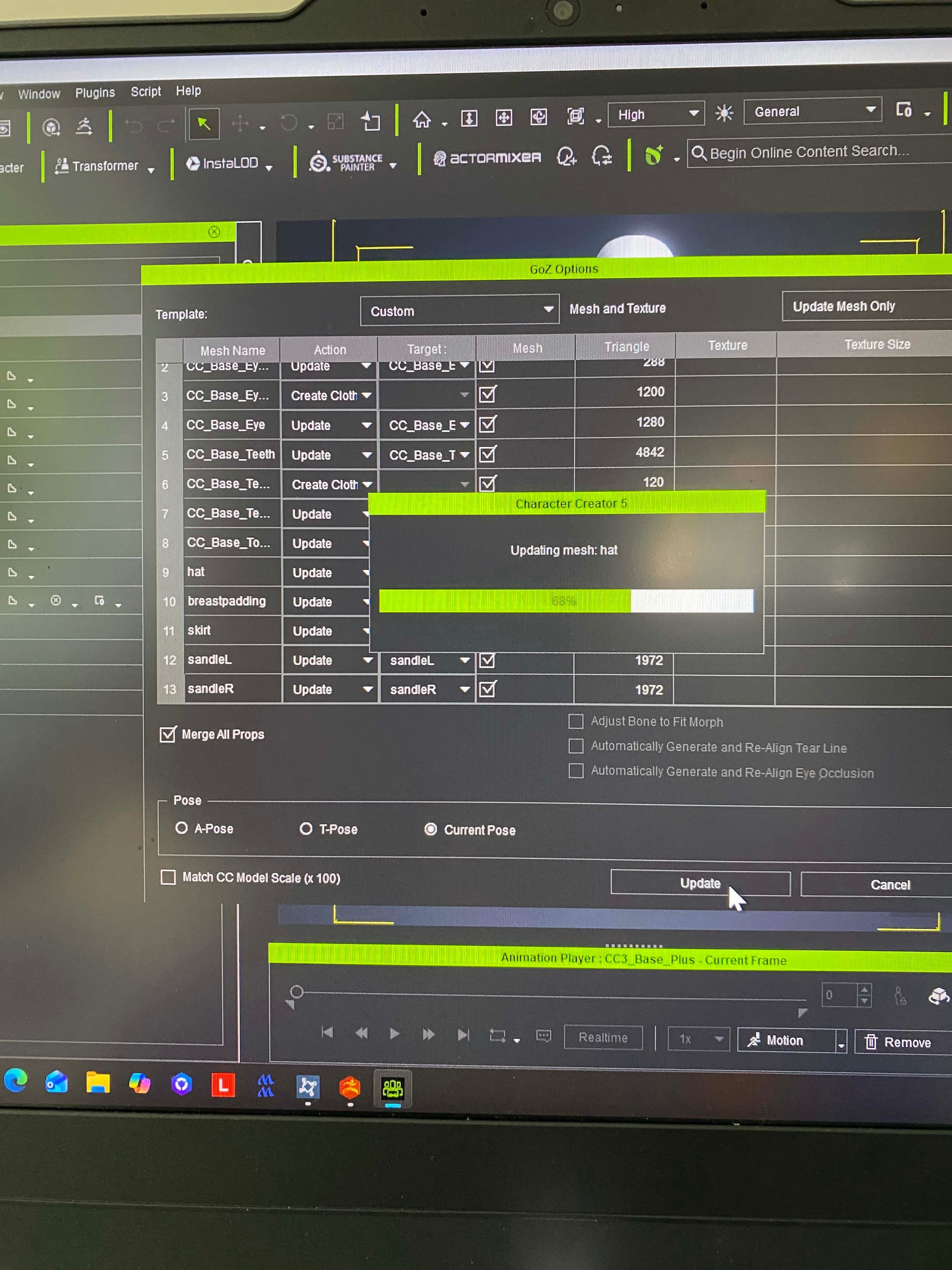
Looking at your screenshot, it seems you’re having trouble importing the “hat.” To help us investigate and replicate the issue, could you please share your project files with us?
You can email them directly to winnerhung@reallusion.com or provide a cloud drive link. Additionally, a quick screen recording of your process and a summary of your system specifications would be incredibly helpful.
Thanks!
Hi dave.hoyles_829504,
Thank you for sending the files over.
Upon review, we noticed that the character appears to have been subdivided in ZBrush, and subdivision levels 0 and 1 were deleted. Could you confirm if this was intentional? Because of this, we are currently unable to revert the character to its base state.
Additionally, please note that in the current version of Character Creator, attaching objects to a subdivided character can cause stability issues. We have already fixed this bug, and this will be updated in the next release.
Thanks!
One of the biggest problems at the moment is the fact that I cannot goZ between CC and ZBrush . So anything created in CC cannot be passed on to ZBrush to add any sculpting and detail to it.
Until I can fully pass things backwards and forwards, the workflow is non-existent. This doesn’t help the learning curve with CC.
The biggest problem is still the fact that CC does not seem to know where ZBrush is, until this problem is solved I can make no progress. It does seem to be a common problem with a lot of other people too. This problem needs solving quickly, and not waiting until the next release.
I have tried to save poses created in CC so that I can then send them as an FBX file to import into ZBrush. But it doesn’t seem to remember the pose. It just reverts back to the A pose.
The issue was already found. In the newest version, Zbrush changed its file path delimiters in the Windows registry from \ to /. Currently you still need to edit this manually, see this post and this post.
Yes, the windows registry has been done. This has made no difference at all.
@dave.hoyles_829504 You may need to restart the computer once just in case. Please select the Restart option and not the Shut down option!

The only thing I can think of that I haven’t done so far is to reinstall Windows 11.
I uninstall both ZBrush and cc, reinstall them and the problem persists.
There seems to be a number of people with this problem. It just doesn’t find Zbrush .
Dave
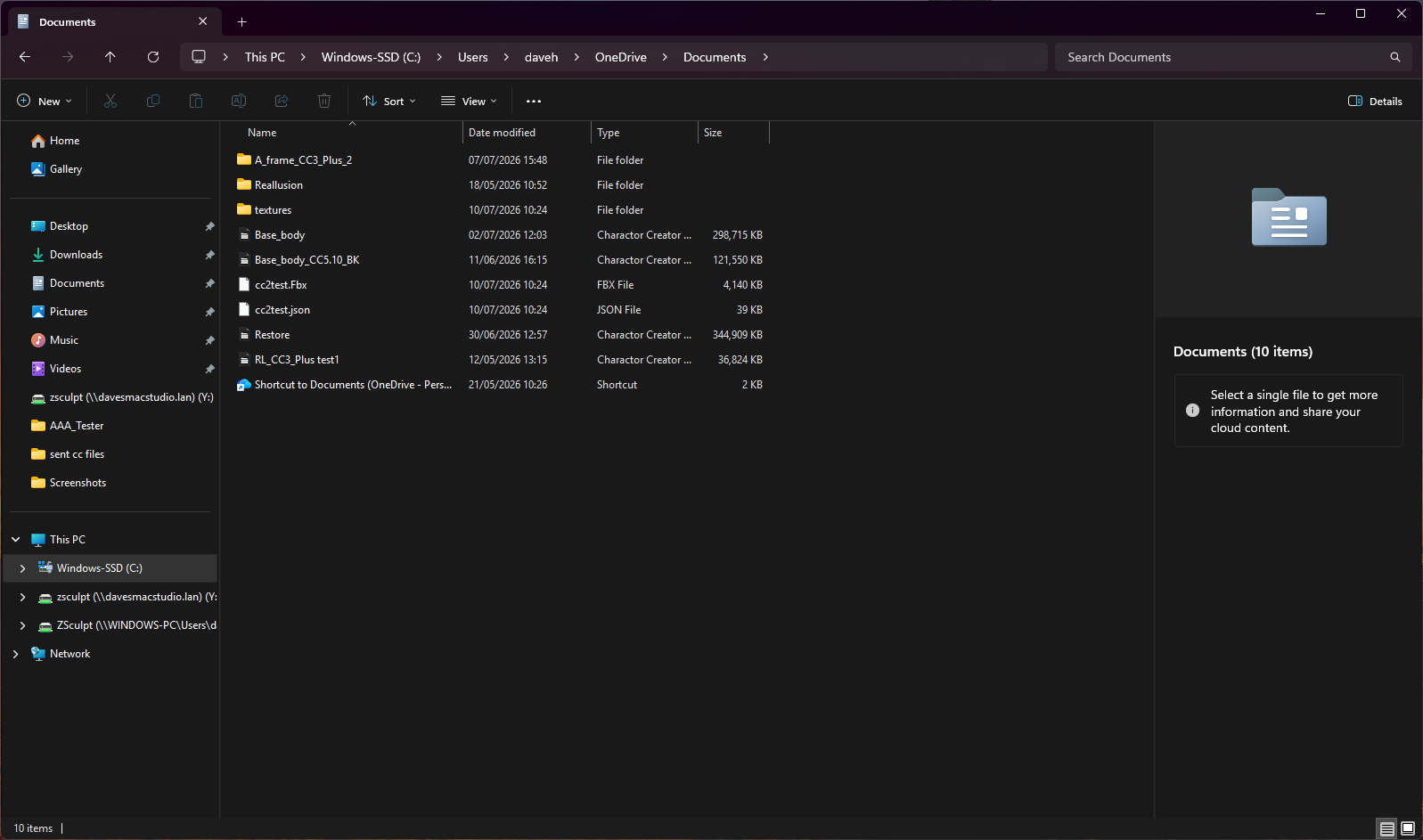
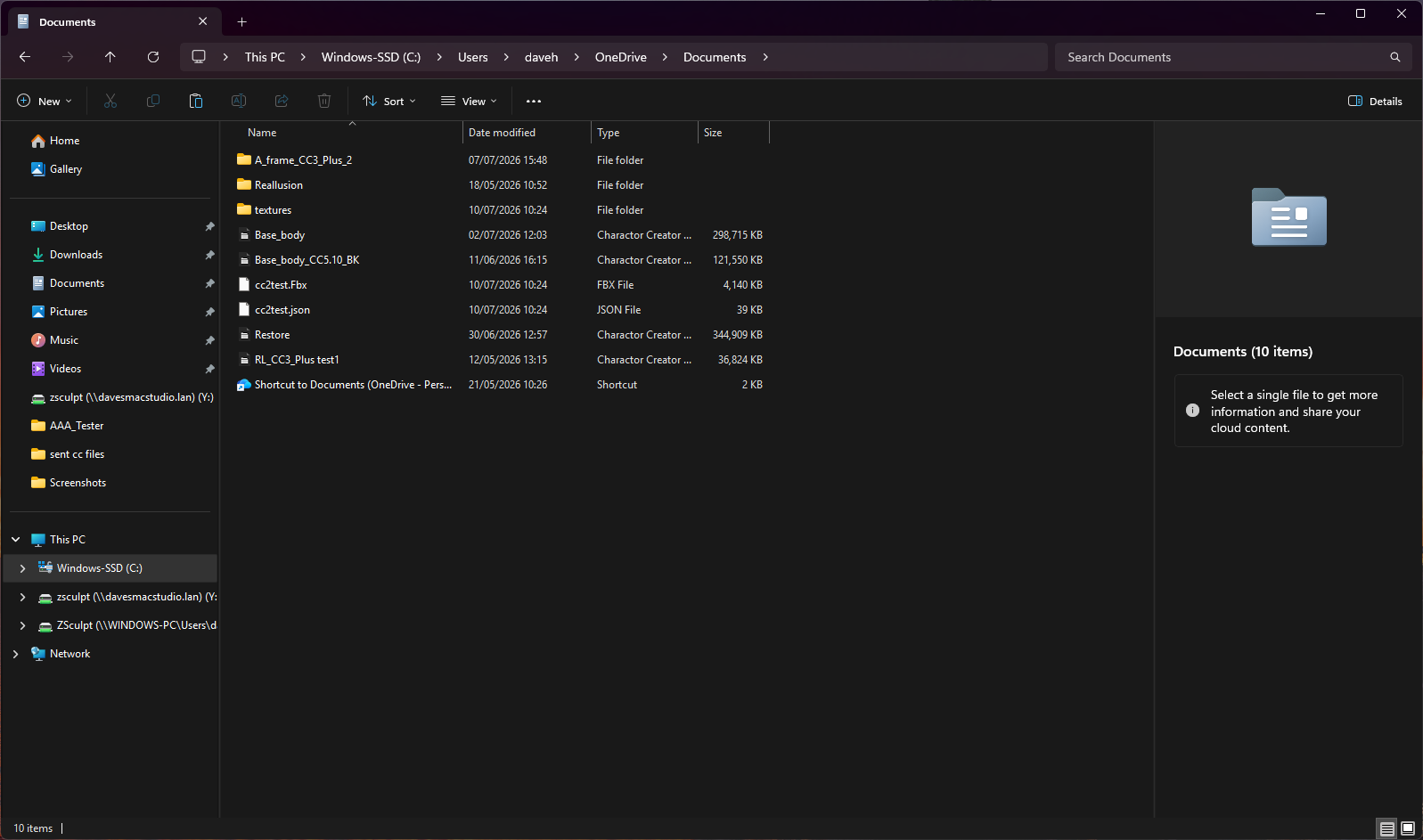
I do wonder if the problem is still something to do with OneDrive. If you look at the two screenshots one of them is of the C Drive/document and the other one is in. C. drive/users/daveh/OneDrive/document.
Is this what is causing the problem? I’ve removed OneDrive from the apps, and also OneDrive from start-up but it just seems to be still accessing OneDrive.
Perhaps the answer is to get CC to somehow completely ignore OneDrive. Reading up on the subject it seems to be a difficult not impossible app to delete. I’m told it on any update to Microsoft will manage to get it back up and running. So this is always going to be a problem.
These are just my thoughts. I could be wrong.
Sorry to hear you are still having problems with GoZ.
Have you contacted Technical Support regarding these ongoing issues? If you haven’t, I would recommend submitting a support ticket. They may be able to help so it’s worth a try.