After the update to version 5.05 the plugin is not working at all, CC5 doesn’t recognise Zbrush, it doesn’t send anything to Zbrush.
Instead when I send something from Zbrush to CC5 I have a message telling me that the transfer is not done with the plugin CC GoZ Plus so some maps won’t be transferred.
I’ve a lot of troubles with the plugin since I buy CC5 and support only told me “delete X archives from Zplugs64 and copy again from the CC5 folders the same archives”. I have another problema that I don’t Know what they are, I leave here some screen captures just in case someone has the same problem or a solution.
Thank you!
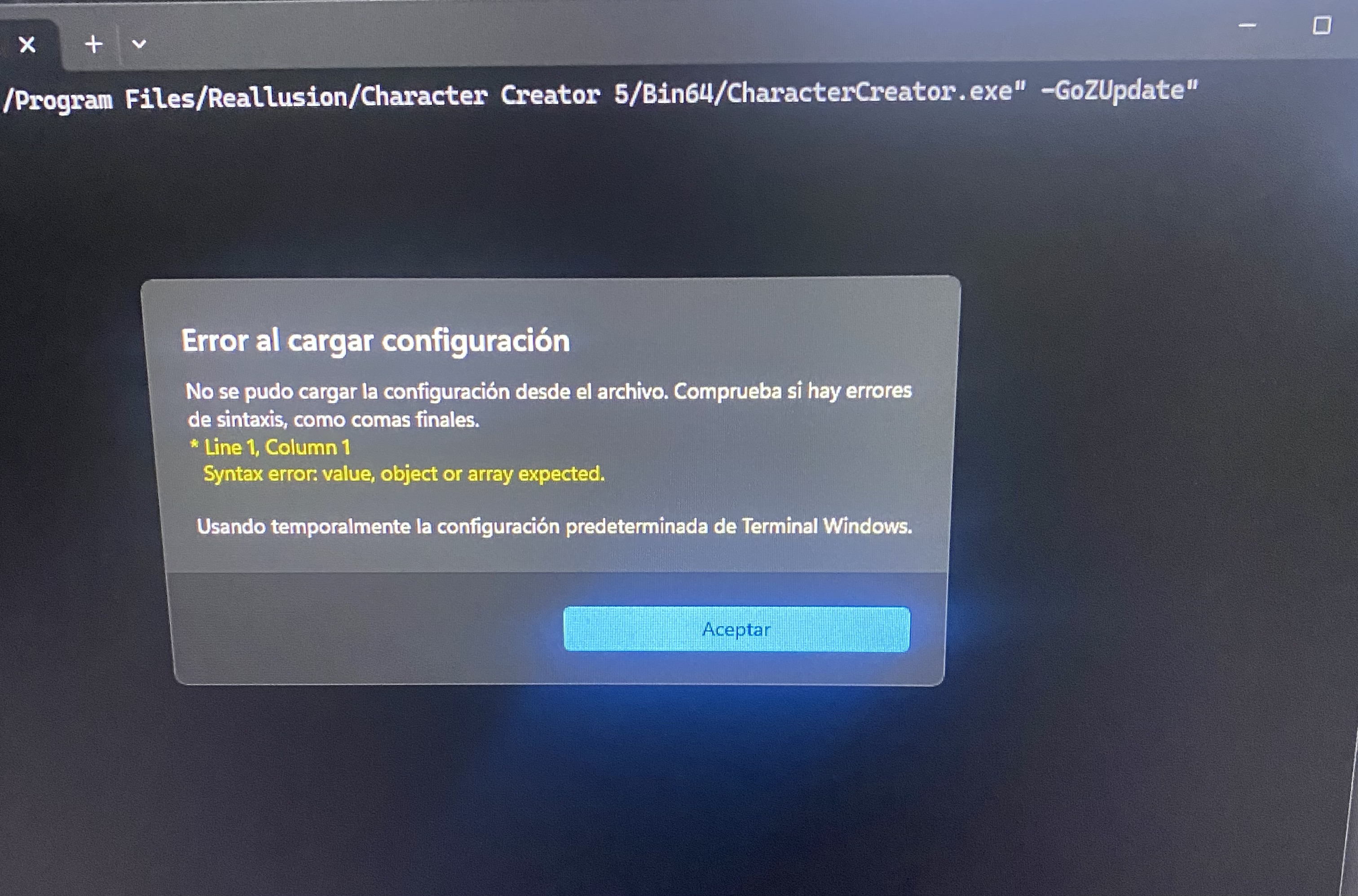

1 Like
Hi
Please go to the following location and check whether there is a Reallusion folder:
C:\Users[Username]\Documents\
If the folder does not exist, please create it manually, and then re-open CC, and GoZ.
After checking with R&D, we found that some changes made for ZBrush 2026.1.1 data transfer did not fully cover all cases. We sincerely apologize for the inconvenience.
Before a patch is released, please use this workaround first.
Hello
I have the same problem and the above advice on creating a “Reallusion” directory unfortunately did not help.
I guess all I can do is wait for a fix to be released.
Same issue, was working perfectly fine before the update to 5.05
Have you tried the workaround provided by Joanne in the post above yours? This may help until a patch is available.
Hello,
I’ve uninstalled everything (absolutely everything, Zbrush, CC5, AccuRig, Reallusion Hub) and installed again everything.
At least is working (at the moment) using the solution of create the folder Reallution in User directory as explained here.
Hello
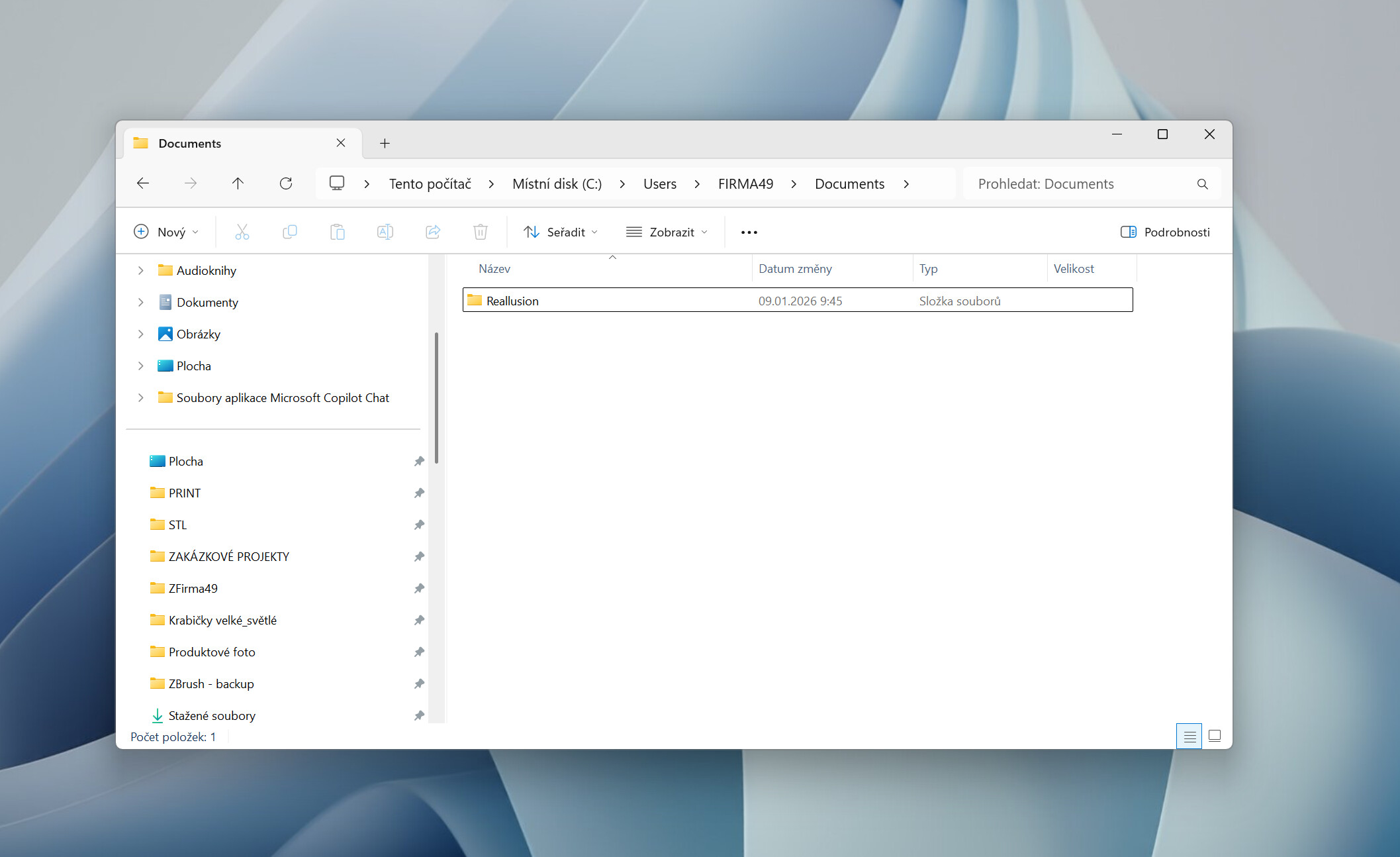
Yes, I tried to manually create the Reallusion directory, but it didn’t help.
I’m also attaching a photo of the created Directory to check the correct location.
Hi All, @jfransa92 @info_660394 @michaelfizzell123
We need your help to provide the following information:
A. Please record a short video: CC3+ Neutral > GoZ
(The R&D team would like to check the UI actions to identify where the issue may occur.)
B. Please provide screenshots of the registry information: Pixologic and Maxon registry info
Steps- 1. Type **Registry Editor** in Windows Search

Steps- 2. Find the registry paths shown below and capture the relevant item
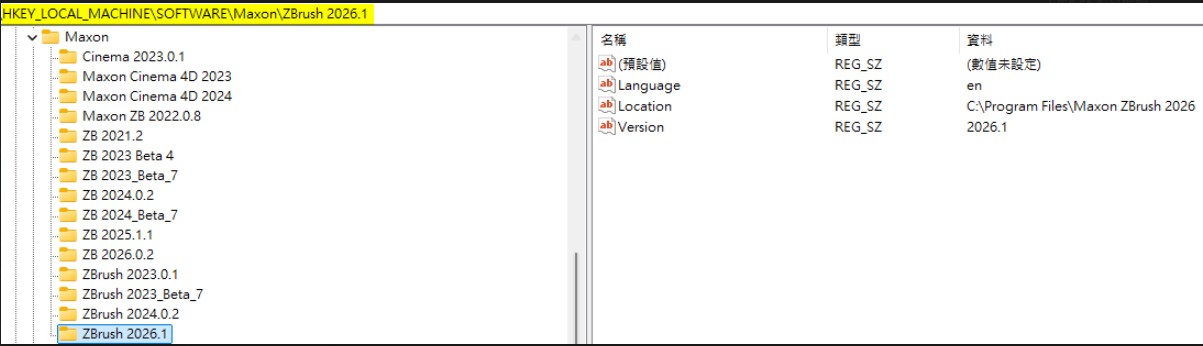

C* Please check the following paths exist or not:
C:\Users\Public\Pixologic
C:\Users<UserName>\Documents\Reallusion
Thank you very much for your help, and we sincerely apologize for the inconvenience caused.
Hello
Problem with creating Reallusion folder solved.
The error was on my side.
I didn’t realize that my PC is backed up to OneDrive and therefore the primary “Documents” folder where all programs write the necessary data is not on the PC but on OneDrive.
After creating the “Reallusion” folder in Documents on OneDrive, GoZ is working.
T
1 Like
Adding the folder to users directory didn’t work, however this was because I had changed my default location of my documents folder. So adding reallusion to my correct documents folder dir fixed the issue.
I guess similar issue to the poster above.
Thank you
Similar issues to what’s been stated. I do have a Reallusion dir in my Documents dir with a subfolder called DataLink. However, after a clean install of CC5 and Zbrush 2026.1.1, going from CC5 > Zbrush, NOTHING happens.
Please advise on ETA for a patch or fix. Everything worked before updating.
Does any ui show up when GoZ button in CC5 clicked?
If ZBrush.exe doesn’t load our plugin after installed, please check if [Path to ZBrush.exe]\ZData\ZPlug64 has CCGoZ.zsc and CCGoZData folder, this is a new plugin install path after 2026.1.1
If you have uninstalled any version of ZBrush after installing 2026.1.1, please check if C:\Users\Public\Pixologic still exist
I also found the same issue persist with my PC. I also had OneDrive issues I was not aware of. I since removed all syncing and resumed local file storage and disabled OneDrive from startup. I then uninstalled both CC5 and Zbrush, and restarted my PC. After that I reinstalled both apps and in Zbrush Restored Defaults.
When launching in Zbrush, the GoZ file is reinstalled and path defined as C:/Program Files/Reallusion/Character Creator 5/Bin64/CharacterCreator.exe.
Checking if the preferred location for the program file, I found there was a folder found in C:/Users/[UserName]/Documents called Reallusion which had all the files created with the install on the first use in CC5 with Zbrush closed.
I am just about to fully erase the PC and reinstall Windows at this point, then all my applications afterwards and this time choosing to disabled OneDrive out the gate since I think it has a lot to do with cache data and locations causing issue.
I really hope the Developer team is working directly with the developer team of Maxon, this is very upsetting to wait for the release of CC5 only to have it break what was already working fine before!!!
Hi after a long 3 days of trying to contact support over the Real illusion hub I was directed to this post, my case here:
CC4 to zbrush isn-t working at all.
I running windows 11 and I have done this:
- fully unistall and reinstall CC4, hub and Zbrush
- try CC5 trial version (GoZ is still not working)
- create the folder “RealIllusion” here C:\Users(Username)\Documents\Reallusion
- Disbale OneDrive.
a small video of the whole process.
(I can’t attach any links or uplaod video to the post so how can I submit it?)
At this point I have no clue what else I can do
Hi,
Sorry for the late reply.
Could you please try the new CC 4.66 and check GoZ is still not working?
If you are still unable to post the video link publicly, please send the video link to me via private message instead. Thank you very much for your help.
Hi!
I was able to fix the issue by fully reinstalling Windows.
OneDrive was messing a lot of things I found a youtube video by AskLeo “how to get rid of one drive”
This was indeed the best solution.
I will answer for myself since we are talking about the same issue. I went so far as to completely reinstall Windows 11, and immediately disabling OneDrive upon setup. Then reinstalled all apps again on my PC. Luckily I only use the PC for 4 apps. Doing this resolved my issues with Zbrush changing the directory location, but the Default folder in the Documents was not replaced when I made my first attempt to send something via GoZ from CC 5.06 to Zbrush 26.1.1 (which worked successfully as it always had before). However I simply added one division to the CC base and tried to GoZ Visible back to CC5 > same issue persist. No Folder replacement as the Update states is supposed to happen.
Should I just delete the folder and try again, so the app will replace the folder since it would not exist at that point?
I am a Little past upset that this update did nothing! I was so looking forward to getting back to work. I even waited to wipe my PC clean until the update was available > but still the issue persist and it is still seriously affecting my workflow!
Need your system environment,
Where do you install zbrush?
What is the Default folder? Do you mean C:\Users\Public\Pixologic\GoZProjects\Default or
C:\Users\ [UserName] \Documents\Reallusion\ZBrushData\CCGoZ
Which goz visible button are you using? Tool->Goz Visible or ZPlugin->GoZ Plus->Visible?
Hi,
Could you please provide more information?
For example, record the process you mentioned, the video will help R&D team better identify what might be causing the problem.
Doing this resolved my issues with Zbrush changing the directory location, but the Default folder in the Documents was not replaced when I made my first attempt to send something via GoZ from CC 5.06 to Zbrush 26.1.1 …
“However I simply added one division to the CC base and tried to GoZ Visible back to CC5 > same issue persist.”
Thank you very much for your help.
I think I might have found the issue but no permanent solution. I’ve been having the same problem- trying to send a file from cc5 to zbrush 2026.2 (issue started in 26.1.1 already) and getting “goz interrupted error” and trying to send a file from zbrus to cc5 does nothing. I don’t use OneDrive and everything is in place. Even a complete reinstall of both programs changed nothing until…
I deleted the My Documents\Reallusion folder (not c:\users<username>\Documents) and voila… was able to send a character to zbrush without getting the “goz interrupted error” and was able to send the character back to cc5… however trying to relink the character back failed again… and it also seems i need to delete that folder every time I work on a different project… so it’s not a solution but maybe that could point to the problem.
2 Likes