Hello, I’m experiencing some freezing and lagging on iClone 8.6. I installed it a few weeks ago now and it was working fine, now is not. I updated the NVIDA Drivers and still the same. I have a very good PC, working with Unreal Engine on big projects and all programs are running smooth. Even CC4 is working fine. Not sure why iClone is not. Any help I’ll appreciate it. Thanks
1 Like
I have 2 months of work into a project in IClone…Since the upgrade, it’s virtually unusable.
Who do I message about getting a refund for it, CC4, and the other programs that no longer work?
This is costing me money aside from what I’ve WASTED on this product.
Thank you in advance for your time. I just need my money back.
Please respond ASAP, or I’ll be forced to take other measures…
Brad.
Hey all,
Just checking in to see how things are going with the CC5 and IC8 upgrades. Like many of you, I installed the updates right away but had to roll back immediately due to bugs and breaks. I’m currently on IC8.61/CC4.61. I still get random crashes everyday with this version but at least its usable with the restore points.
I’ve been holding off since and still see some of the same complaints in the forums. Has anyone had better luck recently? Is it stable enough for regular use? Trying to hold on to Reallusion.
Appreciate any honest updates!
I had to revert back to 8.54 when my larger projects wouldn’t open in 8.6.
I took the chance and updated again to 8.6 earlier this week and no issues with loading the larger projects now.
Can’t report on any of the other bugs though as I didn’t experience them.
iclone and character creator keeps crashing all of the sudden
iClone v8.62 (8.62.4523.1) has now been released (Sep. 24th, 2025)
Please update using the Reallusion Hub.
If you do still encounter issues after updating to v8.62, please continue to report them in this thread and importantly also in the Feedback Tracker to get the issue logged. Thank you.
Several bug fixes.
Fixed
- Animation
-
Look at effect is removed from the eyes after setting the “Look at Camera / Target” settings and performing “Menu > Animation > Flatten All Motion with Constraints”. Feedback Tracker
-
Unexpected deviations from the original expressions when an iTalk is saved and reapplied to the character in certain projects.
- Export
-
Extra static body meshes appeared when exporting SubD 1 and 2 characters as Alembic. Forum Post
-
Mouth can’t open and suffers from inconsistent animation when mouth animation is export to Unreal via Auto Setup.
- Load File
-
iClone crashes with certain character FBX exports. Feedback Tracker
-
Texture error after an application crash and unsaved project data is restored.
-
Excessive hang times when saving motion-plus, applying motion-plus, or replacing a character in the project. Forum Post
- Render Image/ Video
- Open plugin cannot use certain content causing the plugin to fail.
Example: PopcornFX Sequencer > Load Preset to List showed an error message; Vehicle Interaction couldn’t find Target Motion.
- Python Plugin
- For certain computers, setting render format to mp4 locks the frame rate at 30 fps.
- Live Link
- Feet deforms for high-heels wearing characters transferred to Unreal via Live Link. Feedback Tracker
- Render
-
The viewport turns dark and flashes when the Reflection Shader is applied to an object with “Preference > Performance > Enable DLSS” is enabled. Forum Post
-
Mouth can’t open and suffers from inconsistent animation when mouth animation is export to Unreal via Auto Setup. Forum Post
Wondering if anyone else is having trouble sending scenes and characters over to Blender 4,5.3 from iclone 8.6 using Data Link.
I am trying to send characters from CC5 with motion added and they get stuck at 30% and stops responding. After a while it does eventually send it over but then trying to send anything else from that project after that like another character or the scene it stops at 30% and crashes.
I have tried it with different projects and characters. Not been able to send things over since all the updates since CC5 /8.6
Hello. I have a problem opening the HD face control panel in iClone. Does anyone have an idea how I can solve the problem?
1 Like
It did work a few days ago, but now I have the same problem. Actually, it was stuck for a long time but then it finished. I was using CC5.
Subject: Follow-up: Live Face Profile with Motion LIVE Plug-in (iClone 8) – Face assignment locked
Dear Reallusion Support,
I have already sent multiple requests but unfortunately have not received a clear response, so I am following up again.
I purchased and installed the iPhone LIVE FACE Profile for the Motion LIVE Plug-in (iClone 8).
- My iPhone connects successfully.
- The Live Face App shows the face mesh.
- In iClone 8, the Motion LIVE panel detects the iPhone (green connection light).
However, the Face assignment option in the Character List remains locked, and I cannot apply Live Face to any character (including standard CC avatars).
Could you please clarify:
- Do I also need to purchase a separate license for the Motion LIVE Plug-in in order to unlock face assignment?
- Or should the Live Face Profile already include Motion LIVE functionality for characters in iClone 8?
I want to ensure my setup is correct and that I have all the necessary components to use Live Face with my characters in iClone 8.
I would appreciate a prompt and clear response, as this issue has been blocking my workflow for a while.
Thank you for your assistance.
Best regards,
Eduard Wolfowitz
Hi…
Motion LIVE is now built into iClone 8 so there is no separate plug-in to purchase.
If you have the Live Face Profile already, then you have everything you need software wise, but of course you do need a compatible iPhone which is basically any model from iPhone X or higher (excluding SE models).
What I would recommend is watching the tutorial video HERE and especially the part at 4:55 where it shows how to correctly select the character.
Hopefully this will help.
1 Like
Hello, when I import via Unreal Live Link or by exporting in FBX with iClone, my character appears completely black. When I click on the “materials” file, I can see that the textures don’t have the correct color. The new thing that wasn’t present in the previous versions is the creation of a new folder called (character_name)_fbm containing the actual textures. How is this possible? Is it a bug? I did follow the tutorial and updated the plugins. Could you help me? Thank you.
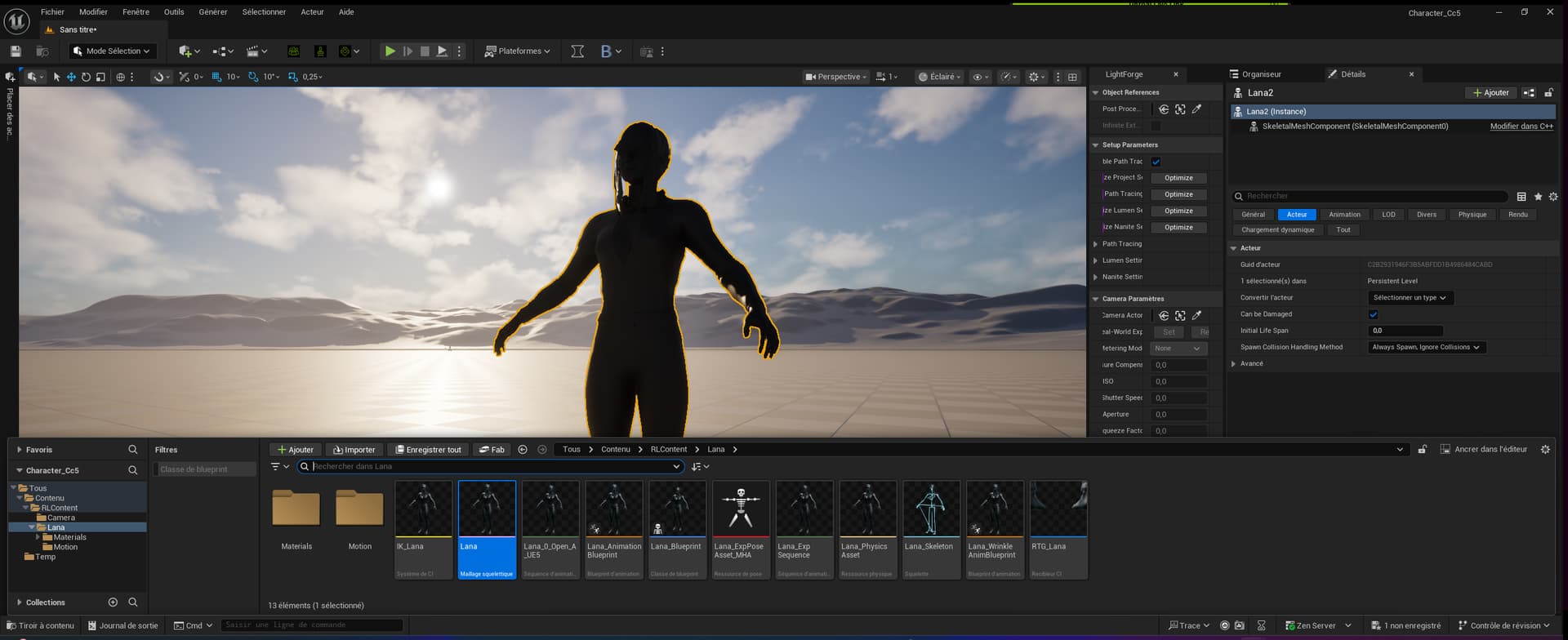
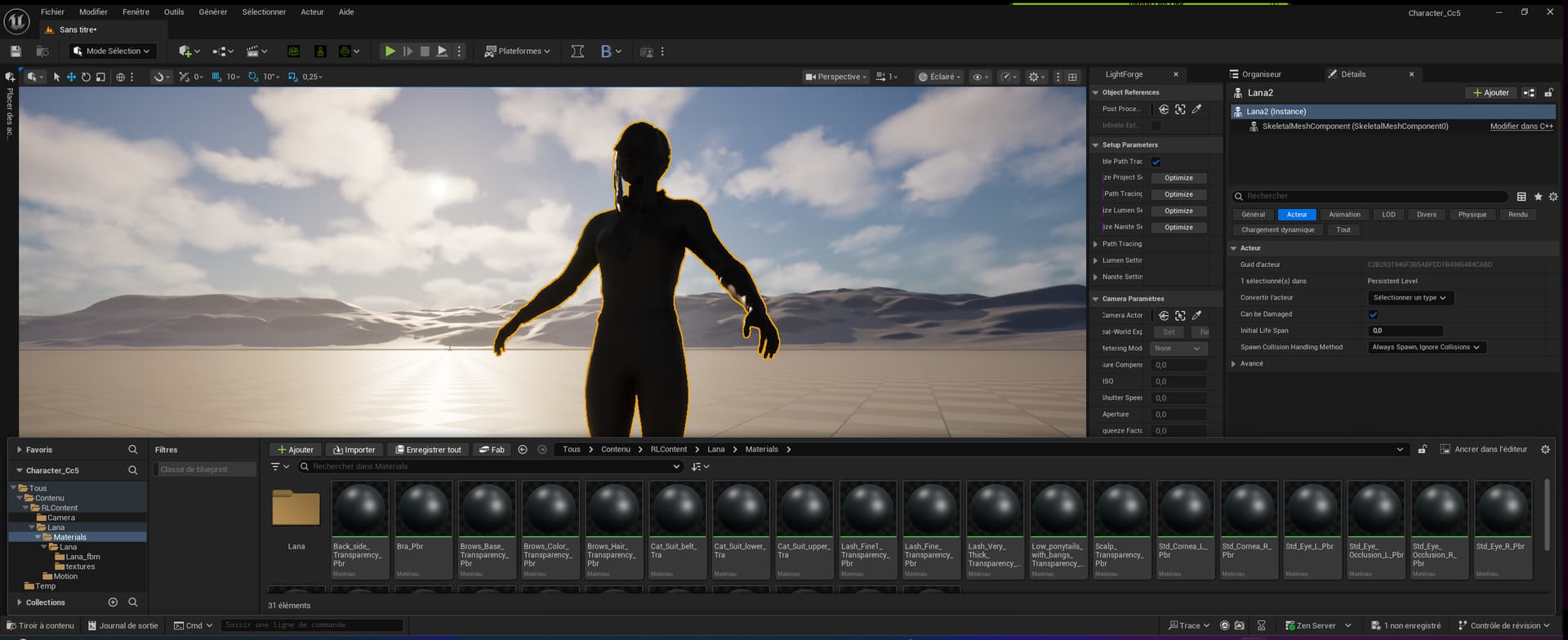
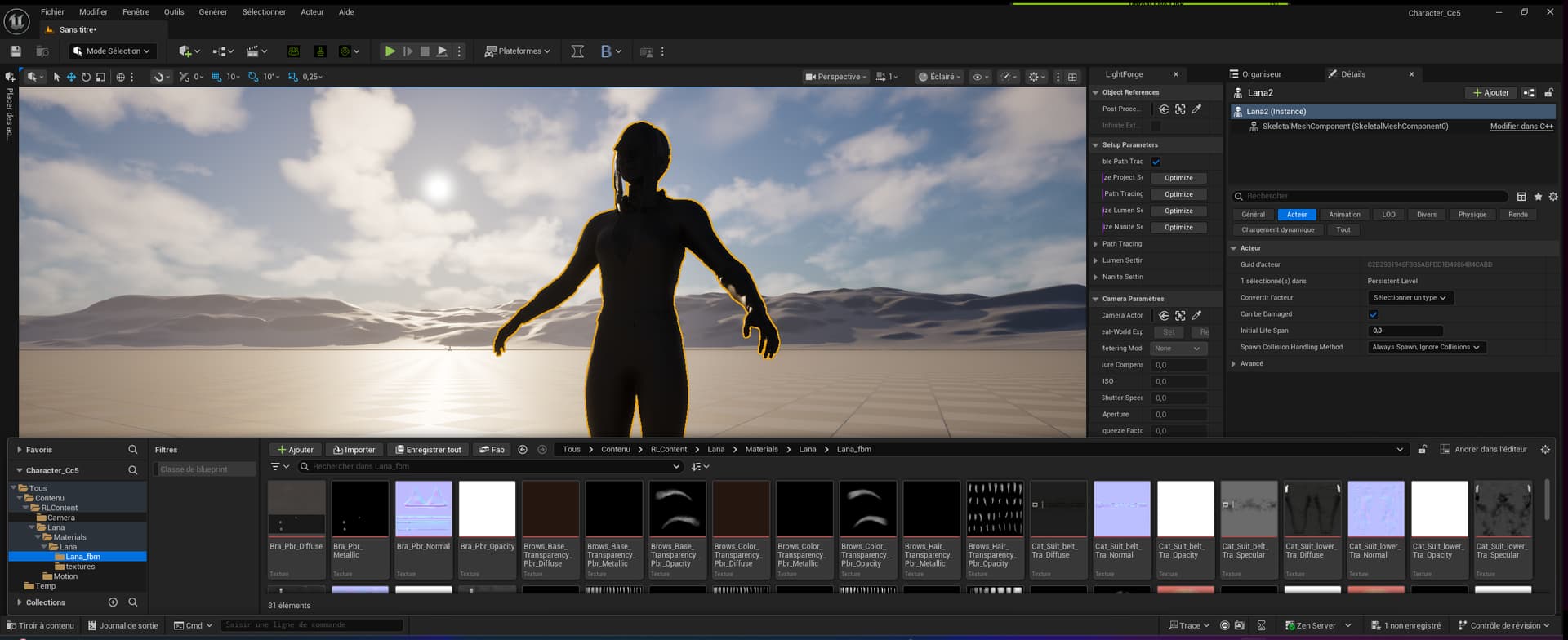
I did report this in the Feedback Tracker, but wanted to mention it here in case someone else knew the resolution
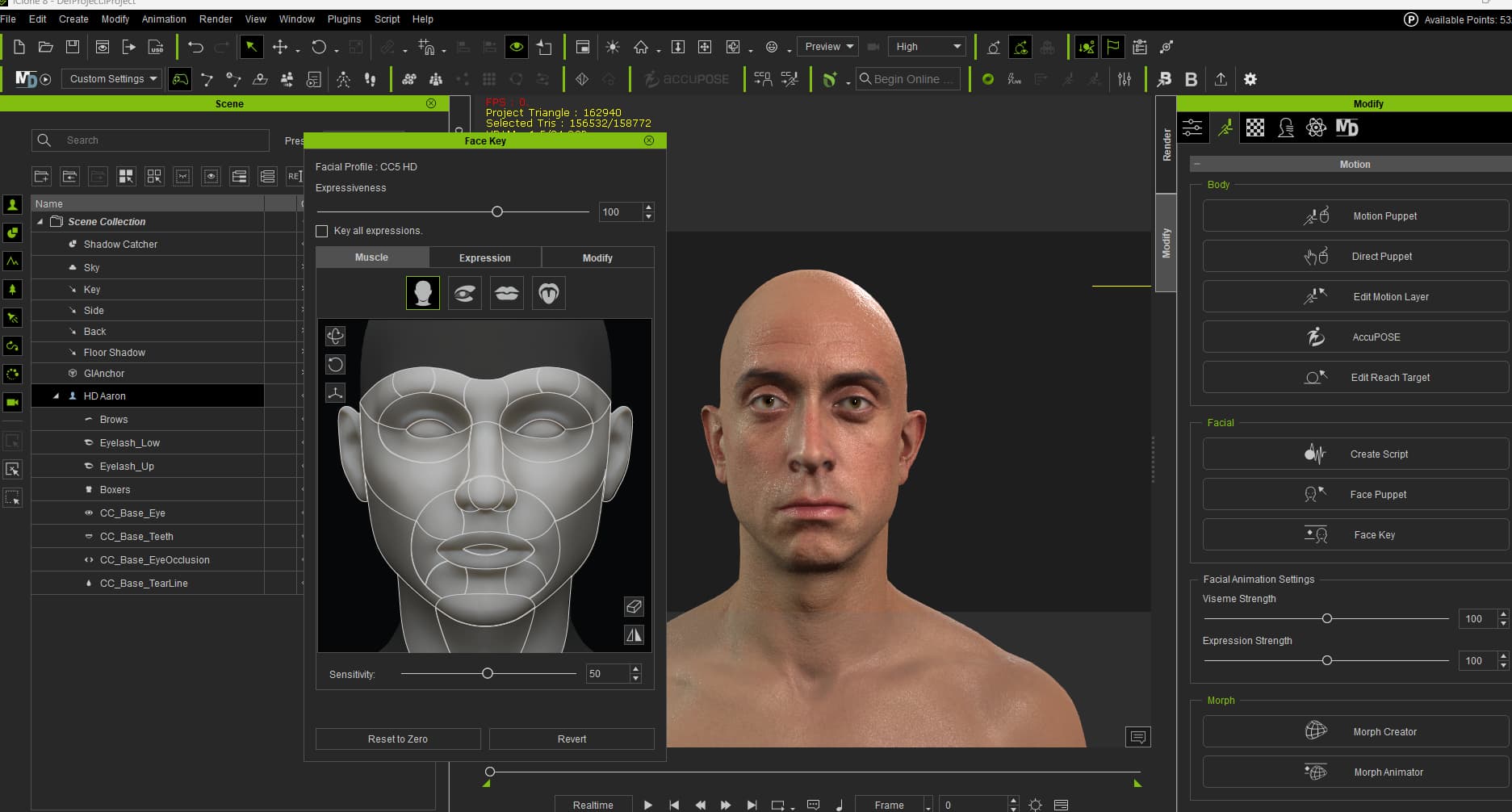
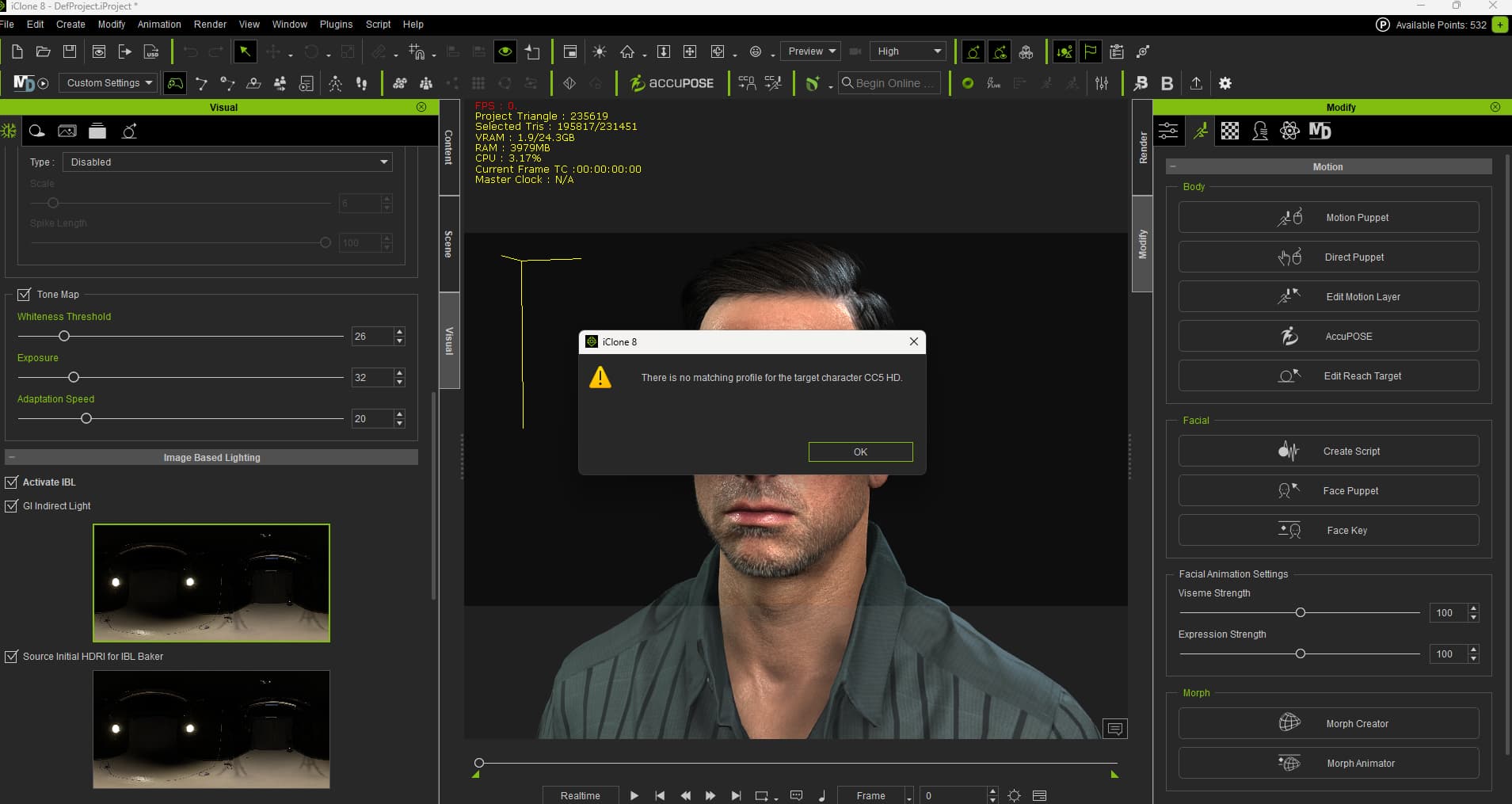
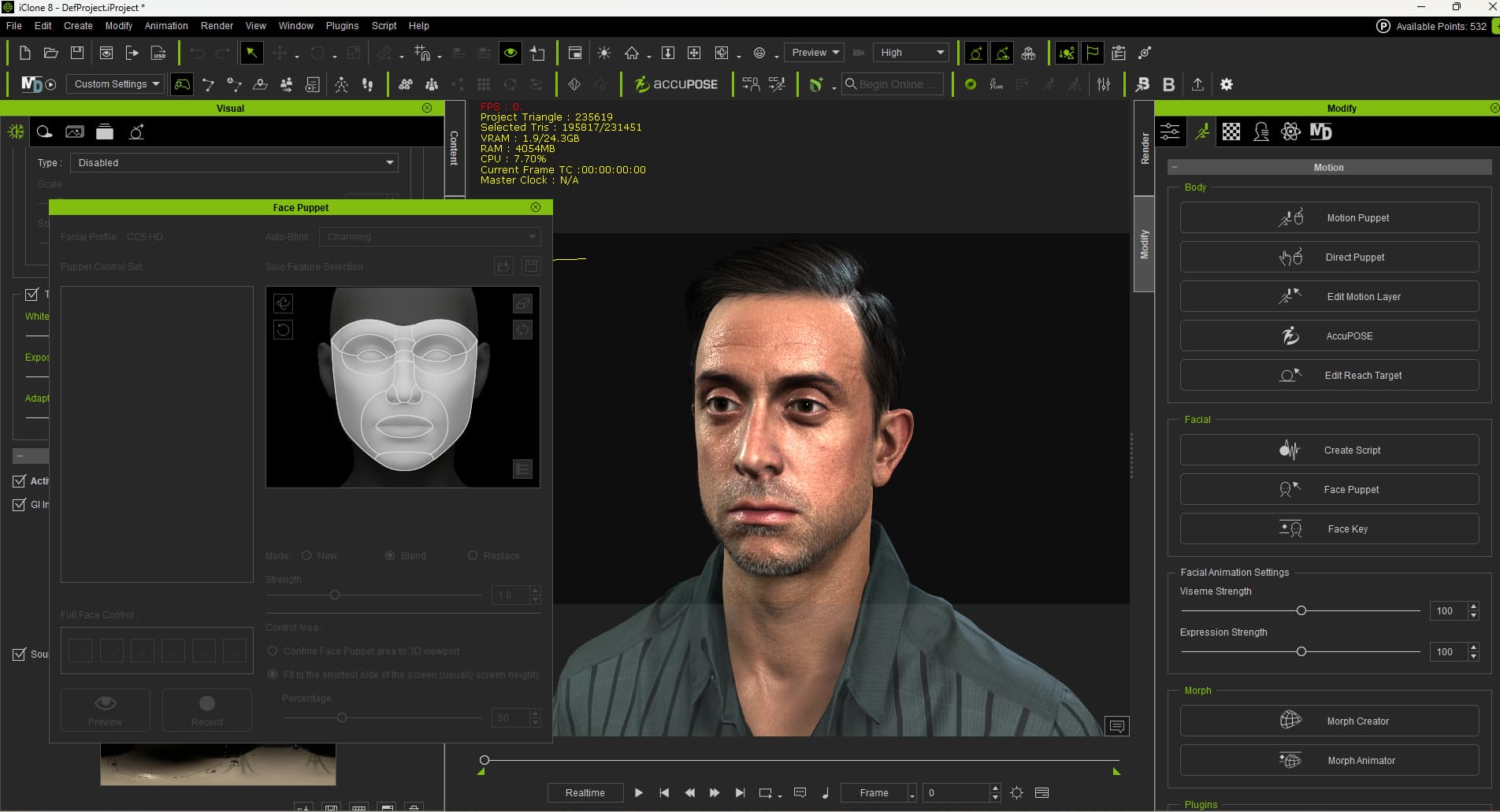
When I apply either the Aaron HD Facial Profile or the General HD Facial Profile to the Aaron Avatar, then send the character to IC8, Face Puppet throws an error [see attached screenshots]'there is no matching profile for the target character CC5 HD. However, Face Key displays the Facial profile as CC5 HD.
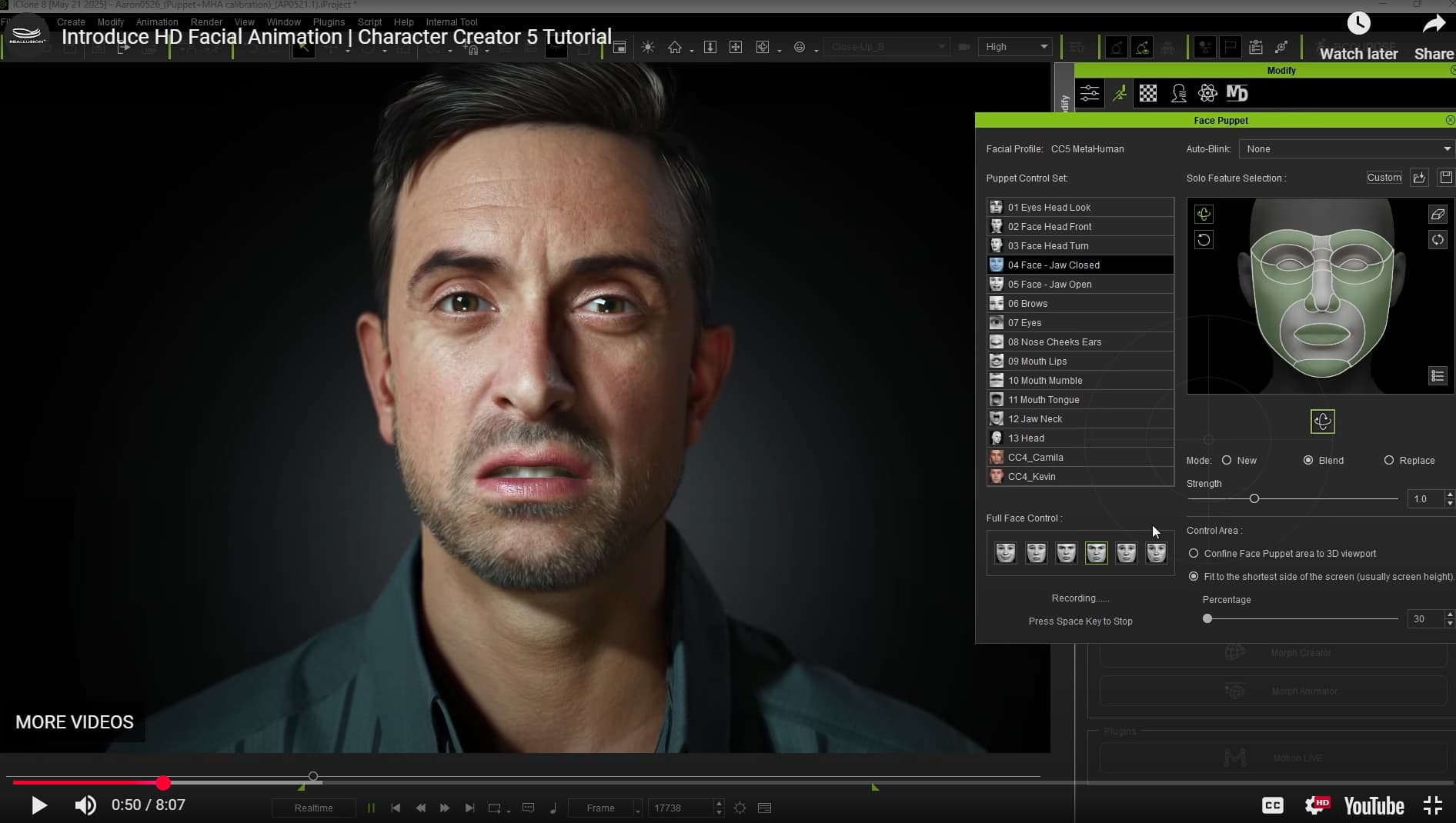
I discovered this while following along in a YT tutorial which states that the HD Facial Profile is available in Face Puppet.
Recently Iclone will crash when I drag in FBX motion files to the characters or Audio files, With the Mocap data I am bringing it from Axis Studio Perception Neuron. I have been using this the past 2 years with no issues doing this frequently using mocap data. Now since the last update a lot of crashing. It stays at %18 before the program just turns off. Making it hard to complete work. I turned the subD preview down and put it in Quick mode and sometimes that works. Never had to do this before.
Hi… Delete (or move somwhere else) MotionLive folder in iClone program instal location. That’s what causes lagging problems.
Hello,
I’ve recently started working with the new iClone update, and in many of my animations I often need to add morphs to my characters. However, when I click on “Morph Creator,” I get the error message shown in the screenshot :
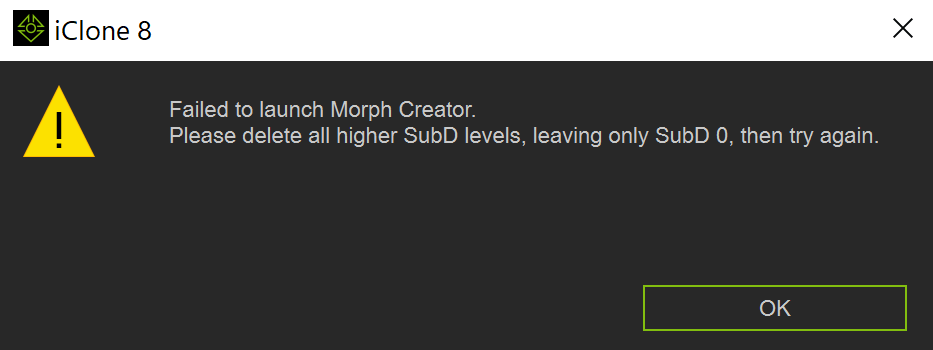
It seems to happen because my SubD level is set to 1. I tried simply sliding it back to 0, but that didn’t work. I actually have to remove all subdivision levels, just like the error message says.
That feels quite inconvenient though! Does this mean that if I want to add morphs to animate during production, I have to send my character back to CC5 to remove the subdivisions, then send it back to iClone to use the Morph Creator? And if I want my subdivisions again, I have to repeat the whole process in reverse?
It’s a bit of a tedious workflow, is there really no way to handle this directly inside iClone? Constantly going back and forth between iClone and CC5 could also risk breaking ongoing animations or cause other technical issues.
I might be missing something here, so I’d really appreciate any clarification. Thanks a lot for your help!
1 Like
I posted about this also and no longer able to add cloth physics to cc5 characters.
The only work around I found is to save 2 versions of the character CC5 and CC4 versions. one with the subdivision removed after creating the character and the one with it in tact. Then 2 versions of the project with the different character in to morph . Its still tedious but you have other versions seperate as back up and to just use to morph. Should something go wrong
1 Like
Yeah, that workaround could definitely help for now, at least until Reallusion comes up with a proper fix. Hopefully we won’t have to wait too long for that!
I’ve also opened a support ticket about this issue here: Failed to launch Morph Creator because of higher SubD levels - Feedback Tracker
Hello all. I used to be able to right click then drag and drop images (PNG, JPG) into iClone and get a menu to set the image as a plane or billboard. This doesn’t seem to work anymore. I’m using iClone 8.62. Is this a bug?
Update: It was a false alarm. Restarting my PC fixed the issue.
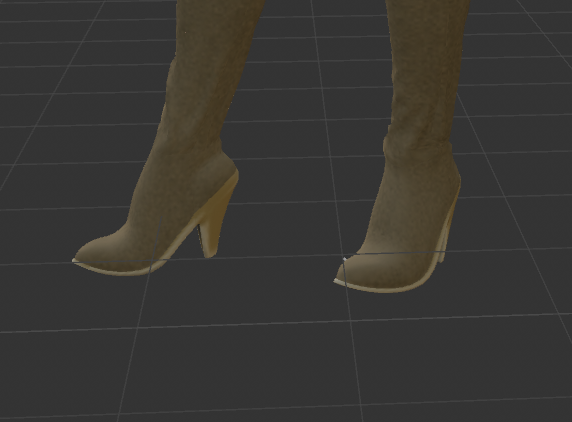
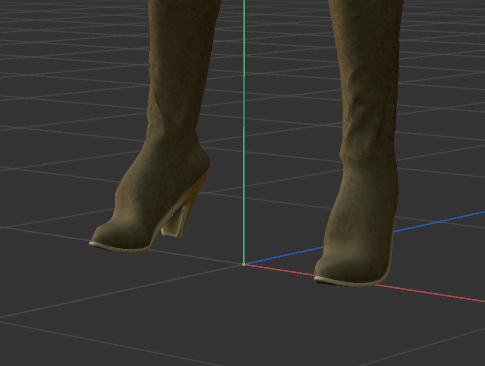
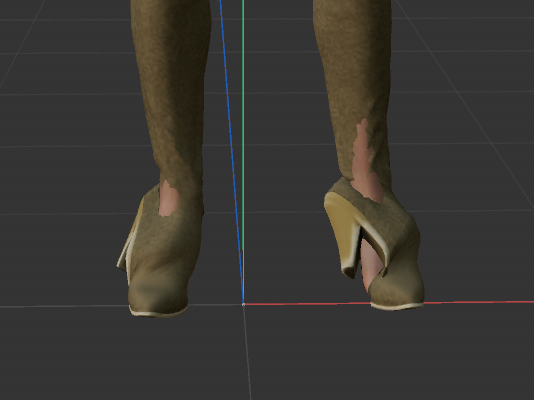
(Copied this over from the general thread–I suppose it belongs here). I’m having a problem with shoes exported from iClone as FBX and imported into Cinema 4D. The problem appears to be with the iClone 8.62, since the same shoes I exported as FBX with an earlier version worked well in C4D, but exported now they are messed up. The other thing is if I export FBX directly from CC4 without animation, then apply an animation to the figure using C4D’s retargeting, the shoes look fine (tho this is not ideal for various reasons.) Am I missing some new setting in iClone that is affecting the shoes/feet?
Older FBX export–not perfect, but not bad:
Same figure, exported now:
Same shoes, exported from CC and animated in C4D.