Random missing textures when loading various actors.
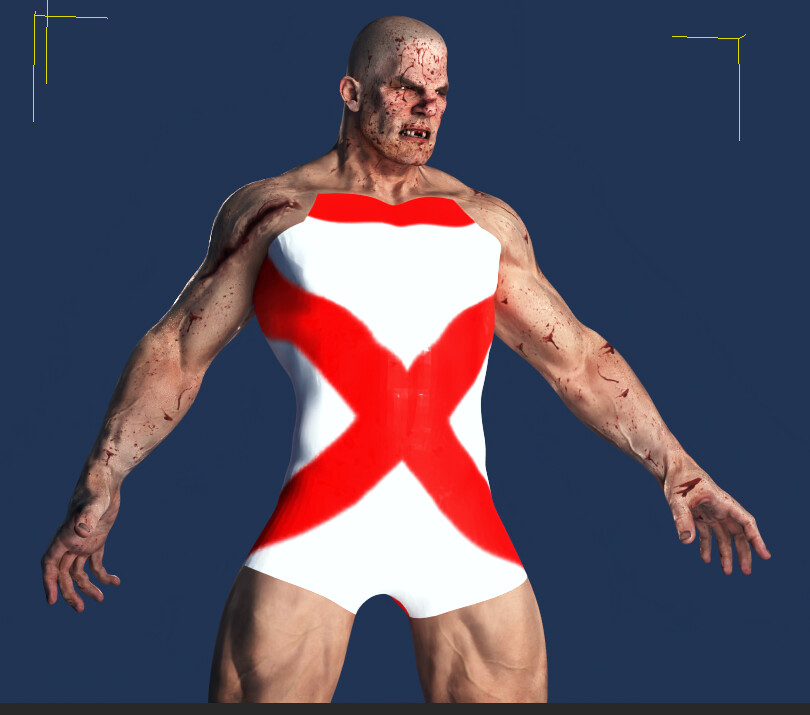
When dropping PBR textures from Materials onto objects, there’s appears to be a failure to clear elements of the previous texture.
Particles don’t work with RTX rendering. Hope they will because it will be somewhat useless rhe RTX renderer if particles are out of the rendering pipeline.
Sometimes IClone crashes and I can’t render in Ultra HD settings (a simple png rendering it causes IClone to crash).
Well, aren’t I happy to see you breathe new life in the Total Materials package!
I guess he’s officially an “X” man. 
Total Materials is working great with old props! https://youtu.be/mkl9lBMchus
Hi, Camonra
Can you provide this character to me to test?
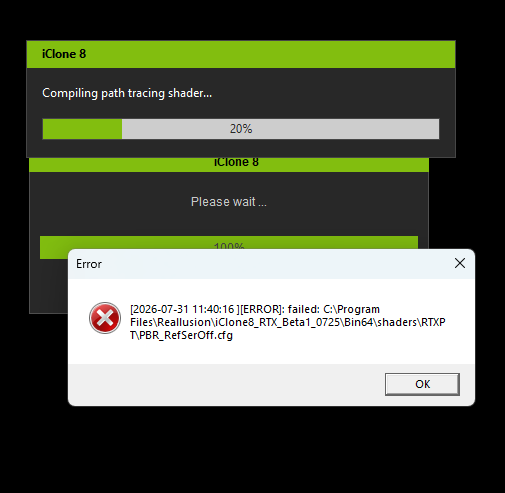
i’m also getting this error message each time i open iclone. once i close it, everything continues and working fine.
I think the installation guide could be clearer for users who are trying it for the first time.
The current wording makes it sound like this is an update or plugin for an existing Character Creator 5 installation. In reality, the RTX Beta is a separate build that runs independently from the official CC5 installation.
For example, the instructions say:
“Extract the ZIP file to your preferred installation directory. Open the Bin64 folder and launch CharacterCreator.exe.”
As someone unfamiliar with the process, I wasn’t sure whether I was supposed to:
- copy these files into my existing CC5 installation,
- replace the original executable,
- or simply run the executable from the extracted folder.
It would help a lot if the guide explicitly stated something like:
“The RTX Beta is a standalone build. Simply extract the ZIP to a new folder (do not overwrite your existing CC5 installation) and launch
Bin64\CharacterCreator.exefrom that folder.”
That one sentence would make the installation process much clearer and avoid a lot of confusion for first-time users.
1 Like
Yea it worked yesterday then stopped again today. Dont get it.
“Hello, I am trying to download the RTX Render for iClone 8 Personal, but the download link is redirecting me to the Reallusion website. Could you please look into this?”
[Link Removed By Moderator]
Yes, sir. I uploaded the CC Project to OneDrive and sent you a link via email.
Hello everyone,
I have two graphics cards (NVIDIA Titan RTX) installed in my computer. Is it possible to enable and use both GPUs with the beta version of the RTX Renderer? At the moment, only one graphics card is active.
Subject: Laptop hybrid graphics (Optimus/MUX) could cause GPU TDR crash on character load — not a beta issue, and resolved w/ switch and restart to dGPU mode
Posting this because laptop users may hit a crash that looks like a beta bug but could be a hybrid-graphics configuration issue, and I’m not sure if the install instructions currently cover it.
System
- Lenovo Legion 7i laptop
- Intel Core Ultra 9 275HX
- NVIDIA RTX 5090 Laptop GPU (24 GB)
- 64 GB RAM
- Windows 11
- NVIDIA Studio Driver 610.88
- Character Creator 5 Perpetual
- CC5 RTX Beta build 5.12.1925.1
Problem
Loading a character in the CC5 RTX beta caused the application to disappear with no error dialog. Event Viewer showed four LiveKernelEvent entries at 14:34:11, followed by an APPCRASH at 14:34:12 — a kernel-level graphics fault preceding the application crash, consistent with a display driver timeout/reset rather than an application-level failure.
At the time, the laptop was running in hybrid graphics mode. The Windows per-application GPU preference had been set to High Performance for CharacterCreator.exe, and Studio Driver 610.88 was installed, but Lenovo Vantage was still set to Hybrid rather than Discrete and the machine had not been restarted into discrete-GPU mode.
Resolution
Switching the laptop to discrete/dGPU graphics mode and restarting resolved it. After the reboot, a stock CC5 character (Camila) loaded directly into RTX mode with no crash, shader conversion completed normally, and the light presets and material library all render correctly. Render quality is a clear visible improvement over DX11—impressive really.
Take-Away
On hybrid-graphics laptops, setting the Windows per-application GPU preference alone may not be sufficient. In my case, the vendor-level graphics mode (Lenovo Vantage) also had to be set to discrete, requiring a restart. A user following the install instructions on a laptop without doing this may see an unexplained crash on character load and reasonably conclude the beta itself is broken. Once set, ran fine.
Suggestion: add a note to the install instructions directing laptop users to switch to discrete GPU mode before first launch.
Additional note: conversion of a digital human is clearly a memory-intensive step. Worth flagging if that’s your intended use.
same here, hopefully in reallusion dev can fix this in near future. mine in TRX iclon 15seconds took 1hr. render , Then I tested it in blender and took 30mins. but in ue5 it took less than 5mins lol. i hope iclone can copy ue5 render pathracing soon
Hi, Locutus
No, currently only a single GPU is supported.
I’m loading one of the demo projects (02_Transmissive_material demo) and I get an error message about a missing file (which is indeed not there):
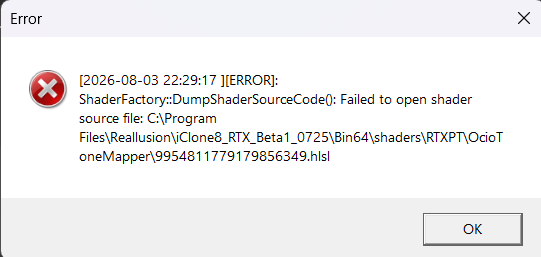
Closing the message opens another one:
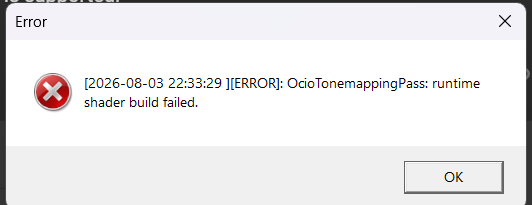
And then the previous one opens again until the app finally hangs.
EDIT: This seems specific to this project because others load fine.
Hi, animagic
We found that the issue is related to Windows permissions. For now, the quickest workarounds are:
- Move the RTX version to a drive other than C: and run it from there.
- Run the RTX version as Administrator.
These should resolve the issue while we work on a permanent fix.
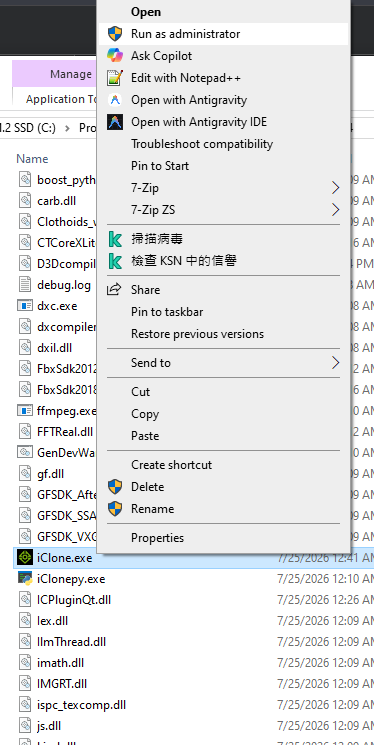
1 Like
Hi, borgman
We finally figured out the root cause of the issue, and we’ll fix it as soon as possible. In the meantime, please try one of the following workarounds:
- Move the RTX version to a drive other than C: and run it from there.
- Run the RTX version as Administrator.
1 Like
I moved the RTX beta to my D: drive as suggested. I’ve now tested it with multiple RTX materials and a reflective scene, and I haven’t had a single error since. The workaround appears to have resolved the issue
1 Like