Thanks for the reply/feedback. Your suggestions will probably be the right way to go for most people. Still learning over here.
Hi, I just purchase CC4 and installed the AI Render plugin. But i don’t see the AI Render button where to find it?
I have noticed that before, but thought it might have been a one time thing. But no, it’s quite consistent.
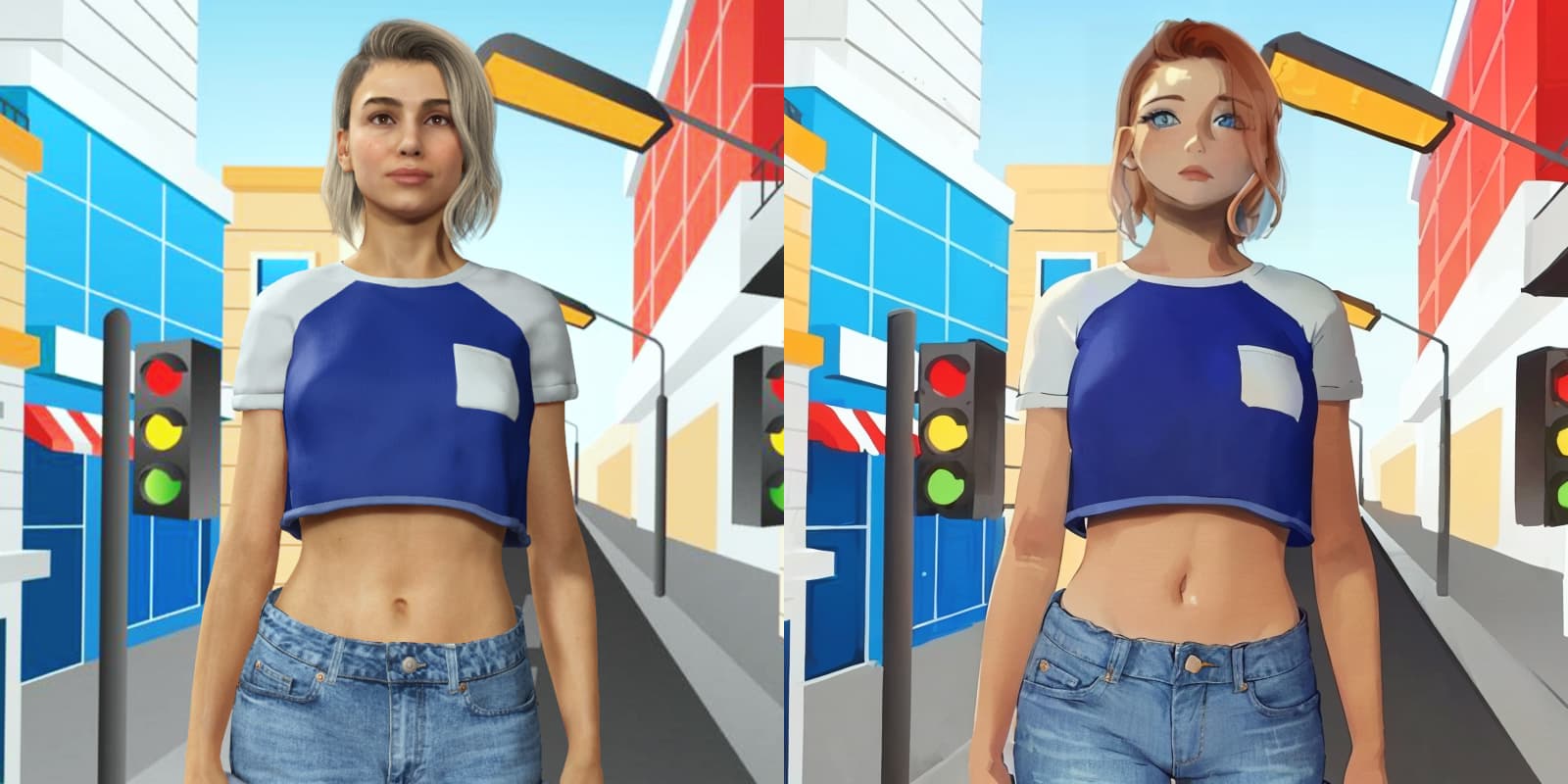
When I preview a video, the first frame is rendering for the preview as usual. Then I render and the outcome is totally different from the preview shot.
In the AI video, the very first frame is exactly the same as in preview, but the rest of the frames are not. It’s like there is a transition for about 6-7 frames from preview image to a different face shape style.
Let me demonstrate. Here is Camila walking in place, background is moving back and camera zooming for 7 seconds (2D Line Video Style)
This is a first iClone render vs AI preview frame:
And then those are first 6 frames of the video scrolled back and force:
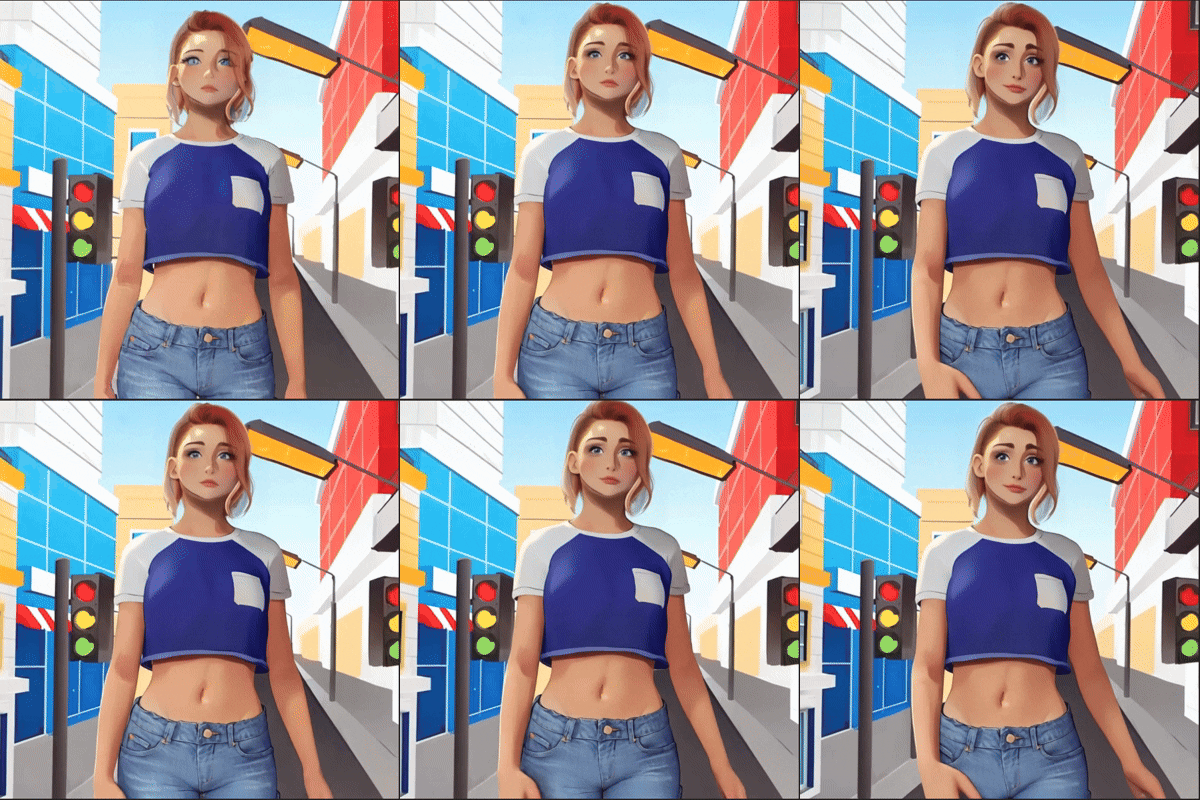
And this is a video:

So it seems like a preview shot and a video rendering configuration mismatch to me. But that makes it impossible to understand how the character would look like in AI rendered video before hitting Render button.
Hi All,
I installed the IClone AI Render Plugin on my local PC, according to the instructions from Reallusion. The AI Render plugin in IClone seems to work fine.
My problem is that the ComfyUI browser interface to the AI Render ComfyUI server (http://127.0.0.1:8188) doesn’t work properly. (I’m assuming that the ComfyUI browser interface to the installed AI Render ComfyUI server should behave the same is it would for any other local ComfyUI server…) The ComfyUI browser does open and shows the ComfyUI interface, but it seems “frozen”: none of the menu options work nor does the Manager, at least not initially. Strangely, sometimes they start working, but only after I’ve tried a number of random troubleshooting actions like reloading the ComfyUI browser, restarting the ComfyUI server via the AI Render plug-in, etc., but I haven’t been able to determine what the exact action is that causes it to start working. Once the ComfyUI browser is working properly, if I I then close the web browser tab that the ComfyUI browser is running in, and then open a new web browser tab and access the ComfyUI browser again, the ComfyUI browser interface is “frozen” again. I get this problem whether I access the ComfyUI browser via Chrome or MS Edge.
Does anyone have any idea what might be causing this and how to fix it? I have already tried uninstalling and reinstalling the IClone AI Render Plugin (which I presume uninstalls and reinstalls its ComfyUI server instance) but that didn’t fix the problem.
You may close iClone/CC and start server from C:\Program Files\Common Files\Reallusion\RL_ComfyUI\run_comfyui.vbs
But I don’t think it would make a difference.
I would try a different browser first and then checked Antivirus software/firewalls on PC.
1 Like
Which video model did you use?
That was 2D Clean Line Video Style
And then here is a Cartoon Video style [Official] 🎉 Welcome to AI Render Open Beta – Start Here! - #207 by 4u2ges
Same thing, there is transition for about 12 frames for the face and background lights. I mean it changed for better, but still, why the preview does not reflect the outcome.
To get out the most consistency and quality you should use a trained lora model of Camila for Wan1.3b or Wan14b. I don’t know…I heard that RL did a lora training of Camila, don’t know if it’s for Flux ( Pix only ) or Wan, the lora model must be somewhere. I personally don’t have a Camila Lora for Wan yet, that I can send you.
It doesn’t have to be trained on the Toon Style, the original is enough to guide the AI Toon Style.
Also Wan1.3b is a relatively weak video model…
Thanks. Maybe with update they will deliver LoRAs for at least Kevin and Camila, but otherwise I still think it’s a bug of some sort. I use canny for stability for now, but then it does not obey it for preview but sort of does for the video… strange
Hi, hello.powerwars,
Please check the toolbar and menu in Character Creator as shown in the image below.

Hope it works for you.
thanks for your reply. i install and reinstall CC and plugin 3 times. each time tried on different Drive, CC works fine and i can see plugin install to the correct drive each time. but button never show. Also not in the plugin menu. Anyway CC5 will be out soon. Hopefully you guys will release this AI render plugin for it soon so i can try it. the AI render is one of the reason i purchase this software.
Hi, hello.powerwars
I’m sorry to hear that AI Render isn’t working in your Character Creator.
Could you please try the following steps to help us troubleshoot?
-
Go to Script menu → Console Log and check whether any messages appear when you launch Character Creator.
-
Navigate to your Character Creator installation folder (by default:
C:\Program Files\Reallusion\Character Creator 4\Bin64\OpenPlugin) and check if the AI Render folder exists there.
Thanks for your help.
Hi all,
We’re excited to announce that an update to the AI Render plugin will be released on September 1! 
-
Fully compatible with iClone 8.6, Character Creator 4.6, and the newly released Character Creator 5.
-
For users who prefer not to update iClone or CC yet, you can still update the AI Render plugin itself. Step-by-step instructions will be provided in the release note.
-
Includes fixes and enhancements to several critical functions for a smoother workflow.
Important Note: If you update to iClone 8.6 or CC 4.6 now, the current AI Render plugin will not be supported. Please wait for the September 1 release for full compatibility. If you already updated and need to roll back, follow these steps:
- Uninstall the current version of iClone/Character Creator (via Hub).
- Reinstall iClone 8.54 / Character Creator 4.54 using the installers below.
- Run the patch in the original AI Render installer you installed before.
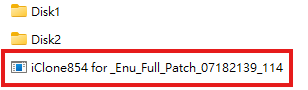
iClone 8.54: https://file.reallusion.com/IC854_Enu.exe
Character Creator 4.54: https://file.reallusion.com/ic/Character_Creator_454_Enu_Full.exe
Stay tuned — the full release notes will be shared on launch day!
1 Like
I need help.
I have been using comfy UI with great results for images. However, video… is another story.
I had done the batch render, and double, tripple checked, all the independent videos work. When I go back and click render for the video, it loads for about 30 seconds, then stops. no video is ever rendered. No idea why…
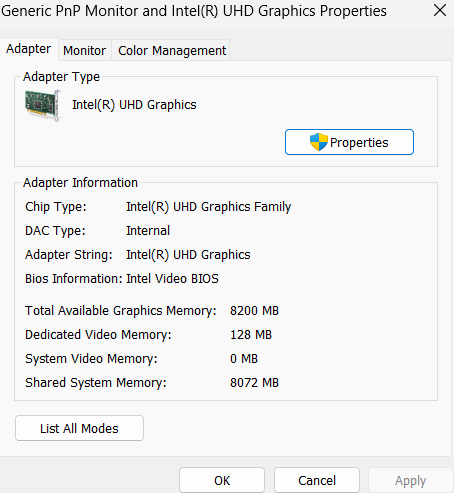
My guess is, you don’t have a dedicated GPU with enough VRAM so the AI model doesn’t fit. Check the memory in Taskmanager while the model is loading. It probably looks like it’s filling up to the brim and then stops.
You need an Nvidia GPU with at least a 12 GB VRAM. The more the better. Even if you could fit everything in 8 GB memory on your CPU the render times would likely be extremely long, I mean hours for five seconds of video.
1 Like
Hello, Sp3c1alk
I’ve sent you a private message. Please check it at your convenience.
Thank you.
 AI Render Update is live — now compatible with iClone 8.54/8.6, CC4.54/4.6, and CC5.
Highlights: HD Realistic Image Style (SDXL), Face Detail for SD1.5, Reset to Default, plus stability and workflow fixes.
Update now: CC4/iC8 existing users grab the Patch ZIP; first-time installs & all CC5 users use the Full ZIP
View full release note & download now: [Official]  AI Render Plugin 0901 Version Release Note
I get this a lot when rendering animations. Final mp4 render gets overlaid with pose armature clip in a form of white skeleton. Why is this happening?
(todays update affected also)

Hi 4u2ges
Which video generation template are you using?
Hi Melvin,
I tried Cinema and Wan2.1 Fun in older version of plugin (that screenshot with the Bride) and today I rendered with new HD Realistic with the same result. It goes away obviously if I uncheck Pose in Control Net before rendering.
Also, the white armature is not on the first preview render shot. It only appears after video render complete and starts after a few frames of animation. And it mostly happens when face is distant.
So I guess it’s a Wan2.1 Fun “thing”. And I did not render anything with VACE models as I am out of luck with those. It’s always running out of memory with both VACE models while FUN renders the same set just fine.