[Official] 🐞 Bug Report & Technical Support

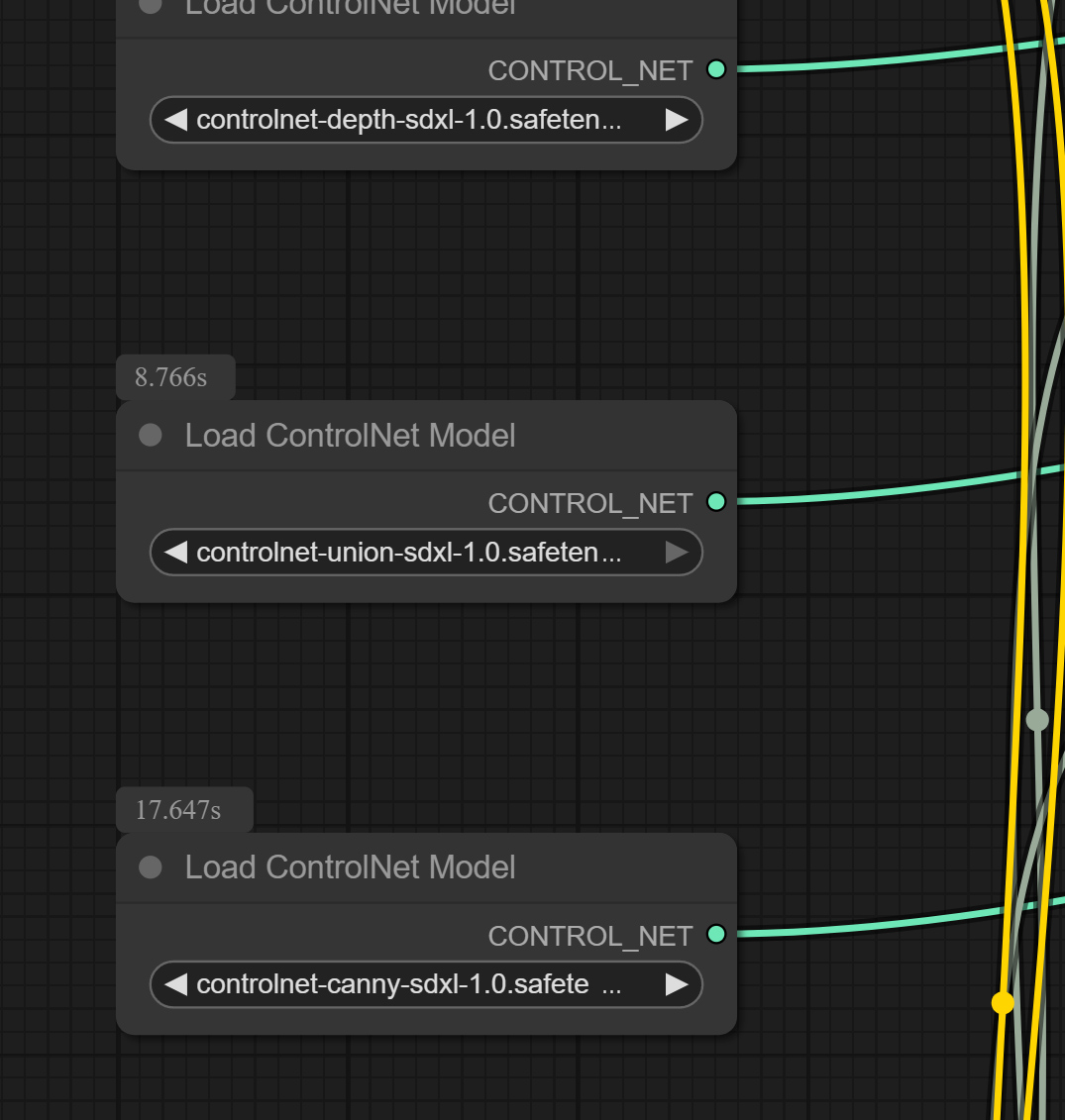
I am guessing it is because the controlnet is using the “union” model. You can try and change the model to a dedicated open pose variation if you know your way around Comfy. If not, you will have to wait until RL does it in an update.

This is similar to the issue I solved for the SDXL workflow I added here…and it looks like RL is doing the same in the new SDXL they released.
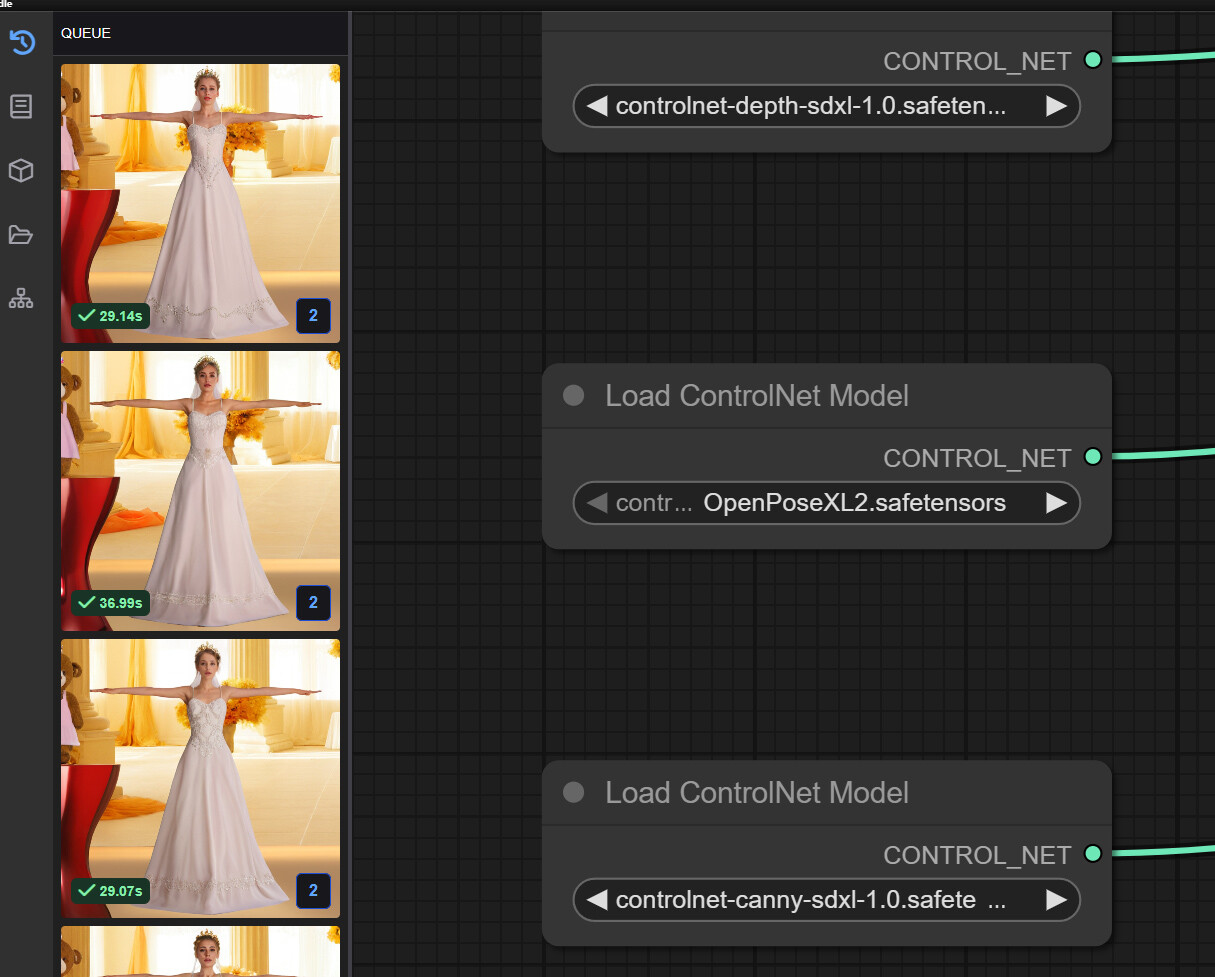
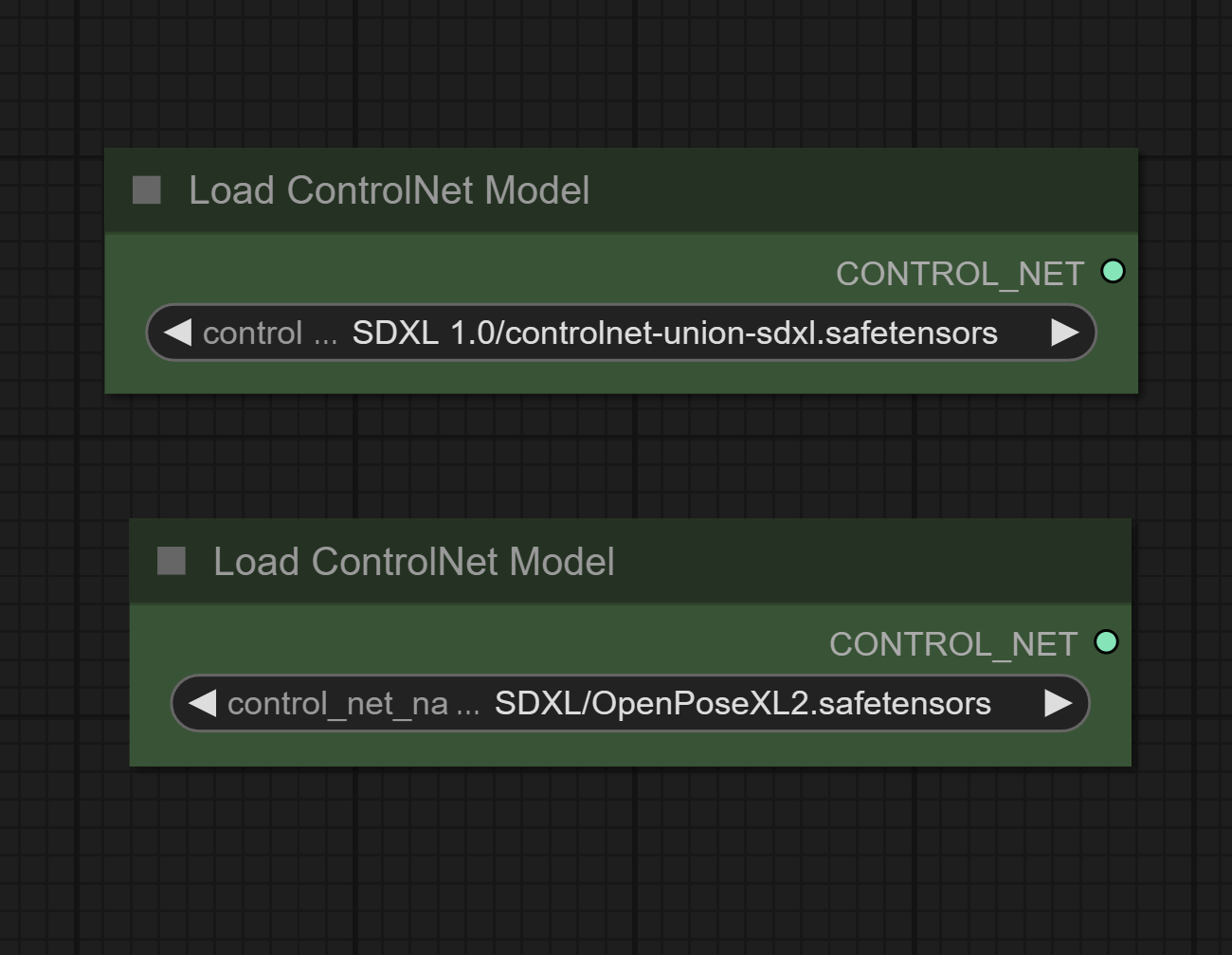
You are looking for nodes similar to what is in the image. You will need to find and download the OpenPose models for those checkpoints

Thanks for digging. I did find it by dragging Workflow_Gen onto the Comfy, but I certainly would not know how to customize it (what models to download and how to connect). I guess, I’d have to wait for the RL fix :cry:

Update… Actually no… I was looking in a wrong place. It’s in Workflow_Pre and yes, it’s union…

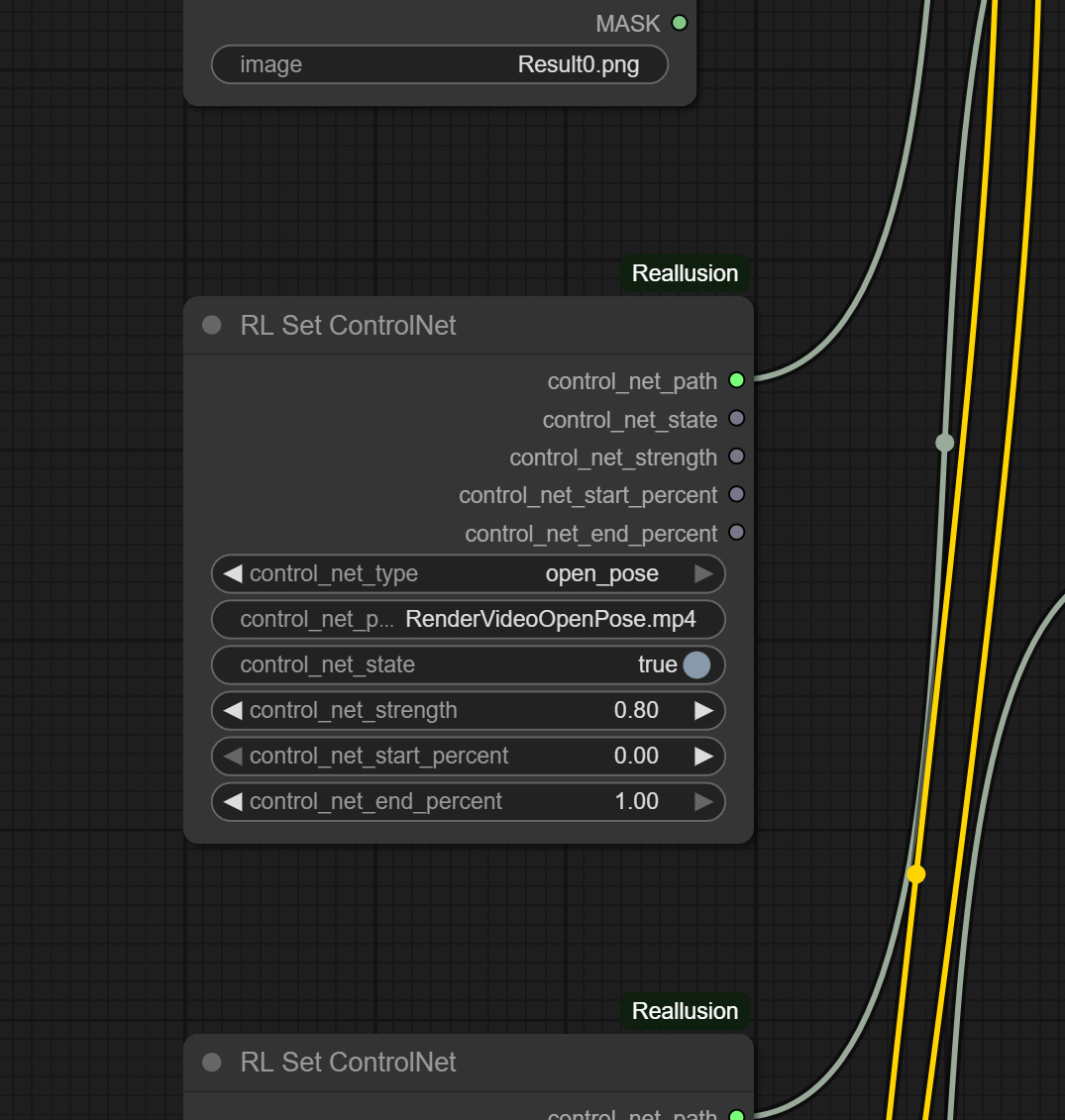
That is not the correct node…That is the custom RL Core node that passes the controlnet image from iClone/CC to the “Apply Controlnet Node”. You are looking for the nodes that say “Load Controlnet Model” just like the ones I have in my image. It should only be 1, and it will have a “controlnet_union” model.

Yes, I figured I was not looking in a right place… Updated original post… I will try to go deeper and see if I can figure it out :slight_smile:
Thanks again…

Ok, lets say for a moment I loaded a new pose control model (I did change it to OpenPoseXL2 as an example).
So what do I do next to actually generate animation?

The script where I found that node you mentioned, was from History and it’s called Workflow_Pre.json. But that only generates a preview image in video mode when I hit Run.

Do I have to now “SAVE” Workflow_Pre.json with a new node at the same location in History and try to render a video in iClone? That is I am not sure this script involved with video rendering in any way, which is where I have a problem.

If the skeleton artifacts appear only at the video generation stage, then it’s not related to the workflows used for image generation (SD1.5 or SDXL).

The current Video Gen Template relies on WanFun Control and Wan Vace, which both read ControlNet data directly via the model’s native ability and corresponding nodes (ex, WanFunControlToVideo). Thus, any issue is more likely due to parameters needing adjustment or the order of node connections. Would you be able to provide the history folder from your tests so we can use it as a reference?

Yes, I figured that much by now :wink:
Here is a freshly generated clip with all files from history (I only cleared “output_dir” and “reference_history_path” in Settings.json and gen_settings.json)

The armature appearance here is not as strong as in other clips, but still quite distinct.
I think the issue might be related to the clip length - the longer clip, the more chances it would overlay.

1 Like

Hello Stridgamer try disabling Consisting Expression under Live Portrait area in the AI Render window. Good luck.

I finally was able to render animation with VACE (the issue was that resolution must be square)

There is another issue however. VACE does not follow specified Steps.
Like if I specify 8 steps, “Fun” would render 8 strictly. But both VACE options would do 13 or 12.
Is that by design?

Plugin Version

  • The version of AI Render you are currently using.

System Specs

(You can find this information in the Reallusion Hub under “System Info”)

  • CPU: AMD Ryzen 9 9955HX3D 16-Core Processor (2.50 GHz),
  • GPU : RTX 5070 TI Laptop GPU,
  • RAM: 40,0 Go,
  • Operating System: Windows 11 Pro 24H2

ComfyUI Version (if applicable)

  • The same version

Detailed Description of the Problem

  • What were you trying to do? Render Video. Rendering images has no problem.
  • What did you expect to happen? Video rendering in mp4 format
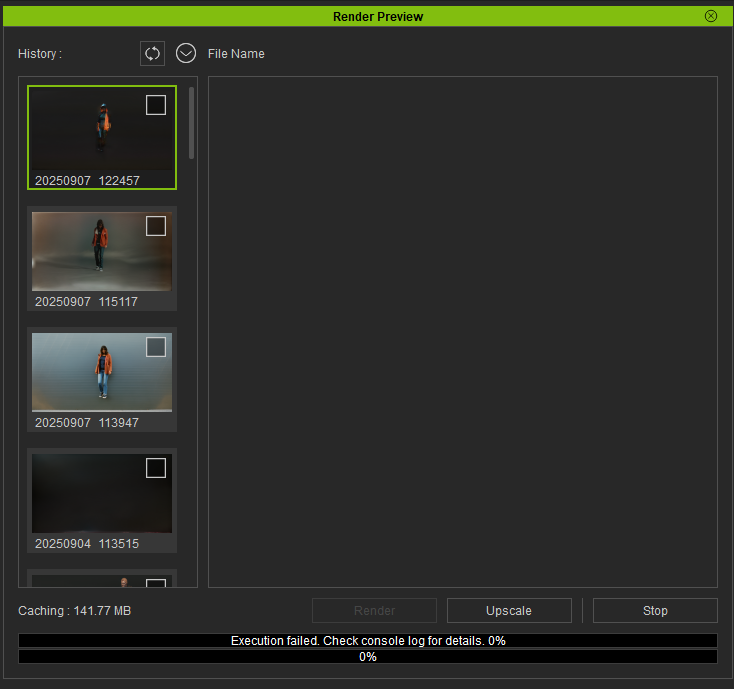
  • What actually happened? Execution failed, check the error on the consol and this error message on the console : UNetModel has no attribute blocks

Error Messages

  • UNetModel has no attribute blocks .

Steps to Reproduce

Every time you render a video, whatever is loaded into RAM, stays there after render is done bogging the computer down. Python process can take anywhere from 10-25Gb, even for very short clips. The only way to clear it, is to close server command window and restart it.

Hi 4u2ges,

In the video template workflow, the step is not tied to the panel settings, and right now they follow the values we defined when testing the workflow.

1 Like

Hi c.bwanakawa,

Which video render template are you using? And if it’s convenient, could you open the Script/Console log from the iClone menu to see if there’s any more detailed log information?
Also you can navigate to the history folder (right-click on a history item → Browse) and try running the Workflow_Gen.json file in your ComfyUI environment (either 127.0.0.1 or your LAN server). If any errors appear, kindly share a screenshot with us.

Thank you!

Thank you for the feedback. We’ve observed this issue and are trying different approaches to release resources during the process. For now, we recommend restarting ComfyUI before rendering the video to ensure there’s enough space.

To begin with, the project is simply a one-second movement of a character without a background, which I created to test the rendering functionality.

Procedure followed:

  • Launching the server (AI Render Setting – Launch): ✅ OK
  • Then I went to the video rendering section (video render icon – Workflows section). I tested several styles: Films Video Style, 2D Anime Video Style, and others. For this case, I chose Films Video Style.
  • Preview launch: ✅ OK. The preview runs without any issues. When I check the folder, I find the following files:
RenderImage.png  
RenderImageDepth.png  
RenderImageNormal.png  
RenderImageOpenPose.png  
RenderVideo.mp4  
RenderVideoDepth.mp4  
RenderVideoNormal.mp4  
RenderVideoOpenPose.mp4  
Result0.png  
Setting.json  
Workflow_Pre.json  

So I have the results, and everything seems fine.

Video render launch:
I tested with: "Wan2.1 fun 1.3B Control" and also "Wan Vace 1.3b" — both returned the same error message. I’ll illustrate using "Wan2.1 fun 1.3B Control".
I click on Render, then Confirm, and confirm the filename to be generated. That’s when the following error occurs. Below is the part I copied from the console, which I believe relates to the error message:

"..Requested to load WanVAE
0 models unloaded.
loaded partially 128.0 127.9998779296875 0
0 models unloaded.
loaded partially 128.0 127.9998779296875 0
!!! Exception during processing !!! ‘UNetModel’ object has no attribute ‘blocks’
Traceback (most recent call last):
File “C:\Program Files\Common Files\Reallusion\RL_ComfyUI\ComfyUI\execution.py”, line 349, in execute
output_data, output_ui, has_subgraph = get_output_data(obj, input_data_all, execution_block_cb=execution_block_cb, pre_execute_cb=pre_execute_cb)
^^^^^^^^^^^^^^^^^^^^^^^^^^^^^^^^^^^^^^^^^^^^^^^^^^^^^^^^^^^^^^^^^^^^^^^^^^^^^^^^^^^^^^^^^^^^^^^^^^^^^^^^^^
File “C:\Program Files\Common Files\Reallusion\RL_ComfyUI\ComfyUI\execution.py”, line 224, in get_output_data
return_values = _map_node_over_list(obj, input_data_all, obj.FUNCTION, allow_interrupt=True, execution_block_cb=execution_block_cb, pre_execute_cb=pre_execute_cb)
^^^^^^^^^^^^^^^^^^^^^^^^^^^^^^^^^^^^^^^^^^^^^^^^^^^^^^^^^^^^^^^^^^^^^^^^^^^^^^^^^^^^^^^^^^^^^^^^^^^^^^^^^^^^^^^^^^^^^^^^^^^^^^^^^^^^^^^^^^^^^^^^^^
File “C:\Program Files\Common Files\Reallusion\RL_ComfyUI\ComfyUI\execution.py”, line 196, in _map_node_over_list
process_inputs(input_dict, i)
File “C:\Program Files\Common Files\Reallusion\RL_ComfyUI\ComfyUI\execution.py”, line 185, in process_inputs
results.append(getattr(obj, func)(**inputs))
^^^^^^^^^^^^^^^^^^^^^^^^^^^^
File “C:\Program Files\Common Files\Reallusion\RL_ComfyUI\ComfyUI\custom_nodes\ComfyUI-KJNodes\nodes\model_optimization_nodes.py”, line 1574, in enhance
for idx, block in enumerate(diffusion_model.blocks):
^^^^^^^^^^^^^^^^^^^^^^
File “C:\Program Files\Common Files\Reallusion\RL_ComfyUI\python_embeded\Lib\site-packages\torch\nn\modules\module.py”, line 1940, in getattr
raise AttributeError(
AttributeError: ‘UNetModel’ object has no attribute ‘blocks’

Prompt executed in 22.49 seconds".

After launching this render, the following files were added:

Workflow_Gen.json  
gen_setting  

So I go to the ComfyUI interface:

  • Render SettingOpen WebUI
  • I open the workflow: Workflow → Open → History folder → Select workflow: Workflow_Gen.json
  • I run the workflow: Run

And then I get this error message:

WanVideoEnhanceAVideoKJ  
'UNetModel' object has no attribute 'blocks'  

With the 2D render, I received this error:

KSampler  
mat1 and mat2 shapes cannot be multiplied (77x768 and 4096x5120)  

I suspect this may be related to model compatibility or how the models are combined.

Due to poor internet connectivity, I manually downloaded the models by searching for the appropriate links and placing them in the correct folders. If possible, please provide the correct model links so I can re-download and place them properly.

Otherwise, I’m open to your guidance on what’s going wrong and what steps I should take to resolve it.
Hello,
any feedback ?
giving possibility of choosing models from the interface, will it be a solution ?

Hello, c.bwanakawa

Apologies for the delayed reply.
I’ve sent you a private message. Please check it at your convenience.
Thanks.

I tested out iclone 8 Beta ai render and in the preview I end up getting a black box covering the characters face

Hello, backalleytoonz,

Could you please try unchecking the Live Portrait Consist Expression option in the Control section and see if this resolves the issue?

Thanks.

Thanks for reporting this issue. We’ve been able to reproduce it and are analyzing why OpenPose is mapping onto the character incorrectly. We’ll work on a solution. For now, please try disabling OpenPose video generation—it won’t affect your results.

1 Like