We really need a General category.
Anyway, since this afternoon, the dark mode setting for the forum is no longer effective for me, and it is hurting my eyes.
I tried on two different PCs and also different browsers. Has anyone else encountered this?
1 Like
I guess everyone who was using dark theme.
I’m in dark mode right now. Windows 11 and chrome
Do you have a Theme selector at Preferences > Interface?
I do not (it’s just gone today)… compare to blenderartists.org forum for instance which uses the same forum app.
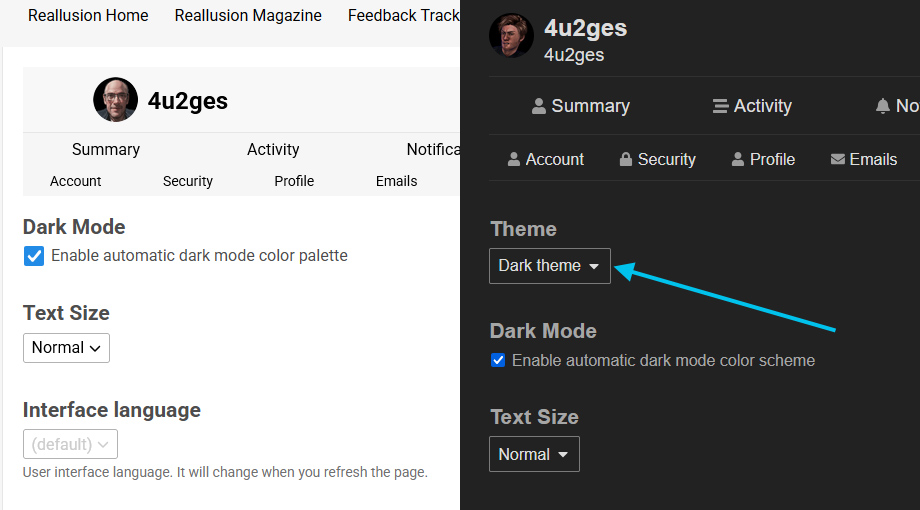
No Theme selector available here either in Preferences>Interface. 

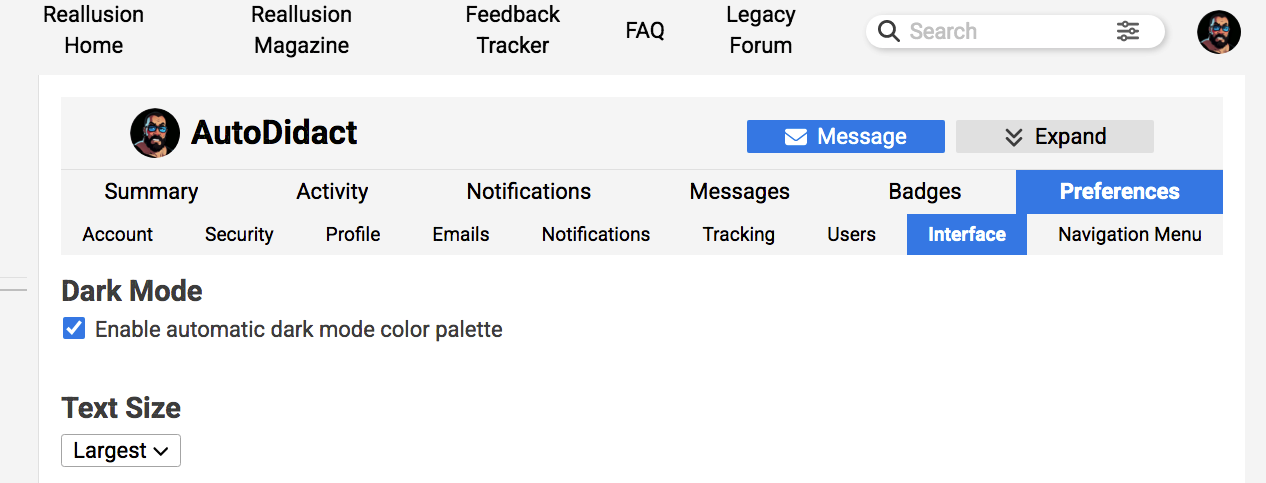
I am on Windows 10, but on another laptop with Windows 11 dark mode doesn’t work either.
I think this is what might have happened.
RL admins removed a Theme selector and forced “Enable automatic dark mode color palette” to everyone from the back end (I am saying that because that check box value cannot be changed and Saved right now).
But apparently there either is a glitch in the app, or it was an admin error in tweaking preferences globally. So this randomly caused an issue to forum users were we are stuck with White Theme.
I downloaded an archive and my preferences.json says this:
“can_pick_theme_with_custom_homepage”:false
“color_scheme_id”:null
“dark_scheme_id”:-1
Whatever that means… Just fix it! 
1 Like
OK I figured that check box meaning…
It will switch the forum to the Dark Theme ONLY if you have your Windows set with a Dark Theme.
But this is ridiculous! I have my Windows set to Custom palette where I picked colors how I want them to be in general. And I do not want the forum to be depend on my Windows preferences.
As I said… Fix it!
1 Like
I mean we have enough bugs going around to be fixed already, so why are they wasting time on something that worked perfectly?
1 Like
If anyone is still having problems with this, please see the thread HERE for instructions.