Want to customize your viewing experience on the forum? You can easily switch between RL-Dark and RL-Light themes in just a few steps:
 Steps to Change Forum Theme:
-
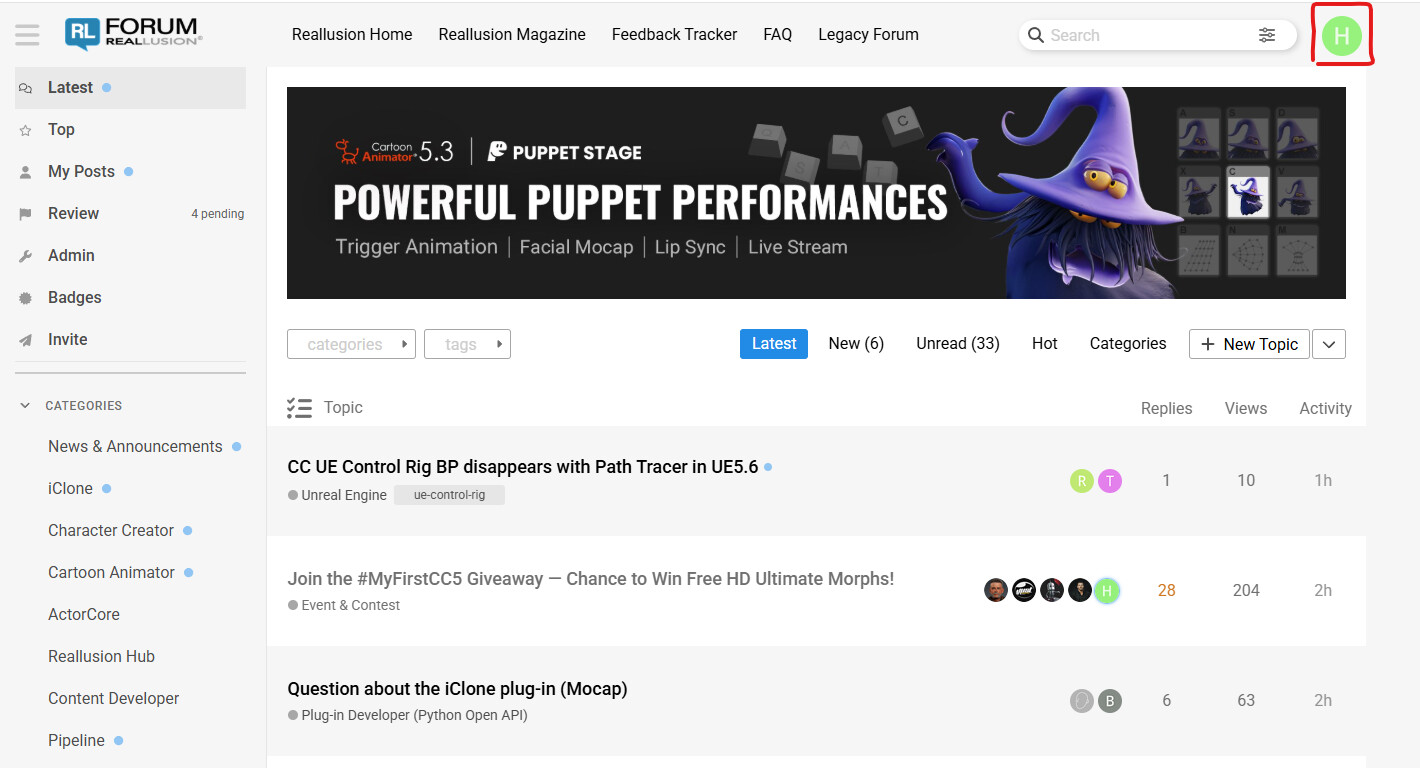
Click on your profile avatar in the top-right corner
-
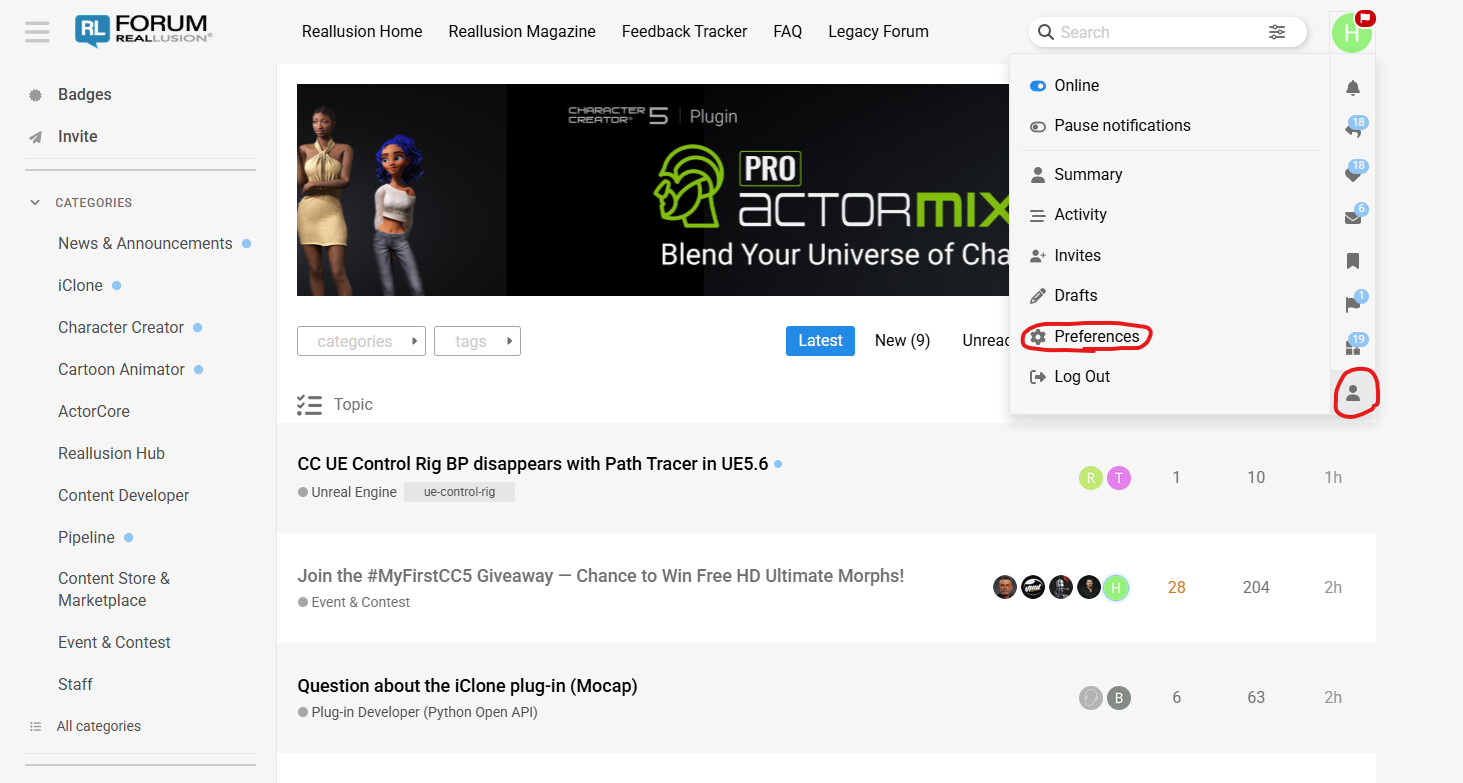
Select Profile from the dropdown
-
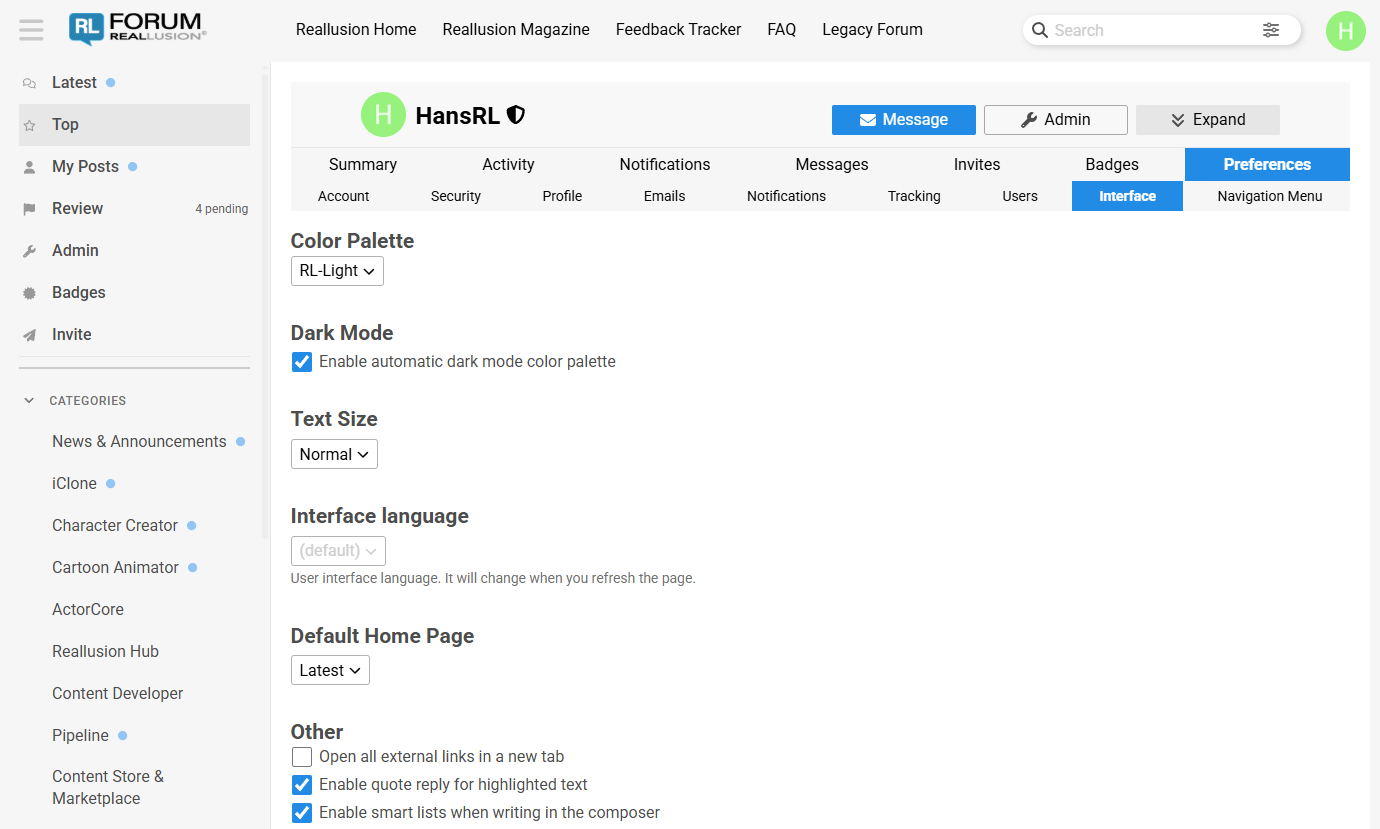
Go to Preferences → Interface
-
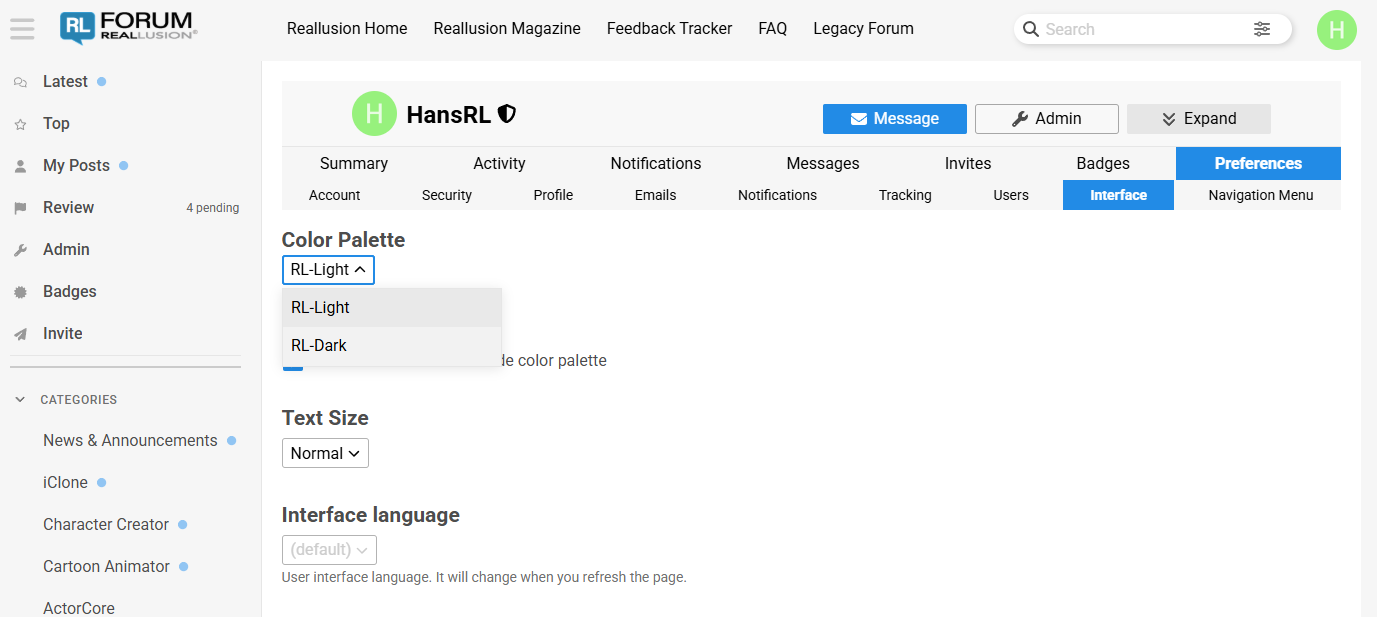
Under Color Palette, choose either RL-Dark or RL-Light
-
Scroll down and click Save Changes