Finally got to sit down and play with it:
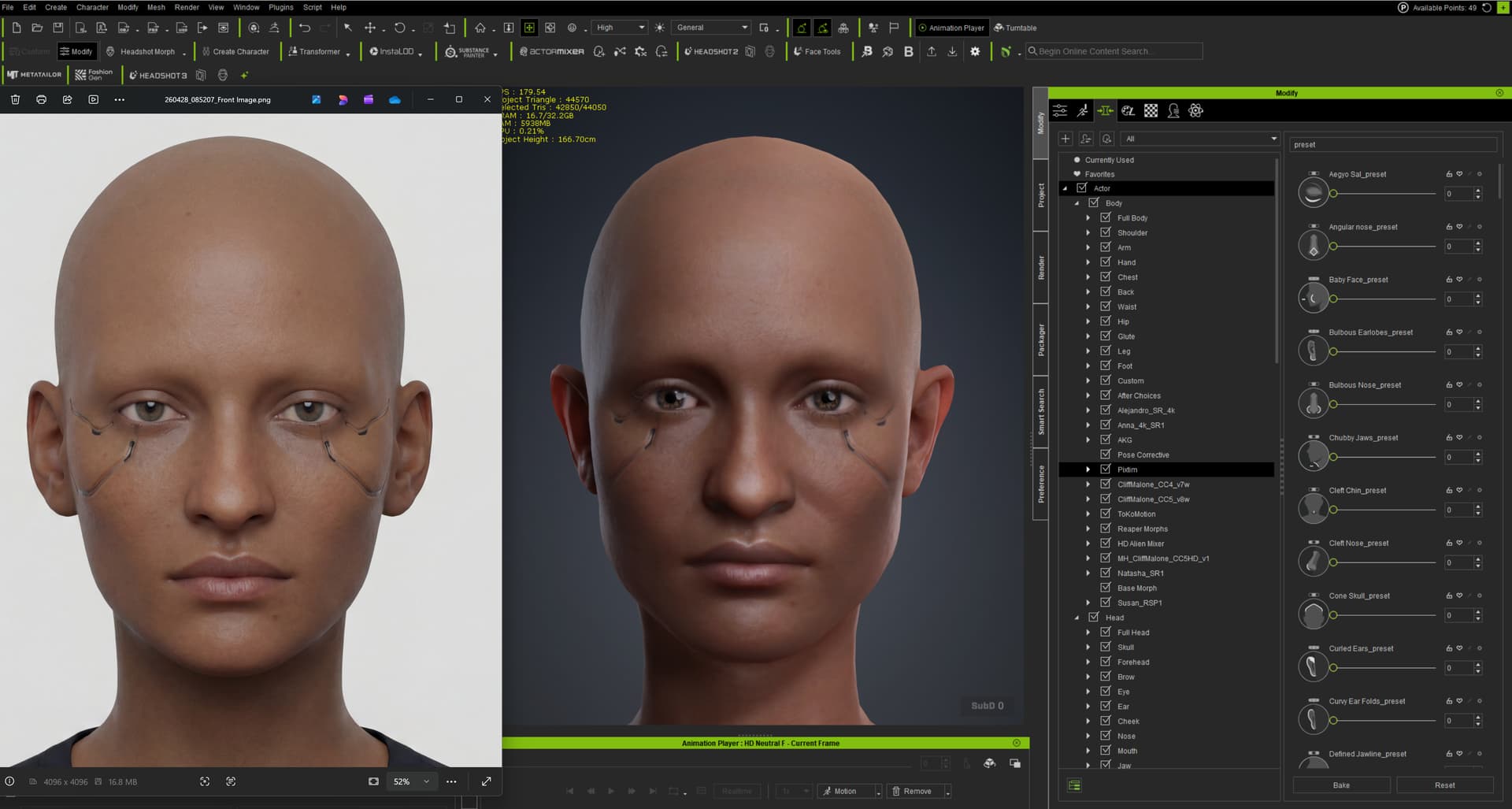
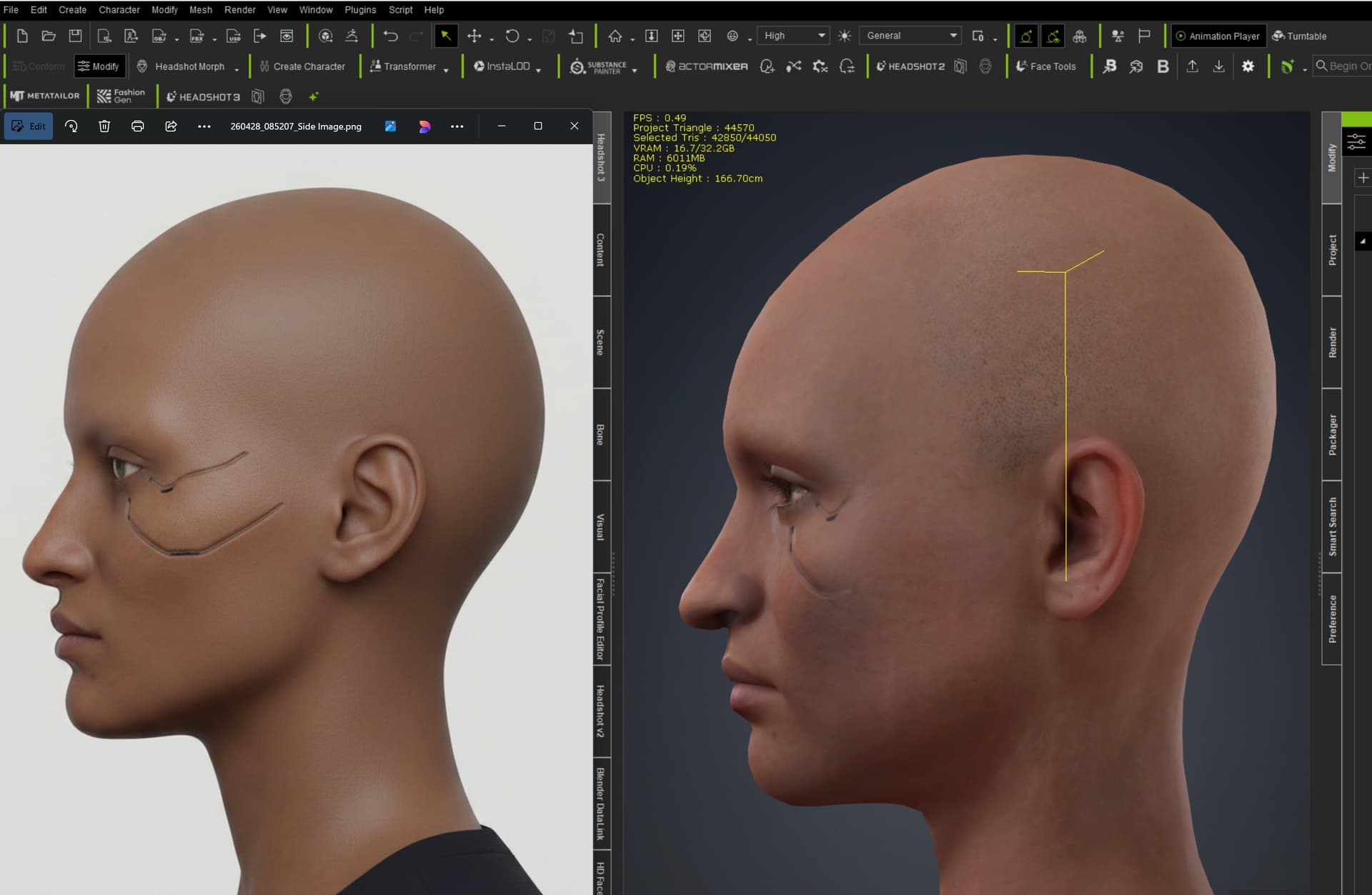
First test, single 4k image image; Only tweaked via the sculpt tool and some mask painting around the eyes. It a small test…but a big improvement over 2 out of the box with a single image.
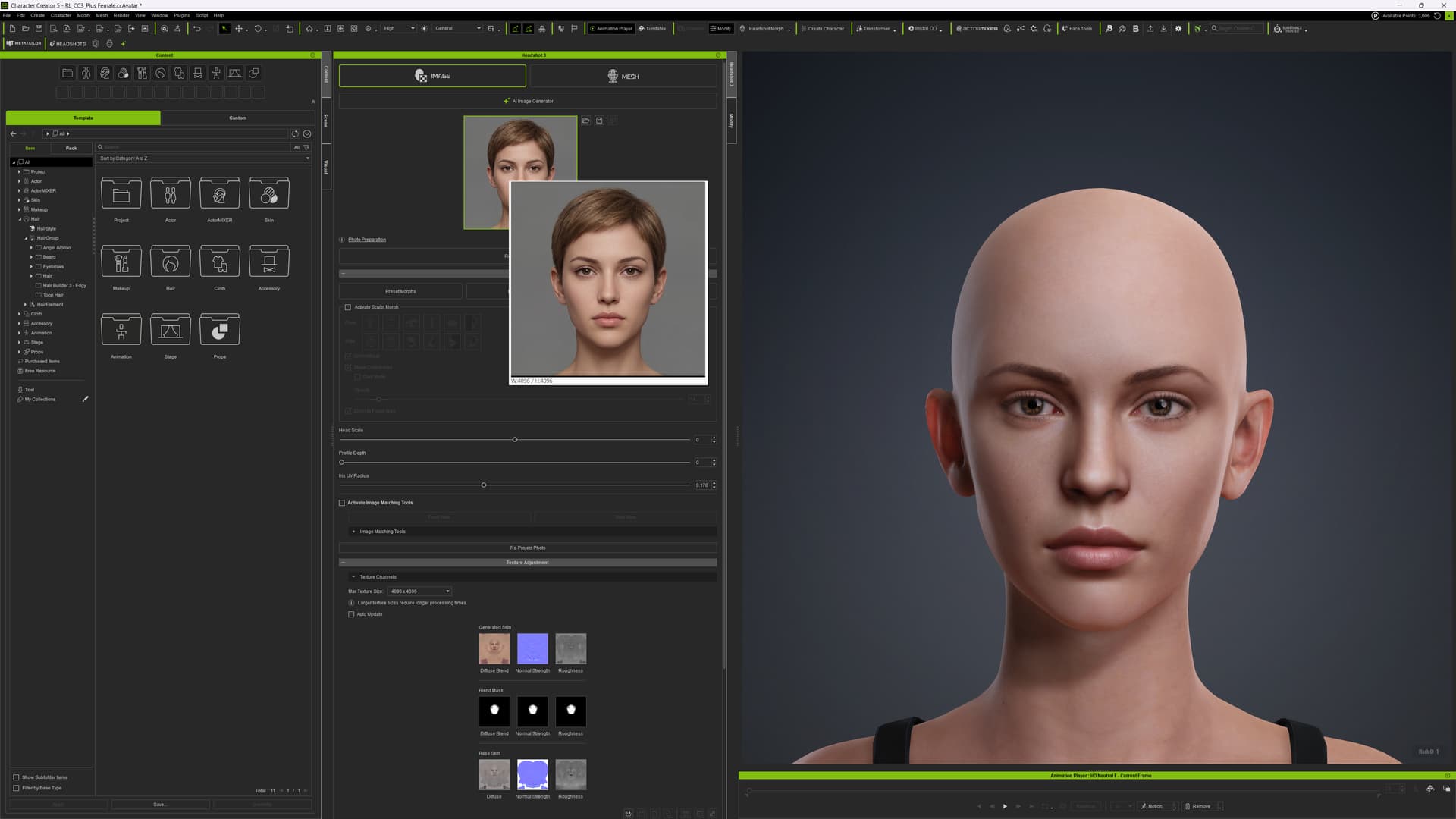
Overall, Headshot 3 works really great, but I have a problem with the finished model itself xd
When I try to play preset animations, the character absolutely falls apart
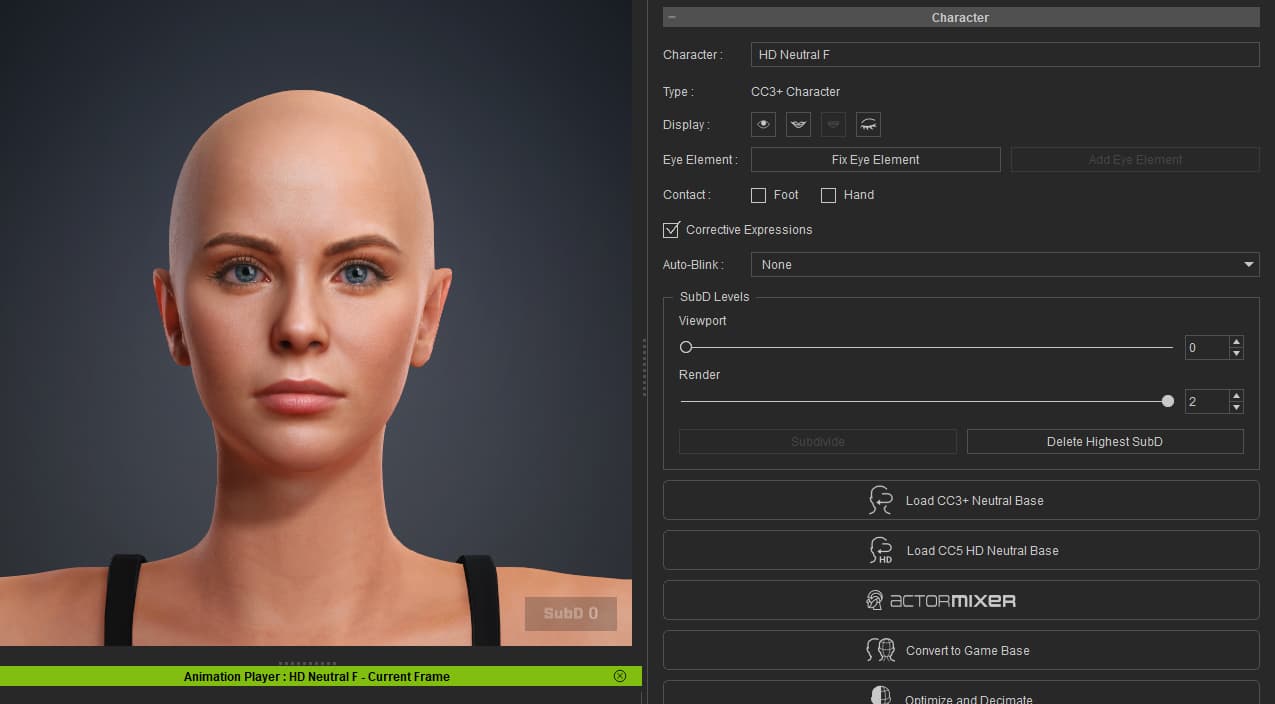
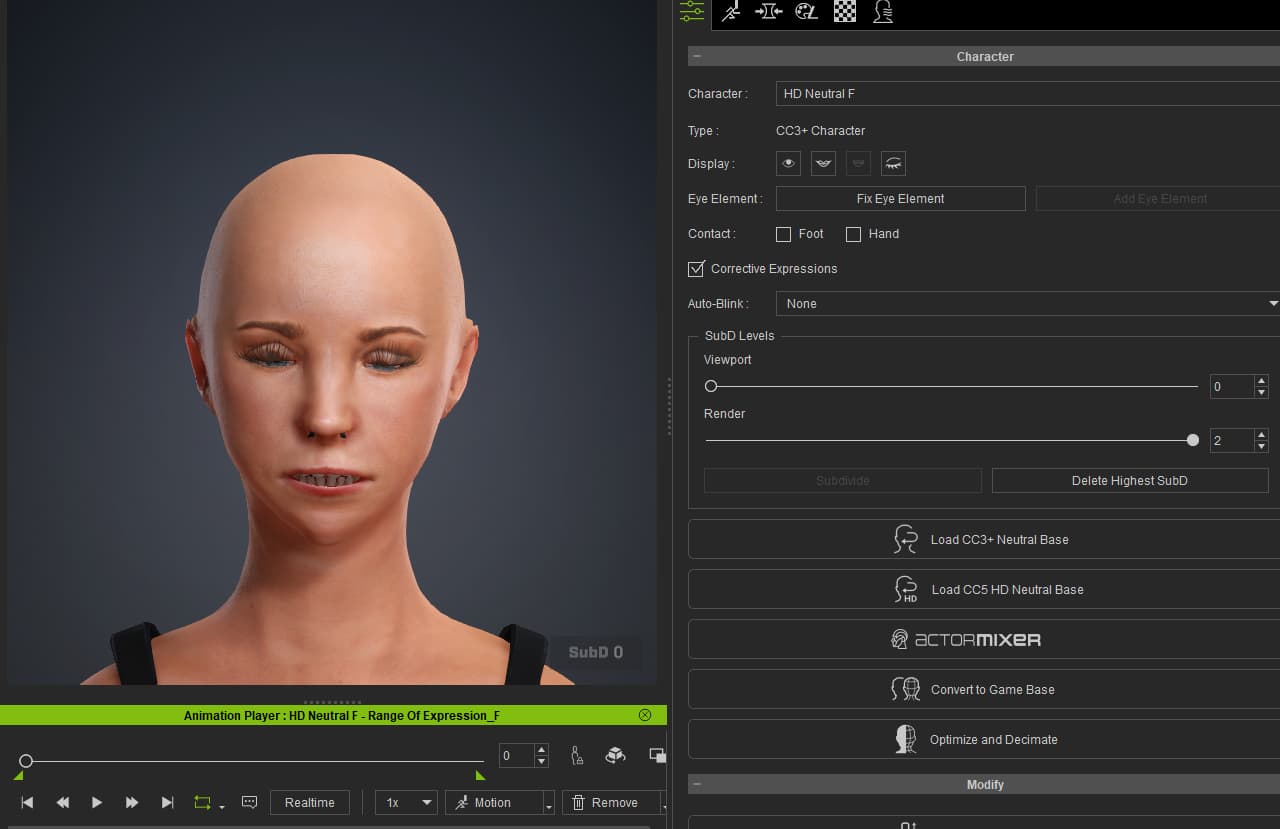
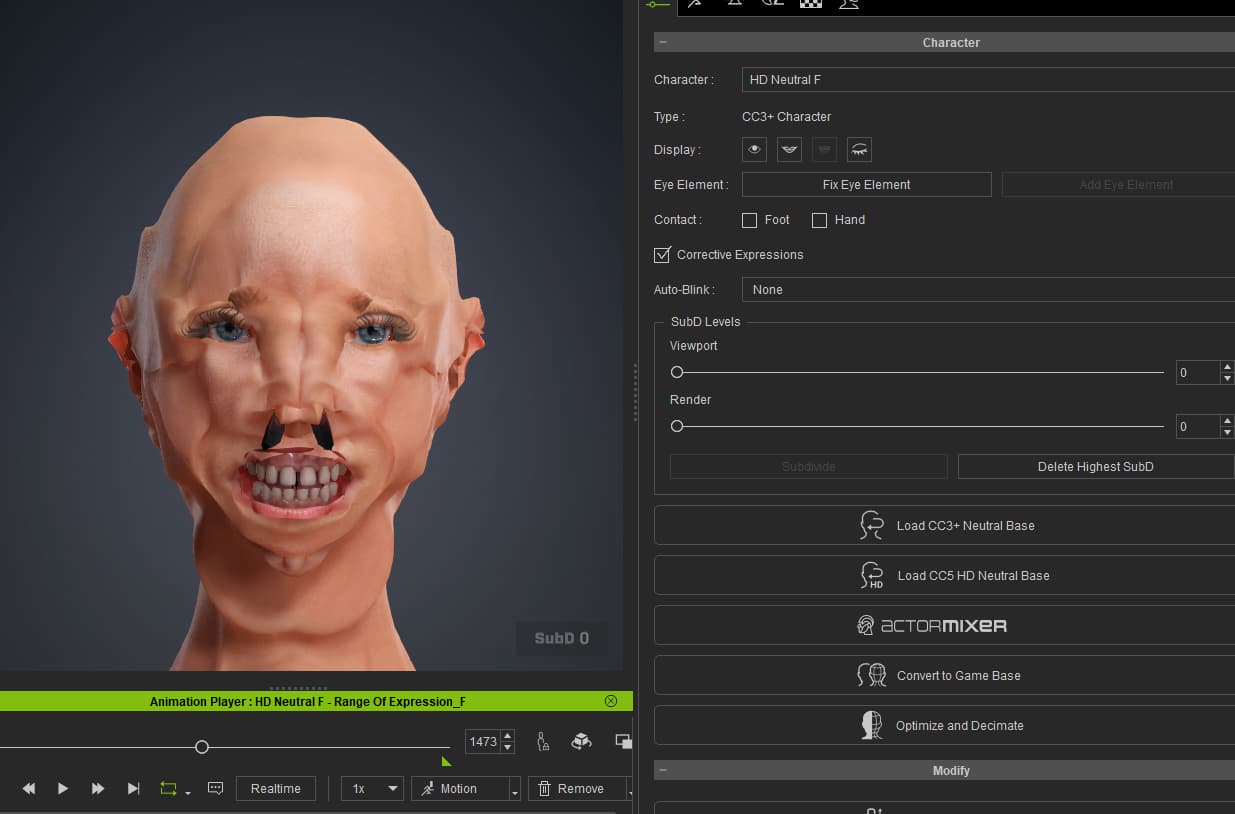
Anyone else having it completely disregard the curves?
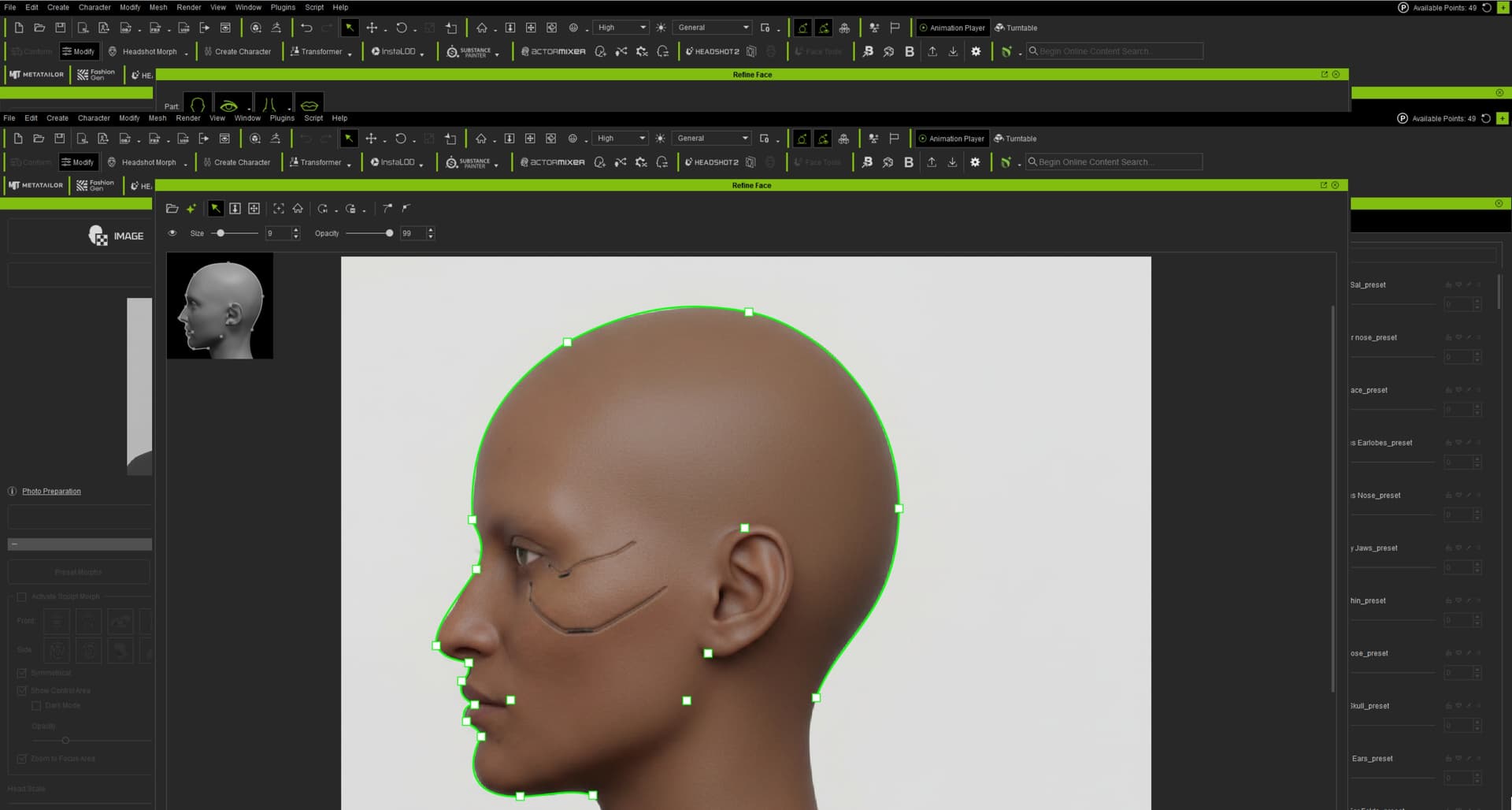
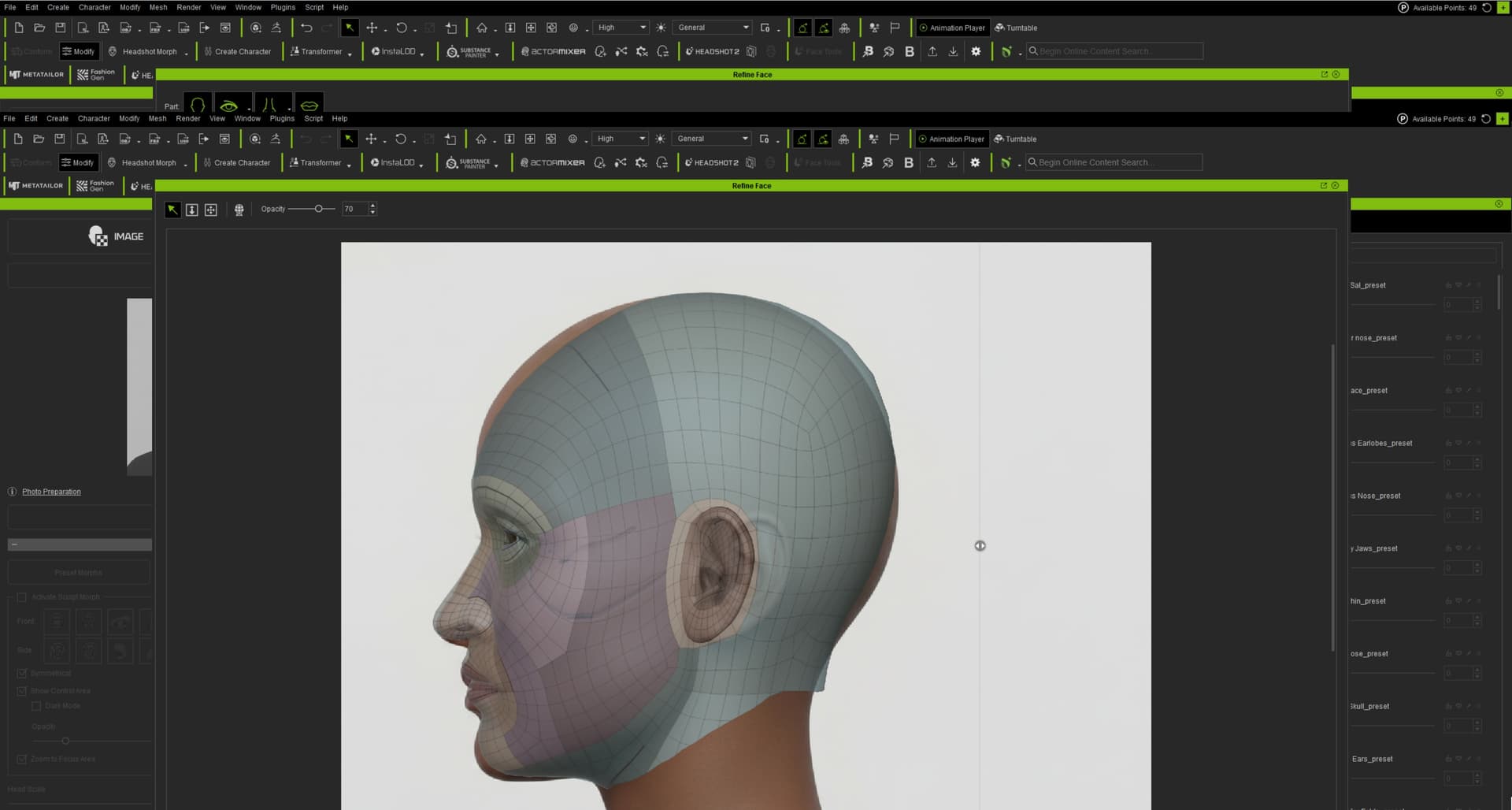
The first image show how i set the curves and points, the second shows the preview it wants to make.
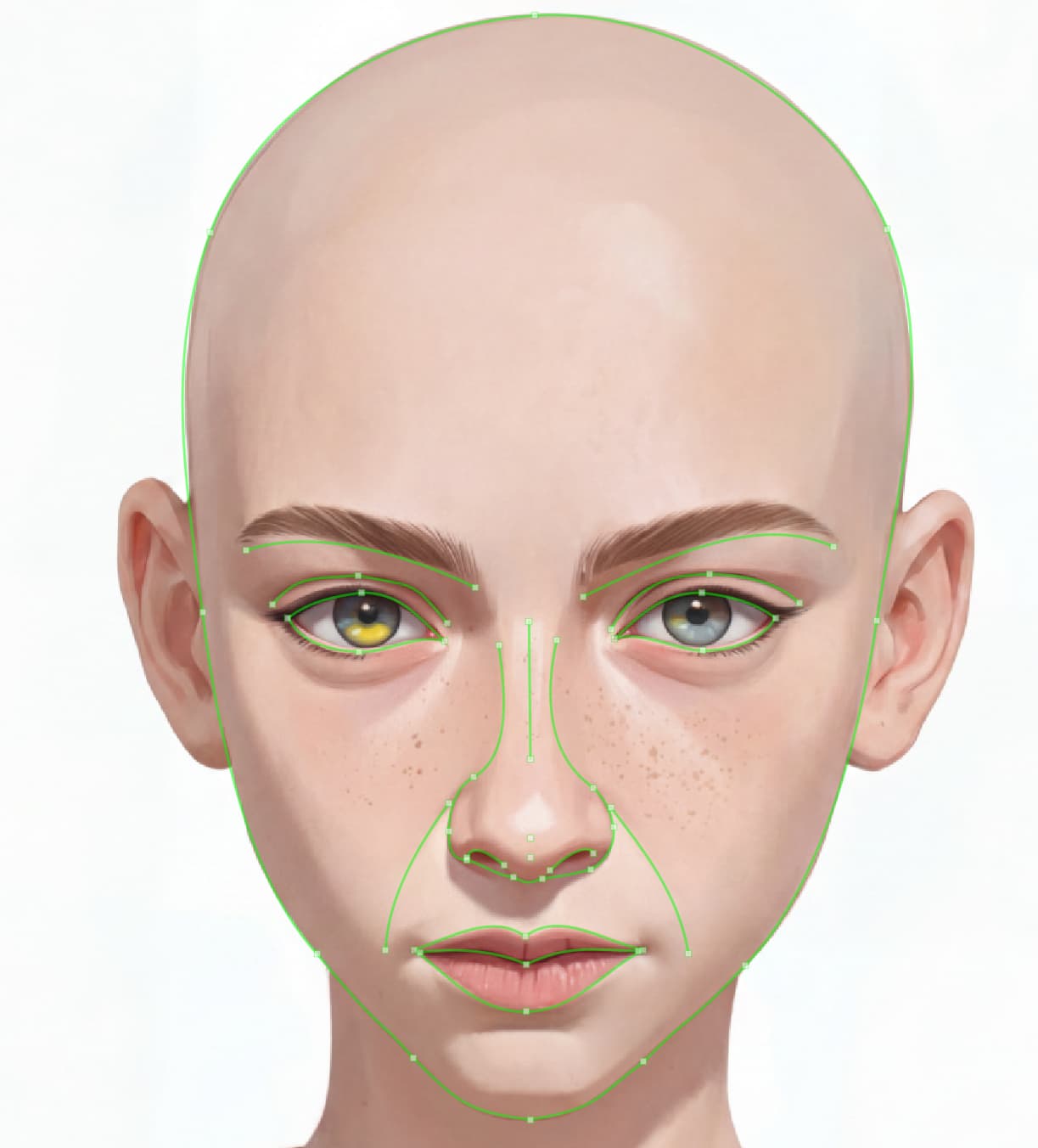
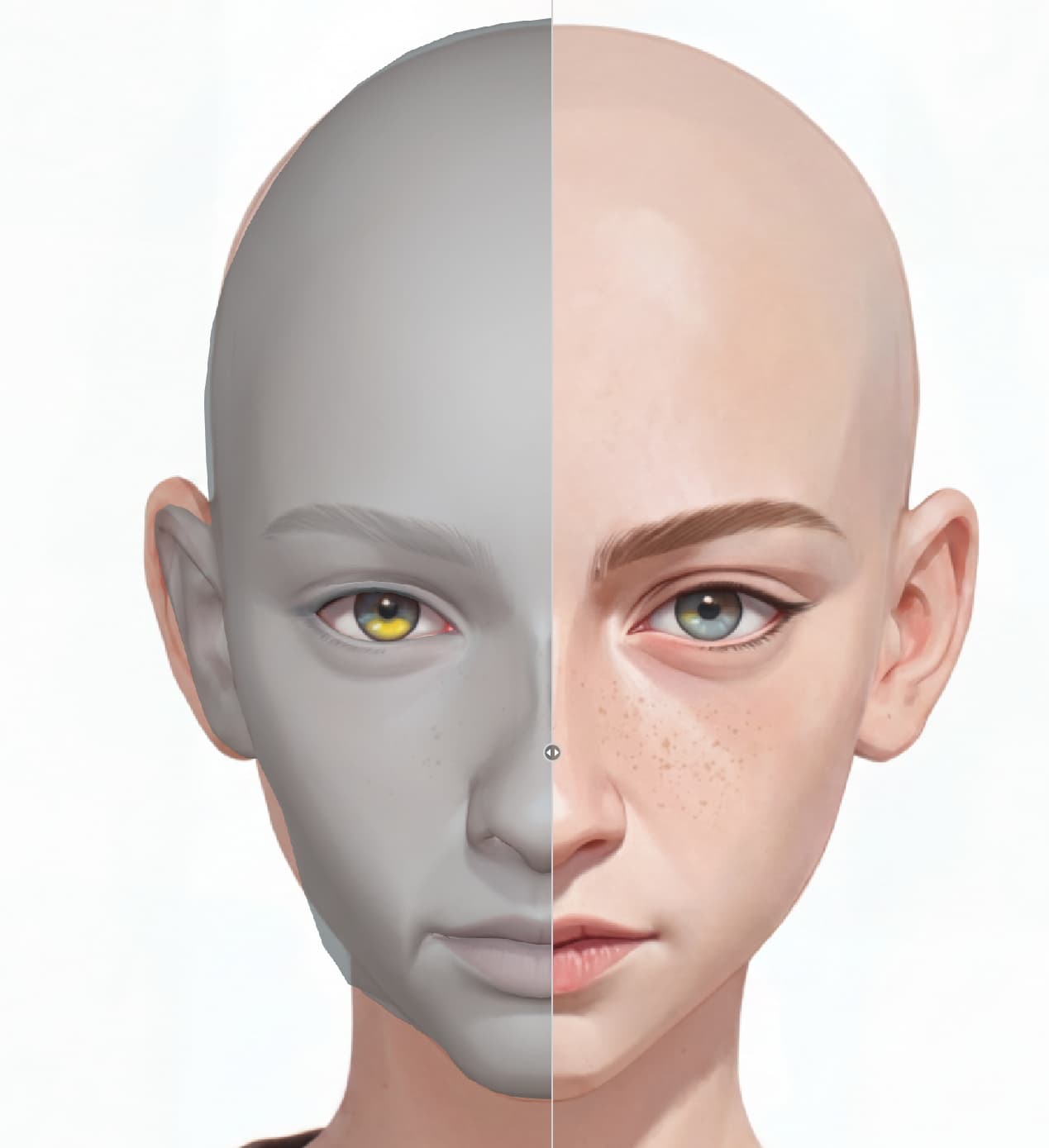
I get that it’s going to need manual edits, but it seems a bit strange that it’s completely disregarding the jawline i set with the curves
I had this exact issue with the first character I attempted with HS3 using my own source images of the front face and the side face. Here’s a video link to the problem that you also experienced.
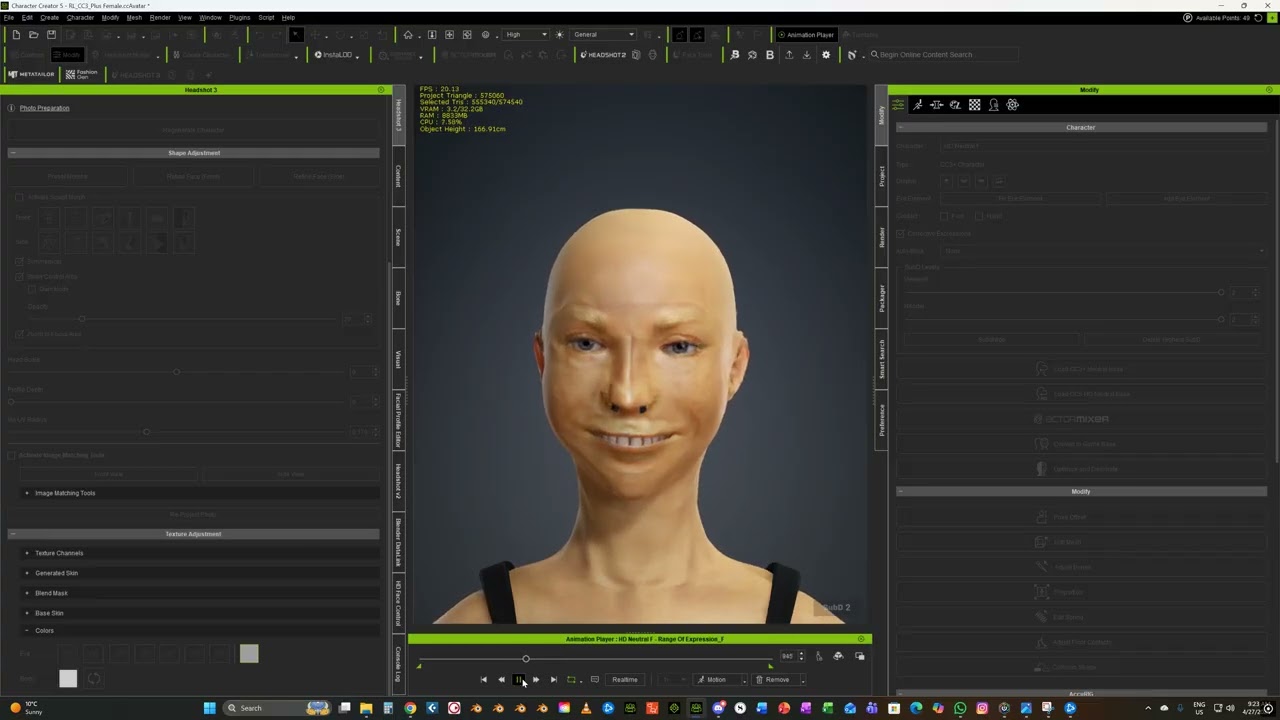
I have no idea why this particular issue cropped up. It made me question my purchase. I tried to redo the character with ai cleaned up images of both front and side, but I ended up with the same issue. I did imports of two more characters, 1 didn’t have the issue, while another had a slight problem with the animation where his shoulders morphed along with the animation but the face seemed alright. I have no idea what’s causing it. I tried the same animation, the facial rig expression range test on an Actor Mixer character and an old HS2 character and didn’t have the problem. So, I think it’s being caused somehow by HS3 creation.
Yeah, especially with the side profile, adjusting the curves don’t seem to affect the mesh in the way that the youtube tutorial put out by RL demonstrates.
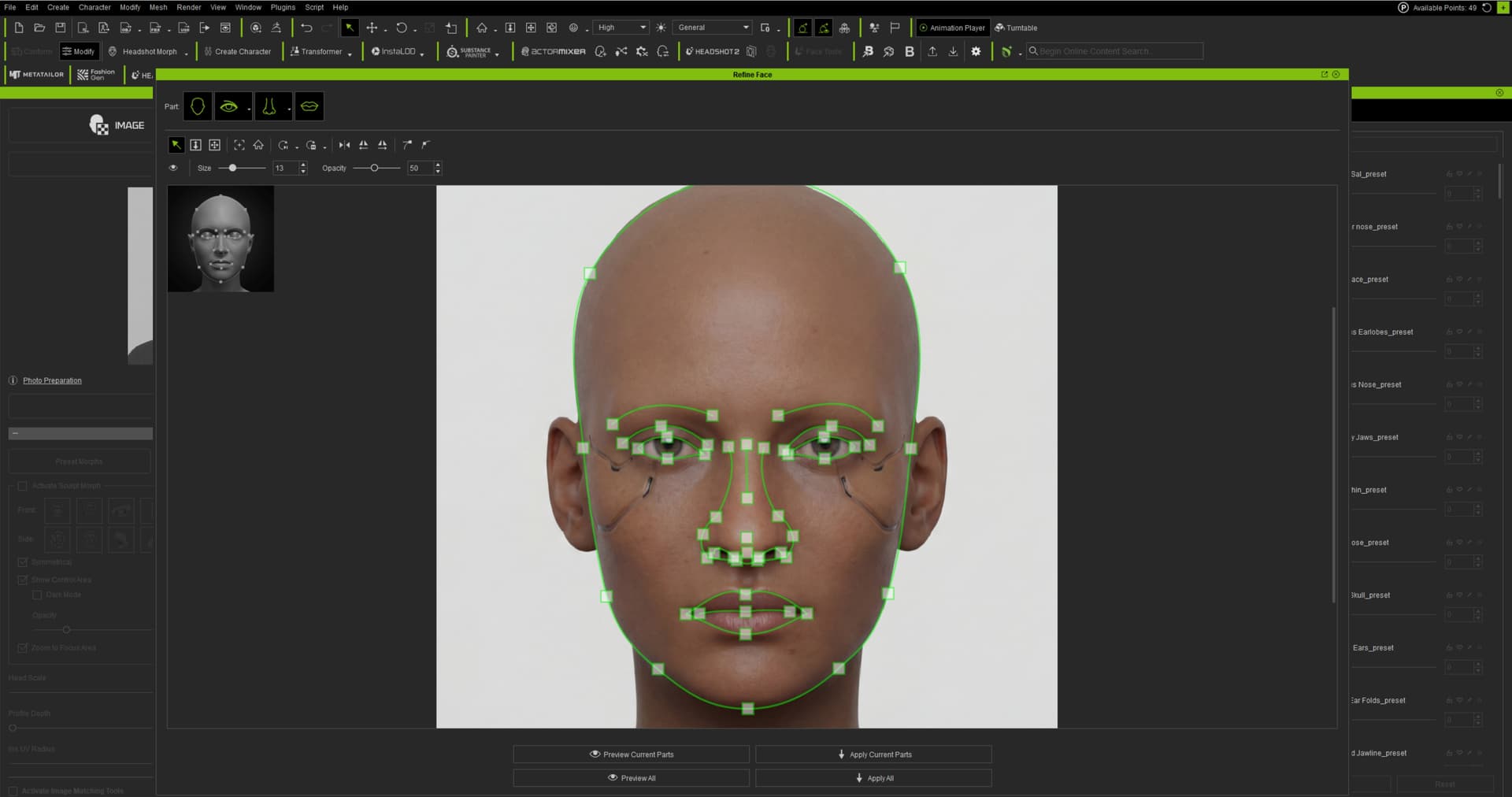
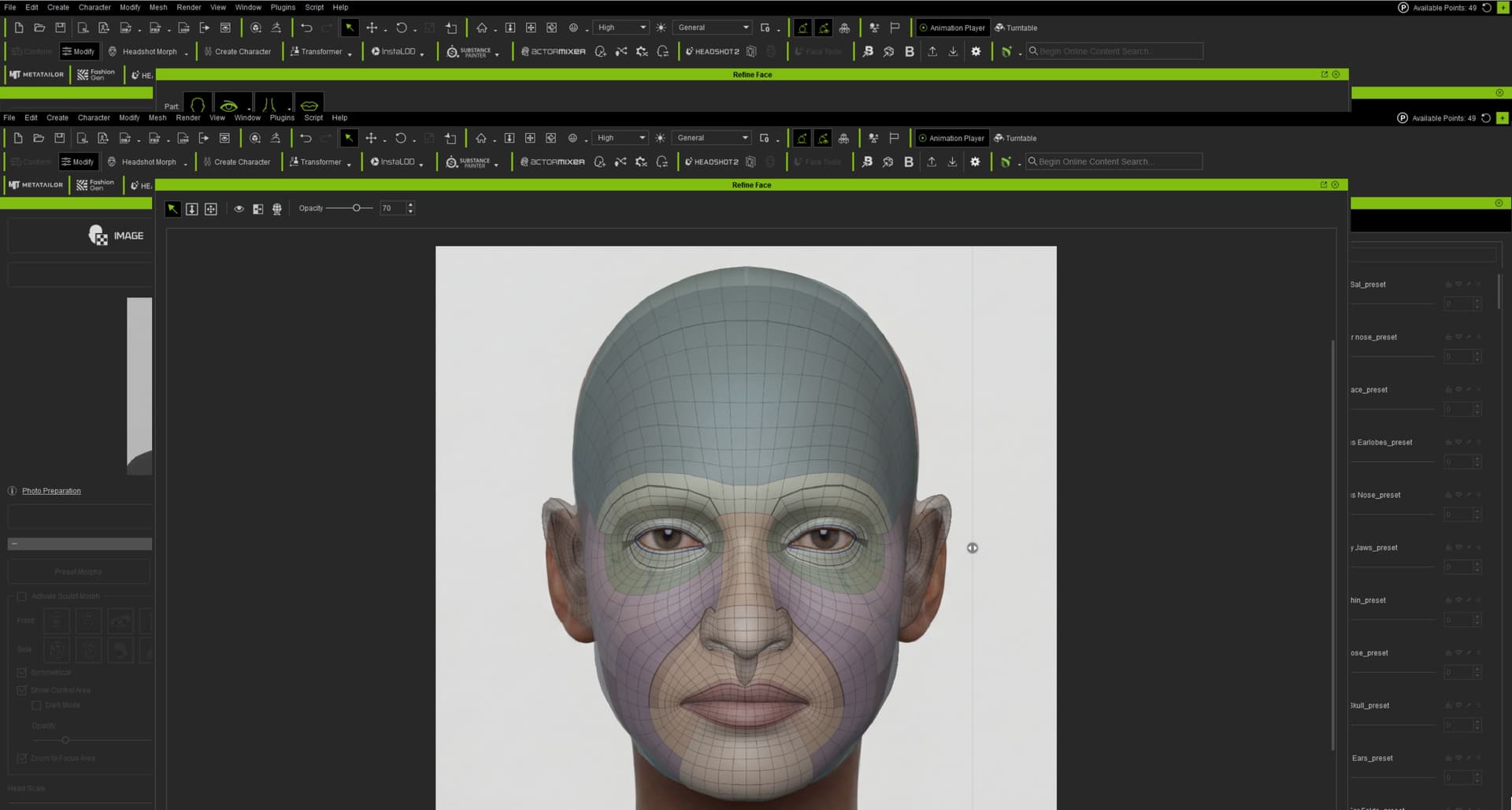
@ender570 Perhaps it’s because you’re using a drawn image (if the AI model was only trained with “real-looking” faces) or it’s because of the dark shadow on the face.
@Leodegrance Have you tried to place this point here on the top of the head? It’s slightly behind the top and therefore lower than in the grey guiding image on the left. It looks like the skull is deformed so that this point is at the top of the skull volume.
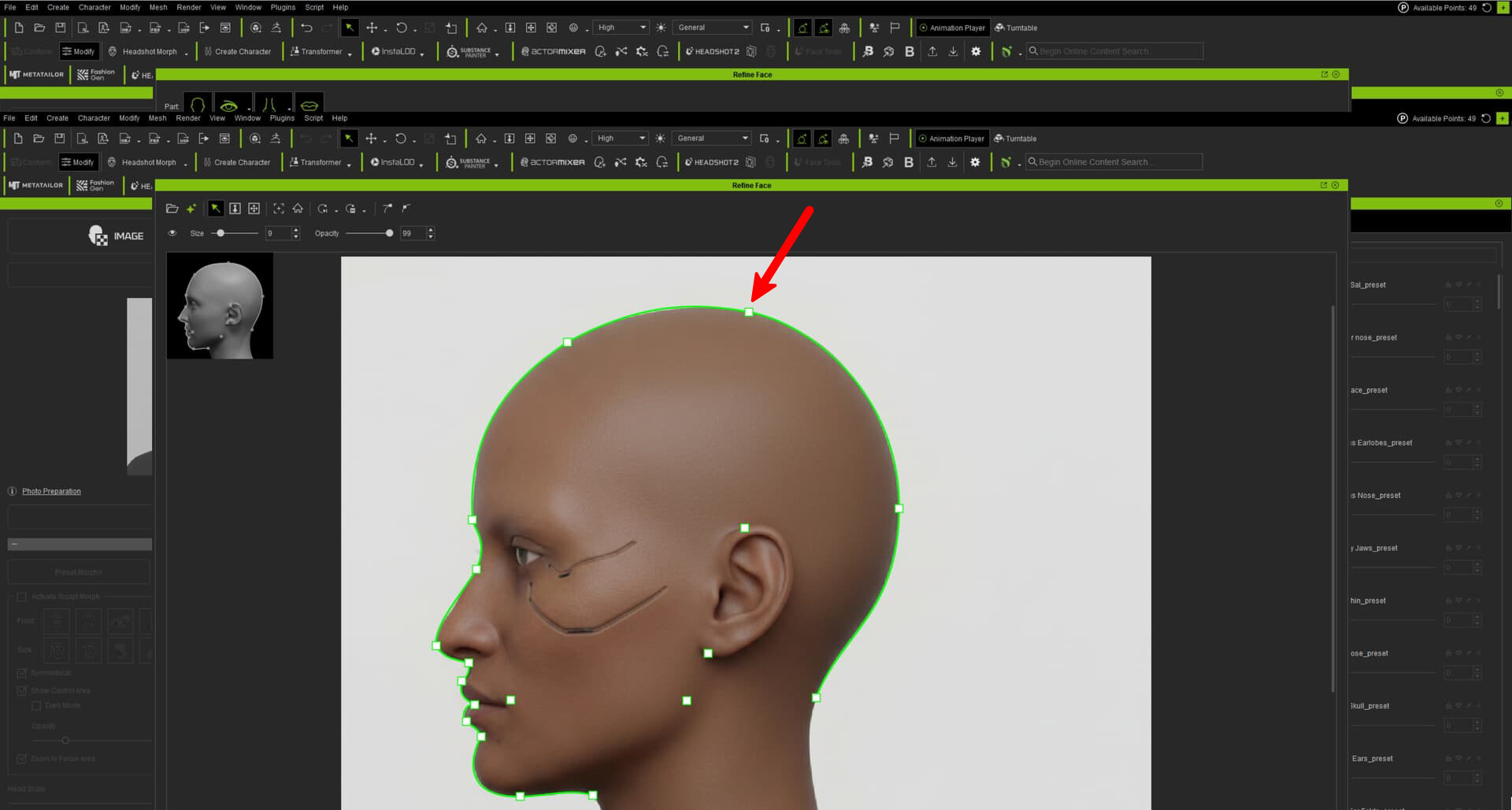
I don’t know why the guide window has to be so small. I’ll give that a shot, but even so, the profile of the lips and nose and the position of the ears is all wrong.
Possibly, but i can’t imagine it makes a difference there when the curves are meant to be the guide of the face shape. even if it’s a drawn image, you would think the curves are there to at least establish the head shape. idk, i’ll mess around with it more later
@ender570 Another idea: compared to a real human face the jaw in the drawing is very small. Maybe the 3D skull cannot get thinner without manually editing it. I’m not sure though.
Hi,
Thank you for your feedback! We’re glad to hear you’re enjoying Headshot 3 overall, but we are sorry for the trouble you’ve experienced with the animation playback.
Our technical team has officially confirmed this as a bug, and we are currently working on a fix, and a patch will be released as soon as possible to resolve this!
1 Like
Hey guys, hope you enjoy Headshot 3! Submit your Headshot 3 work and win 500 Bonus Points for AI image gen right away now! <Event> Share Your Headshot 3 Creation — Get 500 Bonus Points!
2 Likes
Hi,
We apologize for the issue you encountered! We have released a hotfix specifically addressing the animation problem. Please give it a try and let us know if it resolves the issue for you.Thanks!
Wanted to drop in and say i absolutely love this upgrade. Excited about rtx render!!!
1 Like