We’ve just released a Character Creator v5.07 update (build 5.07.1705.1) that addresses the subdivision-related mesh distortion issues reported after the Headshot 3 launch. Thank you to everyone who flagged these — your feedback helped us resolve them quickly.
If you previously applied our temporary hotfix, please delete the hotfix folder and update to the latest version through the Reallusion Hub.
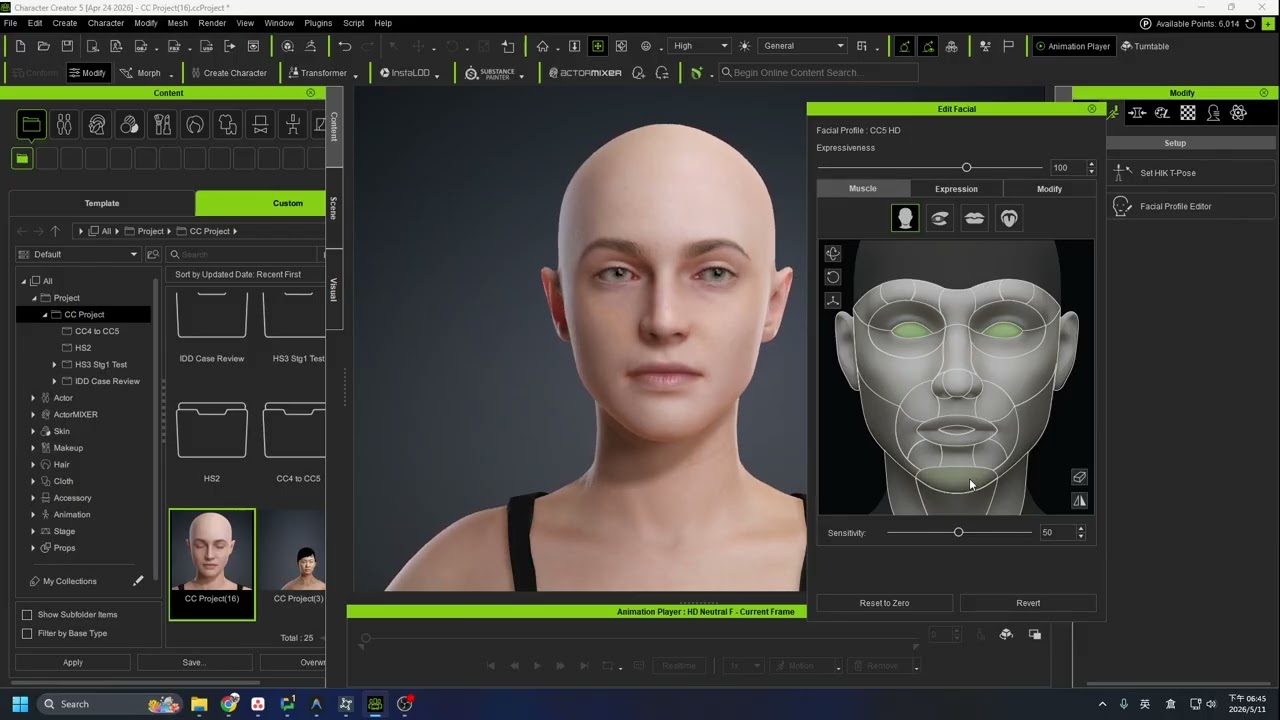
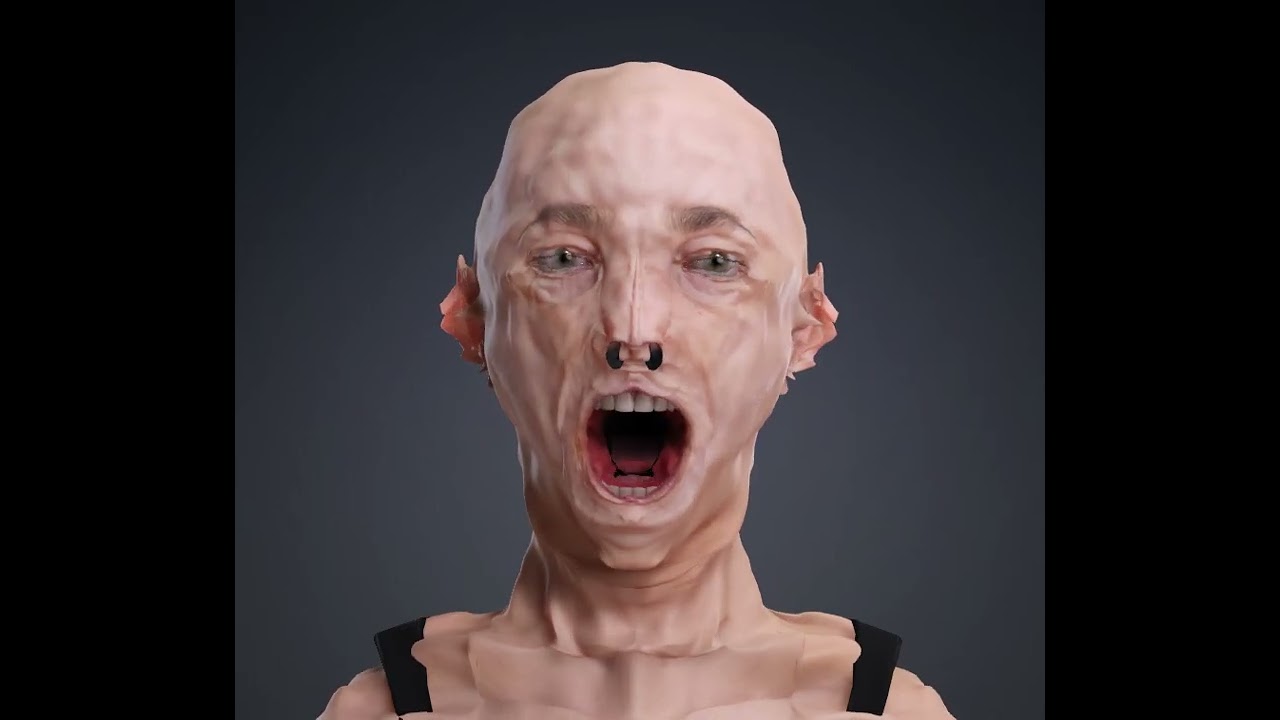
Before the Fix
Some users experienced facial animation and expression issues after the initial Headshot 3 release, including broken shape keys affecting eyes, mouth movement, and morph targets after switching subdivision level.
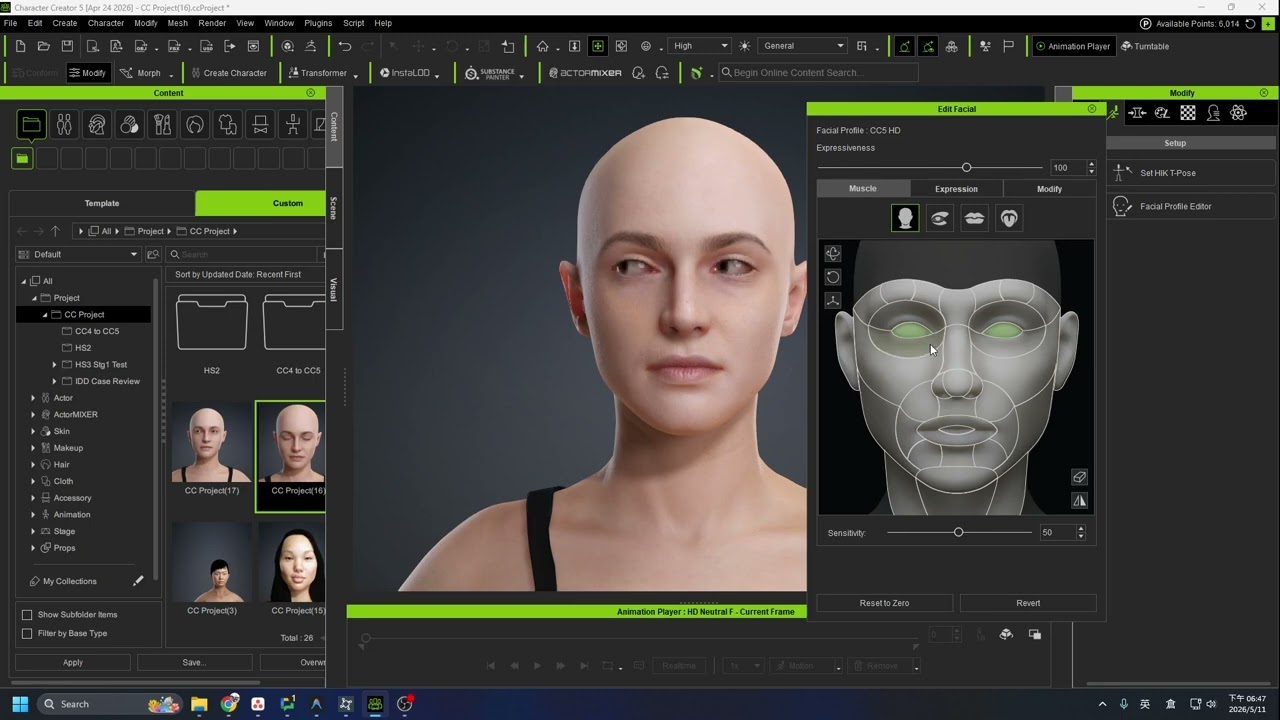
After the Fix
The latest patch resolves these issues. The video below shows the corrected behavior after updating.
Fixed
Character meshes with subdivisions no longer distort when animated. (Forum Post)
Subdivided characters no longer distort when eyelashes are applied or when using the Modify > Display > Eye Open/Close tool. (Feedback Tracker)
Please Note
Files that experienced distortion prior to this update must be rebuilt to resolve the issue.
Hi! I have a question about what you mean by “rebuilt” above. I have two highly customized CC5 HD characters who have the deformations, and I didn’t even use Headshot to make them. I made morph sliders of their shapes (both head and body), some time ago before I realized they’d get weird. Can I apply those sliders to a new neutral character or will that bring the deformations back in?
If that won’t work, any advice on how to replicate them without incurring the problem would be appreciated. I didn’t even notice this guy had it until animating him in iClone.
Should work. Load a CC5 base from the Character menu, then apply the separate elements of your other character that you saved to your morph list and Content Manager.
Load your old character.
Save the Skin>Overall to your Content Manager.
Save any other specific elements to their respective categories in the Content Manager.
Load a CC5 base from the Character menu.
Apply the head and body morphs you had previously created.
Apply the saved skin from your custom tab.
apply other saved elements, or load the old character, choosing “Outfit Only”, to apply the old outfit and hair to your new character.
Rampa,
You are my hero! It worked! One thing to note is after I loaded the neutral base, I discovered I needed to add his saved eyes before the morph sliders. If I morphed the neutral first, then added the eyes, they didn’t fit right. Just for anyone else who needs to do this.
Edited to add: definitely save out all the textures because the teeth, even though saved into my custom teeth, didn’t have the right textures applied. And the morphs on those had to be re-added. Not a big deal, but something to note.