When using ActorMixer to randomly generate head models, why does it prompt a texture not found error, even though I have saved the skin files in this folder?
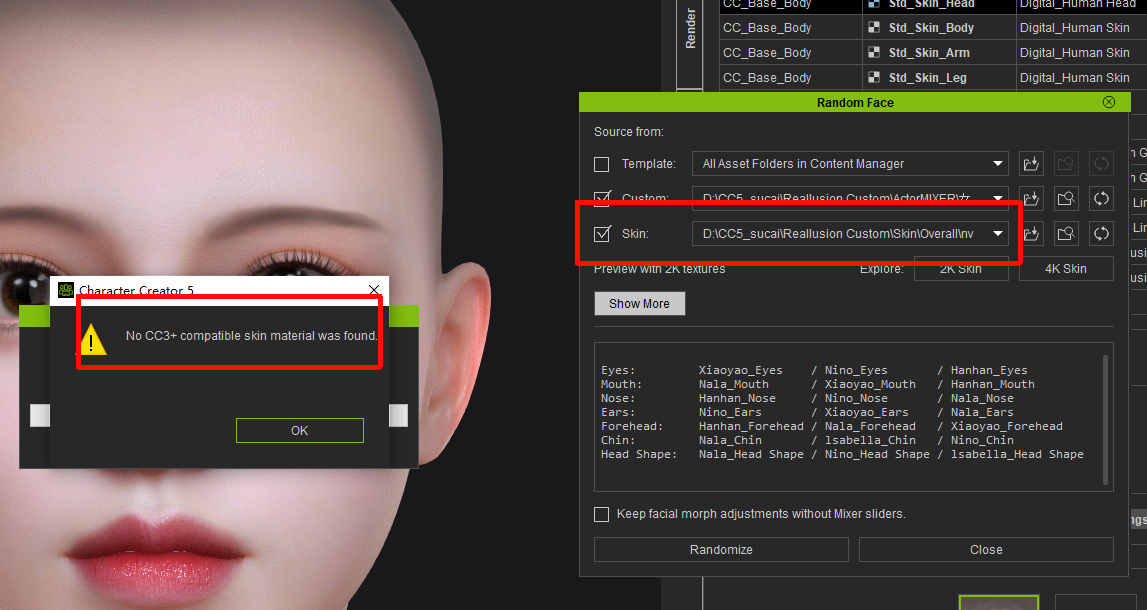
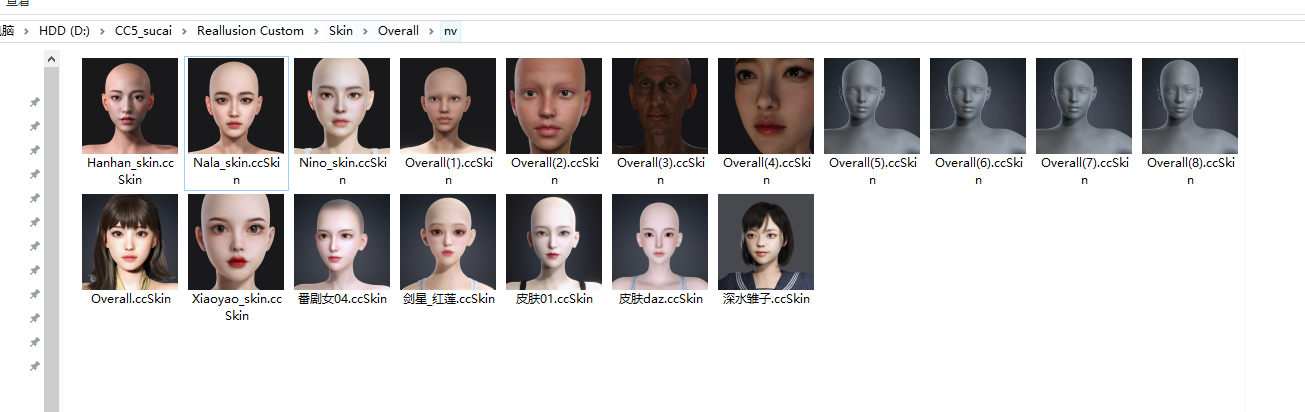
Even though I have placed numerous skin files in this path, none of them can be recognized by ActorMixer.
Hi user7,
This happens because the system only reads assets from the Head category.
Please place your file in the default path below:
C:\Users\Public\Documents\Reallusion\Reallusion Custom\Skin\Head
This should resolve the issue.
Let us know if you need further assistance.
Even though I followed this method to save the head skin, it still cannot be detected. However, the official assets work just fine, and I have no idea why. What’s more, the skins purchased from the marketplace are not compatible either.
Hi user7,
We’ll need your help to further clarify this issue. Could you please provide the following items:
- A screenshot of your Random Face settings
- The related Marketplace packages
- Your custom head file
Please send these files to my email at raytsao@reallusion.com.
Thank you very much for your cooperation.
I have sent my test video and test files to your email; please check your inbox. The random face plugin simply fails to properly detect the head skin. Could you please help me test this issue? If possible, could you also record an operation guide video for me? Thank you very much for your assistance.
Hi user7,
We’ve identified that Random Face currently only reads texture files with “_2K” included in the filename by default. This is a known limitation and is planned to be improved in a future update.
For now, please try the following workaround:
- Place the files in:
Reallusion\Reallusion Custom\Skin\Head - Rename the ccSkin file to include “_2K” in the filename
- Restart Character Creator
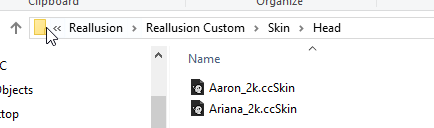
This should resolve the issue for the time being.
Thank you for your understanding, and please let us know if you have any further questions.
Understood, thank you very much. The issue has been temporarily resolved. I hope this bug can be fixed in future updates.
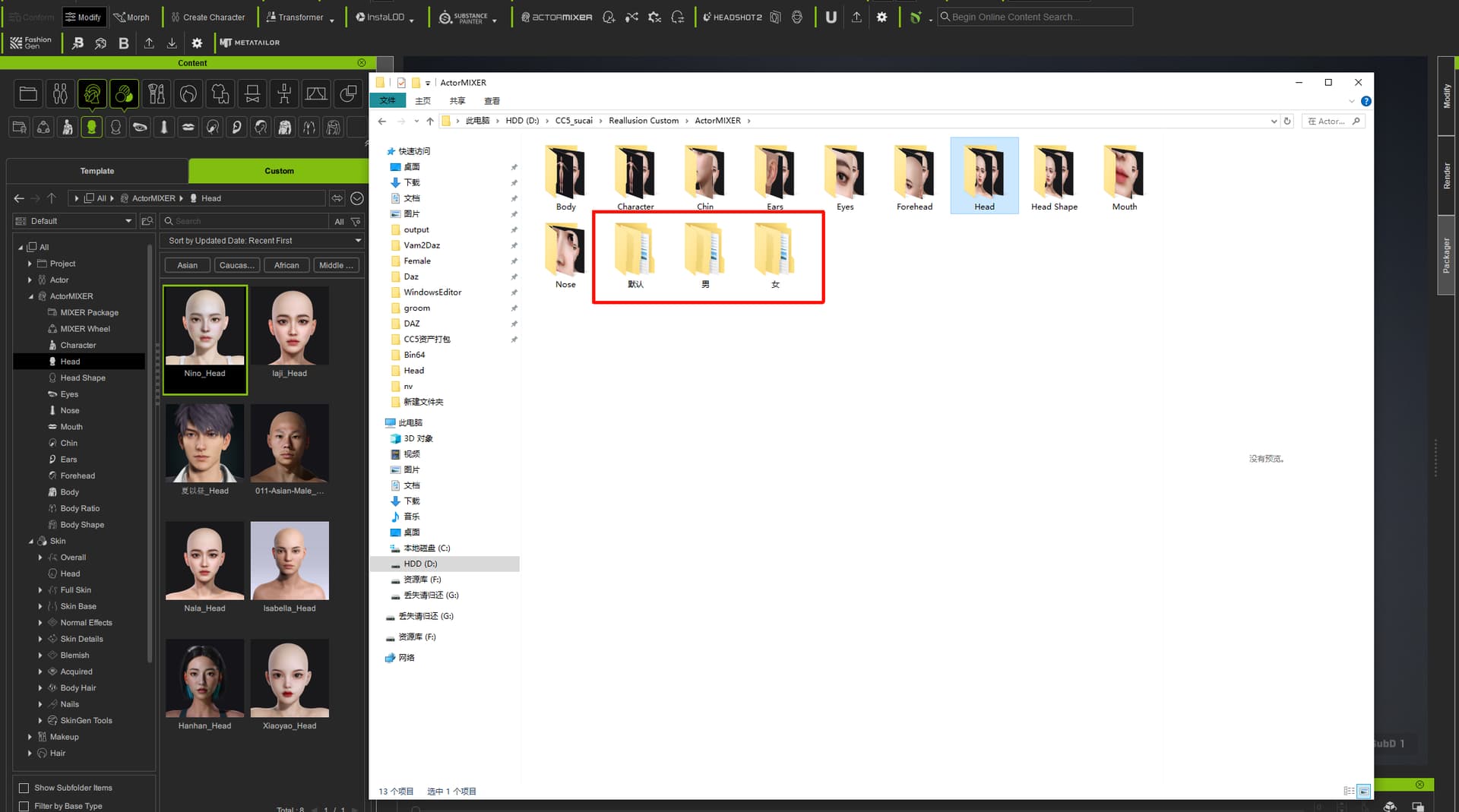
Additionally, I would like to report another issue with ActorMixer: when using the random face generation function, I have to select the entire ActorMixer directory to generate faces if I want to use my own model library. However, I want to categorize my model library—for example, into Realistic Male/Realistic Female/Cartoon Male/Cartoon Female. The only workaround I’ve found is to create these separate folders within the ActorMixer directory and place the complete model libraries inside them. Unfortunately, these manually created folders cannot be recognized by the CC5 Asset Library directory, which has been quite frustrating. Could you please advise me on a solution to this problem?

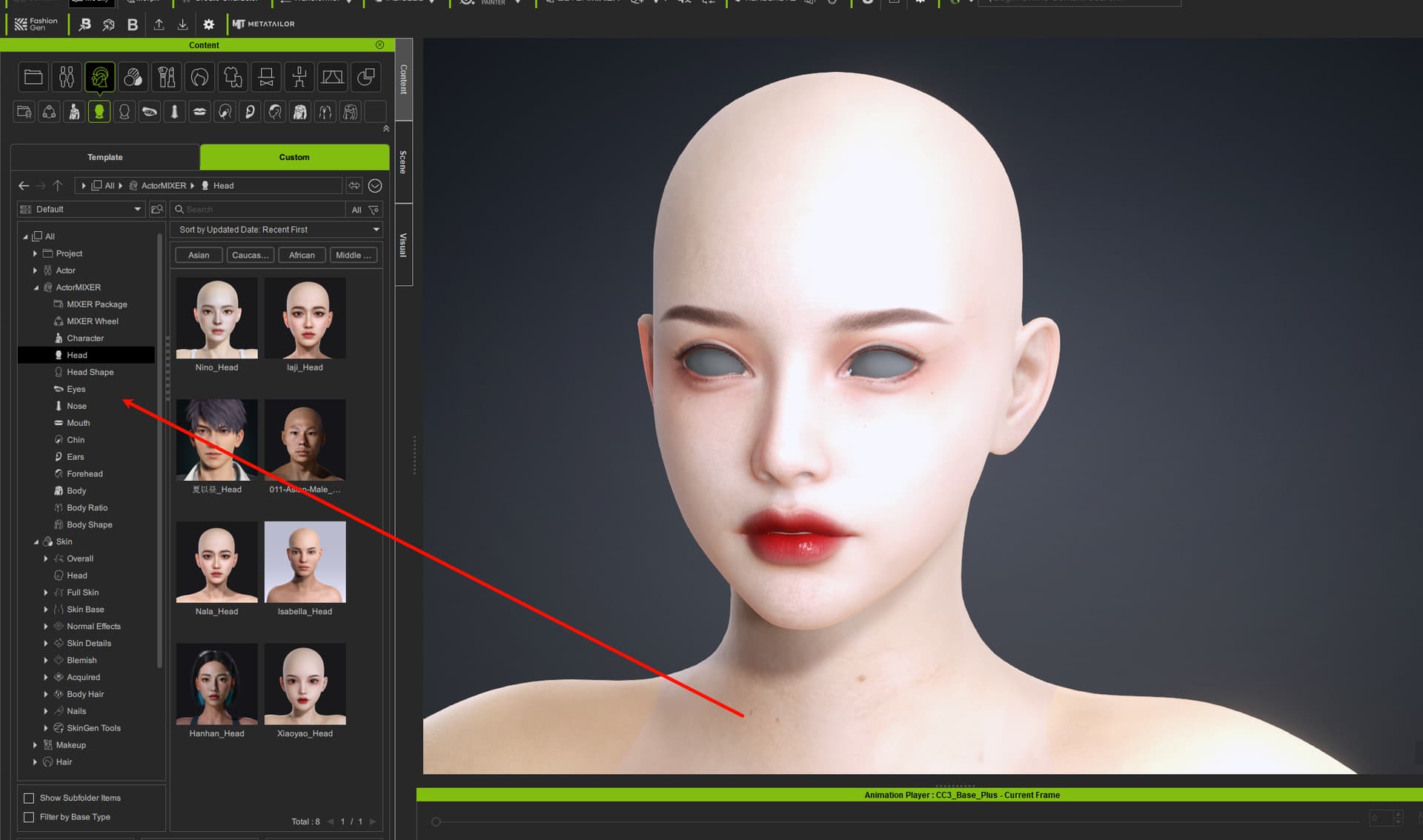
Hi user7,
If your goal is to use Random Face categorization , the assets do not need to be placed in the ActorMixer folder — they can still be used for generation from other locations.
However, if you want the assets to be visible and manageable in the Content Manager , they must be placed in the default directory so the system can properly read and display them.
In that case, we recommend keeping a copy of the assets in the default folder, so you can easily drag and use them from the Content Manager after generation.
We hope this clarifies the difference. Please feel free to let us know if you have any further questions.
Understood. Currently, I am indeed storing the files as backups. However, it would be much better if we could avoid the need for re-backing them up.