Well, at least nothing commercially available to mere hobbyists. I guess the big studios have proprietary solutions that can perhaps give Endorphin a run for its money.
Besides, I wouldn’t be surprised to see Cascadeur make improvements as well and perhaps catch up…
Okay, I don’t know how long Endorphin was on the market, but I seriously doubt that the version you still use today was the very first one to be released.
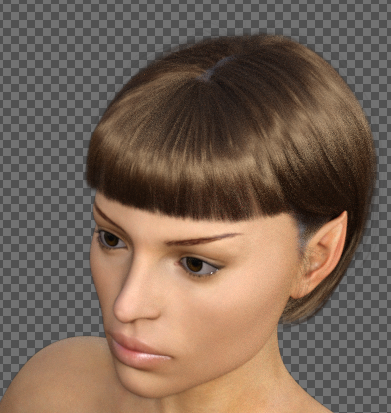
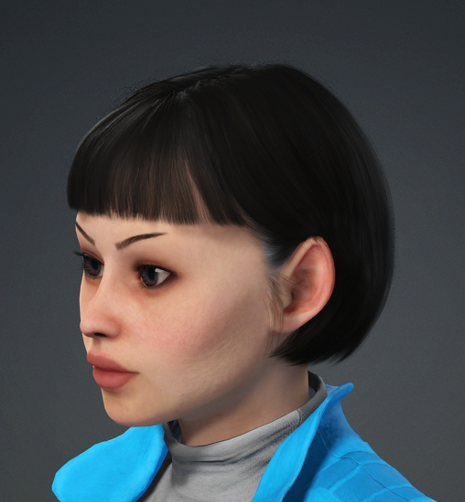
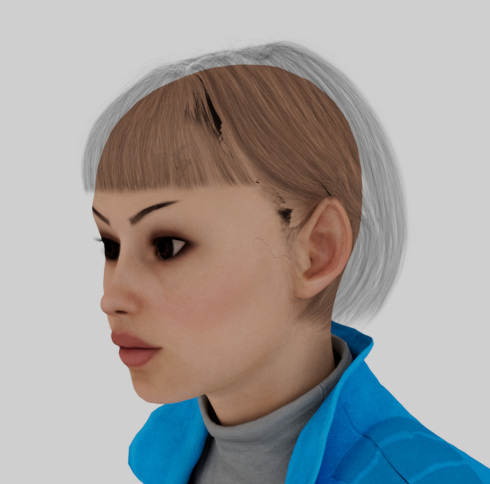
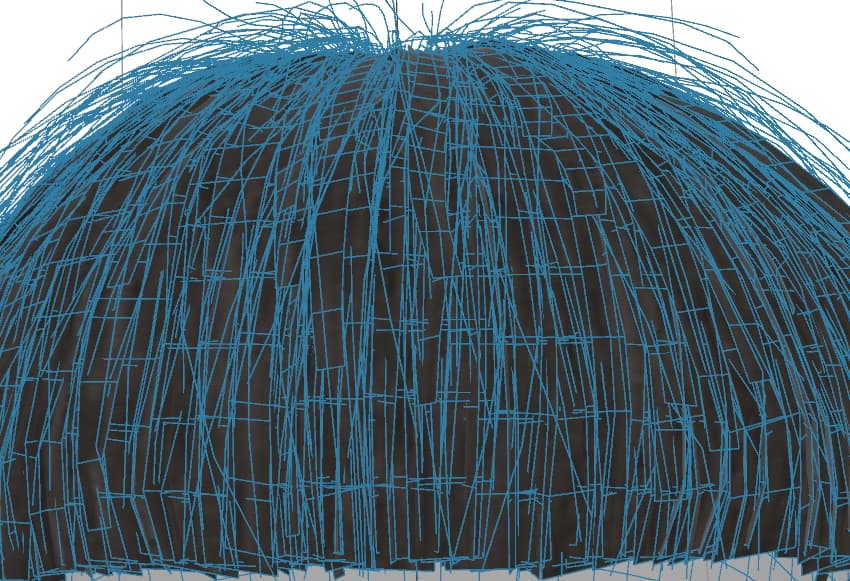
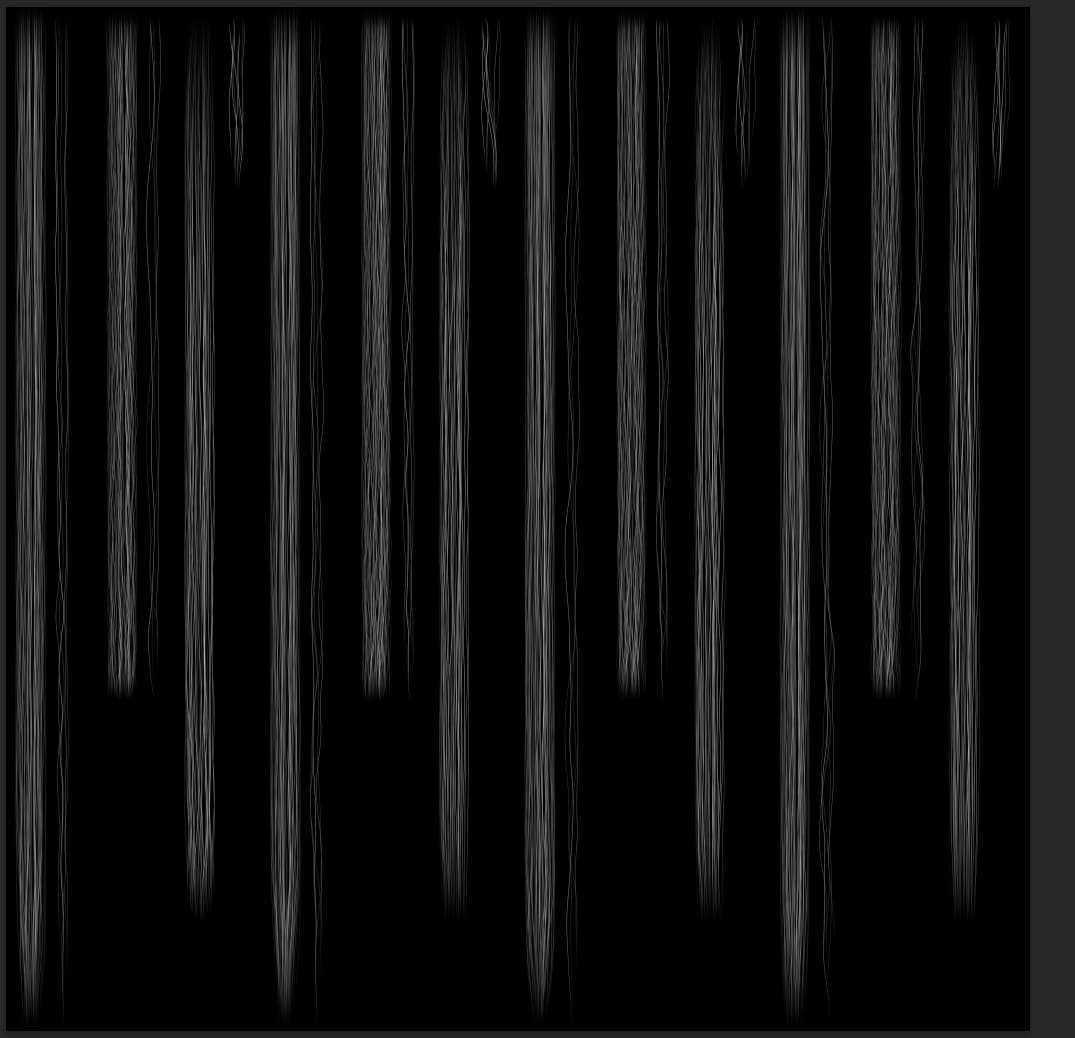
Okay, my latest Redshift issue is I can’t for the life of me figure out what is going on with a hair item I imported from Daz in CC, then sent to iClone before exporting as FBX to C4D. The item isn’t strand-based, it’s lots of thin polygons with an opacity map (see below). I’ve been using imported Daz hair with opacity maps for ages with no issues, and older less complex ones look fine. It looks fine in Daz and iClone, but too sparse in C4D/Redshift. Any ideas?
P.S. Just a theory after a bit more fiddling, but could it be that Redshift can’t handle that many transparencies? Upping the number of transparencies in the render settings seemed to help a little, but crashed the program before it fixed it. That said, any way around this?
Did you set the color space of the opacity map in the texture node to “Raw”? If not, such maps are often automatically interpreted as “Auto (SRGB)” which may lead to problems with Redshift not interpreting them correctly.
Also, you could try the Sprite node for the opacity (not the opacity channel), since it may be better at handling layered transparencies and allows certain adjustments to perhaps make the hair look thicker or thinner. I routinely use the Sprite node on tree/plant leaves for accuracy and render speed.
Thanks, Nirwana! Switching to Raw did fix the thinness problem when I also upped the Transparency depth, but unfortunately it took forever to render so didn’t seem worth it. I had actually tried the Sprite in my testing, but it still looked too sparse so I figured that was a dead end too. I wasn’t aware of the Stencil Opacity Threshold settings until your suggestions pointed me in that direction, however, so I tried the Sprite again and adjusted the threshold and it worked great! Looks exactly like it’s supposed to, and it renders super quickly. (Turns out using the sprite didn’t require the Raw setting change, so one less step!) Wow, this is such a load off–I literally spent two days trying to figure this stupid thing out since it just didn’t make sense that there wasn’t a way to do it, so I know it was going to keep bugging me. Again, thanks so much!
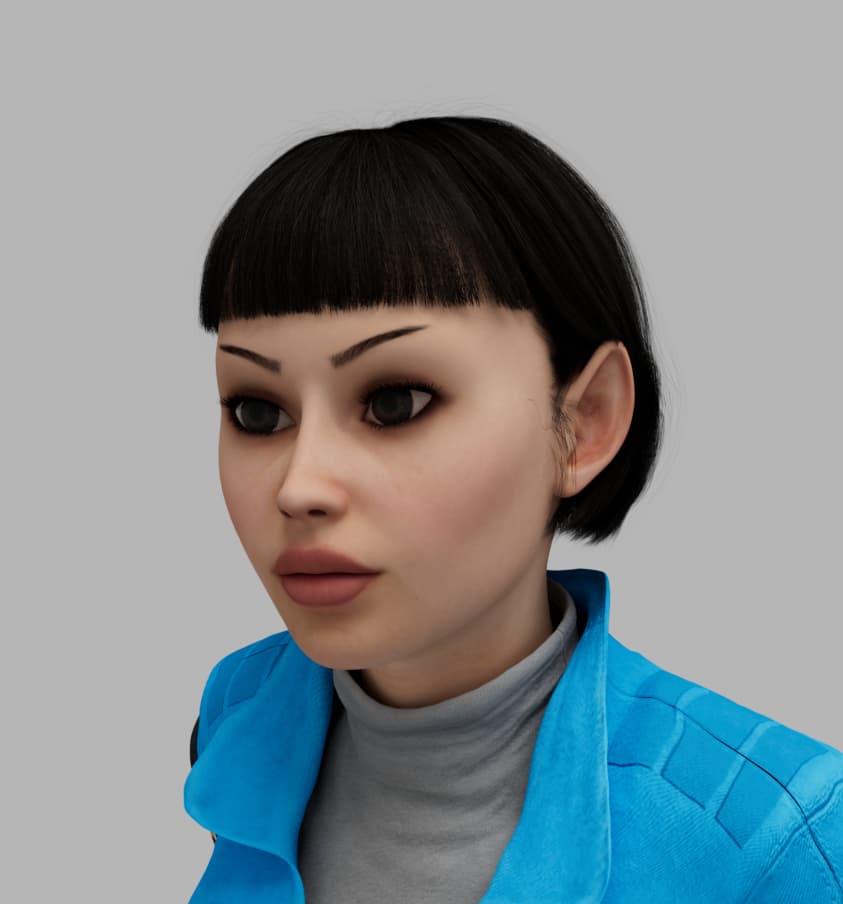
Glad it worked out. Can you post a new render of the hairdo with correct transparency? Just for comparison?
Yeah, the Sprite node can be quite helpful, but it does not work in all situations. On characters, I also use it for the eyebrows and eyelashes; for a hairdo only if it is imported from iClone as an Alembic. If I want the hair to look better and as long as the hairdo is simple, I usually use C4D hair instead and put the RS Principled Hair Shader on it, since I’m not much of a fan of card-based hair.
BTW: I always go through the color space settings with imported textures. Normal maps are usually imported as Raw automatically, most other textures (roughness, metalness, opacity, etc.) usually need to be adjusted manually (these should all also be Raw).
And I always set the color space in the Sprite node to Raw as well. The reason why it still worked for you without doing that, is probably because you adjusted the opacity setting. You could check whether the there is a difference in the render if you leave the opacity setting alone and just change the color space. If there is no difference between “Auto” and “Raw” in the render, that would probably mean that the Sprite node will automatically assume Raw, whether explicitly set or not.
It’s so hard to know everything about these programs, so it’s great to be able to share knowledge like this. Thanks for sharing! I “Sprite”-ed her eyelashes as well, which allowed me to make them a little thicker. I have done some work with C4D hair, and it is pretty powerful, but it’s hard to control–you have to be like an actual salon stylist to shape/cut/curl/perm it if you want a real hairstyle, so I try to find something existing from Daz or Reallusion. The Daz strand-based hairs look promising, tho I’ve only dabbled with them. In any case, I have learned a lot here, but also realize there’s always more to learn. Thanks again!
Thanks for the render. That hairdo reminds me of a certain French singer.
Since I’m not familiar with Daz and whatever hair Daz has to offer, I’m stuck with either using iClone’s card-based hair or do my own hairstyling (such as it is) in C4D—which, as you said, poses its own challenges.
What is more, long hair needs to interact with the character’s body and clothing and that is when things get tricky. iClone does not do such a great job and since the C4D hair is still the “old” system, there are also issues when trying to combine it with C4D cloth simulations.
Card-based hair has come a long way in the last few years. This hair is card-based, but I think it looks pretty convincing, mostly because the “cards” are so narrow that it does a pretty good job at looking like real detailed hair for most purposes. Daz also has “dForce” dynamic strand hair that I think only works in Daz Studio, tho I have done tests where it can be exported as a static item. Unfortunately, I feel like I’m always behind the curve since I start a project that takes years, and by the time I finish it, technology has moved along, so my characters and even renderings can look dated since I have to stay somewhat consistent in the look of the characters within the story, and also because I have to keep rendering times reasonable for animation, so I can’t push the envelope too much. When I began my present project, my computer and the speed of C4D rendering could struggle even with less-complicated card hair with the Standard renderer and area shadows, and GPU rendering was out of the question. I have since upgraded my machine a couple of times, but the character designs less so, tho I did–halfway through this project–switch over to Redshift, which I think really improves the look. So–of course like George Lucas–I wish I could go back and change things from the beginning of the project to now that the technology allows it LOL. I try to stay away from long hair, as it’s just not worth the hassle for a long animation like mine–I’d end up spending all my time fixing and refining its movements.
Of course, even now I can see AI peeking through the windows, and wondering what it will mean for rendering in the future. The samples I’ve seen only quickly on Reallusion about its new AI Render efforts look pretty interesting, and seem like they could preclude any need for rendering as we know it, tho what little dabbling I’ve done with AI feels like you can get a nice image, but you give up a lot of control and consistency, at least for now. More to come…
I understand that. While I have had no similar long-term projects, I revisited several quick projects/ideas when either the software had more advanced, my “skills” improved, and/or my hardware had been upgraded.
With regard to updating the look of existing characters, I also get that this requires a delicate touch. However, it seems easier for characters that are newly introduced (e.g. Smithhammer and his C4D-hair beard).
If your content is episodic (like Quest of the Key), with some viewers perhaps following the narrative over years, I don’t think changes in the look/style of the characters/renders are as jarring as when a new viewer bing-watches the content of several years in one go. In the same vain, those who followed Star Wars from the beginning, probably have less of a problem with the special effects in the earlier movies than those viewers who have grown up with high-end CGI being commonplace.
My problem with card-based hair is physics, not so much the look per se. I have not yet found a way to do the physics of card-based hair assets in C4D (I keep thinking it should be possible with cloth simulation) and have used hair simulated in iClone and exported as an Alembic instead. However, that poses several problems (one I think I outlined in a separate thread) and then there is the lack of interaction of hair simulated in iClone and clothing simulated in C4D.
So, I have a choice of (a) don’t use physics on hair and use either card-based hair or C4D hair without collision detection, (b) use card-based hair and simulate in iClone, (c) use the “old” hair system in C4D with its drawbacks of the time required to set up and style the hairdo, of increased render times and of problematic interaction with the Unified Physics Engine, (d) use no hair on characters and wait for C4D to update the current hair system and make it play nice with the Unified Physics Engine.
For the time being, I have been using a combination of (b), (c) and sometime (d), while (a) lacks the realism I would like.
With regard to AI in the context of hobby animations, my current thinking is this: Yes, for some low-resolution stills, the results can be pretty impressive. But, the degree of control and consistency still lags behind conventional rendering (in one of RL’s own videos, you can see the AI messed up a business outfit). While some characters show improvement (in terms of realism; I personally wouldn’t be interested in AI rendering for a NPR-look), I have seen several backgrounds messed up by the AI, whether that is because of insufficient prompting or the shortcomings of current AI models, I don’t know.
And then there is the VRAM issue. Currently, my C4D/Redshift renders are already using a good deal of VRAM, in particular the simulations, and there seems to be little to no space left for AI models, at least with the current crop of consumer-level GPUs (and I am including 24 GB and 32 GB models in this). My AI-noob’s understanding is that AI rendering at 4K (without upscaling from lower-resolution renders) is currently not possible, either.
I have used AI-upscaling of images and video in the past, with mixed results: some pretty impressive, some not really usable. So, I’d rather not have to rely on that for my own content. Plus it adds further render time: render time for the original, AI rendering for the look, upscaling for final output.
I understand there is AI rendering in the cloud which might help with the VRAM problem, but I don’t like doing things in the cloud when it means that I have to upload my own “source files”/content; for a similar reason, I don’t use regular third-party render farms, either.
Agreed, and I think my characters are all “going to the salon” for new hairdos in the episode a future episode. Too late for the next episode, as that is all rendered and is out with my music guy for scoring.
Yes, that’s a stickler. I just keep everybody’s hair short, or pinned up. I might be more inclined to use C4D’s hair system if I could purchase ready-made hair styles, but I’ve never really found any.
That seems to be the case now. From what I have seen, Reallusion’s approach of creating a template for the AI to use seems to be a step in the right direction. If it gets good at it, that might be a pretty cool way to “render”. But. as you note, still a ways to go, and the hardware will need to catch up, too.
There is one set of ethnic hairstyles available for C4D hair that I’m aware of (Afro-Textured Wig Pack 3D model | CGTrader) but this seems for very specific use cases and I haven’t tried it myself yet.
However, in theory, the “wig” concept could of course be applied to other styles as well. That said, I think there is not enough demand for a very specific product like this that has very little use outside C4D compared with “normal” C4D models that could be used in other programs when made available as, for instance, FBX (you would then lose C4D-specific features such as Xpresso rigs, but the basic model would transfer). (BTW: The pack I mentioned above, apparently is also available as FBX and Alembic, but you would lose the dynamics/other features of C4D hair, so I don’t know how useful these export format are for users of other 3DCCs.)
Since Maxon does not operate a marketplace similar to the Reallusion Marketplace or Content Store for C4D specific assets, I think it is pretty unlikely that there will ever be a ton of premade hairstyles to pick from. Also, I’m not sure how many C4D users create character animation while primarily relying on C4D’s own tool sets. There are reasons why you and I use iClone/CC for character animation and not just the native C4D features.
 Thanks again!