Please make a tutorial for us to learn to use it
Cheers
I’m reading the forum posts for this new plugin and they are split in half. There are people like me who know nothing of all the 5664534 different AI tools and how they interconnect and basically think this is a silly toy that won’t be spitting anything useful out for some time (at least for video), and then there are the AI enthusiasts who have already mastered the 5664534 different AI tools and how they interconnect and have put WAY more effort into getting all that to work than they ever would in just making a nice render on their own.
Unless 5-10 second videos at 512x512 resolution are the future, I think this is not all that usable for anything at the moment. As things progress, I’m positive that will change. For now, I’m not in the “Oh my god, this is a game changer” camp. It’s fun to play with, but it’s still just playing for now.
2 Likes
The coice is yours. If you want to stay within iClone and CC and don’t want to bother with Omniverse or UE or whatever other external application for your “nice renders” then this is the way forward. It is a request that has been on the table for a while and I’m pleased that those who like to stay within the RL ecosystem are finally shown some love.
4 Likes
Yeah, somebody wake me when AI can do 4K natively and reliably (i.e. no upscaling after the fact).
The reason why I choose to not render in iClone is not merely for a “nice render” but for all the other stuff that iClone can’t do (or at least not well enough). Yes, the short video of Camila sitting on a rock with the ocean behind, looks pretty good at first glance and is a nice start. However, I assume the ocean was added by AI and is not part of the iClone render and I wonder what the degree of control is over stuff that needs to be prompted and cannot be “provided” in the iClone render.
I get that. However, at this time, the limitations in terms of video resolution and length seem pretty restrictive, even for those who prefer to stay in the iClone ecosystem.
Actually, I don’t think I’ll even try playing with it. I don’t want to set up my scenes and render in iClone. Period. Not even for trying this stuff.
BTW: I’m not anti-AI per se, and have a chat with Grok several times a day on average. But as far as image/video creation is concerned, I generally don’t bother. Yes, I would like my renders to look more photo realistic, but preferably not by “cheating” with AI.
1 Like
Maybe the discussion in this thread could be limited to what is relevant to the Beta, not reiterrating the millions of reasons not to use it. That is simply not productive and does not make the offering any better. This is not just about creating photo-realistic renders through cheating (whatever that means) but arriving at a variety of looks through options within the models.
If you don’t want to use it, fine, you don’t even have to justify why you are not using it. I can not try it out at the moment because I’m on vacation and I don’t have suitable hardware.
I mean, we have had support for various external solutions and I have never complained about that (although it is of no use to me and does take away development efforts), so I’m surprisied at the adversity when a first attempt is made to enhance iClone/RL with an AI render option.
6 Likes
This is not just about creating photo-realistic renders through cheating (whatever that means) but arriving at a variety of looks through options within the models.
Indeed and to be quite honest anyone seeking “photorealism” would not be using Iclone or Daz figures and content even with some mighty Redshift or Arnold render engine, which is why professional animation studios like BLUR always build their own for each project.
Yes the video rendering aspect of AI is not at the level of still images but Reallusion is wise to dip in at this early stage and hopefully continue to upgrade along with the technology.
2 Likes
I believe this is a combination of multiple factors, like use of obsolete SD1.5, which was a very early model version with plenty of flaws that were later improved in later releases, SD1.5 prompting style that needs some getting used to, and also the character framing you chose.
Faces tend to go bad the further away the camera is from it. It is directly proportional to the number of pixels the AI has to work with, where eyes are very important to us, but get the smallest pixel number. Close-ups will have better chance of getting more eye detail, but we have to keep in mind that SD1.5 is so old and limited. I have used SD1.5 for over a year when it first came out, and I don’t miss it nowadays. I have moved on to SDXL, which is not the latest and greatest, but it offers a great cost x benefit when it comes to size vs quality. It also responds better to prompts that the old and primitive SD1.5.
My bet is that RL chose SD1.5 because it’s small and therefore easier to distribute comparing to newer AI models. It is also lighter in computer resources because it uses tiny image resolutions comparing to later models, so more people will be able to use it in older systems. I was actually disappointed this is using SD1.5, but I understand it makes sense for these reasons. With a model that old, I would keep my expectations low.
Don’t get me wrong - the framework RL created for iClone/CC here is AWESOME, but the chosen model is not (for nowadays standards). But I get it why they chose it.
1 Like
In this tutorial here they use Flux instead of SD 1.5
3 Likes
Are the Capture Viewport and Import Image under the prompt menu working or did I break something already?
Lets be hopeful though this is beta and should get better. It has its issues with just stills so they will get there! I have faith in them.
2 Likes
I am still trying to learn to use this but here are the shortcomings I have noticed when making videos. Anytime I have more than 1 character in the video it gets confused and sometimes puts the face of one character on the other even when that character is a different gender. More often than not it will find another way to mess it up. For example in a scene i had a character walking with their back to the camera towards someone sitting at a table but it kept wanting to put a face on the back of the head of the person walking to the table. No idea how to fix this. When I had a character in front of a mirror the mirror images face would become distorted and melted. I find the most success doing one camera at a time. Close range shots look good but the lip syncing is way off even though its perfect in the iclone animation. Unless you are point blank in the characters face the realistic render doesn’t look very real. I feel like you should be able to assign a number to the characters so that it can remember what they look like between camera shots and scenes. I’m pretty sure in a future version of iclone this will probably be built in. So maybe in character creator when you save and import to iclone it would retain all the images needed to keep the character consistent at close and far range while keeping the selected style. Here is the best video I created so far. https://www.youtube.com/watch?v=EAKlqJbwLxY
1 Like
Hi Dream_Think_Lab,
From the video you attached, it looks like only the patching step was completed the AI Render plugin and RL_ComfyUI haven’t been installed yet.
Please run the setup file inside the disk 1 folder to complete the plugin installation before trying again.
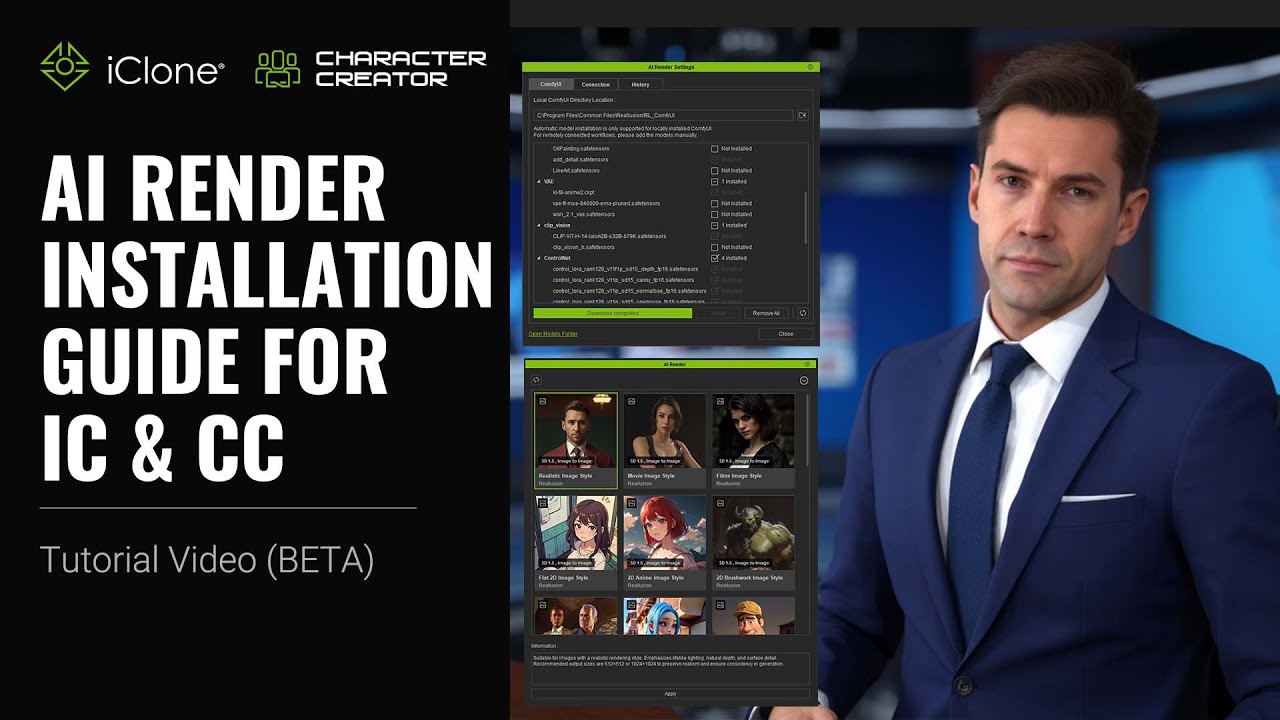
If you’re unsure about the steps, feel free to refer to this tutorial.
4 Likes
Hello, jdswiney
You can viewport capture or an imported image to generate a positive prompt that describes or illustrates the image content.
If the function doesn’t work, please check the Console Log ( via top menu → Script → Console Log ) for any error messages, and share a screenshot with us.
Thanks.
1 Like
Hello, eljofa,
You can update iClone through the Reallusion Hub as usual, if the latest official version has been released and made available there.
1 Like
Wow!! Can’t wait to get this node setup. I have ComfyUI installed And have been using for the last few months for different uses. Thanks Reallusion!! And Yes I agree tutorials will be needed.
It’s probably caused by the small video model. The workflow uses the 1.3 billion parameter model. There is also a 14 billion parameter model of Wan 2.1 available. So, as a comparison, the 1.3B model is basically like a jpeg image with 90% compression.
Since the 14B model needs massive amounts of VRAM (I think you need at least an 80 GB VRAM card for it), there are optimizations for it (WanGP, which doesn’t supports Controlnet, so no alternative if you want to use it with Reallusion animations) or quantized versions of it:
I think the Q8_0 models should fit in 24 GB VRAM. These models basically reduce the numerical values to a less precise value. So you trade precision for space. But it might still look better than the 1.3B model. I haven’t tried it yet.
Maelyn_RL
Thank you for your reply. Last night before I received your reply I decided to look into it myself. I discovered it was an installation issue with my virus software. It was preventing certain files from installing correctly. I removed the original install completely and ran it again with it all turned off and that solved the issue.
1 Like
Trying to use the extra_model_paths.yaml and it works in the websocket of this ComfyUI but when I go into CC4 or iClone8 it still can’t find the models. Is there something I missed or something extra I need to do to keep all my models centralized on a separate drive? It’s a lot of data to keep on the boot drive.
1 Like
Hi all — I’m Max Thomas, co-founder of Actor Capture and Professor of Practice at Georgia State University’s CMII, where I focus on real-time virtual production, motion capture, and AI-powered workflows for storytelling and animation.
I’ve been deep in the weeds exploring the intersection of CG pipelines and AI — building digital characters that move, speak, and perform with real presence. Right now, I’m working with this pipeline to bring together Character Creator, iClone, and ComfyUI (hosted on RunPod or Local) to generate cinematic content efficiently and at scale.
In the coming weeks, I’ll be sharing:
-
Practical ComfyUI + RunPod workflows for high-quality rendering
-
TTS-to-performance setups using ChatterBox, Sonic, and facial animation tools
-
Full-scene buildouts with ControlNet, Depth, DW Pose, and LoRA for character consistency
-
Behind-the-scenes from both industry and classroom projects
-
Some ready-to-use starter templates for those looking to dive in fast
Model List
WAN2.1 Fuxion X VACE DEPTH/POSE WF
FLUX 1Dev.FLUX FP8 Control Net + Multi-LoRA WF
MulitTalk
Long Lenth
Flux Kontext Advanced Compositing WF
Chatterbox
Sonic
BG Removal/Roto
And more…
Whether you’re just getting into AI-enhanced storytelling or already deep in the weeds, I hope these posts will be useful — and I’d love to hear what others are building too.
Looking forward to the conversations and collaboration!
– Max
15 Likes