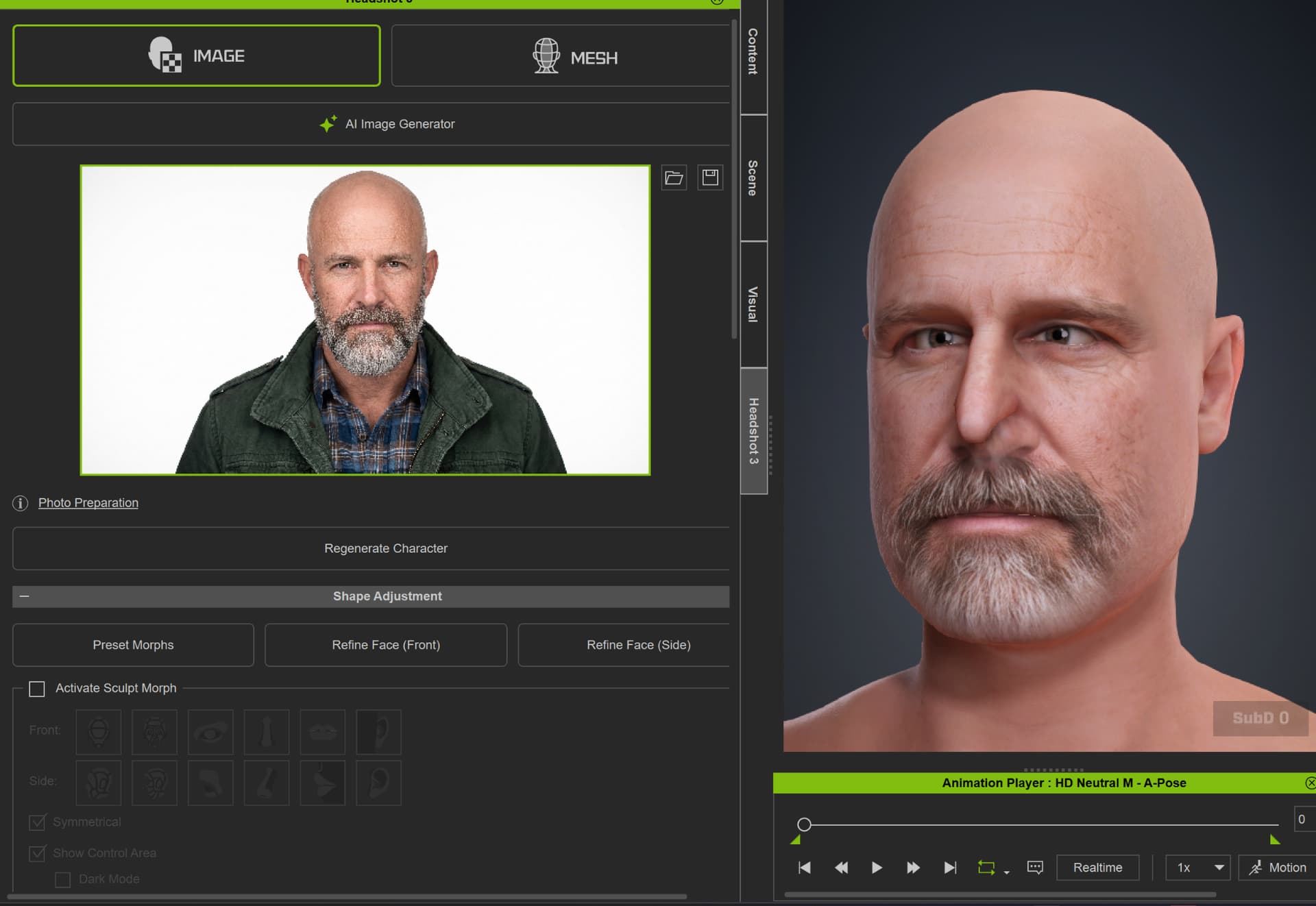
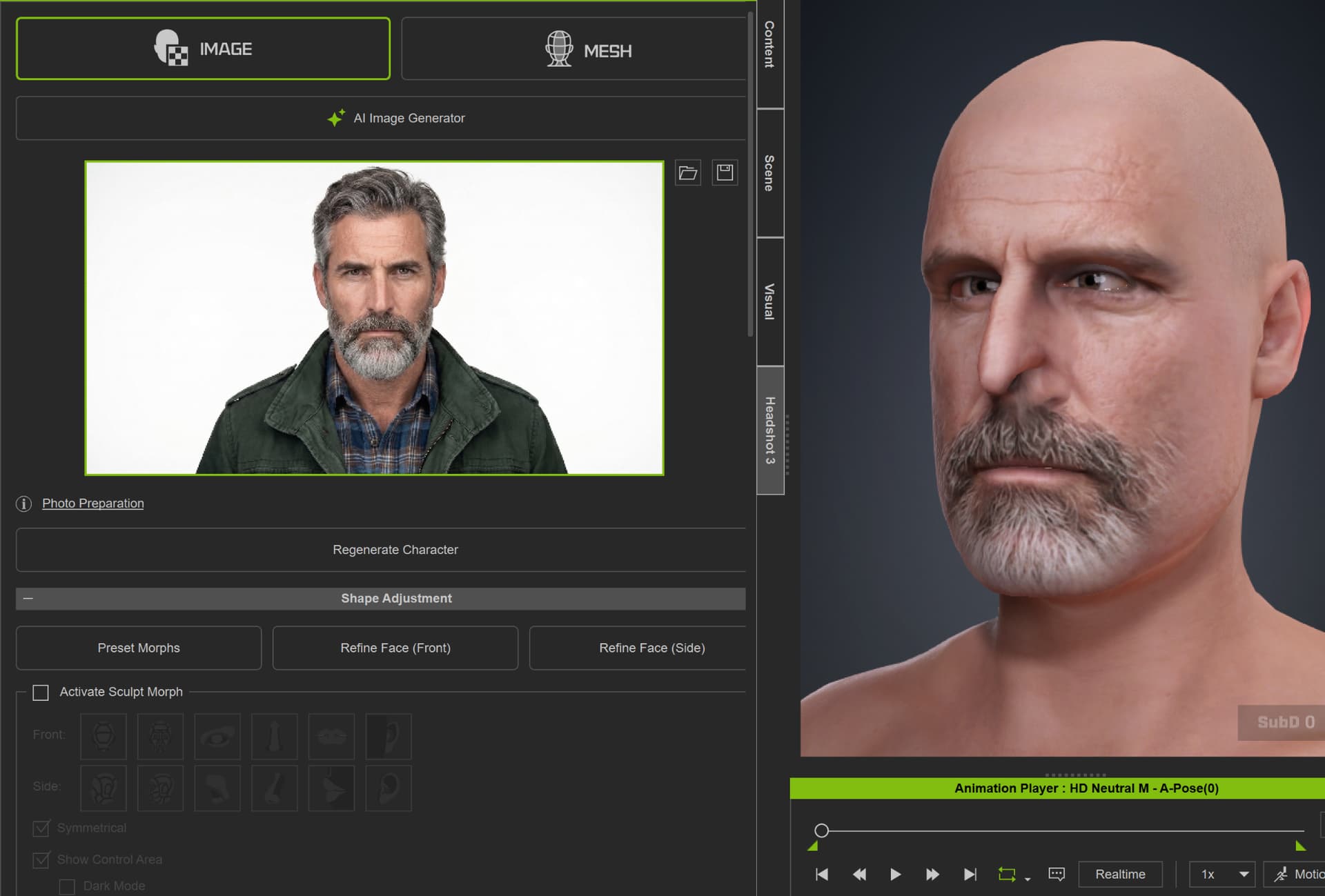
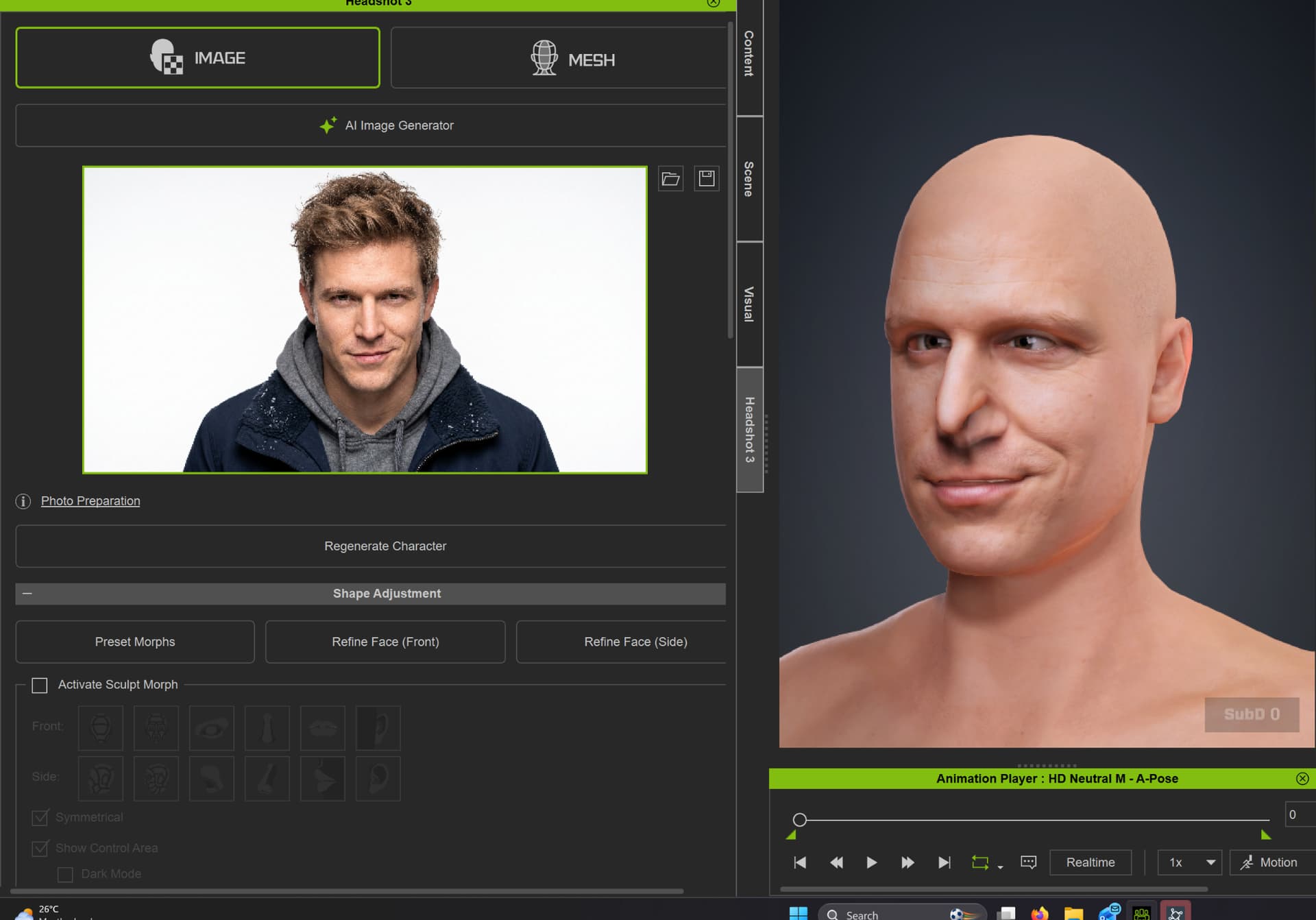
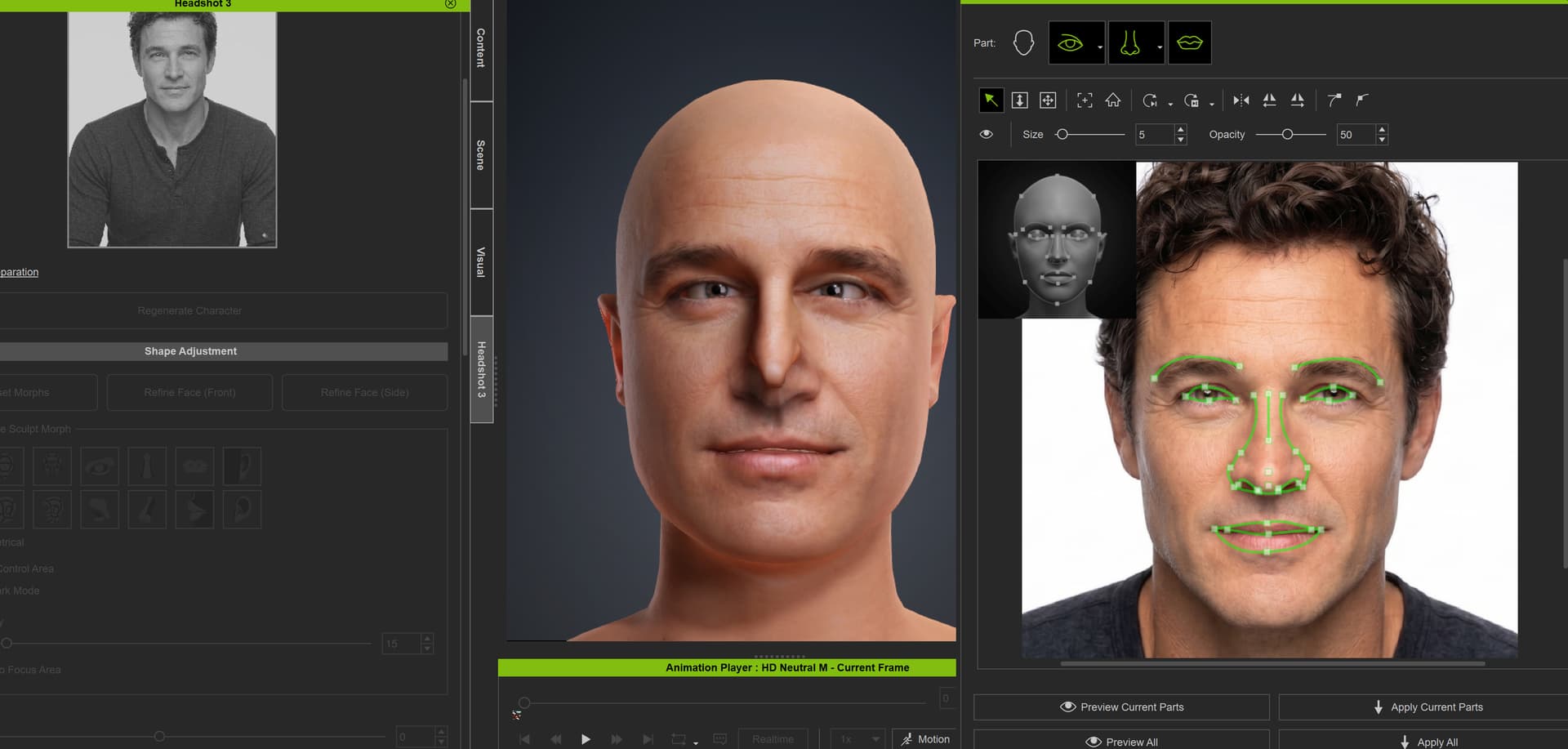
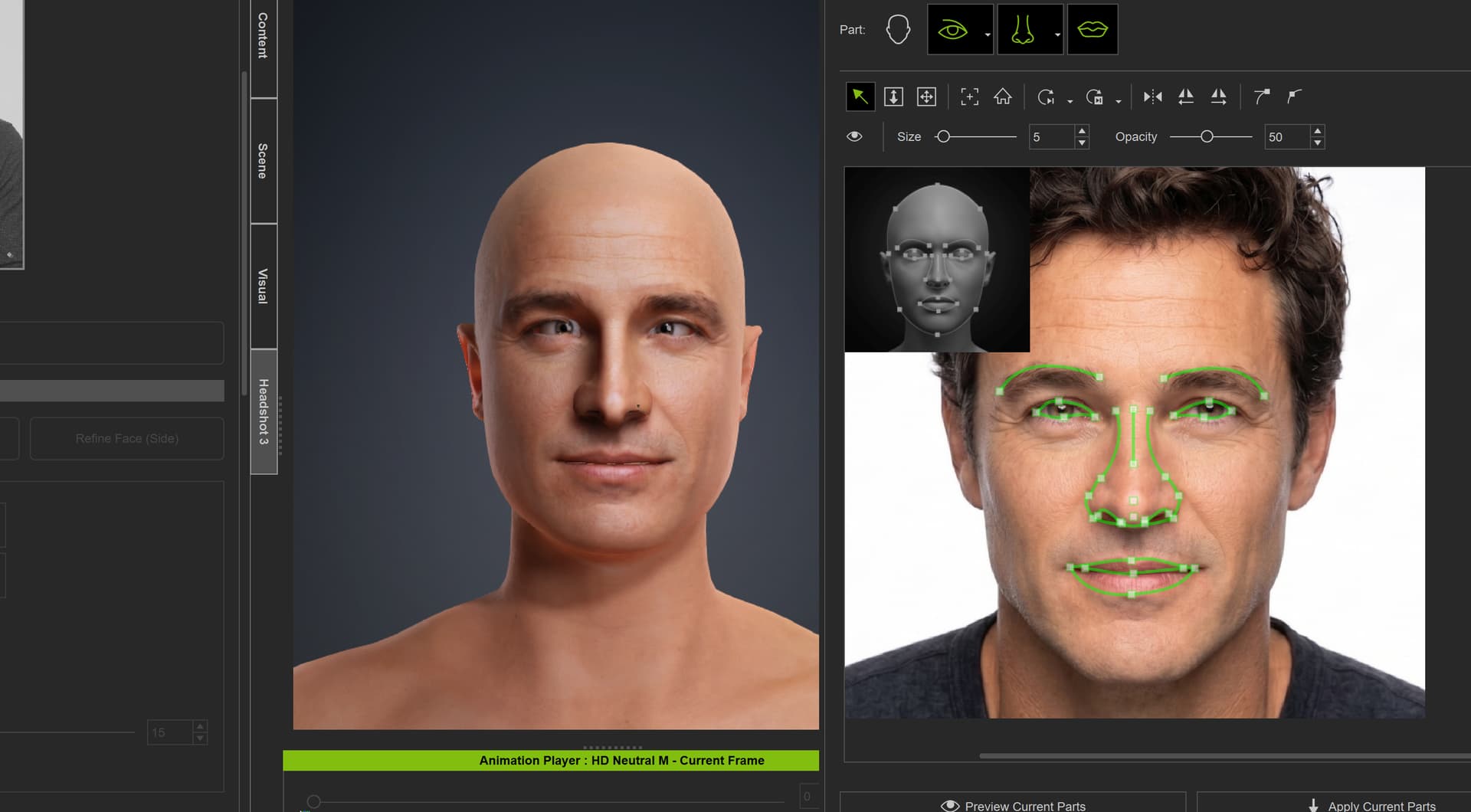
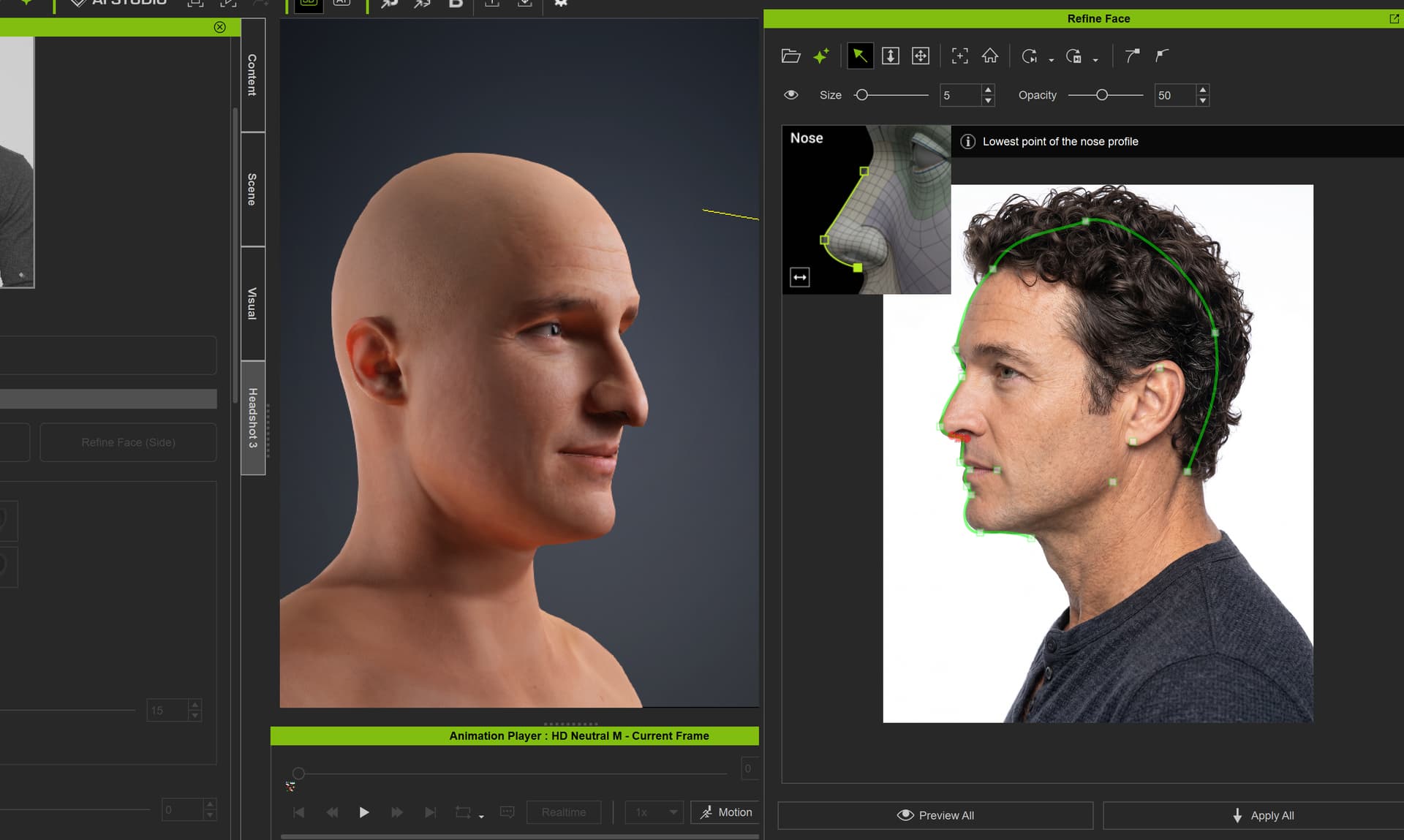
I created many background characters before this update, including several male and female characters, and I did not run into this issue. Since the update, I have tested multiple different source images, and at least three separate images are producing a similar result: the nose appears pulled or twisted to one side after generation.
I also tried adjusting the nose settings, including setting it to a straighter nose, but the generated result still comes out crooked. This makes me think it may be an issue with the current Headshot 3 fitting/generation process rather than only the source image.
I’ve attached screenshots showing the original source images and the generated results. Please could this be checked, as Headshot 3 is very useful for creating background characters quickly, but this issue makes the generated heads harder to use without extra sculpting fixes.
Please see the advice given in the thread below. There is also an email address there where you can submit your project so we can test to see what the problem is. Thanks.
During our testing and development, we’ve found that source photos without a mustache or distinct facial expressions generally yield better results. To resolve the issue you’re experiencing, you can try two approaches:
Adjust the source photo: Try removing the mustache and neutralising the facial expression first. You can use our AI Image Enhancer to tweak the photo so it closer matches our requirements. Once the model is successfully generated, you can add those features back.
Reset the mesh: Click the Refine Mesh button or select Reset All, which should remove the extra nose.
Could you please send us the original photos from your screenshot? This is a known issue, and we want to check if our latest version caused this specific offset. You may send your files to winnerhung@reallusion.com or send a drive link to us
I’m still having the issue. Using Refine Face helps slightly, but the generated heads still have the same kind of look, with the eyes looking a bit off and the nose still crooked from the side profile.
I’ve sent you a private message here on the forum with the three original source images, plus two Google Drive links to CC5 project files from two of the examples.
I had tried sending them by email before, but I wasn’t sure if it went through or got blocked by spam.
Thank you. We have successfully downloaded the files.
As mentioned in our previous post, this is a known issue. Our team will investigate your file using the development version, so please allow us some time to complete the testing. We will keep you updated if there are any new findings.