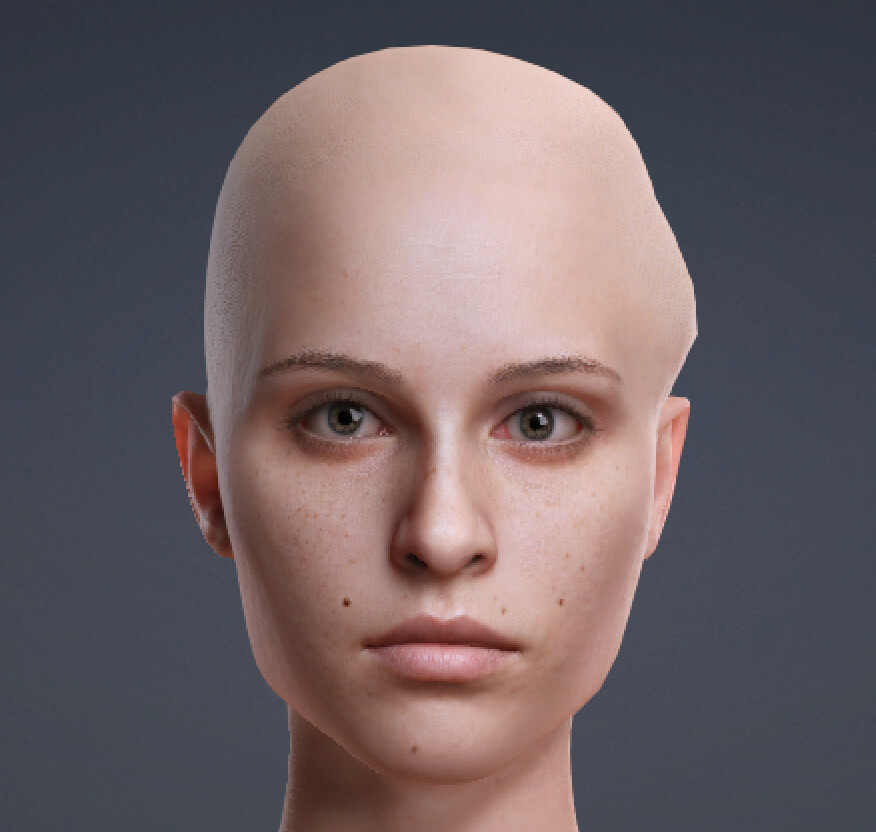
Hello,
Please try resetting the two points to their default positions to see if the issue is resolved.
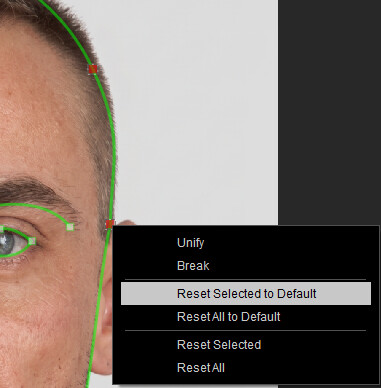
You can also refer to the point placement guide here for reference:
https://manual.reallusion.com/Headshot_Plugin/ENU/3.0/04-Image-Mode/Front-Face-Control-Point-Placement-Guide.htm
If the issue persists, please contact our support team. We may need to request your source photo and project file to investigate further.
Best regards,
Edward
Thank you Edward, those 2 points indeed adjust the lump. But even if i mirror them from the other side the lump starts to appear, its almost as if the base model was faulty.
It does happen with all source photos i’ve tried all with fresh projects opened.
Hi 82toomas,
Have you tried restarting CC after mirroring or resetting?
To help us further investigate and replicate the issue, could you please send us a screen recording along with your working files? You may email them to winnerhung@reallusion.com or share a Drive link with us.
Thanks!