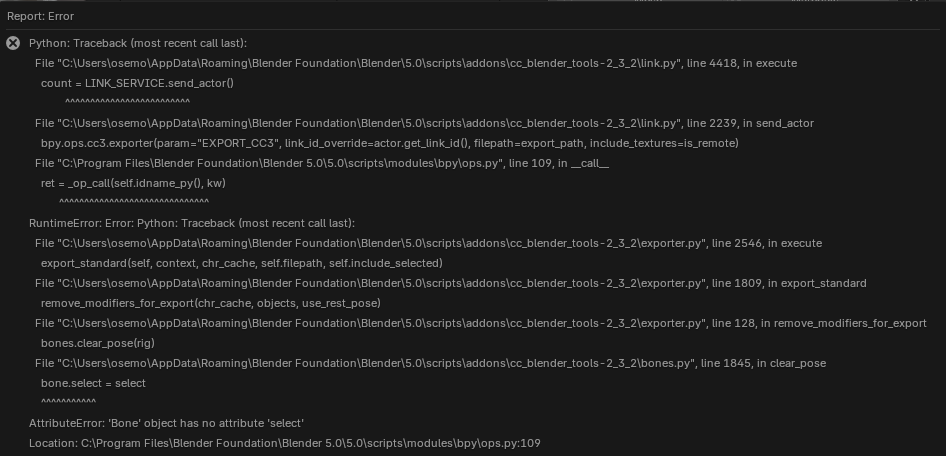
Hello dear Reallusion, please help me to solve this, or understand, what sould I do better/differently?!
From CC I have send my character to Blender / Sculpted various parts and oncve I am pressing “Go CC” I am getting this Error Messadge.
Please help to sort it out and move on with my work:)
Thank you Ondrej
Hi osemotan,
Could you check whether updating your Auto Setup to the latest version (v2.3.3) results in the same issue?
Thanks!
1 Like
Hello Crystalpan_RL!
Thank you for your tip! Update helped. Now I a can go without this error. But now I have moved to another problem! Sharing of the Pose from CC5 to Blender5 doesnt work for me. Strange thing is, that the oposite direction from B5 to CC5 it works. Do you have any idea how to fix this? 
Thank you and wish you a great day!
Hi osemotan,
The current version of this plugin is also undergoing internal verification by the Reallusion team. Thank you for reporting this issue.
Due to the recent update to Blender 5.0, there are certain cases where we are unable to provide an immediate solution. At the moment, pose files from CC5 cannot be transferred to Blender 5.0, and rolling back to an earlier Blender version is currently the only available workaround.
If you experience any instability or workflow issues, we recommend reverting to a previous version of Blender. You can download earlier versions from the following page:
Thank you for your patience and for your kind and detailed report.
Hello crystalplan_RL,
ok! Thank you and understand. In the meantime I found another “maybe CC/B connection” related issue. Once I am trying to render using my camera - let´s say just head profile - Blender keeps rendering full person in frontal view, doesnt matter what I am trying to switch on/off on various places inside Blender. Is this also part/price of the progress and will be solved? Or is it that I am doing something completely wrong?
Hi osemotan,
We’d like to report back on the two issues you’ve encountered:
- CC5/Blender5 files cannot be transferred between the two programs
- Blender keeps rendering the full person in frontal view
Our team has been unable to reproduce either of these issues.
Could you please provide a video or the relevant files so we can investigate the problem further?
Since links shared on the forum are public, if you prefer to share the files privately, you can upload them directly to Feedback Tracker. Once we receive the files, we will look into the files and get back to you with clarification.
Thank you!
ello crystalplan_RL again! Solved that issue with rendering - there was keyframes on camera position. After deleting those I was free to place and render from any angle I need. Sorry for late response. I thought I send it already yesterday, but it was for some reason still here on my side…
1 Like