Auto Setup for Blender v2.3.3 is now released - For Blender 5.0!

CC/iC Blender Tools 2.3.3 - Blender 5.0 update

Github: Product Page Release Notes
Online Documentation: Documentation
Blender Auto Setup Add-on: Release Version
CC/iC Blender Pipeline Plug-in: CC4 / iC8 Version
CC3 Version

Changelog

2.3.3

Blender Add-on

  • Blender 5.0 update.
    • Blender 5.0 API changed bone selection methods and compositor which broke just about everything …
  • Eye shader updates, Limbus region should be more accurate to CC4/5 now.
  • Expression drivers for CC3 rig use expression json.
  • Materials build for current render engine (Eevee / Cycles).
    • Buttons activate on Materials Parameters and DataLink panels to rebuild materials if changed.
  • Rigify will fallback to next best face rig if selected in unavailable.
  • Widgets for face rig included in Link/Append function.
  • Fix to rigidbody collider orientation.
  • Import option added in preferences to reset all custom normals on import.
    • On some characters, custom split normals cause dark lighting artifacts that can be cured by removing custom normals.
  • Camera switch markers generated when sending camera’s across the DataLink.

CC/iC Plug-in

  • Camera switch markers added to camera exports.
  • Fix to some material name mismatch errors.
  • Motions export only at SubD-0.
  • Fix to add menu shutdown crash.

So Blender 5.0 changed something fundamental. Amongst other things, it was a simple change to the API how bones were selected, and it’s easy enough to fix, but it’s everywhere and it broke the entire add-on.

There could still be errors lurking under the surface. Keep an eye out and report any tracebacks in the system console. That’s the surest sign something has gone wrong and needs fixing.

6 Likes

The update doesn’t appear in Reallusion Hub.

1 Like

Thank you for the update, Victor!

I still use Blender 4.5.2 LTS too, should I update the addon there too or this update is specifically tailored for Blender 5.0?

It’s for Blender 3/4/5 (3.4 and up). Though I haven’t done a whole lot of testing on Blender 3, mostly focusing on Blender 4.5 and 5.0.

There’s some important fixes in there for all versions.

2 Likes

Aw man! You are awesome!

We’re supposed to have 2.3.2 in CC/IC and 2.3.3. in Blender?

You can wait for Reallusion to update the Hub, or you can just run the installer script in the plug-in zip.

But it does work with 2.3.2.

Hi Victor, I have an urgent problem. I’m exporting a character from CC5 through the blender pipeline plugin and try to export it as an fbx back to CC. (using Blender 5 and Version 2.3.3 ) Pressing “Export to CC3/4” gives the following python error so no fbx is exported. Help would be much appreciated!
AttributeError: ‘RenderSettings’ object has no attribute ‘use_bake_multires’

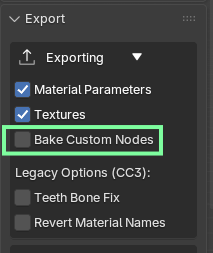
If you don’t actually need it to bake anything, i.e. no sculpt bake layers for normals or custom material node setups, then you can just disable bake custom nodes.

But if you do need the bake to work, you would need to use the current Dev version, of both the Blender add-on and the CC plug-in. In fact I’ll make a pre-release of the Dev version, it has a lot of fixes in it:

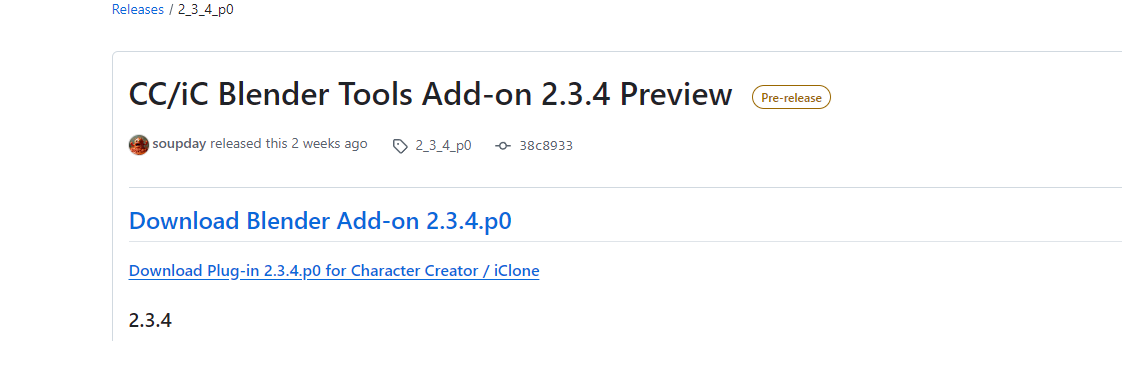
Preview Release 2.3.4.p0

  • Add / apply physics resets physics to frame 1.
  • Reset all dynamics added to cloth physics panel.
  • Reset physics sets frame sync to “play all frames”.
  • Warning on bake physics button when not “play all frames”.
  • Fixes to:
    • Spring rig simulation reset error when baked.
    • Remove all physics error.
    • Rigidbody colliders positions when character rig is not at origin.
    • Physics weight paint error in Blender 5.0.
    • ARKit Proxy CSV load error in Blender 5.0.
    • Receive Pose/Sequence error in Blender 5.0.
    • Material bake in Blender 5.0.
  • Blender Scripts Transformer fix added.
  • DataLink export uses Blender scene FPS.
    • Plugin will use Blender FPS settings once connected.
  • Go-B export animation FPS option added to main panel and preferences.

You’ll need to run the install script for the plugin, or do a manual install.

1 Like

Thanks a lot! Actually the baking was already disabled. Didn’t work though. But Pre-release seems to work! Great help! Will test it more

Hi Victor, sadly more errors occurred. exporting a cc3+ character to blender works but sending it back either through “export to cc3/4” or “go cc” results in a fbx file that fails to load in CC 5. Critical. Error :“Missing the designated material”
An other error happens when simply changing a Digital_Human Material to PBR. Sending it to Blender results in an “Invalid Character!”
Help much appreciated!

I’ve never seen that error before. Can you provide steps the reproduce this error? It might be a problem in CC5 or it might be something missing from the export from Blender.

Which material did you change? I tried changing all the skin materials to PBR, but it all still worked.

Hello Victor,
I use Blender 5.0
I am using the latest plugins for Blender, IC8, and CC5.
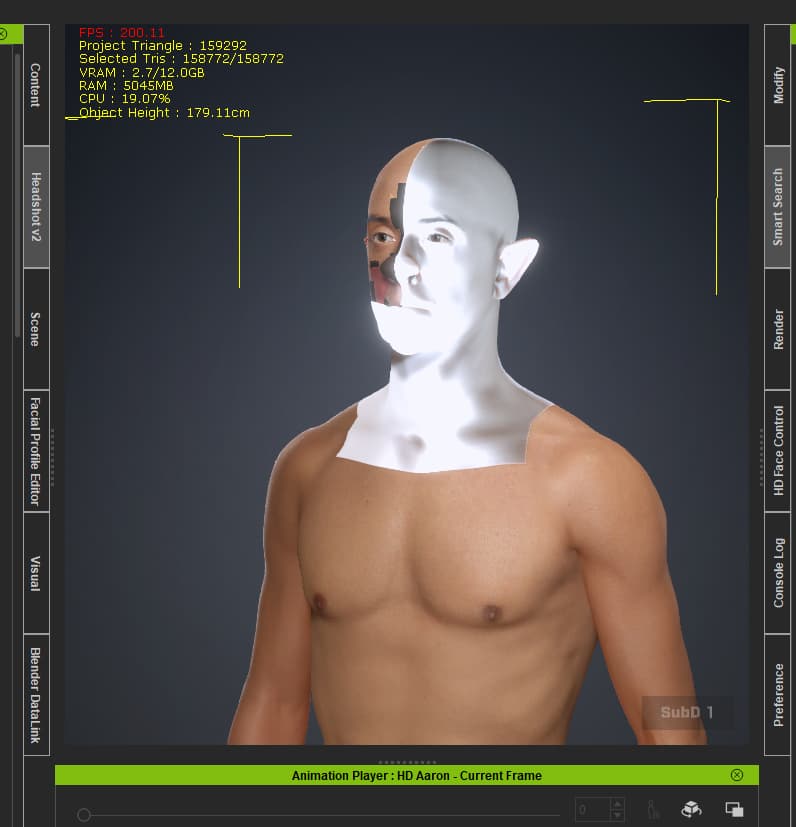
When I send the character Aaron via GOB or Data Link Send Avatar,
change Aaron a little, and then send him back via Go CC,
half of his face is white. Do you have a solution?
Regards, rosuckmedia

I’m not getting any problems with the skin textures. There is a problem with the tearline, but the skin seems to coming back in ok.

Are you using the latest CC5 (5.04)?

I use CC5 version 5.04.

I have no problems with CC4 characters.

Sorry Victor,

I downloaded the plugins again in the DEV version. I didn’t know that we had to switch from Main to DEV.
Now the skin is transferred correctly again when sending it back.
Greetings Robert

2.3.4

Blender:

  • Download the Source code.zip
  • Remove old version from add-ons.
  • Install the zip from add-on preferences as usual.

CC4/5/iC8:

Known Issues

Latest version of CC4.65 / 5.05 / iC8.65 has a few API issues:

  • Importing facial expressions from round trip FBX doesn’t work.
  • Spotlight transfer fail to get angle/fallout/attenuation data.
  • Mesh Replace updates don’t work on clothing meshes.

Thanks for the updates!

I am having some problems exporting my character in Blender 5.01 using the CCi/iC pipeline tab in Blender.

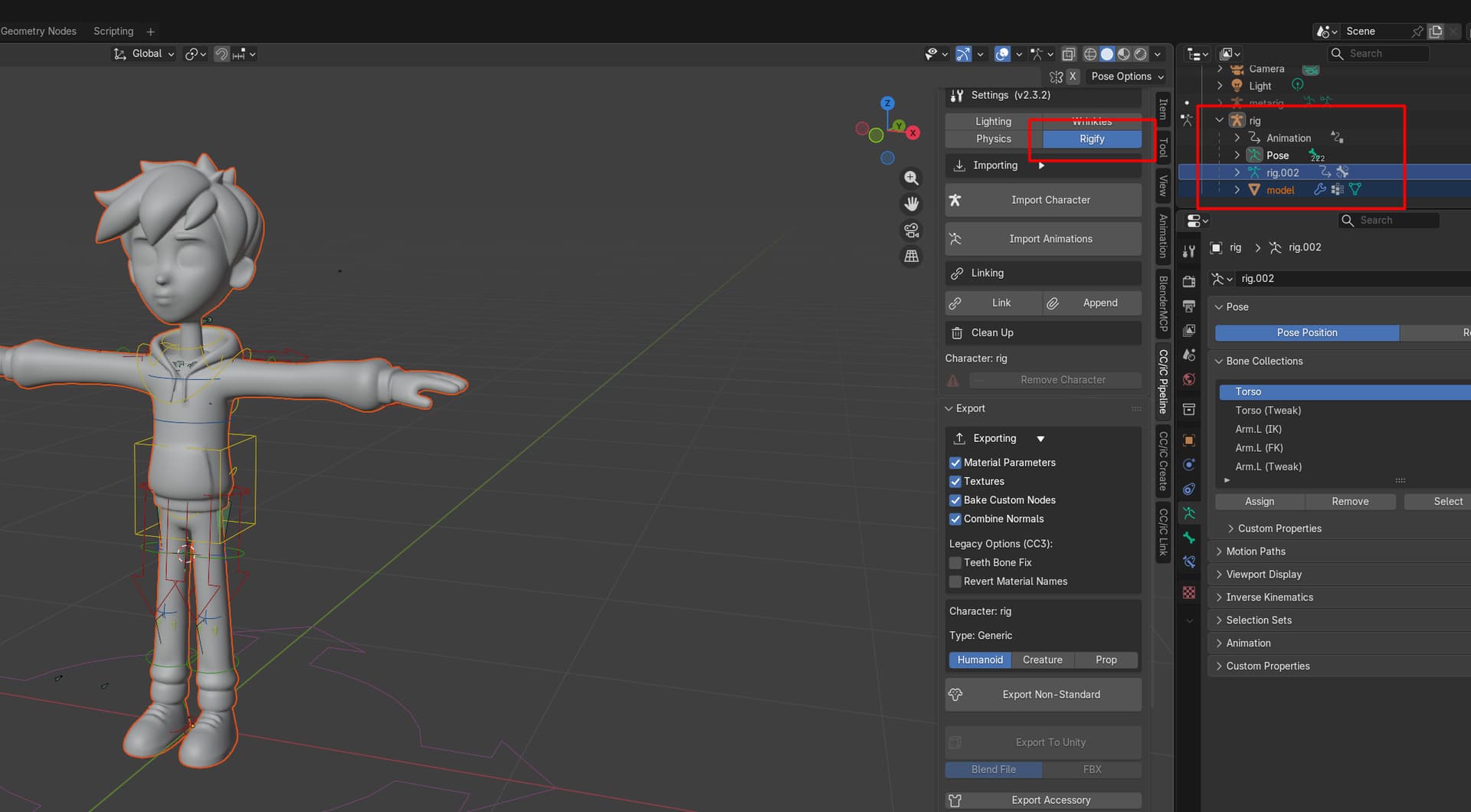
I have my character, that has been rigged with Rigify add-on in Blender. I rig the character, and parent the mesh to the rig.

1.) I select my rig and my mesh in Blender, enable the Rigify option in the CC/iC export.
2.) Set the type to Humanoid
3.) Press the Export Non-Standard button
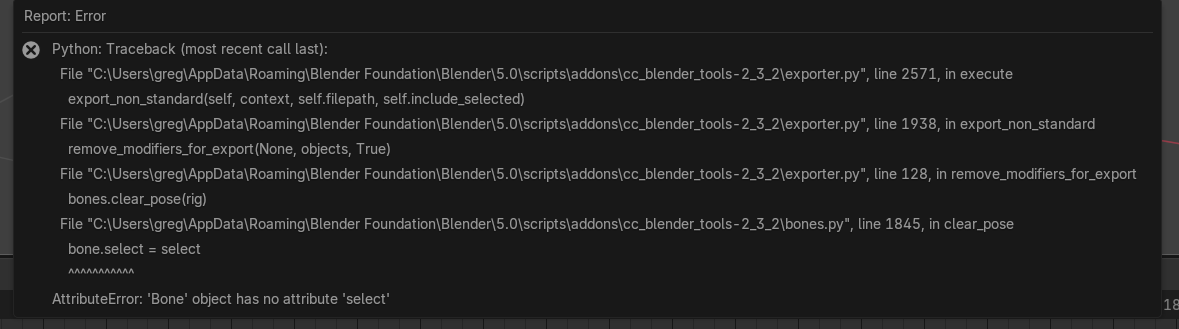
But then I get this error in Blender.

I have uploaded the Blender file here if you’d like to take a look.
https://drive.google.com/drive/folders/15UtvVQDu1lOdzHpDW4P8zaisQvItC0wB?usp=sharing

PS : I tried to install the latest version 2.3.4 from the .zip file in Blender, but I get this error.

Thanks

2.3.2 doesn’t work in Blender 5.0

The Pipeline .zip is for CC or iClone. You want the other one.

2.3.4 Is the latest version:

2.3.4

Blender:

  • Download the Source code.zip
  • Remove old version from add-ons.
  • Install the zip from add-on preferences as usual.

CC4/5/iC8:

1 Like