Hi everyone!
With so many cutting-edge engines available at your fingertips, matching the right image model or 3D-guided video model to your project needs is crucial for balancing visual output quality and credit costs. Use this master guide to map out your 3D pipeline alignment!
Q1: How do I choose between the image models?
We currently offer 3 distinct image models: Nano Banana Pro, Flux2 Max, and GPT Image 2. You may evaluate the outputs and select the model based on your preference. Below, we will compare Flux2 Max and Nano Banana Pro:
| AI Model | Aesthetic Focus | Best Used For |
|---|---|---|
| Flux2 Max | Cinematic & Polished | Smooth skin textures, soft lighting, and an enhanced, youthful, or glamorous appearance. |
| Nano Banana Pro | High-Fidelity Realism | Highly detailed, authentic facial textures with minimal artifacts. Prioritizes raw accuracy, resulting in a more natural (and sometimes mature) look. |

▲ Left: Flux2 Max | Right: Nano Banana Pro
 You can find more visual comparison in the manual
Q2: How do I choose between the video models for 3D-guided generation?
Selecting the right video model depends entirely on the complexity of your original 3D animation sequence, your desired visual outcome, and your budget. Because the credit cost variance across these models is quite large, you do not always need to default to our highest-end engine. If your 3D sequence has straightforward motion, a budget-friendly model will often get the job done beautifully.
 Important Workflow Distinction: Models like Kling3 and Veo3.1 do not read 3D animation sequence data. Therefore, they are only available when using the Start-End Frame video generation workflow.
 Quick Reference Matrix
For a fast comparison of features, check the technical breakdown below:
| AI Model | Price Tier | Standout Strengths | Best Applied To |
|---|---|---|---|
| Seedance 2.0 | Premium | Physics, Multi-Shot, Lip-Sync, 3D Tracking | High-end cinematic narratives & dialogue |
| LTX 2 | Mid-Tier | Ultra-high resolution, Fast processing, Cloth/Hair | Wide, sweeping landscape & crowd shots |
| LTX 2.3 | Mid-Tier | Clear facial consistency, Stable camera tracking | Character-focused medium shots with camera movement |
| Scail Uni3C | Budget-Friendly | Natural human motion, High facial accuracy | Static camera angles, talking heads, locked frames |
| Wan 2.2 Fun Control | Budget-Friendly | Massive 3D camera motion handling | Dynamic camera layout previews & pre-viz |
You can find more visual comparison in the manual
 Find detailed price comparison Here
Q3: In 3D-guided video generation, must the reference image match the first frame of my 3D sequence?
- Answer: This depends entirely on the AI video model you choose:
- Seedance 2.0: Highly flexible. It can reference any stylistic image and apply its overall visual aesthetic across the video sequence.
- Other Models: Strict dependency. You should use the exact first frame of your iClone 3D animation sequence as the reference image to ensure proper continuity.
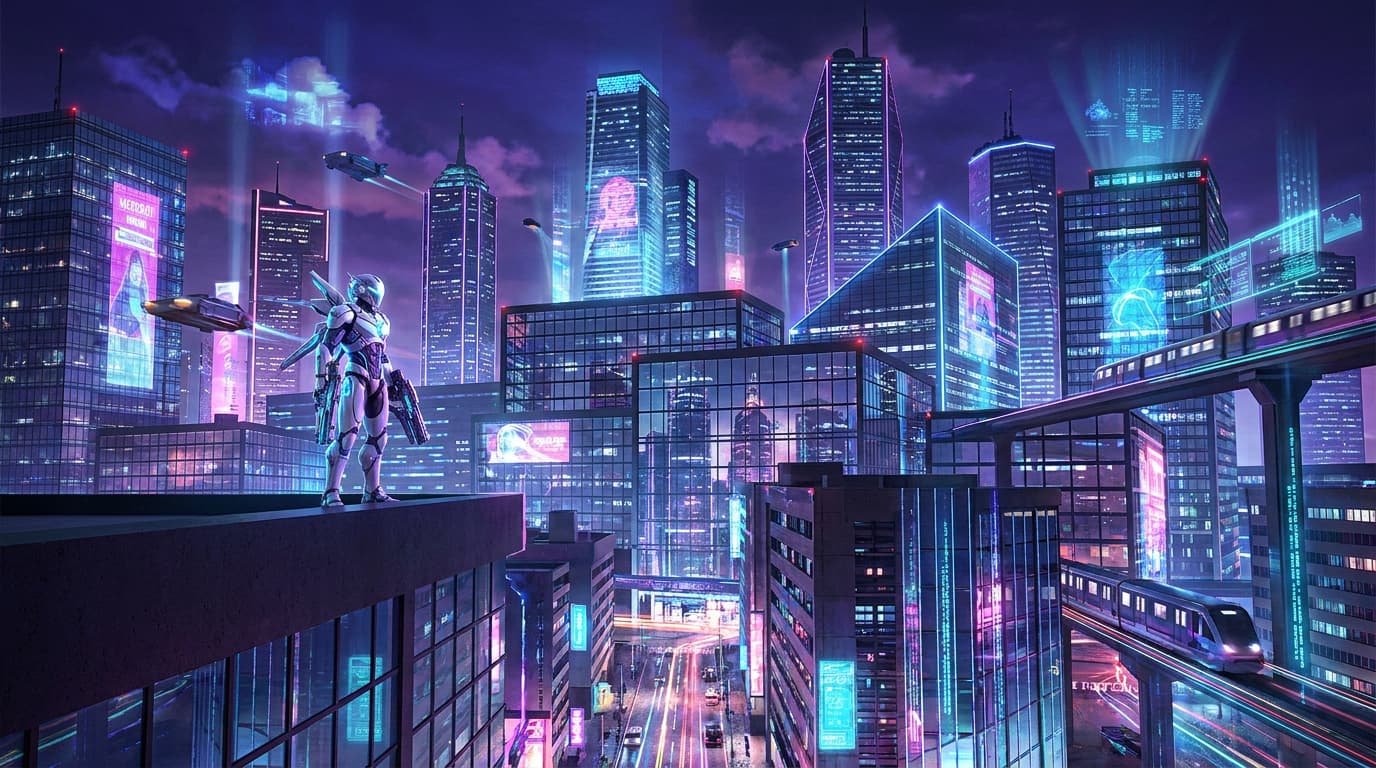
▲ A stylized cyberpunk cityscape used as style reference for Seedance 2.0
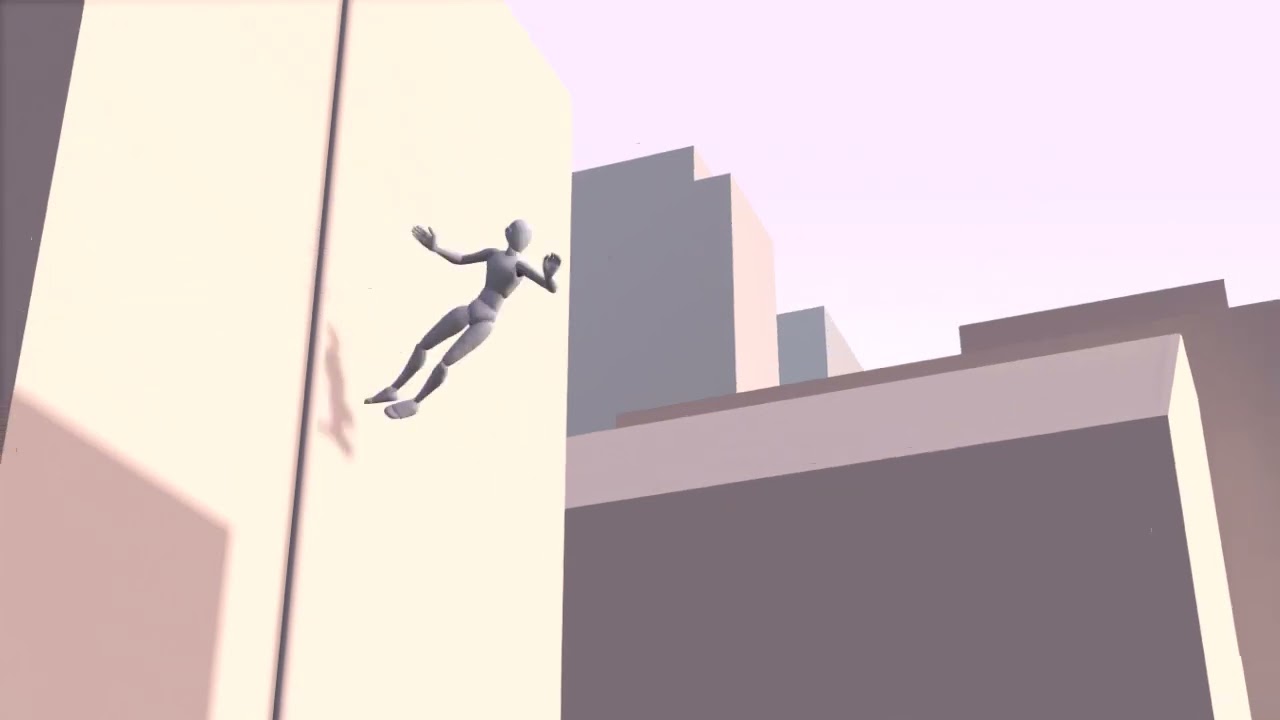
▲ The 3D animation sequence for scene layout and motion montrol
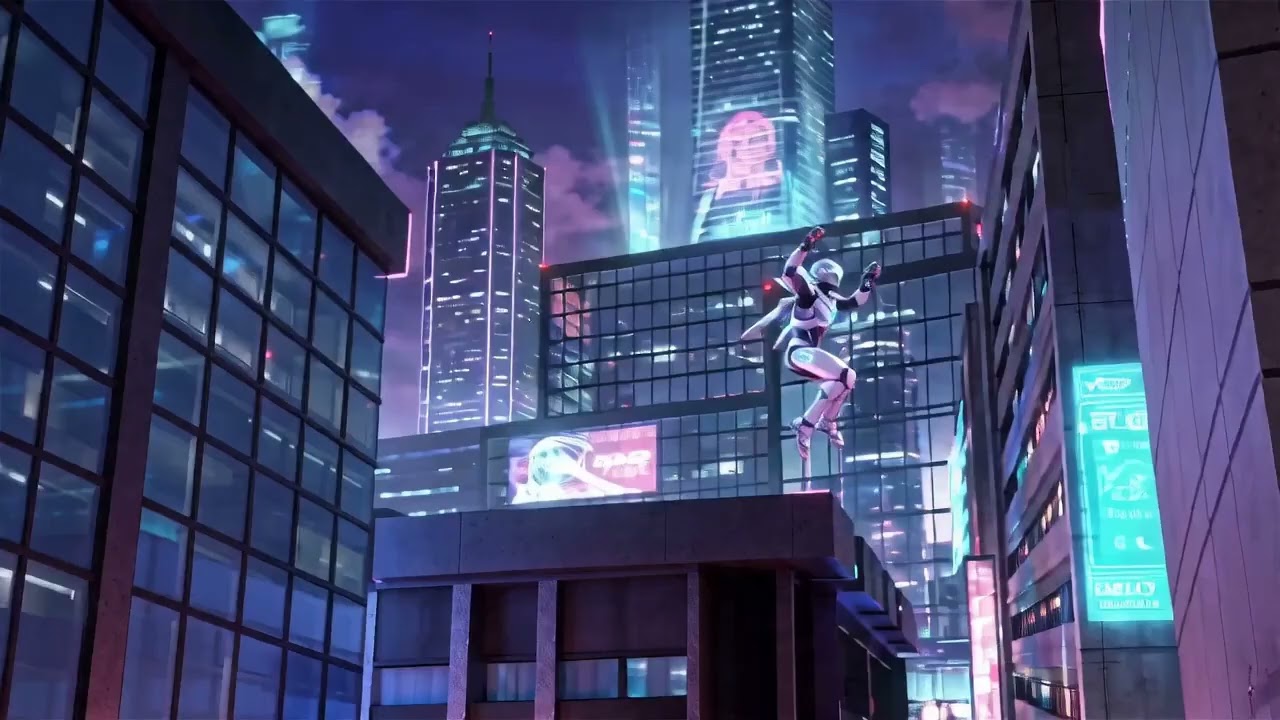
▲ The generated video perfectly translates the character motion and layout from the 3D sequence while strictly preserving the artistic style of the reference image.
Q4: Can I use an dummy mannequin to drive character motion in 3D-guided video generation?
- Answer: Yes, absolutely. In fact, when using Seedance 2.0, we highly recommend using neutral dummy characters to drive the animation.
If you use a fully textured, detailed 3D character mesh, the video model might accidentally pick up and blend the original CG look of that character into the final video. By using a basic dummy mannequin, you ensure that the final character appearance strictly respects the high-quality style established in your reference first-frame image.
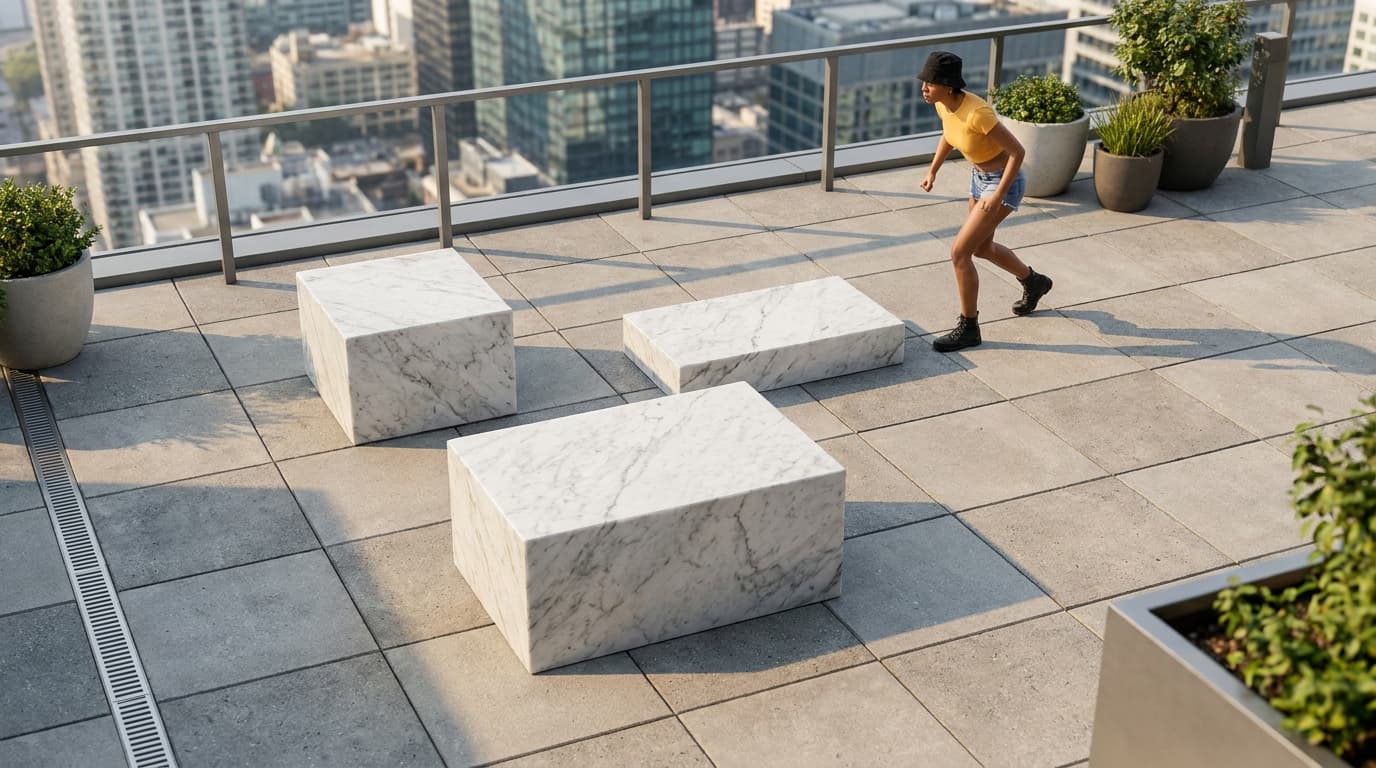
▲ A photorealistic reference image used as the target benchmark to test if the Seedance 2.0 can avoid picking up CG look
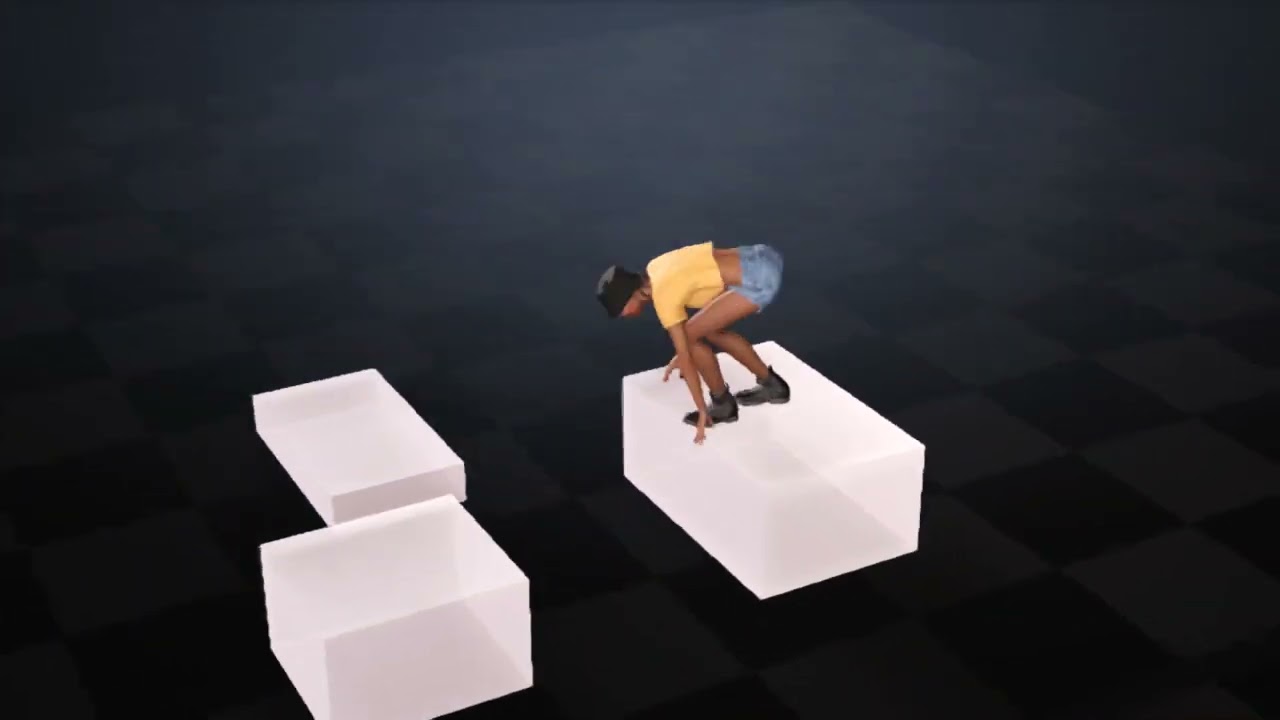
▲ Textured Character: The 3D animation sequence using a fully textured, detailed character mesh.
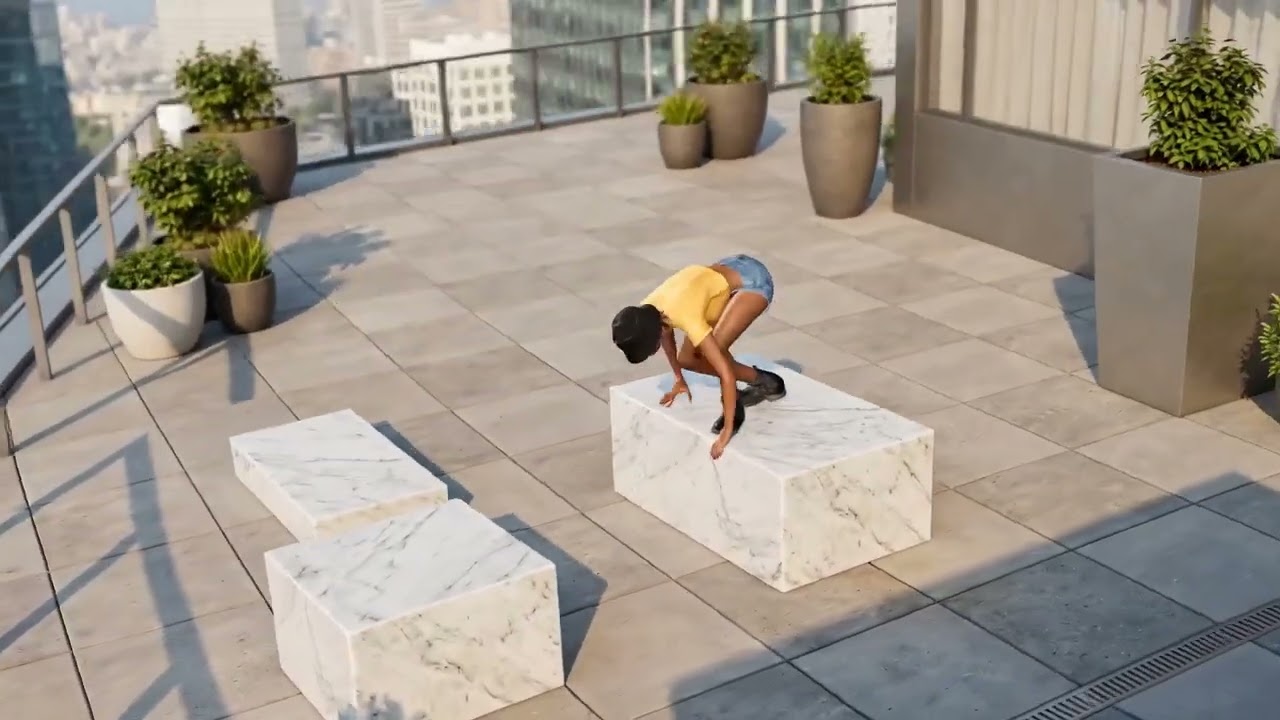
▲ Textured Character: Seedance 2.0 introduces style drift by accidentally blending the original 3D character’s texture and CG look into the final render.
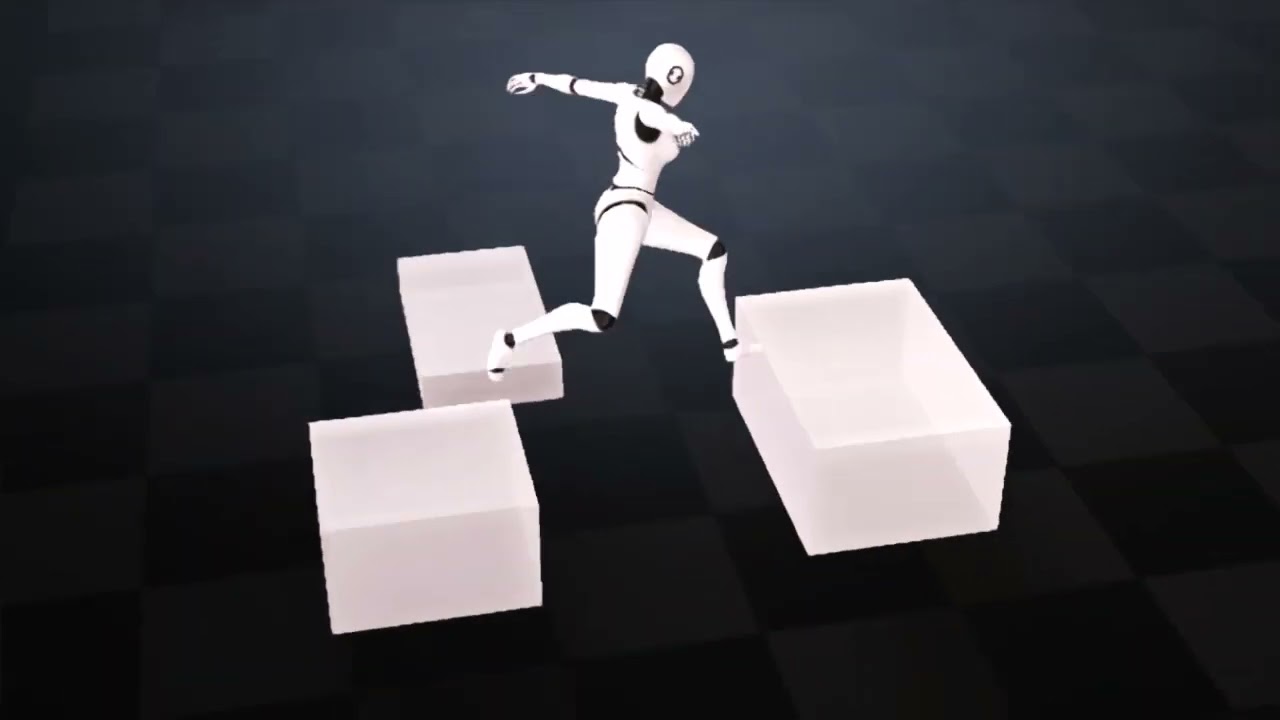
▲ Dummy Mannequin: The same 3D animation sequence driven by a neutral, untextured dummy character to provide layout and motion control without surface details.
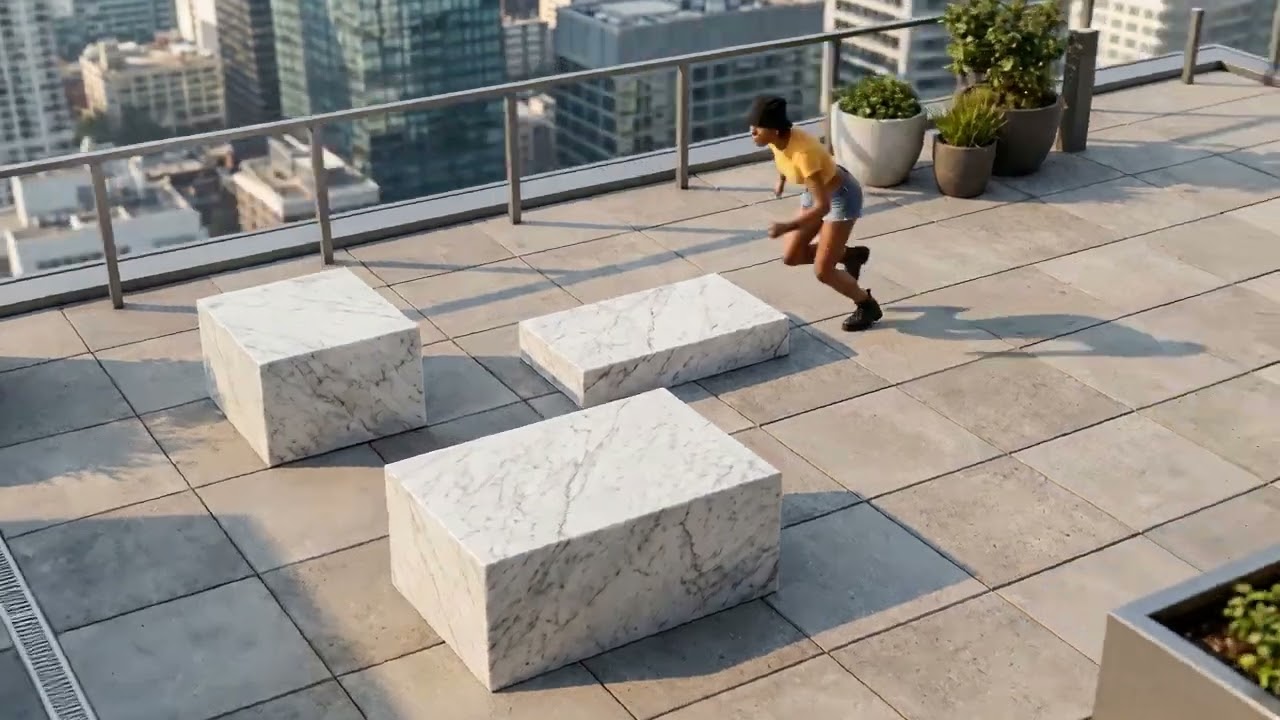
▲ Dummy Mannequin: The final character appearance looks significantly closer to the high-quality, realistic style established in the reference image.