Import blendshape normals set to calculate by default.
Eye shader limbus adjusted to be more accurate to CC/iC eyes.
Eyelash and Brows shadow and reflection fixes.
Bone driver script added.
For exports with bone/expression data (CC4.63 / CC5.0+).
Script will drive face bones from the facial expression blendshapes on the body mesh.
Script will also copy facial expression blendshapes from the body to other relevant meshes.
Facial expression blendshapes need only target the body and driver script takes care of the rest.
Optional expression strength controls.
Animations retargeted to characters with active bone driver scripts have the driven blendshapes and bones stripped from the animation, significantly reducing size and improving playback performance.
Hello, I would like to do a change clothing system in Unity.
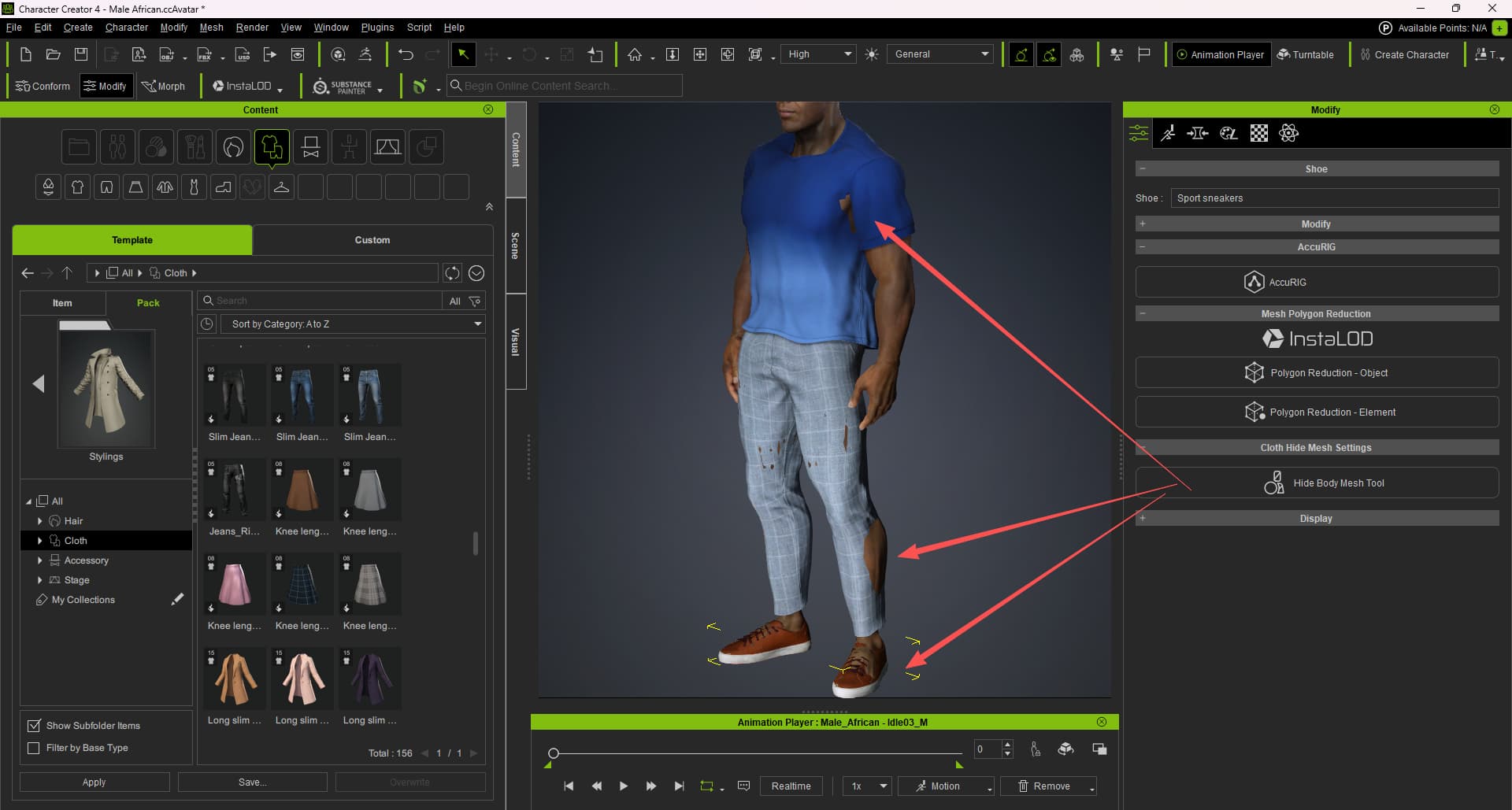
Because there is a hidden mesh tool in CC4
But it is not available in Unity, so the clothing components are not compatible with the body.
What shall I do? Do you have a good solution?
Thanks for waiting. I apologize for not responding sooner.
To ensure we point you toward the correct solution, could you clarify some quick details about your system?
Are you building a system where:
A) The character changes their entire look at once? (e.g., swapping from a full “Soldier” prefab to a full “Civilian” prefab).
B)The player can equip individual items piece-by-piece? (e.g., taking off just a helmet, or swapping pants while keeping the same shirt).
Once we have these details, we can recommend the best workflow for your project.
Thanks for clarifying your needs. Here is the recommended workflow:
Regarding the Hide Body Mesh Tool in CC4: This is a unique feature specific to Character Creator, and its settings do not export directly to Unity as a runtime system.
You might see an option to ‘Delete Hidden Mesh’ during export, but we do not recommend this for your specific project. If you delete the mesh for a specific outfit, you will likely have missing geometry (holes in the body) when you try to swap to a different, smaller piece of clothing later.
Instead, we suggest using Body Opacity Maps in your Unity system. You can simply swap these maps at runtime when changing clothes to hide the necessary body parts dynamically.
Hopefully, these give you a good direction. Good luck with your project!
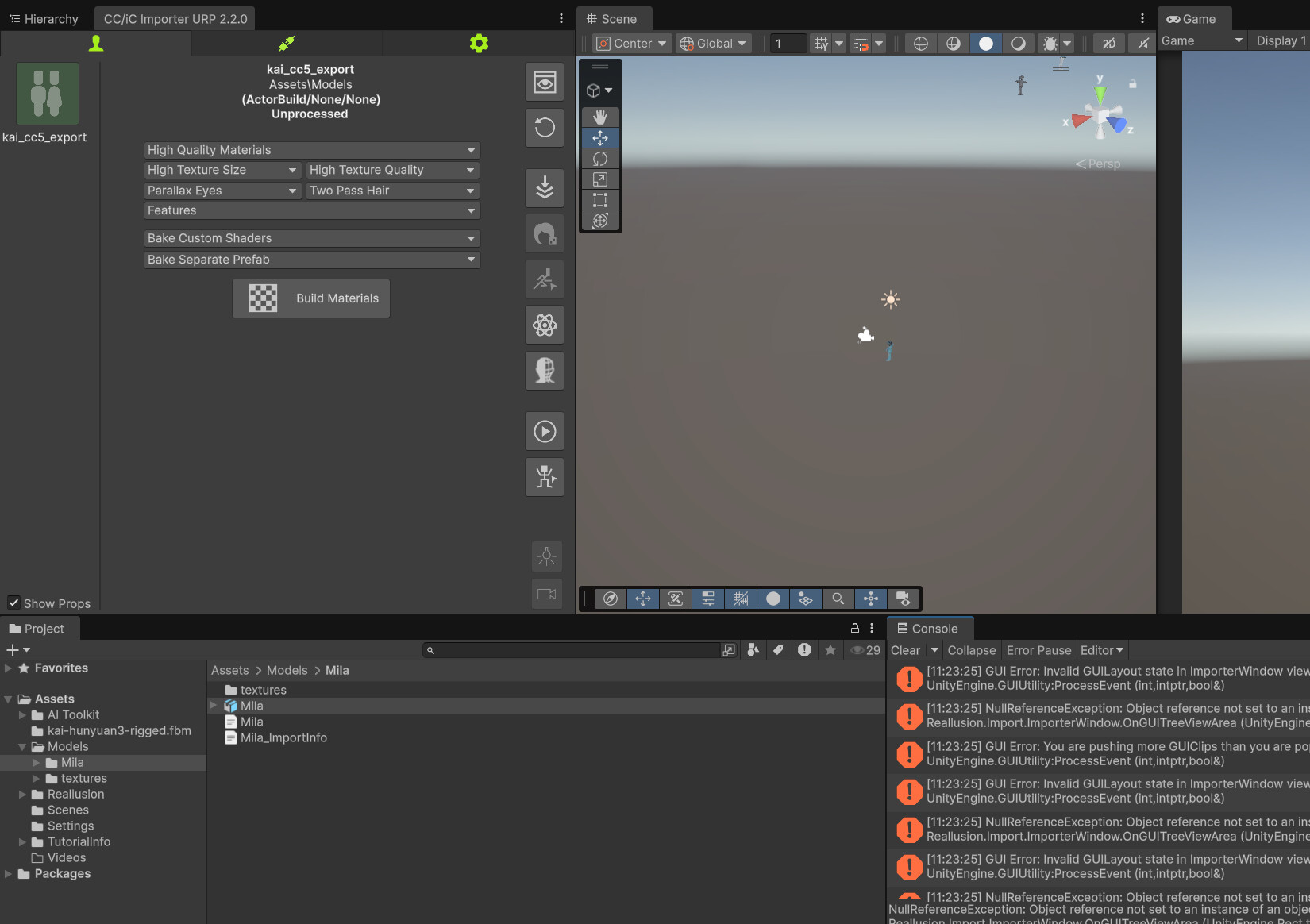
GUI Error: Invalid GUILayout state in ImporterWindow view. Verify that all layout Begin/End calls match
UnityEngine.GUIUtility:ProcessEvent (int,intptr,bool&)
NullReferenceException: Object reference not set to an instance of an object
Reallusion.Import.ImporterWindow.OnGUITreeViewArea (UnityEngine.Rect treeviewBlock) (at C:/Users/greg/Downloads/CCiC-Unity-Tools-2.2.0/CCiC-Unity-Tools-2.2.0/Editor/ImporterWindow.cs:1276)
Reallusion.Import.ImporterWindow.ImporterOnGUI (UnityEngine.Rect contentRect) (at C:/Users/greg/Downloads/CCiC-Unity-Tools-2.2.0/CCiC-Unity-Tools-2.2.0/Editor/ImporterWindow.cs:670)
Reallusion.Import.ImporterWindow.OnGUI () (at C:/Users/greg/Downloads/CCiC-Unity-Tools-2.2.0/CCiC-Unity-Tools-2.2.0/Editor/ImporterWindow.cs:515)
UnityEditor.HostView.InvokeOnGUI (UnityEngine.Rect onGUIPosition) (at :0)
UnityEditor.DockArea.DrawView (UnityEngine.Rect dockAreaRect) (at :0)
UnityEditor.DockArea.OldOnGUI () (at :0)
UnityEngine.UIElements.IMGUIContainer.DoOnGUI (UnityEngine.Event evt, UnityEngine.Matrix4x4 parentTransform, UnityEngine.Rect clippingRect, System.Boolean isComputingLayout, UnityEngine.Rect layoutSize, System.Action onGUIHandler, System.Boolean canAffectFocus) (at <5c2380b11c444983ac3ffcbc73d04ba8>:0)
UnityEngine.GUIUtility:ProcessEvent(Int32, IntPtr, Boolean&)
GUI Error: You are pushing more GUIClips than you are popping. Make sure they are balanced.
UnityEngine.GUIUtility:ProcessEvent (int,intptr,bool&)
I have tried both Unity 6.0 and Unity 6.3 in URP, no difference, on different/new projects.
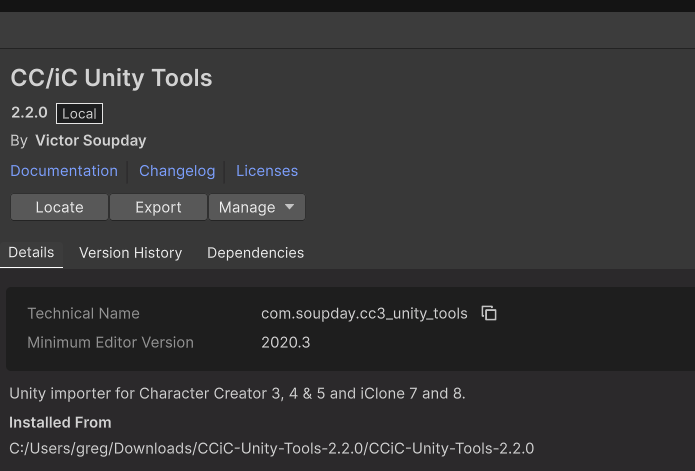
I have followed the installation instructions and installed the package from disk.
I can’t reproduce this error, and yet, you have the latest version and it’s installed correctly.
The errors all seem to stem from character tree view being missing. Which really shouldn’t happen. And once an error happens in GUI code it spams you with subsequent errors, but it’s the very first error that causes it all.
Is there something about the character fbx that’s causing the tree view to fail?
Does it cause this error with a stock character like Kevin/Camila/Aaron/Ariana/Mila/Eddie etc? They should all work. That would be a place to start.
@Victor.Soupday I have issues making CC3+/CC5 characters work with the Unity Pipeline Plugin 2.1.0 and 2.2.0. During any animation, especially face animations like " Range Of Expression" from Reallusion, the eyeball of the characters would fall out or the mouth would open extremley wide.This currently happens to all characters that I try to make work in Unity with the plugin. The Facial Profiles are all done and I notice nothing wrong in Character Creator.
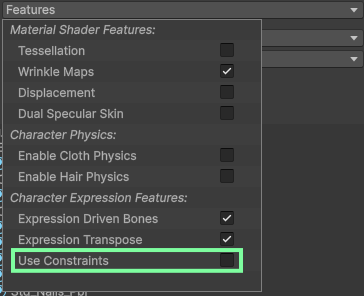
The latest version of CC5 is exporting way too much bone data for the expression constraints for HD facial profiles, causing the bone drivers to over do it. For now you’ll need to uncheck: Use constraints in the Features before building the character.
Eyeballs popping out is a symptom of exporting with Convert Skinned Expressions to Morphs. If you’re using this export setting, you need to remove the eye and jaw bones from the character’s avatar. Even then Skinned Expressions to Morphs makes a real mess of the animations. I don’t advise using it as the only real reason for it was to make it look like the expression blend shapes moved the bones, but bone drivers take care of that now.
I accidentally clicked ‘bake’ for the textures for a character (the down arrow button) in the import tools - is there any way to ‘undo’ this in Unity or do I need to delete it all and re-export again?
Love the autosetup tools, it’s fantastic, use them all the time, such a life saver!
Hi @Victor.Soupday first of all thank you for creating this plug-in.
Is there any way that you can import a CC5 character directly into Unity and having their Blendshapes work with the mouth opening not just the lips/face moving? You mention that this updated version (I am using CC/iCC 2.2.1. with Unity 6000.2.9f1) has a Bone driver script added which will drive face bones from the facial expression blendshapes on the body mesh, but the importer doesn’t automatically assign that script to the imported model and even if I try to assign it to different parts of the Prefab, it doesn’t change the fact that you can’t open the mouth. I know you can export with " Mouth Open as Morph" enabled but that is only exporting for fbx and then I would have to recreate the Blendshapes in an external tool like Blender to make them with the open mouth (this workaround then removes the nice shaders created when importing directly from CC to Unity). I need Blendshapes of various lip/mouth shapes of letters as I will need my model to lipsync real-time, not a pre-made animation. This is why figuring this issue with the mouth opening would be crucial especially before deciding to buy the expensive software. (Yes I am currently on the trial version so please let me know if this could be the reason to this issue although don’t see how it could be). Also unticking the Use Constraints option doesn’t help.
That just generates a baked version of the prefab (which you can delete or regenerate as much as you want). The character you deal with in the Importer Window is always the full character.
There was a problem with the Trial version, which broke exports to Unity. But it should have been fixed in version 5.06 (5.06.1322.1)
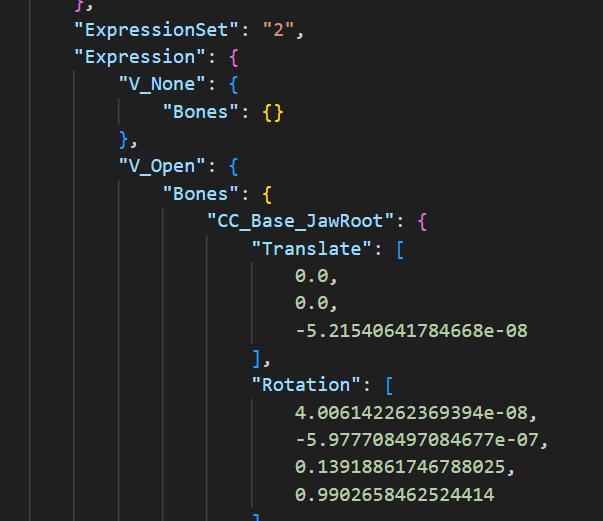
If the bone driver is not automatically assigned then it means there is no Expression data in the .json file. You can check this in the .json file, it should have an Expression section:
If not, there is no data to set up the bone drivers. But all characters exported from CC5 should have this data.
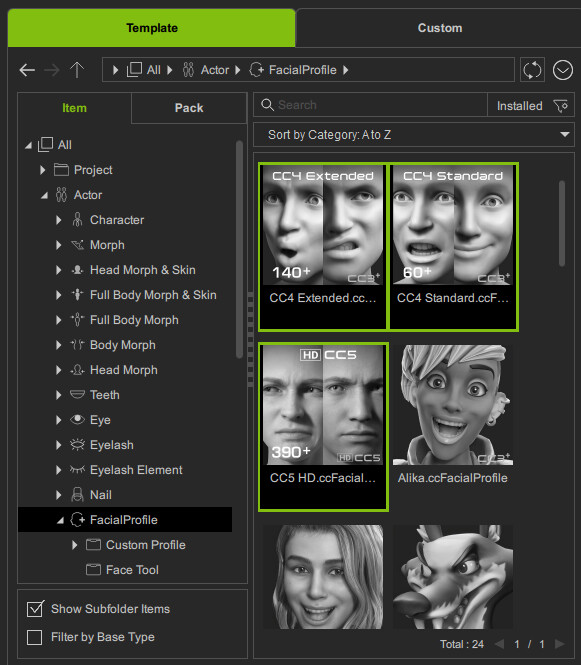
But … Some characters, especially older ones (Pre CC5) have badly configured expression data. So you may need to re-apply a facial profile on the character:
Thank you so much @Victor.Soupday ! It worked after re-opening the project/reloading Unity actually after having added the Bone Driver script (I am on the latest version of CC5). And indeed the older CC4 character that was uploaded without the latest CC5 update still doesn’t work, but I can’t even find that character’s json file so don’t know if Expression data is present, but on the newer one it is present just started working after reloading Unity. The only remaining issue now is that the Head movements aren’t moving, so the neck is moving but the head isn’t moving, in the json file the Head seems to be set up, what could be causing this?
That’s because some of the head_turn blendshapes are missing. I think because they are empty blendshapes and they are getting stripped from the FBX, or they were never real blendshapes to begin with.
The problem is, without all the corresponding blendshapes to drive the bone with, the driver would lock the head into place for those movements. So if there are missing blendshapes on a bonedriver, it won’t drive that bone at all. So at the very least you can still control the bone directly.
It’s nearly always Head_Turn_L / R that’s missing.
Edit: I think I’ll change that and make it an option to drive it anyway, even if there are missing blendshapes …
@Victor.Soupday Thanks but I updated to this latest version and even after restarting Unity/PC the Drive Head Bone and Drive Bones with Missing Blendshapes is not appearing and hence still cannot move the head. Also now the mouth and jaw are opening and my custom blendshapes of letters were opening the mouth, but using uLipSync somehow makes it so that when it detects speech and moves the blendshapes based on it the mouth/jaw still remains shut only the lips move, do you happen to have any insights on why this could be as currently I am quite stuck as there are no errors on Console concerning this either and not sure what to do. Here is a link of uLipSync asset if you are not familiar with it in case you would be willing/able to help with this: GitHub - hecomi/uLipSync: MFCC-based LipSync plug-in for Unity using Job System and Burst Compiler