Just recently upgraded to a 5090 but realized Accuface doesn’t support the 50 series yet. Any ETA on when we might get that?
Hi… Sadly I can’t give a specific date but the general ETA is late 2025.
Hey daiichi28, have you run into any other issues in iClone or Character Creator (or any of their plugins you have)?
I am in the process of ordering a 5070 but if certain functions are not supported then I might wait with the upgrade.
@Delphoi_Studio No, everything else seems to be working fine.
1 Like
I just tried to use AccuFace and although it opens and connects to iClone, I don’t get any tracking markers on my face with through the webcam or an uploaded video. I assume this is because my 5090 isn’t supported yet?
As I mentioned in my previously reply above, the current ETA for 5000 series support is late 2025.
Great news:- Due to increased demand for support for Nvidia RTX 5000 series cards, the AccuFACE 1.02 update has now been released earlier than planned to support them. 
2 Likes
 Awesome!
Hi new here and just invested a decent chunk of change on some of your apps and plugins. I literally just purchased Accuface but am having an issue getting the app to start. Every time I press the green circle it says “Failed to connect to Accuface.” Is this because I have an RTX5070ti?
Hi…
The RTX5070ti is a supported graphic card for AccuFace so that’s not the issue.
Do check that your graphics drivers are at least version 572 or higher. If your graphic drivers are lower than 572 then that will likely be the problem.
Firstly, I wanted to respond 24 hours ago, but for some reason, I was unable to even though I was put on what you call a “trust list”.
In either case, I’m beside myself that you would limit people a single reply message every 24 hours for first time users ESPECIALLY after spending a considerable amount of money on your products over the past week.
I’m a professional 3D artist just looking for some information / troubleshooting while I’m learning. But I’ve lost an entire day just waiting to respond. That’s a huuuge time delay. Hope you don’t mind me speaking my mind here, respectfully.
I would appreciate it if I could please be allowed to reply at a rate that’s more “realtime”. I believe anyone that invests in your products aren’t here to mess around and make waves. Anyways, that’s my 2 cents.
Back to the matter at hand please.
Pete, thanks for helping me out with this. I updated my graphics card but now have another issue after establishing a connection with my Logitech C930e cam.
I’m not seeing any tracking points on my face by default like I see in all the tutorial videos. Case in point, when I look at the view mode, it shows that the tracking points are enabled. How come I don’t see them on my face in the preview window?
I have the project and the frame rate of the tracking set to 30 but I don’t see anything happening here.
Am I missing something? Why is my rtx 5070ti not picking up these tracking points? I think I may need a refund.
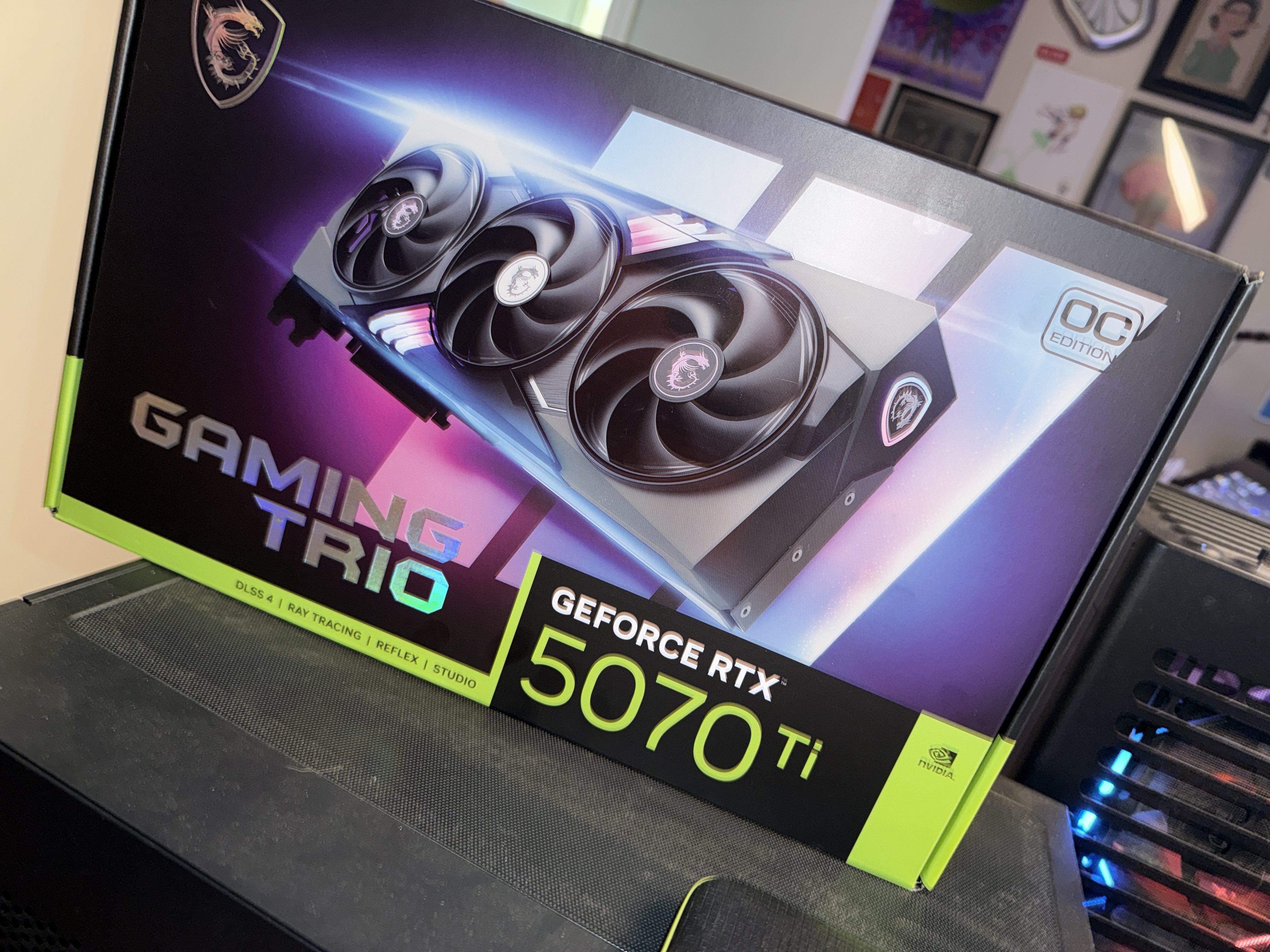
I noticed in the fine print something about (Blackwell Technology). I don’t see that anywhere on the GPU I have. Will this card still work? If not are you going to be upgrading Accuface to work with this card?
I am with you on this one. On instllation I cannot select the 50s series as my GPU, and selecting 40s GPUs results in no tracking at all,
I just confirmed that my graphics card is actually compatible with what you say is compatible. In either case I would love to hear some feedback as to why the tracing points are not showing up?
It’s practically the only thing that is preventing me from moving forward, which is practically just opening up the program and using it.
Is there some kind of update coming in the near future to alleviate this bug???
I’ve seriously been troubleshooting this for about a total of 12 hours over the past two days and have gotten nowhere.
I’ve watched countless tutorials, and everyone that turns on Accuface has their tracing points visible right away. I would really love to nail down a time with one of the team members to iron this out because I’ve hit a wall here.
Don’t waste your time. Been there where you are a couple of months ago. My PC got a 5090, no chance. My Laptop has a 4090… works right out of the box. It’s not your fault. Tracking points will not currently show up on 50-series cards.
Wanted to do facetracking today in the morning as well. Had my hopes up as it said the 50series are supported… no. They´re not. Clean install of AccuFace, no change.
Hi Pixel_Self
Sorry to hear you are still having issues with AccuFace.
Unfortunately as you may know, support for 50 series cards is new and we are still finding issues specific to certain cards.
In this case, I would recommend contacting our Technical Support department about this issue as they may know of a workaround to solve the missing tracking points problem.
I really think you should remove this post then Pete. . It’s misleading and was the deciding factor to my purchase. It’s not factual information and everyone that purchased this with a rtx 50 series cards is SOL.
Hi guys,
I have a 5090 and Accuface works after installing the update mentioned in the post. I had to uninstall Accuface from the Reallusion hub, then I think I restarted the hub(this was a while back I’m trying to remember) Then again from the reallusion hub I installed Accuface and the clue of whether or not this went right is that in the installation dialogue the 50 series WAS an option where it hadn’t been before. Hope this helps. Nobody like being in a troublshooting loop.
*btw the version I have is 1.02
1 Like
You gave me hope, so I tried it again. Updated Nvidia driver, deinstalled AccuFace, Cleared Cache, Computer restart.
Nothing, no 50s Series option.
And yeah, from the Reallusion Hub, I can only download the 1.02 version… still…
RTX 5090 and AccuFace is not working. No tracking points! Hmm weird it says it now supports these blackwell cards but meh… I am wasting time again with Reallusion.