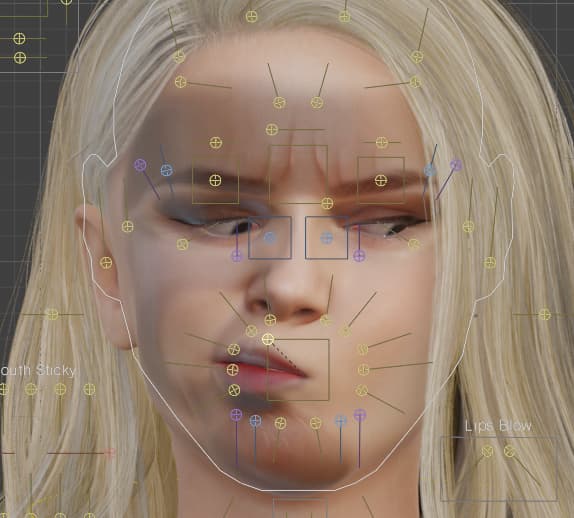
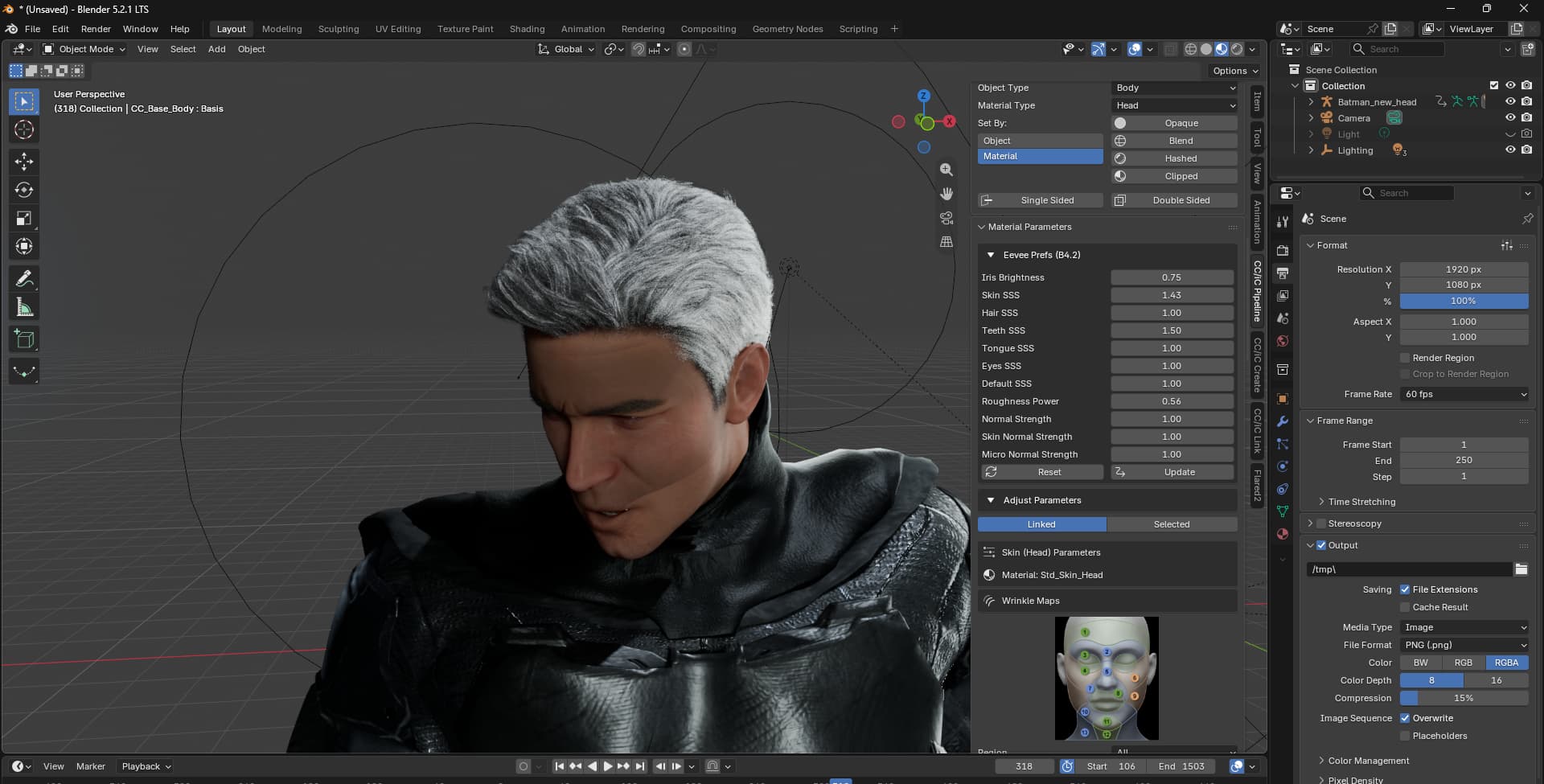
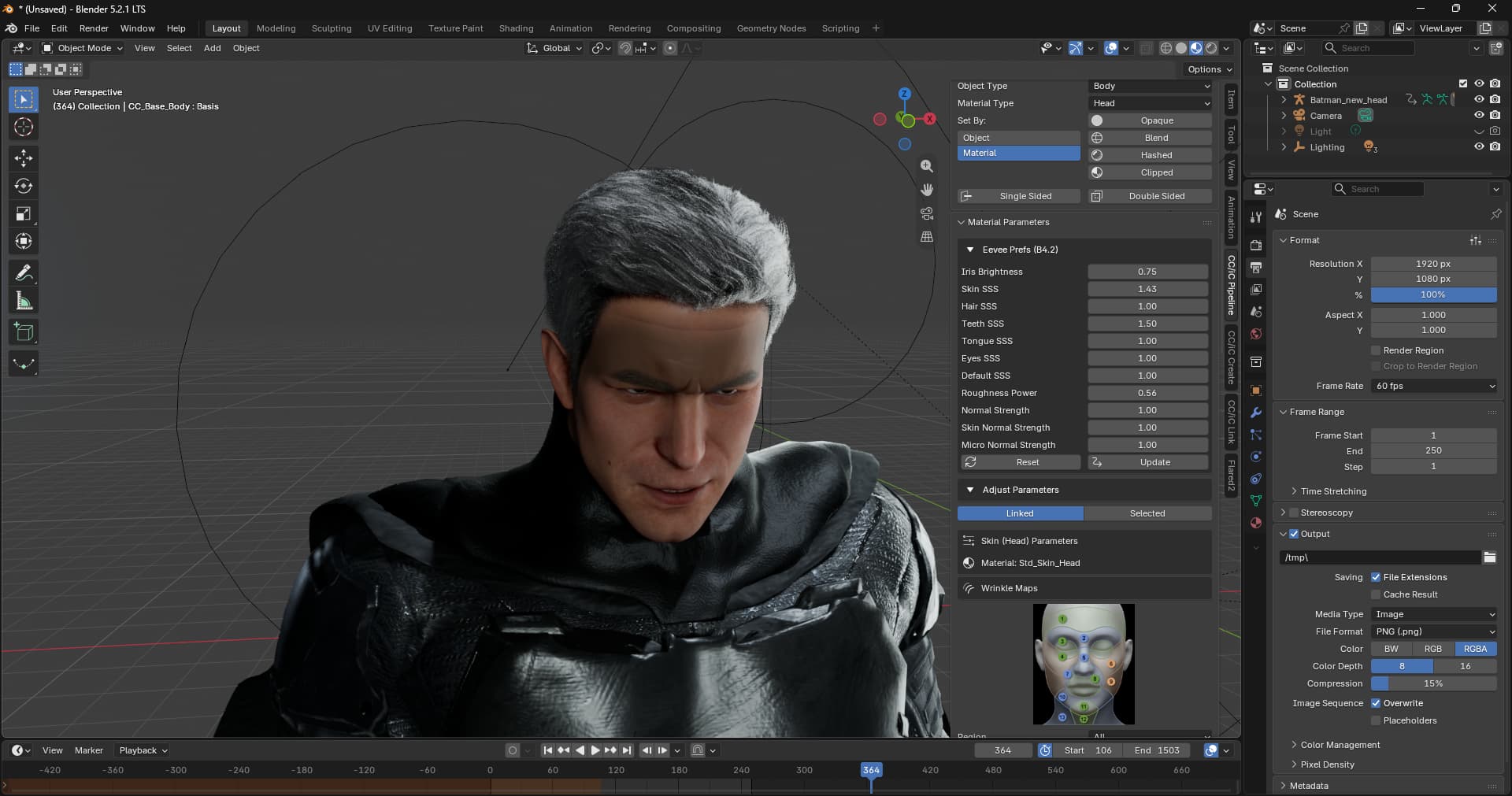
I’m having an issue with wrinkle maps and I’m not entirely sure how to fix it. The workflow is straightforward: I created a character with Headshot 3, did some post-processing, added makeup, hair, set SubD to 1 (I also tried SubD 2) and after sending it to Blender via the pipeline, facial animations cause the wrinkle maps to cover half the face and turn into large black blotches. On SubD 0 there’s no issue, but that’s not a solution I’m happy with. I tried “Bake Wrinkles for Current SubD” but it didn’t fix anything. I’ve been messing around with this for a few hours and I have to admit I’ve run out of ideas. Any advice?
Continuing my testing. I exported my older models without SubD, with SubD, with higher and lower SubD levels. The issue didn’t appear — wrinkle maps worked fine. So as a test I quickly created a brand new character in Headshot 3. Added SubD, makeup and moved a few shape sliders around. Everything works. It’s starting to look more and more like something is broken specifically in this one model, and I have no idea how to fix it. Disabling wrinkle maps and re-enabling them does nothing. Rebuilding materials in Blender doesn’t help either. I could technically redo the whole thing from scratch and it would probably work, but the problem is… if this bug can occur randomly, I’d at least like to find some direction. What does it depend on? what triggers it? how do you fix it? o_O
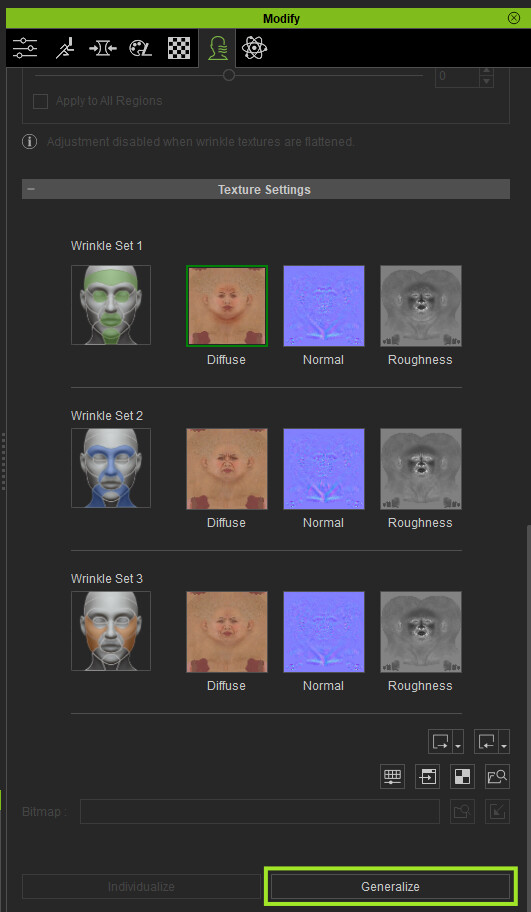
That looks like the wrinkle maps have been individualized to a different skin tone or character:
Check the textures settings in the expression wrinkles. If it shows textures in there, then it’s likely they have been individualized for a different skin tone and need to be Generalized.
Thanks a lot for the reply!
I had the impression I hadn’t changed anything there, so following your instructions I launched CC and noticed that the “generalized” option is already selected. Not being sure whether this setting carries over between projects, I exported the character and opened it in Blender. Even though it wasn’t working on Friday, Saturday and Sunday, today everything seems to be working fine — and I have to admit I have no idea why, because literally yesterday I left it in a “broken” state. I did of course test different wrinkle sets and the result was usually negative o_O Looks like the bug got scared of you
Hi! I think we can get back to the topic because the problem has appeared again. All my textures are set to “Generalize”, as you recommended. I never changed that, but I checked again just to be sure. At this point, I’m pretty certain that this error occurs when going from subdivide 2 to a lower level (in this case to 1, but I’ve also seen it happen on 0). I tried both the default wrinkles and the ones from Wrinkle Essentials. I removed the wrinkles and added them again. Restarting the computer and the program has obviously been tested too.
Edit.
I’m adding a link to the file with the error - maybe it’ll be easier to see where exactly the bug is.
This looks like it could be a Character creator issue with the SubD level not inheriting the normal map correctly.
Each SubD level can have a different normal map. Usually when you Subdivide a character the normals map inherits from the previous level. But for whatever reason the SubD > 0 levels aren’t getting the normal map.
Check the normal maps on each SubD level to see if any are missing. If they are, you can copy and paste the normal map from SubD0 onto the higher SubD levels.
It could also be a bug in the order of events. Did you add the wrinkle expressions before or after you added the SubD levels?
I had no problems with a Headshot 3 character when I added the wrinkles after setting to SubD2.
I think something might actually be going on in CC. It seems to me like a bug, because I checked a few other characters and this error doesn’t always appear. As for the order of adding wrinkles, I tried it every possible way - on SubD 2, on SubD 1, I removed them, rebaked and nothing solved the problem.
In the character I sent you, I managed to fix this issue by turning the skingen on and off.
It is something going on with Character Creator I think. I’ve tried EVERYTHING that has been suggested, I still got some weird shadow lines and areas on the face whenever wrinkles are activated.
Generalize didn’t work, adding a new wrinkle set didn’t work either… I’m running out of options. In iclone everything looks fine but it seems the wrinkle maps or shader isn’t transferred properly in Blender.
Hey thank you for your quick reply Victor.
I double checked everything and all maps are correctly linked. Apparently it’s only with this character that I have the issue but I can’t see where it failed to transfer or if it’s some issue in the character’s architecture or something… I don’t know. I really wished your issue would be same as mine ahah I don’t want to do this character all over again, but it seems I won’t have a choice.