Hi everyone,
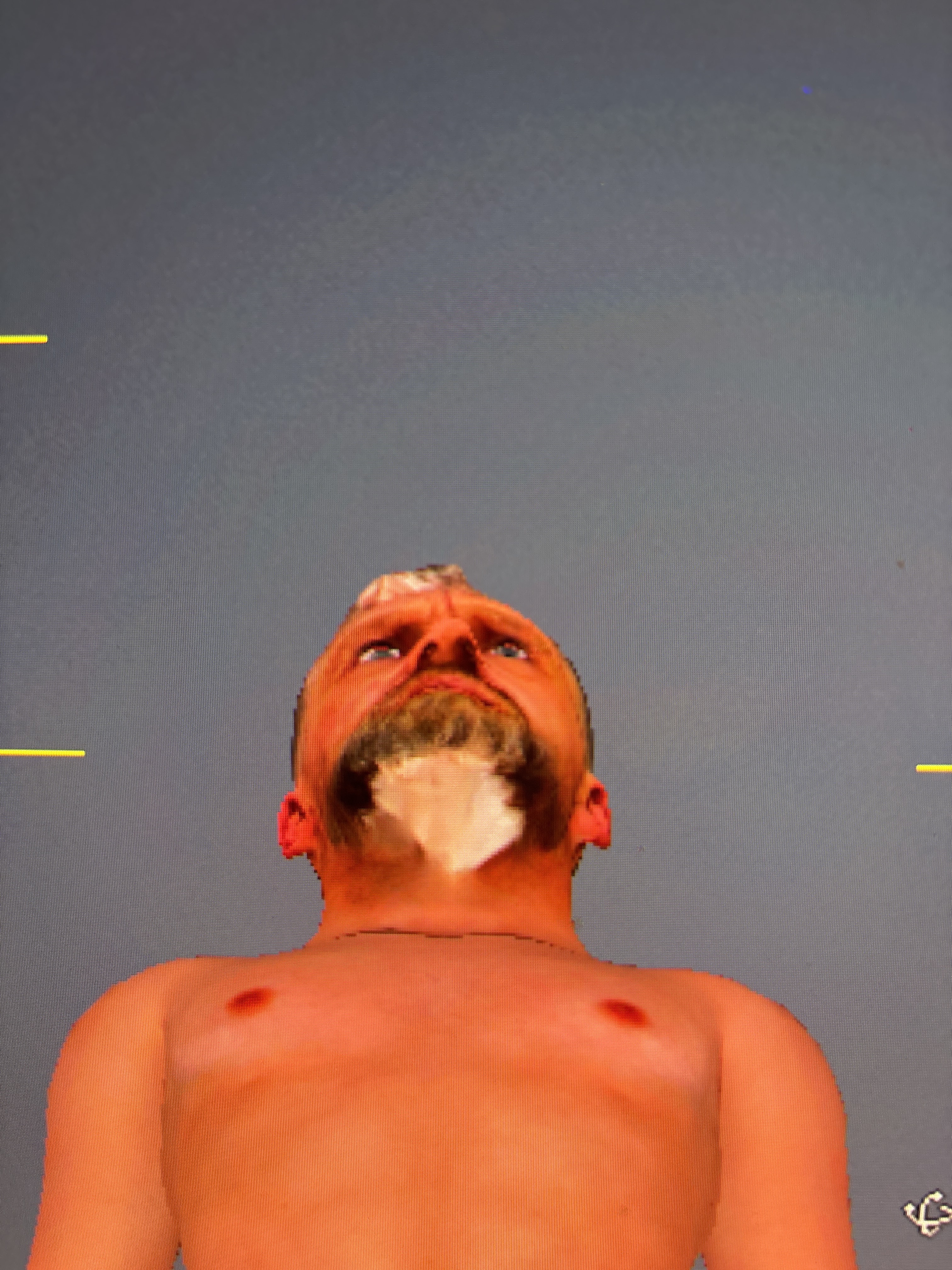
I’m having an issue in Character Creator 5 (Headshot plugin) with a visible white patch on the neck area after generating the head.
It looks like a blending problem between the head and body textures — possibly related to the neck mask or blend mask. I’ve tried adjusting the neck mask settings (e.g. “Reveal Front Neck”) and updating the skin texture, but the issue still remains.
Here is what it looks like:
- White patch under the chin / neck area
- Appears after Headshot texture projection
- Looks like a texture mismatch or incorrect blending
Has anyone experienced this before?
I would really appreciate:
- A fix or correct workflow to remove the neck seam / white patch
- Advice on proper blend mask settings
- Or a tutorial/video that shows how to fix this exact issue
Thanks in advance!