Hi everyone,
As we head into 2026, we want to share a quick sneak peek at what we’re building, especially around the future of 3D X AI in the Reallusion ecosystem. This is not a full roadmap, but it gives you a clear sense of where we’re going and what you can look forward to.
 Our Position: 3D X AI, Designed to Work Together
You’ll see a lot of exciting AI progress from us in 2026, but that does not mean we’re moving away from 3D. In fact, it is the opposite. We’re building a workflow where 3D and AI strengthen each other:
- 3D gets stronger with better control, better quality, and better pipelines
- AI gets smarter with faster ideation, more creative range, and more automation
- You stay in control by choosing when to use 3D, when to use AI, and how to define your own process
We believe creators will not be weakened by the AI era. They will become more powerful, especially with tools that preserve intent, design, and creative control.
 AI Studio: Fully Integrated AI Inside Your 3D Workflow
AI Studio is a game changer for iClone and Character Creator users. It instantly transforms your 3D previs into photorealistic or stylized visuals, without leaving your workflow. Powered by Reallusion AI Cloud, no hardware upgrades are needed. Just jump in and create.
What it does:
- Guide AI with your 3D work: AI builds on your characters, poses, animation, and scene setup rather than replacing them. Multi-character control keeps complex shots consistent and manageable.
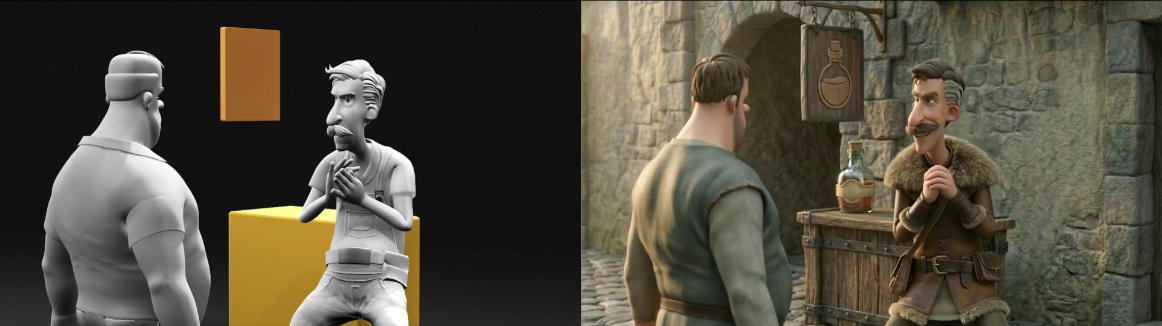
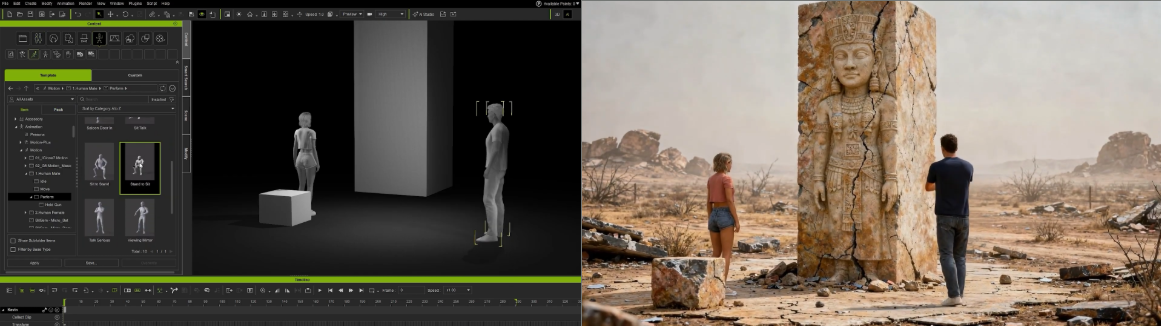
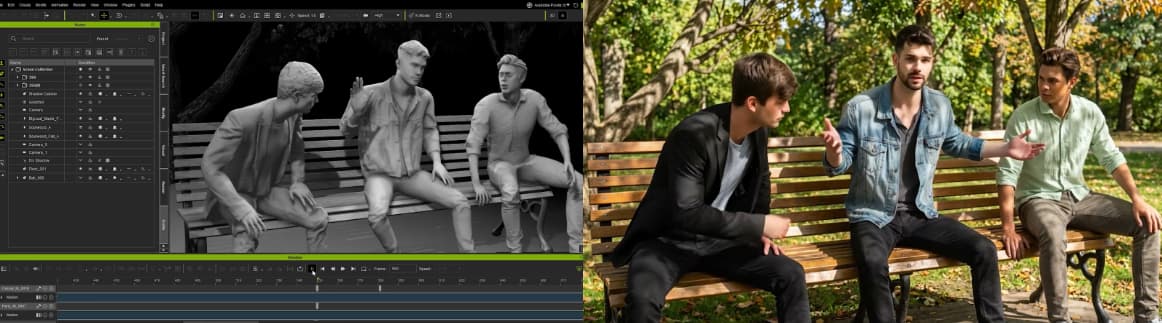
- Start fast with templates: Guided presets for stylization, shot editing, and mood exploration mean you never start from a blank page.
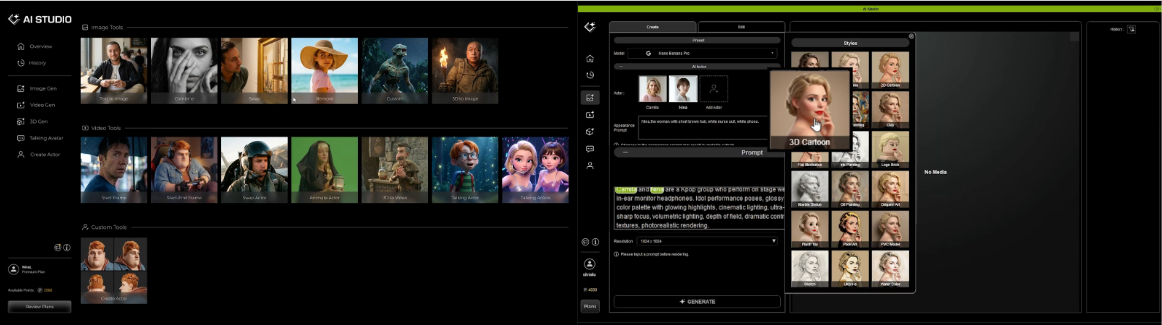
- Flexible image and video output: Go cinematic, stylized, or illustrative while maintaining visual consistency across an entire sequence.
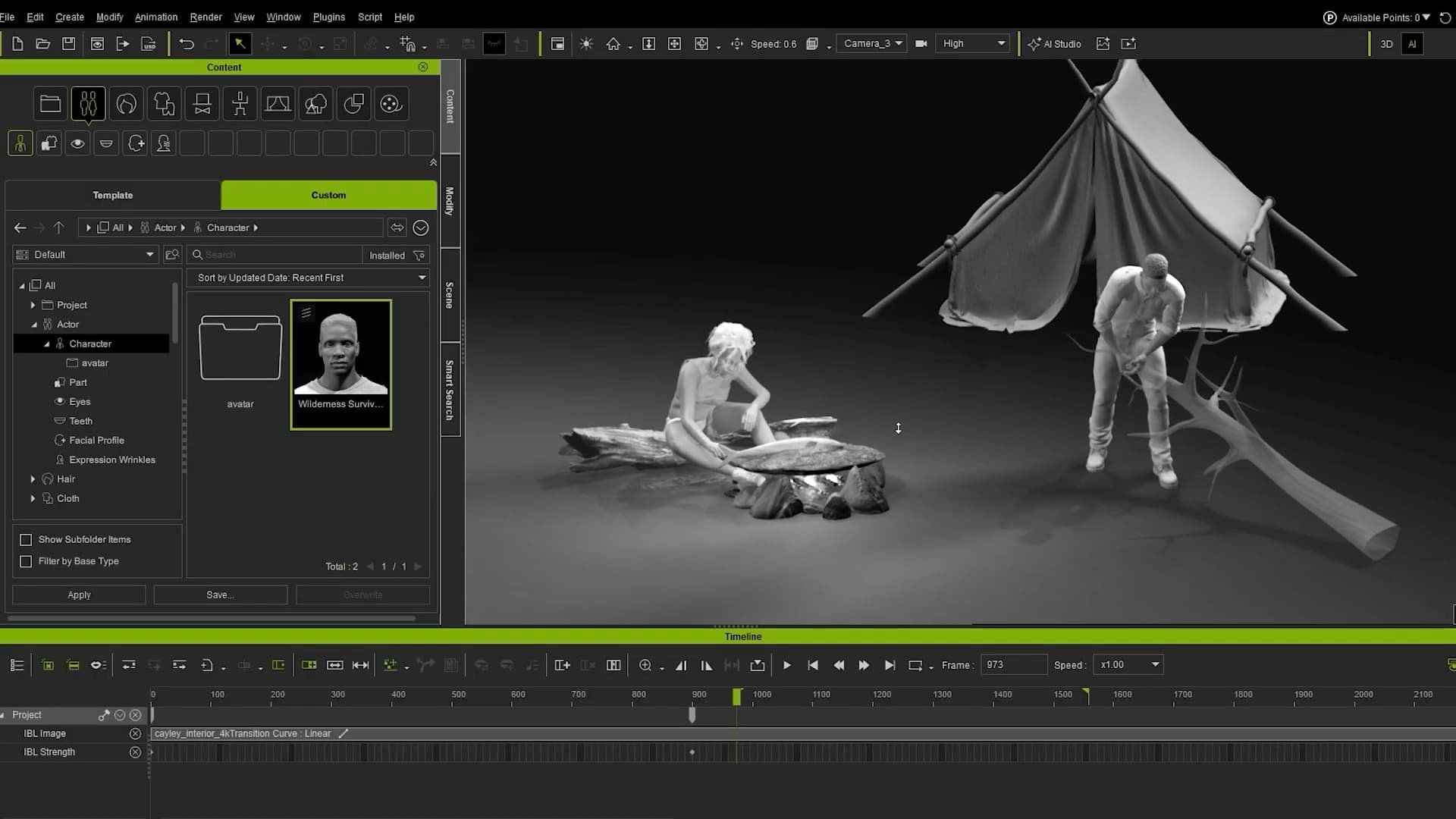


- Dialogue and performance: Drive character performance from your own voice or AI voice, then iterate on timing, delivery, and emotion instantly.

Consistent AI Actors. Even Non-Standard Characters
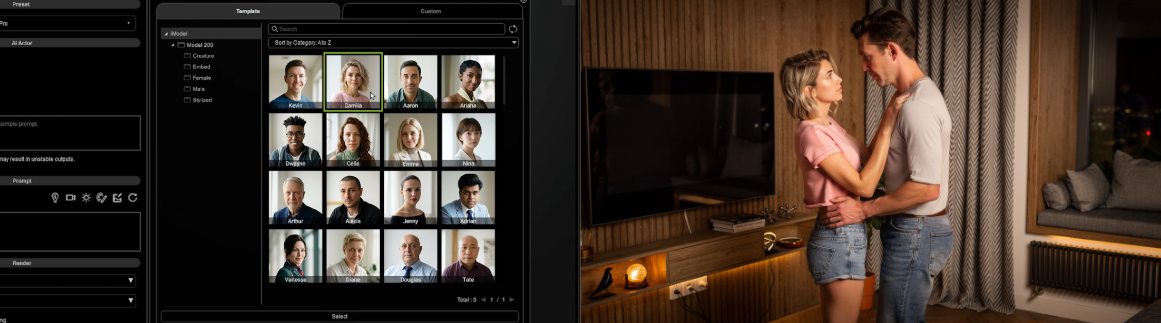
The built-in AI Actor Creator delivers consistent identity and lifelike talking animations across every shot, with character interactions driven by video input or iClone motion data. Use your own dataset to turn any character into an AI Actor, from heroes and crowd characters to monsters and stylized humanoids.
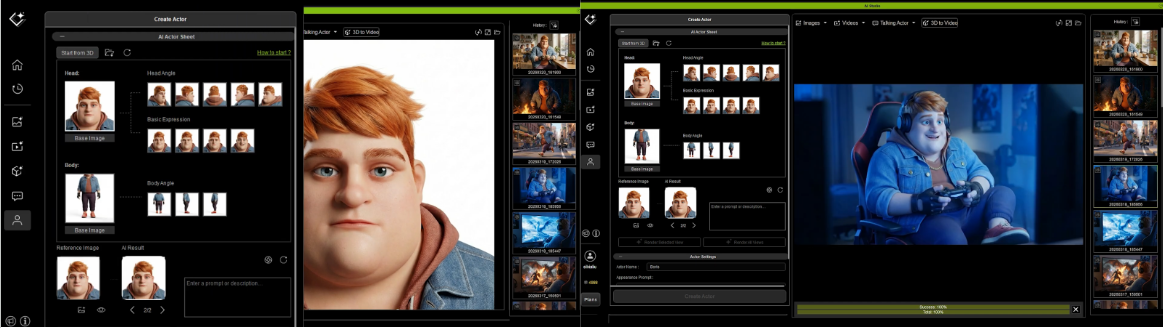
To get you started right away, 200 ready-to-use AI Actors are included across a full range of categories: male, female, kids, and creatures, covering virtually any scenario you can imagine.
 RTX Render: Cinematic Quality, Coming as a Free Update
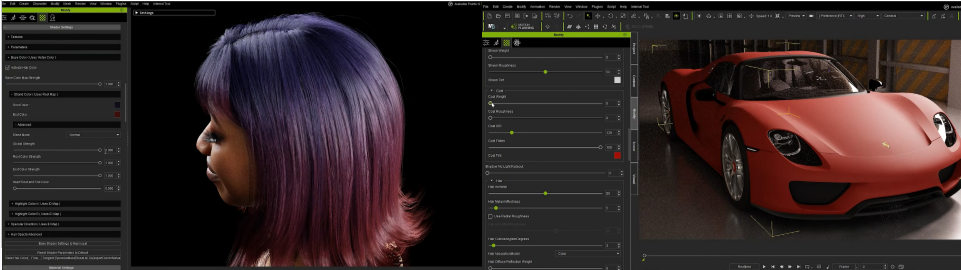
RTX Render is coming to iClone and Character Creator as a free update. Developed in collaboration with Nvidia, it brings path-traced rendering at near real-time speeds, harnessing RTX GPUs and DLSS to deliver exceptional clarity and performance without sacrificing speed.

It is highly optimized for Reallusion’s digital human shaders, giving you precise control over hair, skin, and subsurface scattering for characters that look truly lifelike. Beyond characters, RTX also opens up new possibilities for commercial visualization and industrial design with richer, more immersive visuals.
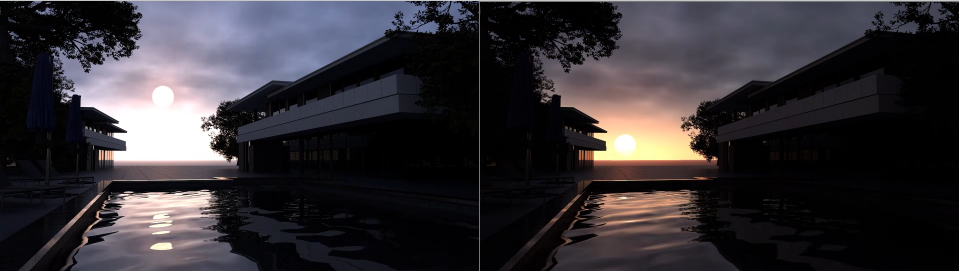
Dynamic time of day transitions, adjustable cloud density, and natural atmospheric motion are all built in, making it easier than ever to achieve the perfect lighting for any scene or shot.
 AccuFACE 2: More Accurate, More Responsive Facial Animation
We are also advancing facial animation with AccuFACE 2, featuring a newly trained facial tracking model fully optimized for CC5 characters.
AccuFACE 2 is built to deliver:
- Exceptional accuracy and responsiveness
- Better capture of high-frequency lip-sync details
- More natural and expressive dialogue performance
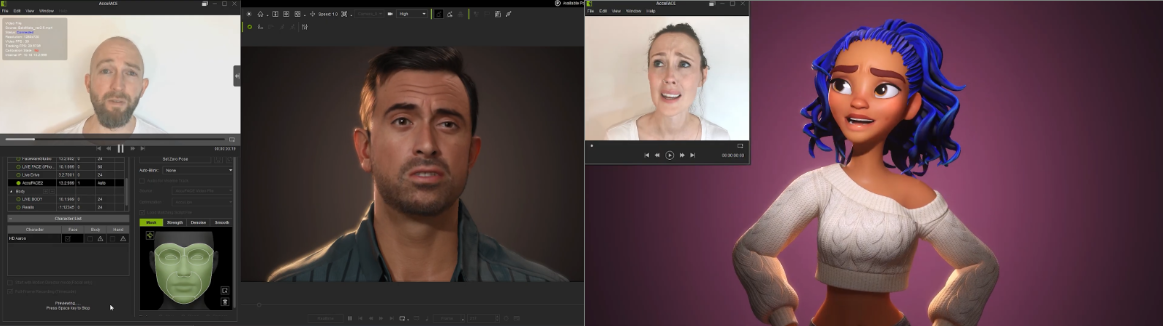
It supports both video file tracking and live webcam input, giving creators flexible options for facial performance capture. When combined with video motion capture, it enables a more complete workflow for producing high-quality facial and full-body animation seamlessly inside the Reallusion toolset.

 Joint Corrective Morphs: More Natural Deformation Across Every Pose
Character Creator and iClone are both getting a significant upgrade with the introduction of Joint Corrective Morphs. Built on a joint-based deformation system, this technology goes beyond basic shape correction to deliver more natural and realistic muscle deformation, even in extreme poses.

 Looking Ahead: iClone 9. Rig anything. Animate everything.
iClone 9 breaks the mold, going beyond human rigs to give you complete control over any creature, character, or creation you can imagine.
- Freely add bones: Build rigs your way, without constraints.
- Custom Control Rigs: Animate anything with precision and flexibility.
- Dynamic Spring and Collision: Bring weight, bounce, and life to every movement, automatically.
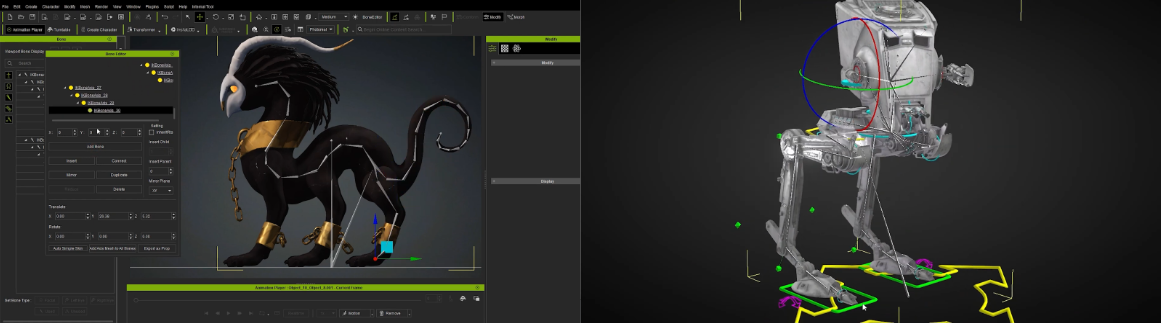
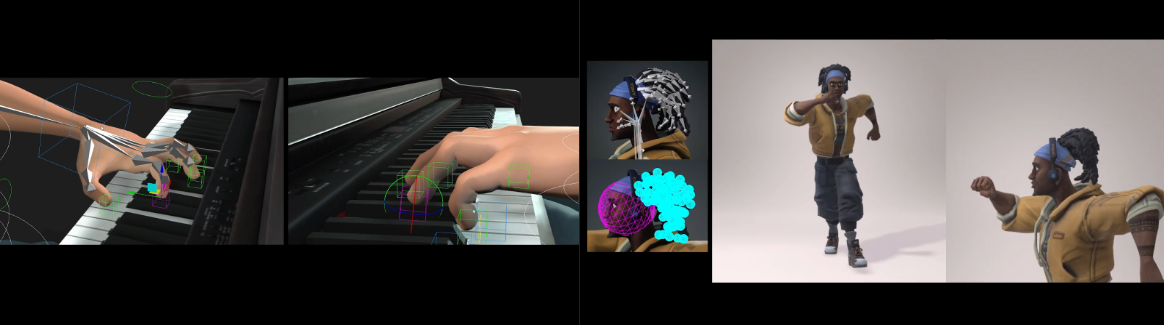
Development is in early stages; further specification will follow as the feature matures.
 Grow with Us! Subscribe and Stay Tuned
All of these updates, including AI Studio, AccuFACE 2, and the upcoming iClone 9 features, will be available to subscribers as they roll out.
If you are not ready to commit to a full purchase, a subscription is the most flexible way to stay current. With Reallusion 3D Suite 365, you get access to the complete suite of iClone and Character Creator tools, plus every new feature as it arrives, without a large upfront investment. It is the easiest way to grow with the platform at your own pace.