i’ve had a one-year subscription to AccuPose, the AI pose feature in iClone, and unfortunately, it hasn’t been useful to me throughout the entire subscription period. I even watched a video tutorial by Solomon Jagwe and challenged him to create a proper tutorial that truly demonstrates the use case of AccuPose. It feels like a rip-off because there isn’t a clear, comprehensive tutorial from Reallusion that shows the full workflow, from creation to final animation. With my subscription ending in December, I still haven’t been able to use it effectively.Additionally, there’s an issue with the in-between keyframes that makes the animation feel jagged and not smooth at all. Even though it’s supposed to be AI-driven, there’s no in-between animation that helps to smooth out the transitions. As a result, when you move a keyframe, the motion appears robotic and not fluid at all, making it almost unusable and more like a gimmick. Reallusion team, please stop advertising features that aren’t practical. We need a complete animation tutorial for AccuPose that shows its capabilities from start to finish.
I agree.
and this is exactly why I refuse to bother with a feature that is subscription based. It takes time to learn, and there will be extended periods where you may not even use the feature, but you are still paying for it.
I had a look at Accupose when first came out and a bit of a play with the free poses that were included. But once I realised anything beyond the basics would require a subscription, I gave it a miss.
I’m happy to be able to make a one off purchase for poses and own them, like the Actor Core model offers. But I’m not getting roped into the subscription thing. This hobby costs me enough, I can’t justify ongoing monthly subscriptions.
TBH i am not even using the free version. It appears way to complicating to me. Havent been able to achieve one good result.
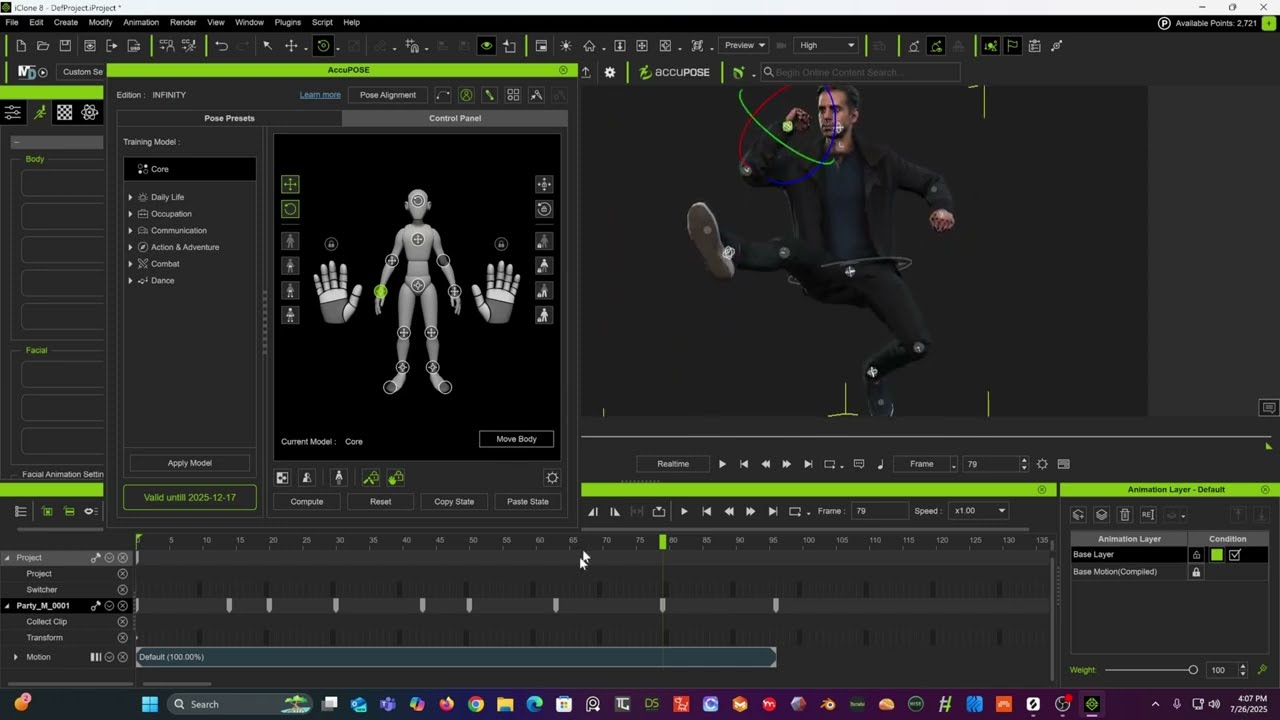
Everything he does on the above video can be done with Cascadeure’s Auto posing feature
(But better IMHO)
Accupose Infinity has an annual cost of $299.
I have the Pro tier license of Cascadure for a year it costs $276 but after that year it becomes a perpetual (without free upgrades) but at least I can keep that perpetual and stop paying until I feel I need whatever new features that may come in some future update.
I understand that most here prefer to stay inside the Iclone .
I am still on Iclone 7 with 3DXchange pipeline and CC3 pipeline
I just send the base CC3 dude to Cascadeure
with Unity game rig export preset
(with or without existing Iclone animation.)
Apply all of those amazing animation features of Cascadeur and export FBX back to 3DX pipeline to save as Imotion for iclone or export to Blender,Maya, C4D, Godot for retarget to a control rig in one of those 3DCC’s.
However Accupose Infinity is a great new & useful tool for those staying inside Iclone
and willing to pay it’s price.
I think, a few things are worth correcting/mentioning:
That is the price for work groups, for individuals/single users it is $99 a year, (or, in other words, 25% of the regular Cascadeur price per year (Pro tier), provided you continue the subscription beyond the first year).
$276 a year (i.e. $120 off per year for the first year) is the current “inbetween sales” price, the regular price for the Pro plan is $396 a year, and that will apply if you do not cancel your subscription after the first year. If canceling is your plan, fine.
Have you actually tried AccuPose or AccuPose Infinity yourself? Or are you basing your assessment on what you saw others do with it on YouTube? You mentioned that you upgraded to the Cascadeur Pro tier, but you did not mention anything about experimenting with AccuPose (unless, of course, I just missed that).
That being said, I agree that Cascadeur is the better/more powerful product. AccusPose currently has nothing like the inbetweening feature in Cascadeur, and then there is the auto-physics feature, that, as you pointed out, can add secondary animation to the motion, making it more realistic/believable.
My recommendation is:
- If you don’t have $99 a year to spend, stick with the regular AccuPose (Core)
- If you have $99 but don’t want to spend $276/$396 a year, get AccuPose Infinity
- If you have $400 to spend a year (either once or ongoing), get Cascadeur
- If money is not an issue (i.e. if you can and are willing to spend $500 a year), get Cascadeur and AccuPose Infinity. Having both gives you more flexibility to decide, when AccuPose is going to suffice (for example, for a quick correction without round-tripping), and when the more powerful tools in Cascadeur are called for.
Also, AccuPose is in its first iteration (whereas Cascadeur has several years of development under its belt). Perhaps we will see AccuPose 2.0 with improved inbetweening in the not too distant future. I wouldn’t be surprised.
Have you actually tried AccuPose or AccuPose Infinity yourself? Or are you basing your assessment on what you saw others do with it on YouTube? You mentioned that you upgraded to the Cascadeur Pro tier, but you did not mention anything about experimenting with AccuPose (unless, of course, I just missed that).
I can’t use Accupose I only have Iclone 7
My Opinion is based on the Official Reallusion Promo videos compared to My personal experience with Cascadeur
the OP of this very thread is complaining about what he feels is a lack of thorough documentation of a practical use cases for Accupose.
Unless you can share some additional personal insight videos ,based on your use of Accupose, then we can only compare Cascadeur to what Reallusion themselves and other youtubers have show us thus far.
My recommendation is:
If you don’t have $99 a year to spend, stick with the regular AccuPose (Core)
If you have $99 but don’t want to spend $276/$396 a year, get AccuPose Infinity
If you have $400 to spend a year (either once or ongoing), get Cascadeur
If money is not an issue (i.e. if you can and are willing to spend $500 a year), get Cascadeur and AccuPose Infinity. Having both gives you more flexibility to decide, when AccuPose is going to suffice (for example, for a quick correction without round-tripping), and when the more powerful tools in Cascadeur are called for.
Of course the majority here, wish to stay in Iclone
(without any external “round tripping” to any where)
They only have the rental cost tier levels of Accupose to consider and whichever they choose (assuming a comparison between cascad & infinity) over time, monthly rentals will eventually exceed the cost of a frozen cascadeur perpetual possibly even iclone itself,given enough time…
As unlike cascaD, you have no apparent option to stop and “make do” with what you already " own" ,for a few years, without losing complete access.
For people willing to venture outside the Reallusion ecosystem comfort bubble and use a game engine or 3DCC
(like the OP of this very thread @bennydee ),
Cascadeur is the better long term value, IMHO, because at some point you may literally choose ( or be forced by circumstance) to stop paying for Iclone updates ,& accupose rental fees yet you can continue to extract value from your older/existing versions when needed/desired
(As I do with IC7&3DX,CC3 often)
This is because cascadeur ,in its current state, is literally a complete replacement for Iclone, 
(excluding facial animation and again
our Blender native or Maya, MetaHuman, VROID, Daz etc, rigs have many facial animation/mocap options themselves)
As cascadeur is designed to be a universal external realtime Character animation pipeline tool for any 3DCC or game engine (that has motion retarget features) as I am doing in this video below without the use of Reallusion software or CC3 characters at all.
This is why Cascadeur has exploded in popularity with indie and small team video game developers and animated filmmakers.
Theoretically, I could create such a video, since I have both (i.e. AccuPose Infinity and Cascadeur). However, I’m not yet familiar enough with both of them to be able to provide true insights and, what is more, I have no experience with creating videos that contain screen recordings (to illustrate setting up the poses/animations).
Until now, I have only played around with either of these tools for an hour or two. I also need to develop a workflow from iClone to Cascadeur and then back to iClone. So far, I have exported the Cascadeur animations (primarily in-betweening tests with auto-physics) on a UE skeleton to iClone 8. However, depending on the character, that does not always work well (for example if the motion includes the character touching the ground with one or both of their hands, ground contact in Cascadeur does not necessarily mean ground contact in iClone); it is easier with floor contact for feet.
Again, if you can live with “older versions”, then that might work. If I stopped the subscriptions to C4D, I would be stuck with a single license for R27 (I think), since that is perpetual. This would not work for me at all. I’d rather give up C4D altogether then not have access to the unified physics system anymore.
The same applies to iClone. Since I use iClone/CC content from the Content Store and Marketplace (and not, for example, from Daz), I had to update to 8.54 a few days ago, because assets I purchased would not download in 8.53 (I had planned to stay with 8.53 for a while, because I have no use for the iContent in-app purchasing stuff or the AI render connection).
Yeah, maybe so. But, as you know, C4D does not have that kind of stuff natively (at least nothing comparable to what iClone can do), so I kind of depend on iClone for facial animations, lip-syncing, etc.
At this point, Cascadeur is useful to create or improve body animations, but IMO there is still a lot missing, until it becomes a full replacement for iClone for those users who don’t have the same tools that are perhaps available in other 3DCCs or game engines.
Personally, I’ll look at what the situation and my needs are at the time when the AccuPose and/or Cascadeur subscriptions are up for renewal and make a decision then.
as you know, C4D does not have that kind of stuff natively (at least nothing comparable to what iClone can do), so I kind of depend on iClone for facial animations, lip-syncing, etc.
Daz had an opportunity to compete with Reallusion’s pipeline tools& ecosystem and could have been a far less expensive alternative for C4D users at least.
but Alas never fully developed them to be a complete solution with working body and facial animation import from Daz.
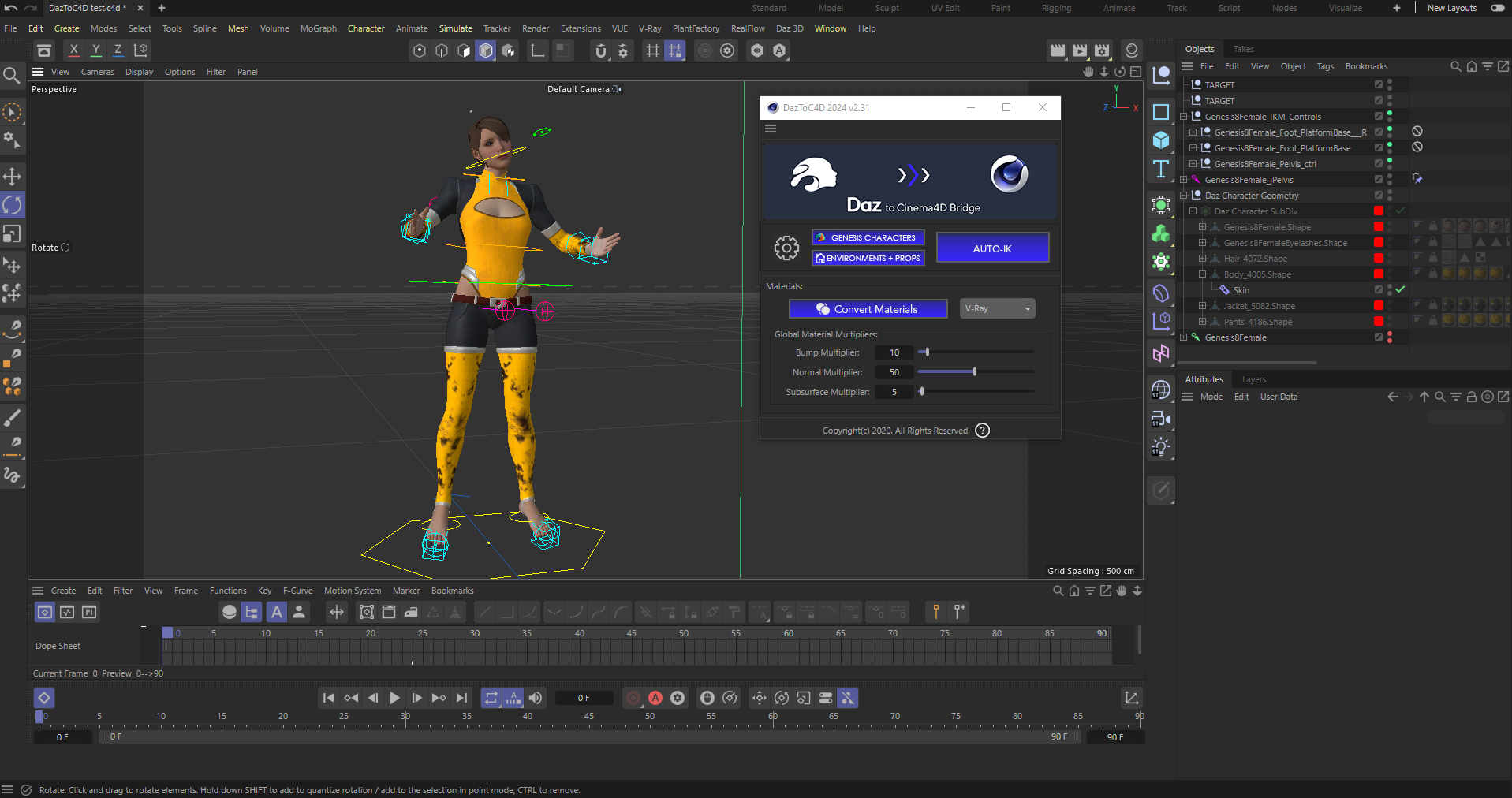
Here is a Daz figure imported to C4D via thier free bridge plugin
It can auto convert materials to whatever render engines it detects you have available.
It also convert the Daz rig to a basic Human IK control rig for C4D but beyond that no animation import retarget tools or facial animation import to the mesh pose morphs.
The only potential it has is the material conversions because Daz has a free Alembic exporter so a person who went that route would at least have his materials ready to manually apply to that grey pre-animated alembic cache that he imported.
Beyond that, Daz is pretty much useless to C4D users as an animated Character resource.
So, I haven’t missed much by not getting into Daz is what you are saying?
So, I haven’t missed much by not getting into Daz is what you are saying?
With the Reallusion animated character eco system and it’s export options(including Ben’s CC4d plugin) ,as an alternative,
any C4D user ,looking for an external character resource, could probably skip Daz ,at this point, except to use the CC4 transformer tool to harvest/convert Daz figures & clothing content for use in Iclone/CC4
That said a direct pipeline between Daz studio and Maxon C4D
is possible via FBX and or Alembic in 2025
,or their free bridge plugin if your C4D is older like my R25.
(Without the additional expense of buying Iclone/CC )
Daz has really good facial animation but terrible body animation tools so you would still need an external Daz figure compatible software, such as Cascadeur for complex stuff as DAZ has no true IK system for solid foot/hand contact.
Alternatively Blender users could very easily skip Iclone CC4
and use Daz genesis figures and content instead because of the Diffeomorphic addon that fully supports the facial animation options of Daz figures but allows us to replace the body rig with a Blender IK control rigs native or custom.
I guess so. However, such a C4D user would probably not read this post here and those C4D users, like myself, who might read it in this forum, are most likely already invested in the Reallusion world…
C4D users, like myself, who might read it in this forum, are most likely already invested in the Reallusion world…
Being “already invested” in one software ecosystem does on preclude a person from venturing into another to fill gaps.
Many people here spend money on external solutions such as MetaTailor or cascadeur even mocap suits/hardware.
Regarding Daz, their clothing items tend to be higher quality than alot of the offerings I see in the Marketplace here so they are a perfectly valid external resource.
I thought we were discussing AccuPose and Cascadeur (and, to a lesser extent, Daz) as animation tools, not sources for better quality clothing.
That said, I wouldn’t know about the quality of Daz assets because I never cared to really look at them, because (a) for clothes I can use MD-compatible outfits, (b) for other non-character assets there are other sales platforms offering more realistic assets, (c) using Daz would mean having to “learn” it at least so far as to be able to export Daz assets/characters to iClone. With all the other resources available to me, why would I bother?
Other people’s mileage may vary, especially if they are already familiar with Daz and/or have Daz assets.
Other people’s mileage may vary, especially if they are already familiar with Daz and/or have Daz assets.
Of course I personally do not need any external source for content (clothing or props) as I have the advanced modeling skills to create anything I need myself.
(Although I still use alot of Daz sci fi sets/props out of convenience)
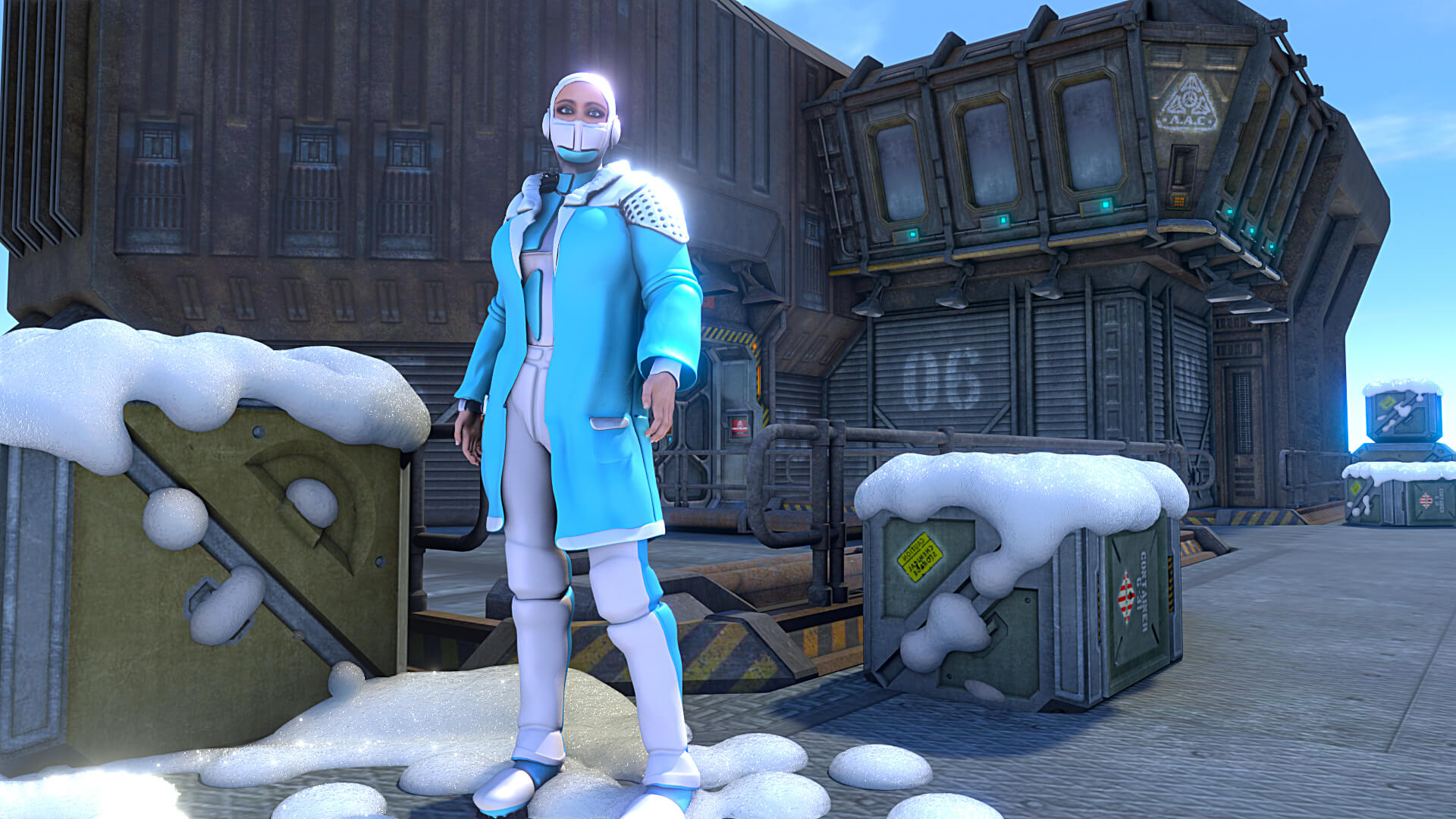
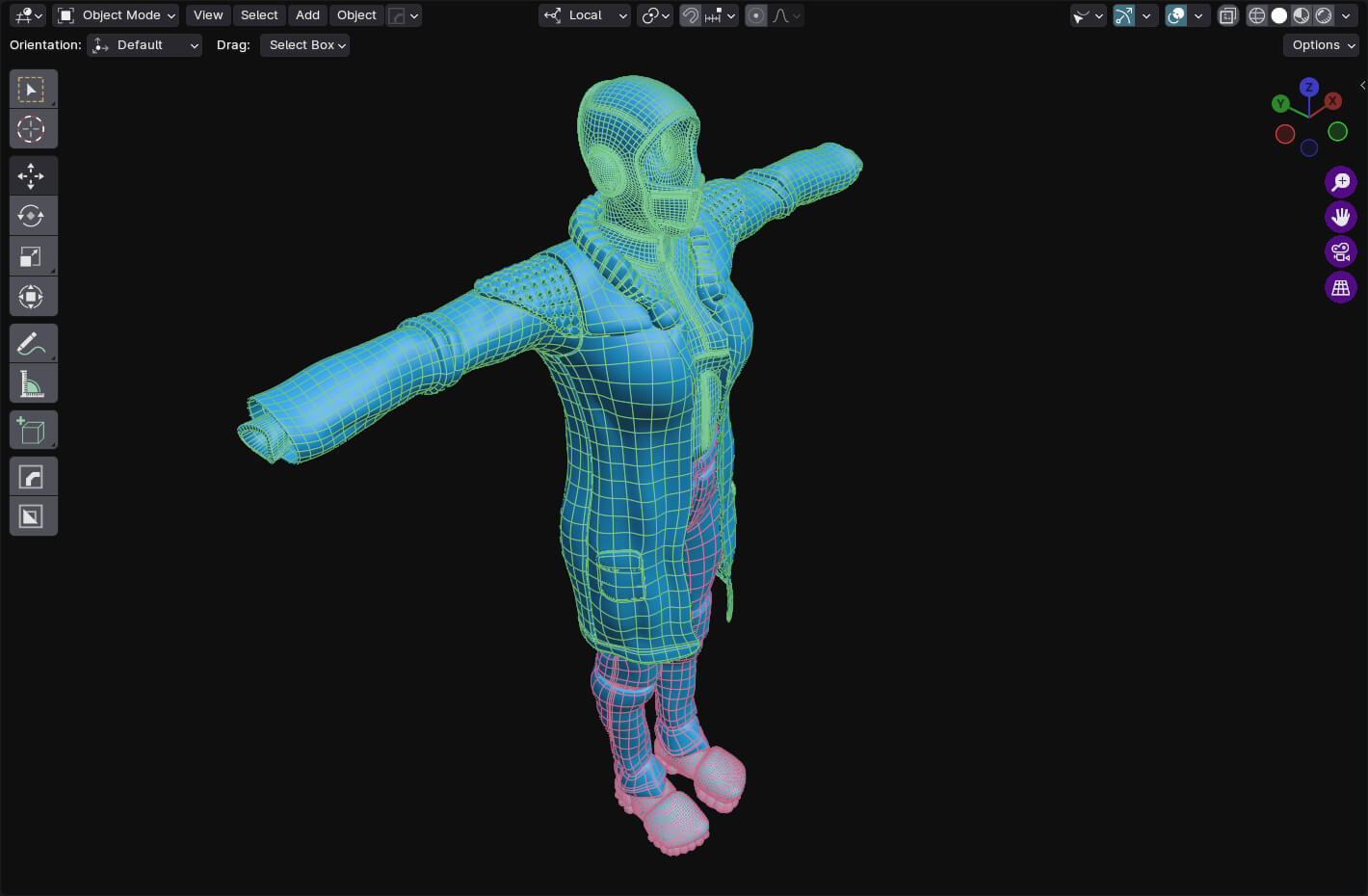
However I only mentioned clothing in response to this question:
So, I haven’t missed much by not getting into Daz is what you are saying?
in that context we can not assume every C4D/Reallusion user
also has Marvelous designer or will buy sets/prop models from Evermotion etc.
Auroratrek uses alot of Daz assets with his C4D base animated series.
(although I think he may be using Meta tailor now as well)
And Reallusion themselves have been heavily promoting their CC compatibility with Daz content resources for at least six years

so most people ,(who have been in the Reallusion ecosystem
for more than a year or two) ,already know about using Daz assets.
so you are more of an outlier(ie occasional “tinkerer” )
than the typical Iclone/CC4 user.
Good for you. Personally, I don’t care to model anything myself (or learn how to). What for? It takes too long and other people do a much better job.
Two things: (1) I was just talking about myself, not about any other C4D/RL users.
(2) I’d be surprised to learn that anyone who used C4D, Maya, 3D Max, Blender, etc. for years before adding Reallusion software to their toolbox, would rely on Reallusion sets/props instead of sets/props made for their particular 3DCC or available in a general format like FBX. I also find it hard to believe that those who already have extensive model libraries for their 3DCC and no previous dealings with Daz would look to Daz for more models (or to RL for that matter—except for characters).
I’m aware of that. However, the reason why RL does that is probably to lure previous Daz users over to RL by telling them that (at least some of) the Daz content they may have purchased, can still be used in iClone. I don’t believe that RL is interested in promoting Daz content over RL content.
However, just as with the support of Blender, UE, etc. that RL provides, supporting Daz assets is of no use to somebody not interested in exporting to Blender, UE, or using Daz assets, so why would somebody like that care to learn how to import Daz assets into iClone?
Again, going back to the topic of this thread, Daz is, by your own explanation, not really a better tool for character animation than iClone (with or without AccuPose) or Cascadeur. So, in this context, who cares about Daz assets?
Cascadeur exporting to C4D is like a plastic doll you baked in an oven. Nough said. Reallusion Delivered. Period.
cascaduer is best suited for programs that have Mocap retargeting tools so you can import just the animation data and apply it to your high quality characters.
Iclone, Blender or Maya is great for this but Maxon C4D has no useful native mocap retargeting capabilities and is thus a terrible choice character animation in general or for use with cascaduer unless you buy an external program like Iclone/CC5 to export pre-animated characters to C4D for rendering.
For anyone trying to get the most out of AccuPose, please refer the Courses page HERE. If you follow the tutorials one by one it will take you through the process. It may not all be in one tutorial, but everything you need to know is there.