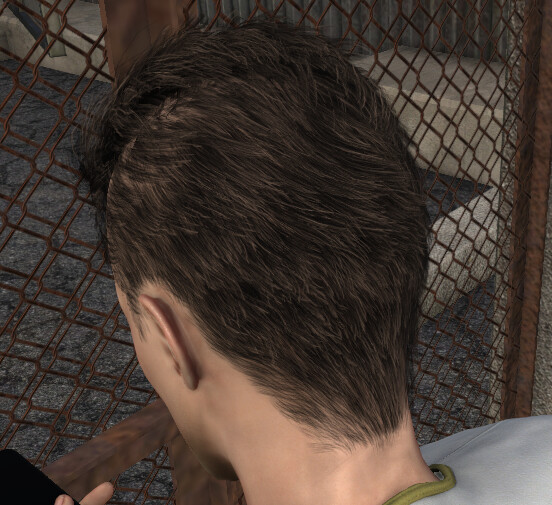
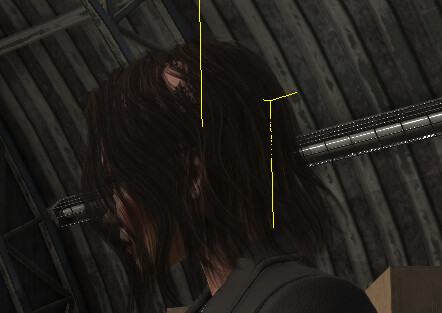
I’ve noticed that with several official Reallusion hair assets (including default and purchased ones), parts of the scalp or skin are sometimes (very often) visible through the hair — depending on the camera angle and distance.
I’ve tried adjusting various hair settings such as opacity, shadow type, and lighting conditions, but the issue persists across multiple characters.
Is this behavior normal, or could it be a rendering or shader problem on my end?
I’m using the latest version of Character Creator / iClone (please specify your version if needed).
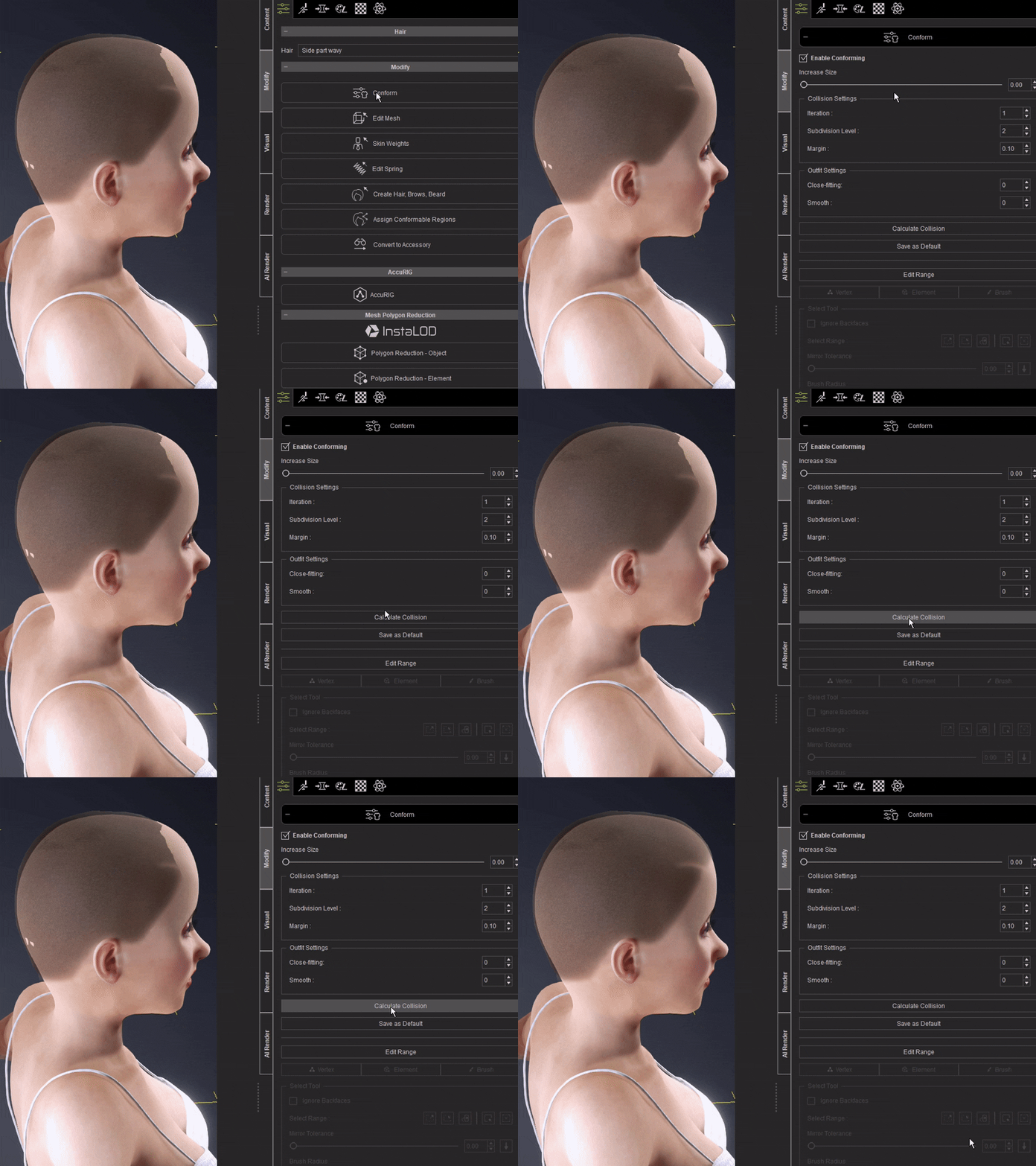
Most modern RL hair (if not all) have a separate hair scalp mesh, which being close to the head scalp mesh might not fit well on every other character head. The quickest fix before anything else is to use Calculate Collision in Conform for the hair. There are some other settings in Conform like Increase Size, which also might help.
I didn’t use any scalp, it didn’t apply automatically with RL original hair. Also a bought character for a professional artist didn’t have one applied.
I really thought those scalps where for bold people xD.