I have used this in the past with just a few minor issues ( Ver1.01 ) and I do not use it on a regular basis. I decided to try it again with the new cc5 hd characters by following along with the latest tutorial as applies to cc5 .
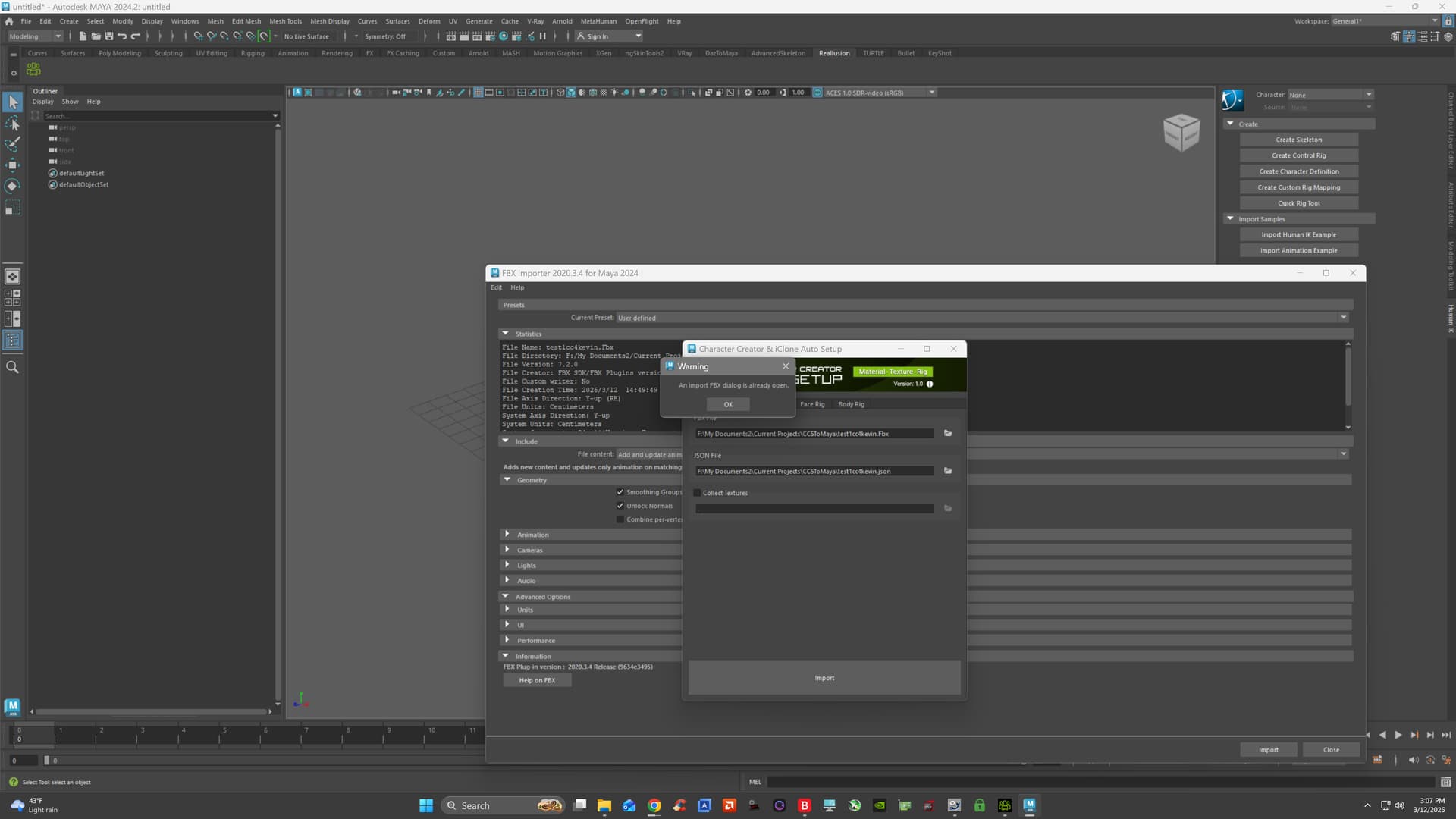
I have the latest pymel installed and the issue i have was not present in the v1.1 tryout. when i bring up the cc autosetup dialog box and hit import i get the internal / standard fbx dialog from within maya. this used to not happen it would simply proceed with the import. so when i use the maya fbx dialog window i do not think it uses the .json file during the import as i get no material import params like zero and update material params does not a thing. when i use the autosetup dialog and hit the button to import a second time it says: an import fbx dialog is already open ( the normal fbx import dialog )
i am on maya 2024.2 and the v1.2 of the autosetup. and my arnold version is good per the install instructions.
anybody else have this problem or ideas why this is not working as it should?
the rest of the autosetup appears to work it will do the hik rig but i have zero materials to work with and this is what i was most interested in checking out

Hi,
It sounds like there might be an issue with how the .fbx was exported or with your Maya preferences.
Could you first check if you exported the character from CC5 using the “Maya” preset?
If the preset is correct, resetting your Maya preferences to their defaults might resolve the issue with the standard FBX dialog popping up.
If the problem persists, could you record a short video of your export/import process or send the .fbx file to my email at alanyang@reallusion.com? That will help us investigate on our end.
Thanks!
Hi and thanks for the reply… I am using the maya preset when exporting
I did fix the issue with the fbx dialog appearing by changing in preferences from file dialog “os native” to “maya default” so know the cc setup dialog imports as it should. But the issue with the materials i cant seem to fix when i go to hypershade and display the graph it is not assigning arnold aimaterials.
but as i am not a arnold user i am a very long time vray use in maya i would likely not find much further use for the cc autosetup unless you add vray support as the 3ds max autosetup has which i use alot and it works very well for my use. I was just interested in looking at the material setup and wrinkles in maya. If i really want to get my character to maya with the CC5 HD addons i would send it to max make sure all the vray materials are good and send it to maya. I am long time max user ( over 10+ yrs ) and short time maya user and trying to become better at maya animation vs max. again thanks for the reply.
Hi,
Thank you for the update and for sharing how you resolved the FBX dialog issue. That is good to know!
I will definitely forward your suggestion to our development team. Feedback from experienced users like you is incredibly valuable.
Regarding the materials not assigning properly in the Hypershade, we would still love to investigate this just in case there is an underlying bug. If you have the time and are willing, could you send the exported FBX folder to my email at alanyang@reallusion.com? No worries at all if you don’t have the time or prefer not to.
Thanks again for reaching out!
Best,
Alan