The U icon is not displaying in CC or iClone. I am using CC 6.62 and iClone 8.62 and installed the Unity Plugin per the instructions. The .bat confirms that it is installing. Executing as an Admin did not help. Any thoughts?
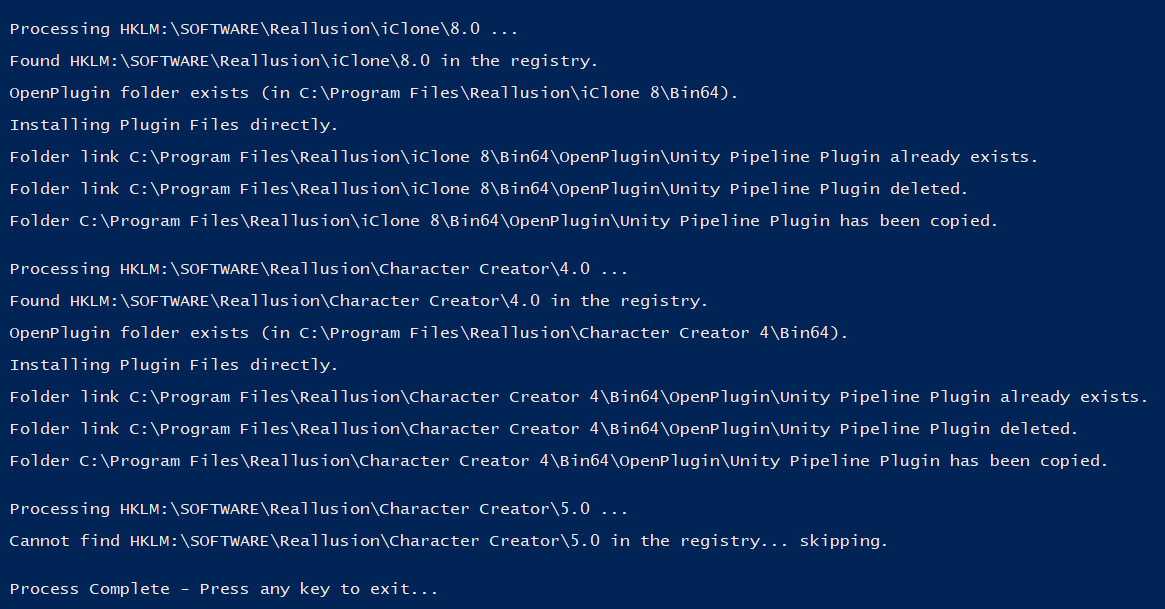
Is the plugin menu there? The toolbar might just be hidden.
Also check the menu > Script > Console Log for python errors. Any errors at startup will stop the plug-in registering correctly.
Hey Victor,
There is a Plugins menu, but no option to open the Unity plugin - just a link that navigates to the RL website.
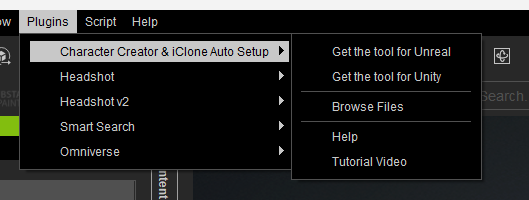
No errors in the log, but it is actually logging “CC/iC Unity Pipeline Plugin: Initialize”…nothing after (not sure if there should be more).
I think I found the root issue and a workaround. I had to execute the python script from within CC for the errors to log, but essentially it wasn’t finding the default directory (users/name/…Documents/Reallusion).
I keep my Template and Custom content in a non-default directory, which the Auto Setup plugin is defaulting to, and so that directory was never created. After manually creating the directory and running the Python script again, it displayed the icon and executes the plugin.