I went to bring in an OBJ file today and when I go File/Import it only shows iAvatar files and none of the the obj or fbx files. I can manually drag the files into the workspace and they load, but it requires some alignment versus just importing through the menu. This just happened today and was working after the initial 8.7 update. Has anyone else had this happen and did anyone find a solution? Thanks.
Hi,
The import functioned normally on my end.
Could you check if you had File Filter selected in the import window?
Thanks!
1 Like
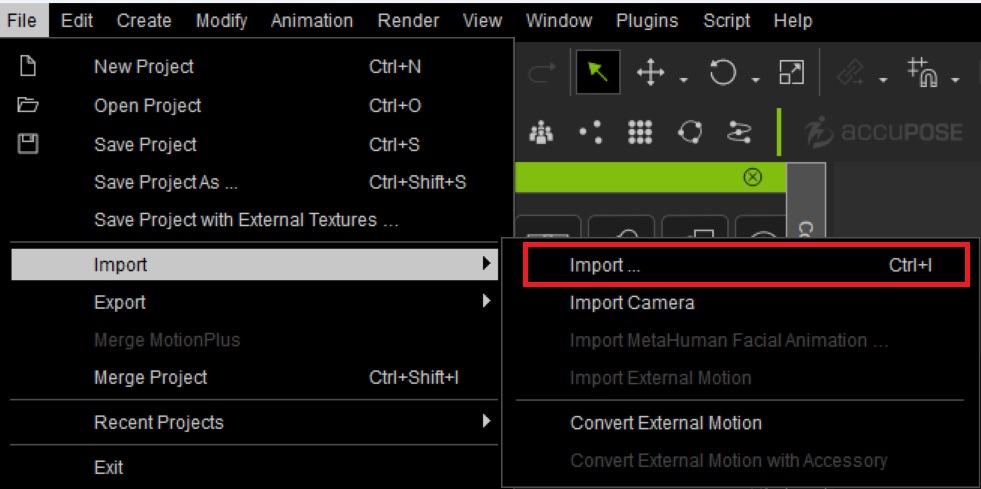
When you select File > Import > Import as shown below, this will open your Windows File Open Dialog. From here browse to the folder with your files and type *.FBX or *.OBJ and hit Enter in the File name box. This should then display only those file types and allow you to choose one to Open.
Try it and see if you can see your files.
1 Like