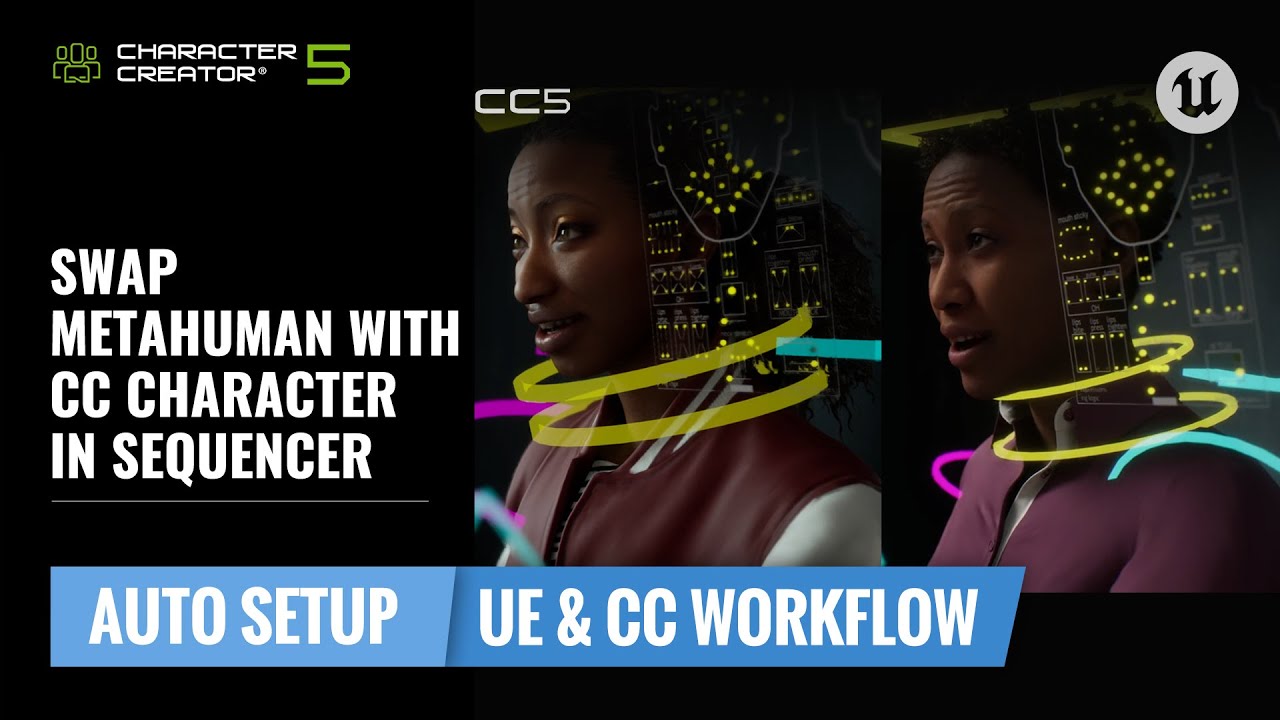
Two Ways to Seamlessly Transfer Animation Using Control Rig
In Unreal Engine production, many teams rely on MetaHuman for facial animation—but what if you prefer to use your own CC5 characters with a custom look or stylized design?
Thanks to the shared facial rig structure between CC5 HD Profile characters and MetaHumans, you can now reuse MetaHuman animations directly on CC characters—without using the traditional retargeting system.
In this post, we’ll introduce two simple workflows inside Sequencer that let you:
- Replace a MetaHuman with a CC character
- Or keep both in-scene and copy animations between them
Let’s break it down.
 Requirements:
- Download and install Auto Setup for Unreal
- Download and install CC UE Control Rig Plugin
These plugins ensure that your CC5 characters are imported correctly and come with fully functional body and facial Control Rigs, compatible with Unreal’s Sequencer and MetaHuman animation system.
 Method 1: Replace by Part
Fastest way to reuse existing MetaHuman animation
This method is ideal when you want to completely swap a MetaHuman character with your CC character while keeping all animation and Control Rig data intact.
Steps:
-
Open the MetaHuman’s Blueprint
-
In the Face component, delete hair meshes for stability
-
Replace the skeletal mesh with your CC character’s Face (created via Control Rig)
-
Repeat for the Body
-
Remove LODs (since CC characters don’t use them)
-
Click Compile to apply changes
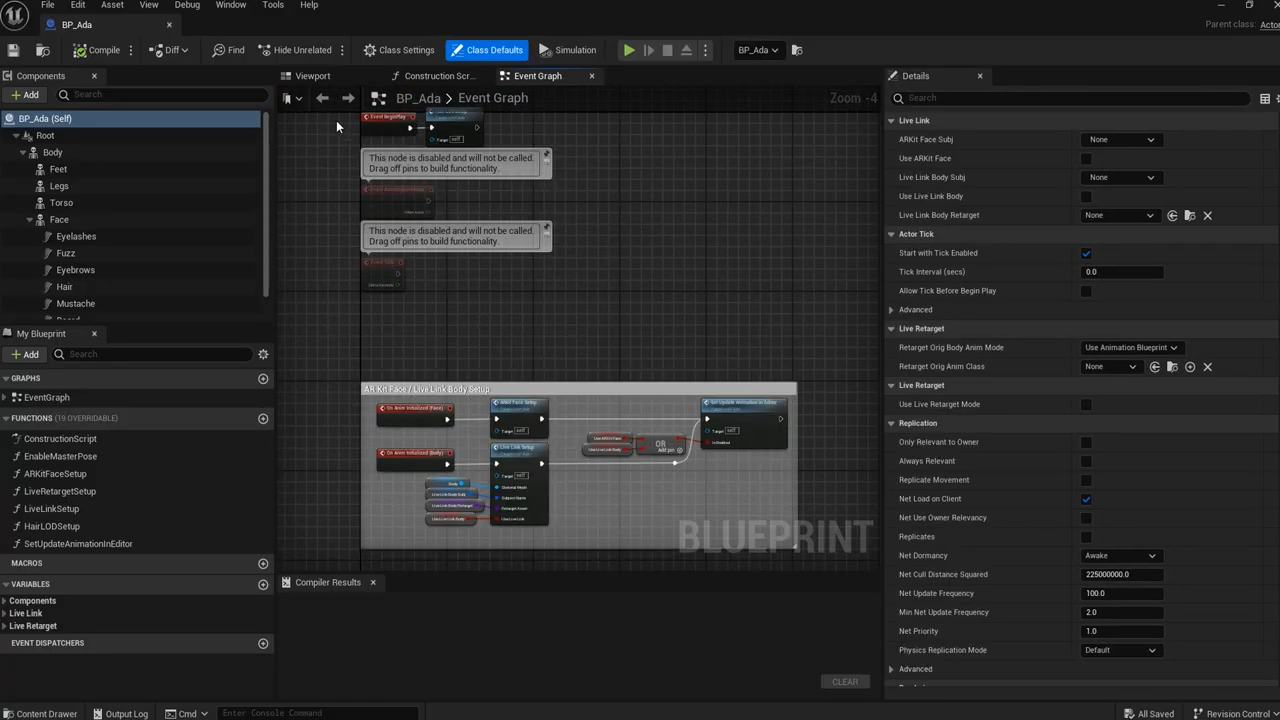
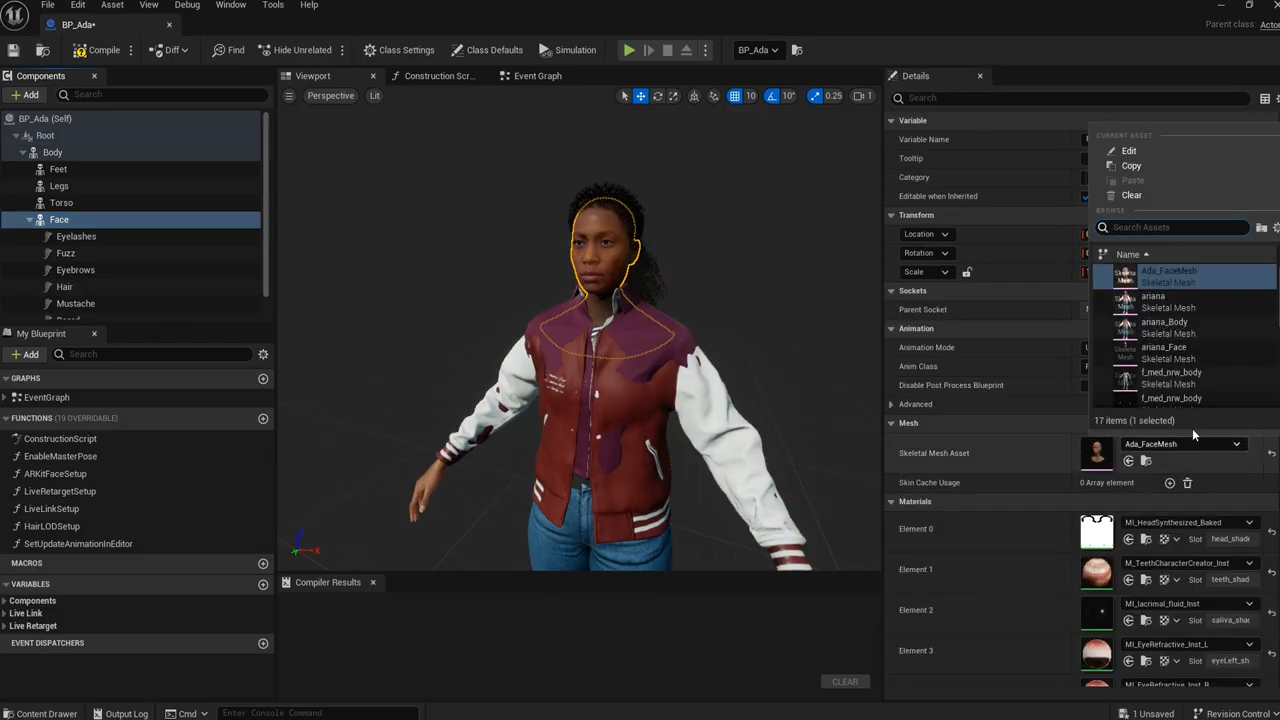
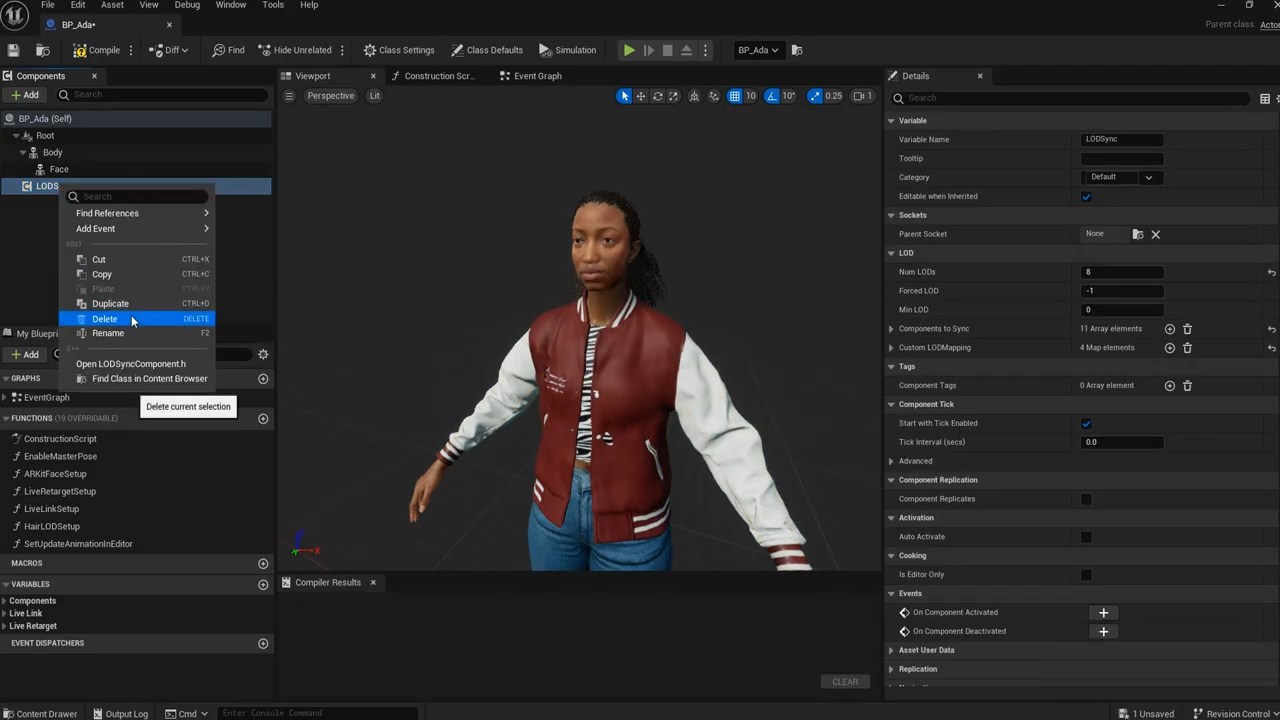
The result: your CC character now fully replaces the MetaHuman in the scene and inherits its body and facial animation directly via the original Control Rig.
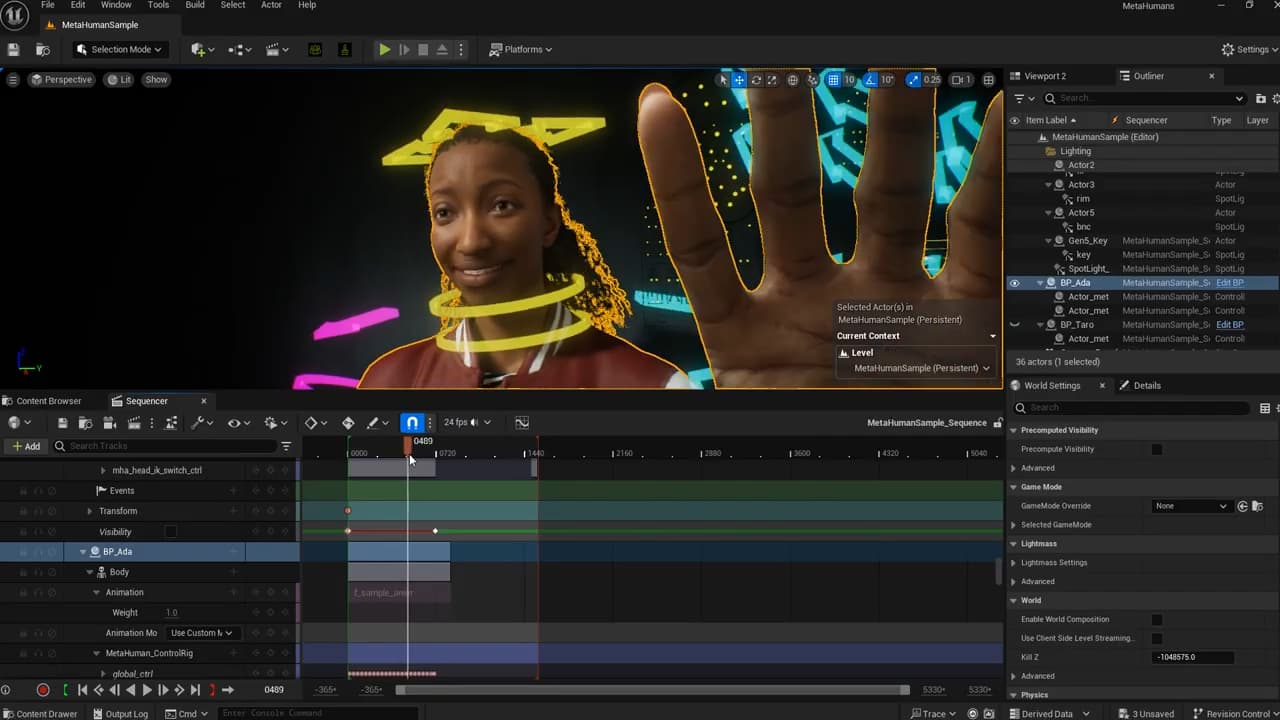
Method 2: Copy Animation Tracks
Perfect for side-by-side animation comparison or custom editing
This method keeps both the MetaHuman and CC character in the scene, allowing you to:
- Preview animations on both characters
- Tweak facial expressions on the CC character
- Use split viewports for editing and comparison
Steps:
- Drag your CC character (Control Rig Blueprint) into the scene
- Add it to the Sequencer
- Hide Control Shapes to declutter the view
- Copy all Control Rig keys from the MetaHuman’s body and face tracks
- Paste them onto the CC character’s Control Rig tracks
Now, your CC character mirrors the MetaHuman’s performance while remaining fully editable.
You can even:
- Use CC Control Rig to fine-tune expressions
- Add a second viewport and focus on facial edits
- Reverse the process — copy animation from CC back to MetaHuman
 Summary
Because CC5 characters use the same facial rig structure as MetaHumans, you can easily:
- Replace a MetaHuman with a CC character, animation intact
- Copy MetaHuman animation onto CC, with full control and flexibility
- All without traditional retargeting steps
This opens up a fast, artist-friendly way to leverage existing MetaHuman performances across any CC character style — realistic, stylized, or hybrid.