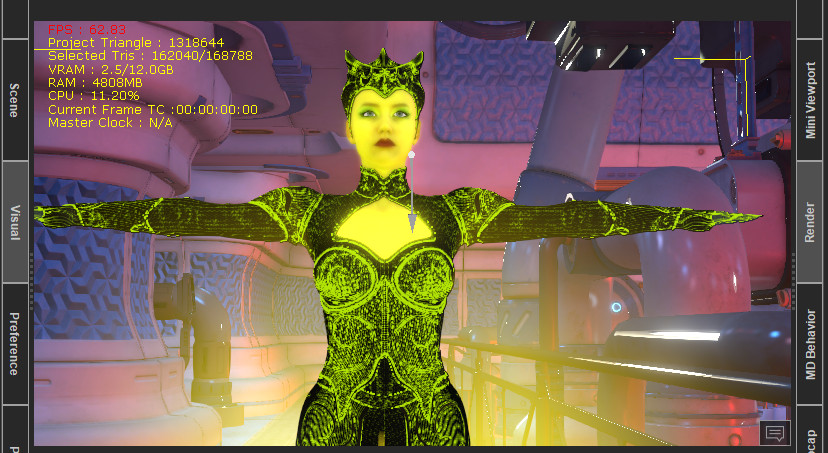
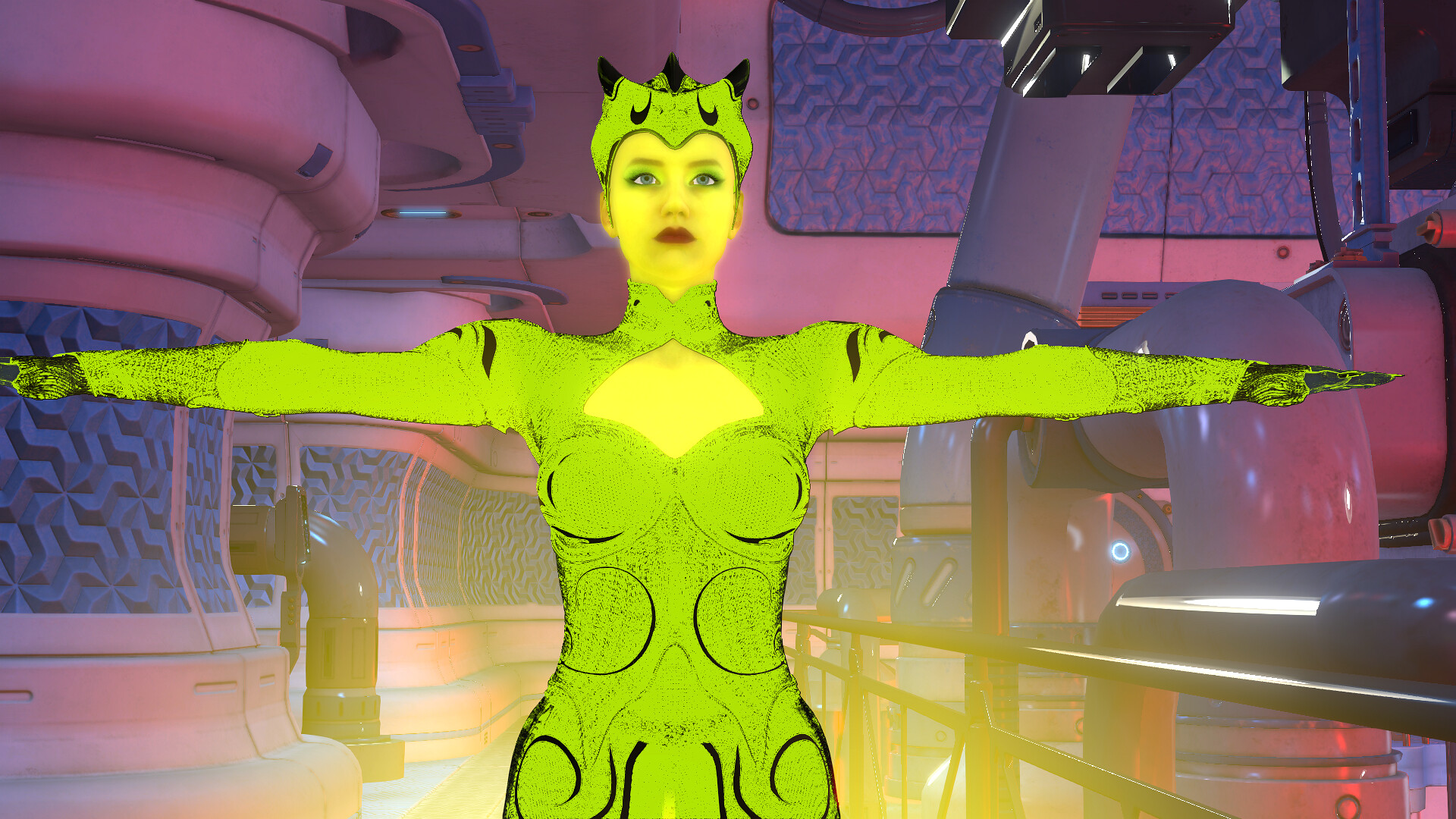
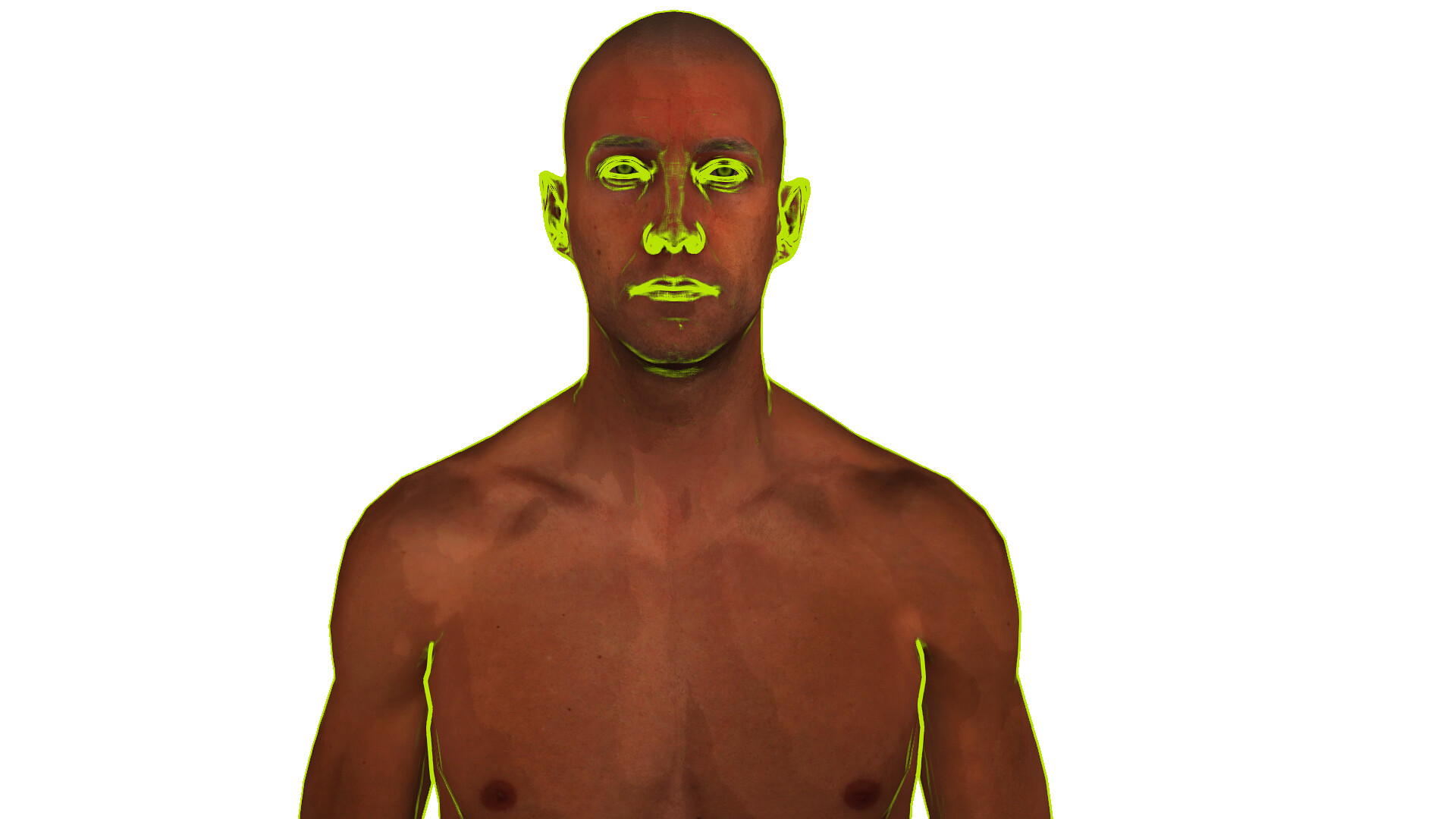
I have noticed that when using the toon shader effect that the size of the preview window increases/decreases the effect intensity. However this does not affect the render. For this reason its very hard to see the rendered result while previewing the scene.
First image is the preview window. Second image is the render.
So it looks like the wireframe on solid display, rather than the toon shader. With the subdivision in the modify panel set higher for the render than the preview.
Could you make a video showing how you set up the scene?
I’m using exclude effect on everything but her clothes (and a glow effect on the skin…trying to create a hologram effect) which is why it looks a bit weird but its a toon shader issue. Character SubD levels are both set to minimum.
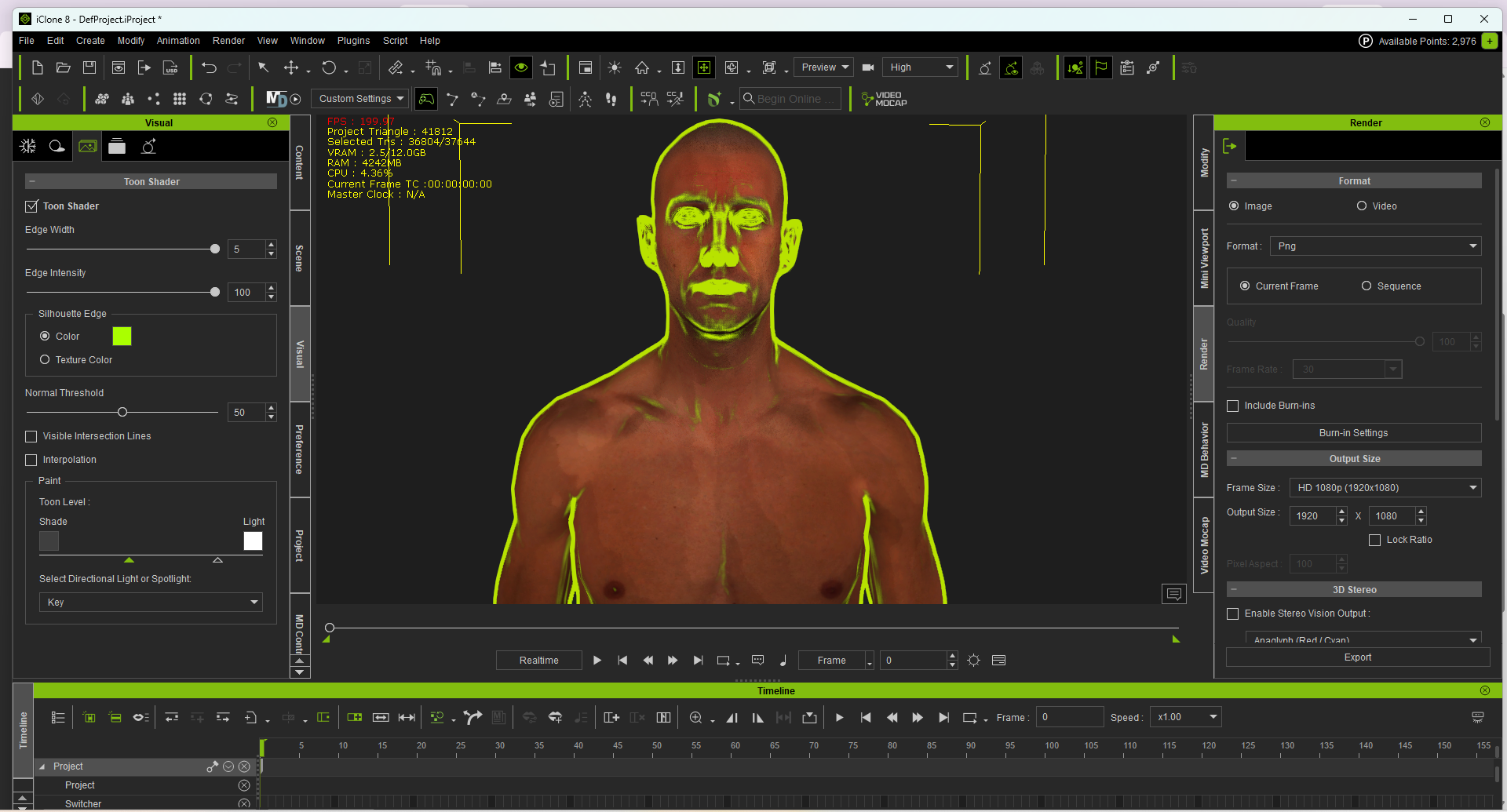
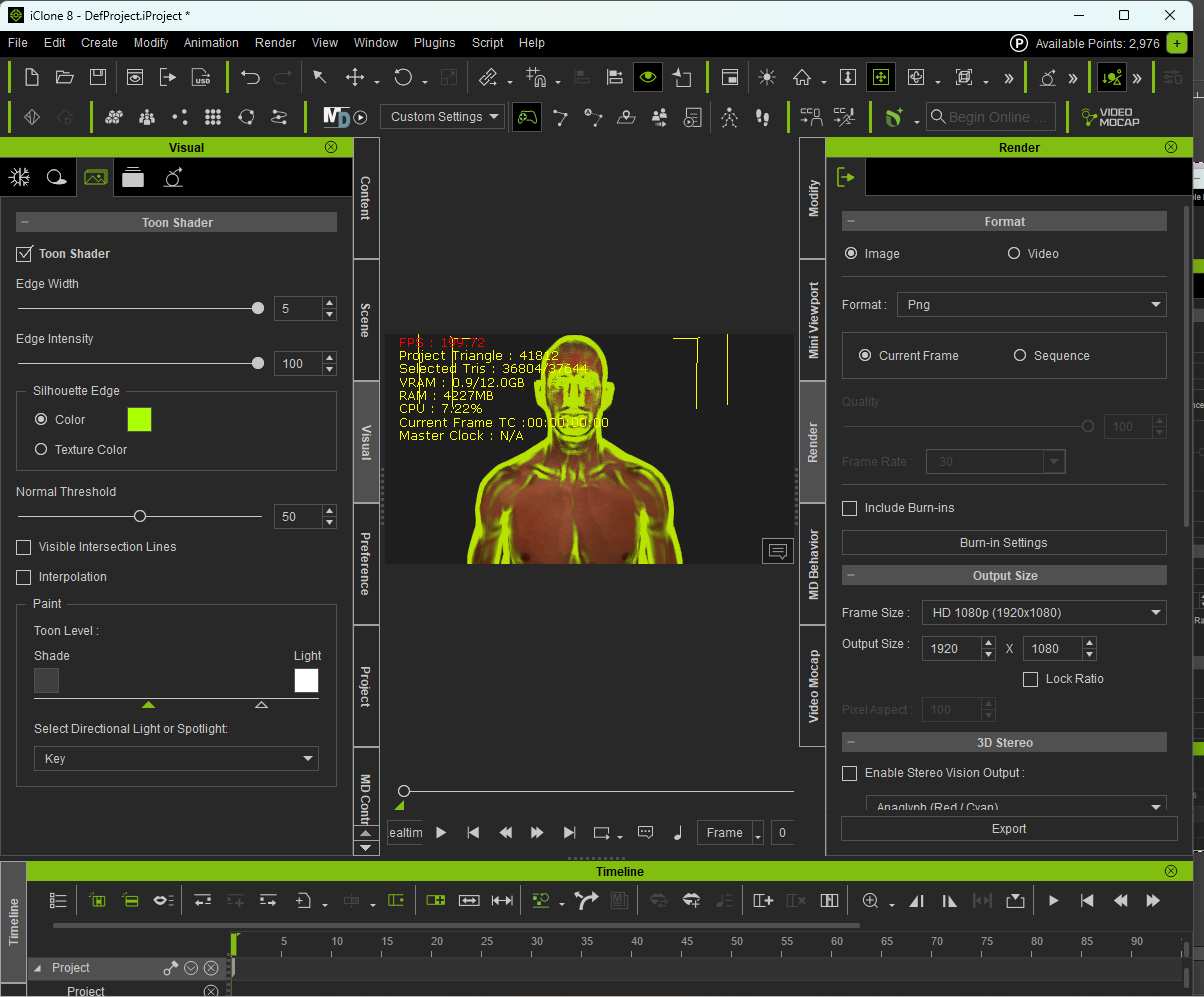
Here is a blank project with a default Kevin character. The issue is not as pronounced because theres less lines but its definitely still there. First image is the preview window at normal scale, second image is preview window at about half scale (notice the toon shading effect is now more intense) and the third image is the render.
Can you reproduce the issue? If not I will try to make that video later tonight when i get a few minutes.