I added tail bones to my character and curious as to why when I apply weights the entire assembly of the tail changes shape. I assumed that applying weights would affect only the movement but not sure what I am doing wrong. Anyone have any idea on where to look for help?
Hi cineruss,
It’s a bit difficult for us to understand the issue you’re facing at the moment.
Could you please provide more details about your workflow, or share the tutorial you followed?
You can also try following this tutorial — it may help resolve the problem:
Thank you.
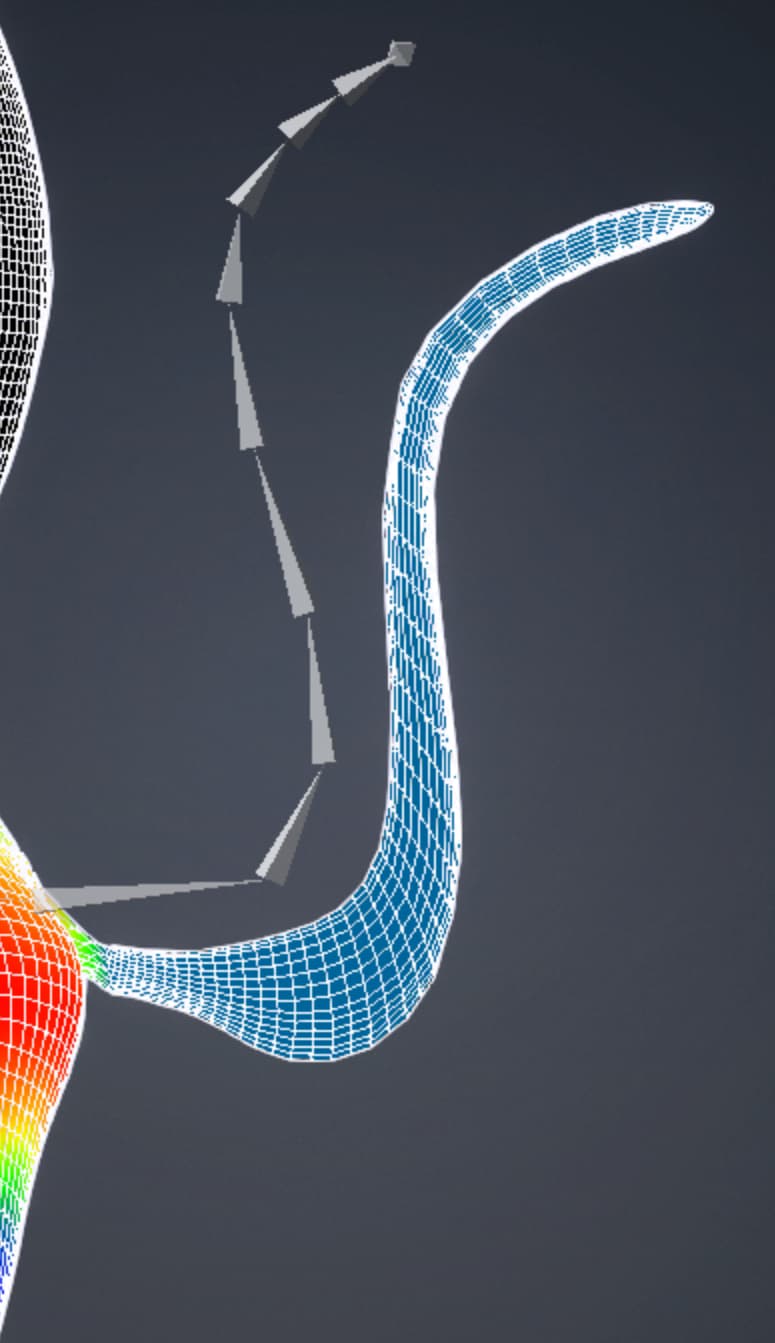
Thanks and yes, will try to explain. Skin weighting tails appears to be more difficult than I imagined or not sure if there is something wrong. Thanks for the video. I followed into the letter but when it came to weighting the tail, the results were not the same. The CC_Base_Hip and CC_Base_Hip bones had complete coverage (100%) of the tail and of course the tail bones had none.
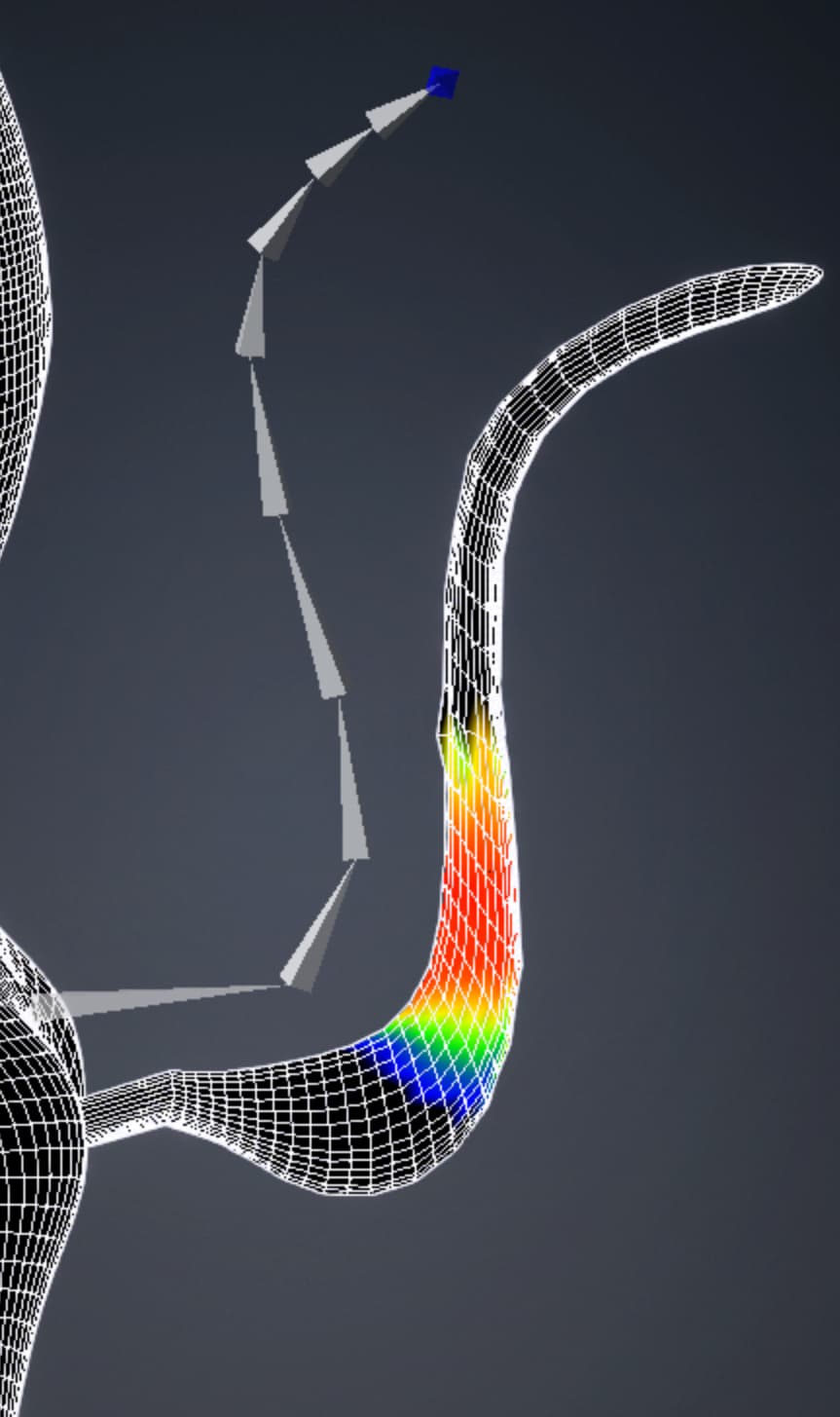
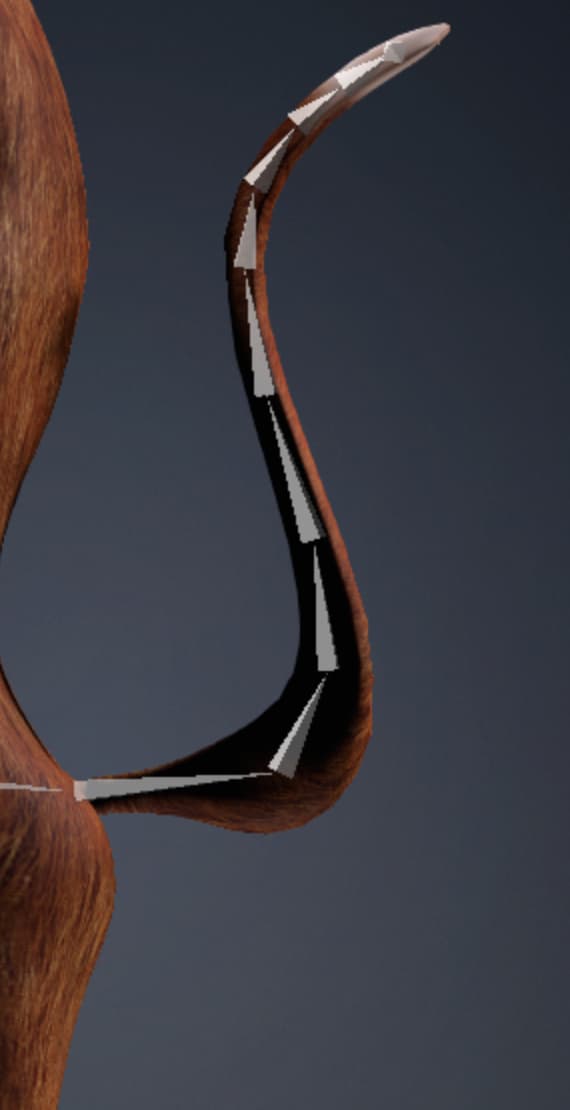
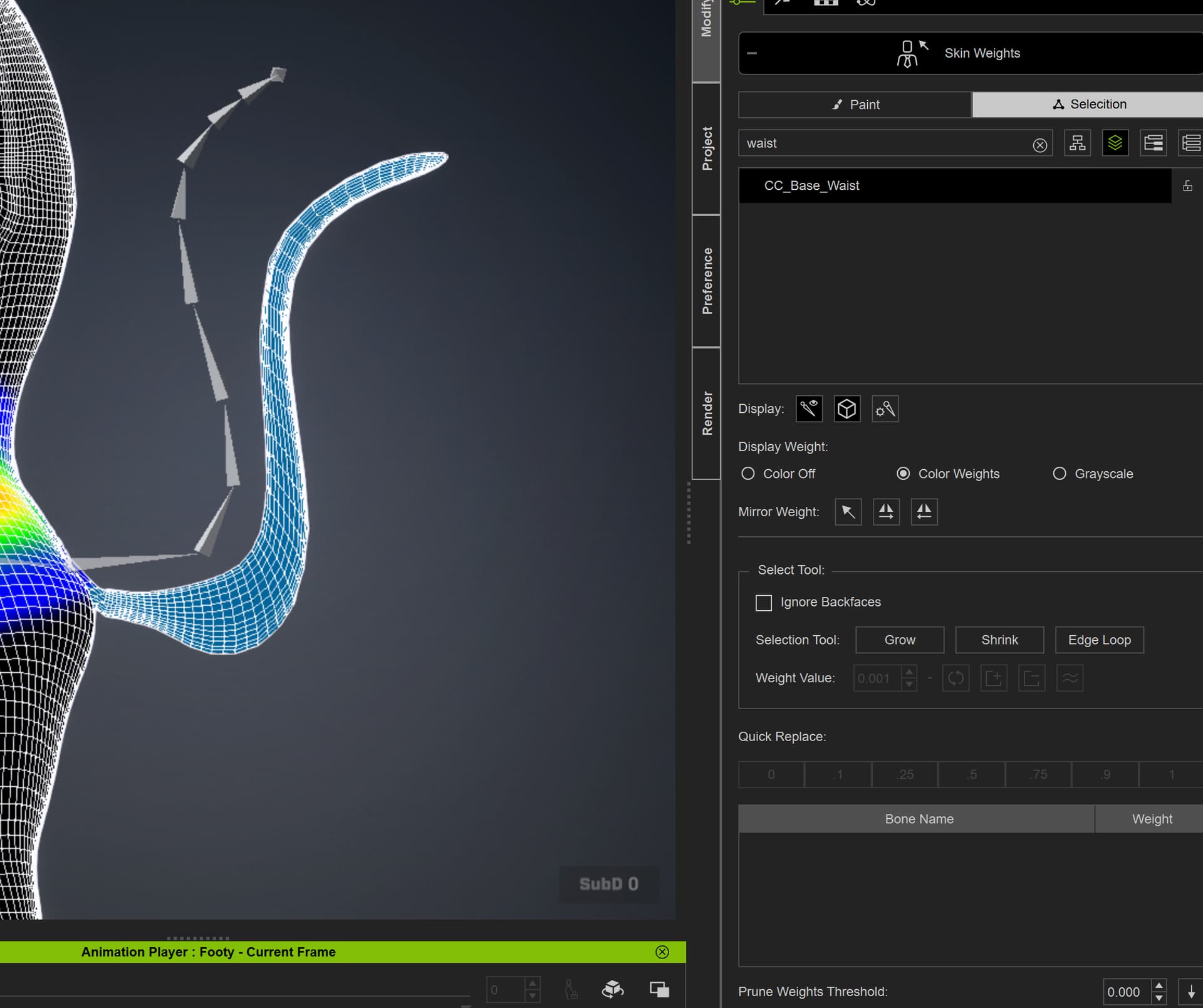
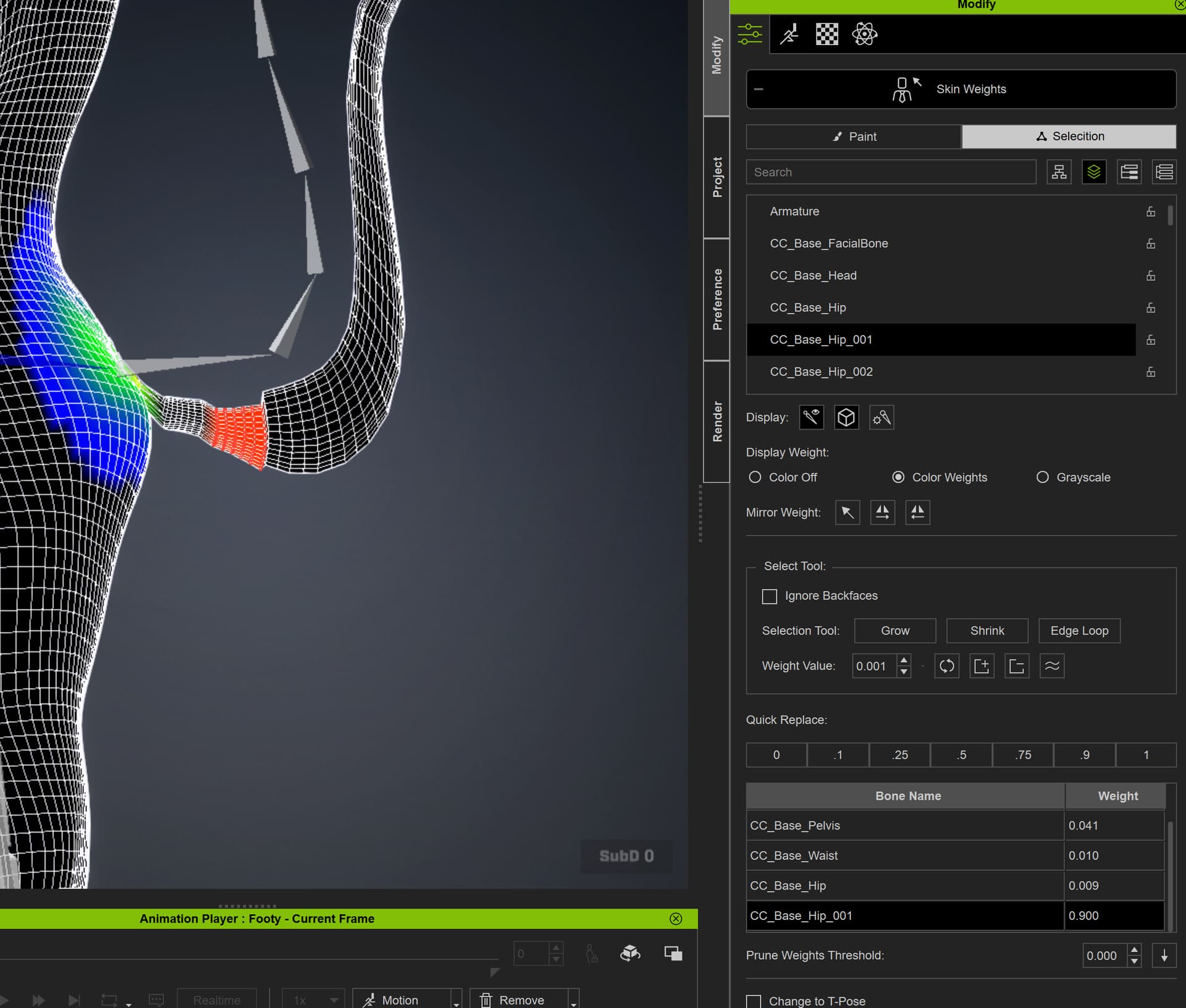
As show by the screen shots, when I lowered the skin weight amounts over the wasit and hip bone, the tail drops. SO thinking that the balance is between these bones and the tail, I applied weights to the first tail bone as a test and it dropped further, thinking the mesh would go up. So confused on what the problem is or how to correct it. I am attaching screenshots of the tail with weights that were automatically applied to the waist and hip bones and the affect of lowering the weight and the drop. And then one shot when I tried to add weights, after making adjustment to the hip and waist bone, to find it dropped the mesh further down.
Out of curiosity. You created a tail in an external program I suppose (Blender presumably). Why would not you weight paint right there instead, which is a lot easier than in CC?
Yes weight painting in Blender would be a LOT easier but I was following the video from CC on adding tail bones. So would the skin weights for the tail follow through to CC from Blender as well? If so I will just do that.
It absolutely will. Nowadays Blender pipeline plugin comes handy to simplify moving characters between CC/Blender for customization and not worry about materials and textures (that coyote tutorial is quite outdated).
I have used the Blender pipeline before but doesn’t it break when you add bones in Blender? And yes, that coyote video is SO messed up.
So basically I have the character now as a humanoid using Accurig and looks good so either export as fbx to Blender, add tail bones and weight paint and then reimport back to CC or somehow use the Blender pipeline without it breaking. Which works best?
Not, if you use a Humanoid character.
You can use either way (pipeline or manual export/import), but pipeline undoubtedly works best.
Thanks will give it another try…yes a humanoid character but need to add tail bones and weights. So were you successful using the pipeline to add bone and skin weights in Blender and sending it back to CC without a problem?
Yes, I use it all the time for such work.
Great thanks for the advice and will give it a try. I have used the pipeline before but thought I would us the old Coyote video…guess I should have stayed with the changes. I do hope that Reallusion will update these videos soon.
I wanted to give an update. Thank you 4u2ges for suggesting using the Blender Pipeline again. I tried it once but when I made adjustment to bones in Blender, the connection broke and the character was not wanting to export using the pipeline. I soon found out this second time around though, that when the character breaks by adding bones in Blender and says that it is an invalid character, you have to go to the pulldown in the Blender Pipeline and choose Character Management and then to the edit button to convert to a humanoid character. After that, I reimported back to CC and it was fine.
A few points for anyone reading this thread. The coyote video as mentioned in this thread really needs to be updated. Following it, I soon found that my character, when reimported back into CC from Blender suffered from a skin weight shift that caused me to have to readjust the entire body. And, although the tail appeared in CC, painting wieghts caused a drastic shift in mesh location.
When I used the pipeline and made the adjustment in the character management edit to recognize the character as a humanoid, all went well with the mesh and skin weight painting in CC. Thanks again guys.
I would like to add an update and not sure if it is a bug in the system or a quirk in the Blender pipeline but be aware that what appears to be a possible Transform issue within Blender is actually some type of mismatch when bring rigs back over to CC5.
I was able to successful skin weight the tail bones and add them via the Blender pipeline workflow. But it introduced other problems. When choosing to adjust bones, the entore character rig put the charcter into what appeared to be a crucified pose with head down.
Head bones had not been painted yet so when going to the bones, the hierarchy was off completely for the eyes and the jawbone was the root for the tongue. I thoroughly checked my workflow and in Blender as well and from Blender before import. the bones were in the correct order.
The problem occurs when you reimport through the pipeline to CC5 and choose to import with the CC3 option instead of Actor build (which you are told to do). I was frustrated and by accident I hit cancel any of the options and it forced CC5 to go through charcaterization on its own and it worked. So not sure if its a bug in the system but there are no instructions anywhere to get you through this. Hope it helps someone else. Thanks everyone for your help.