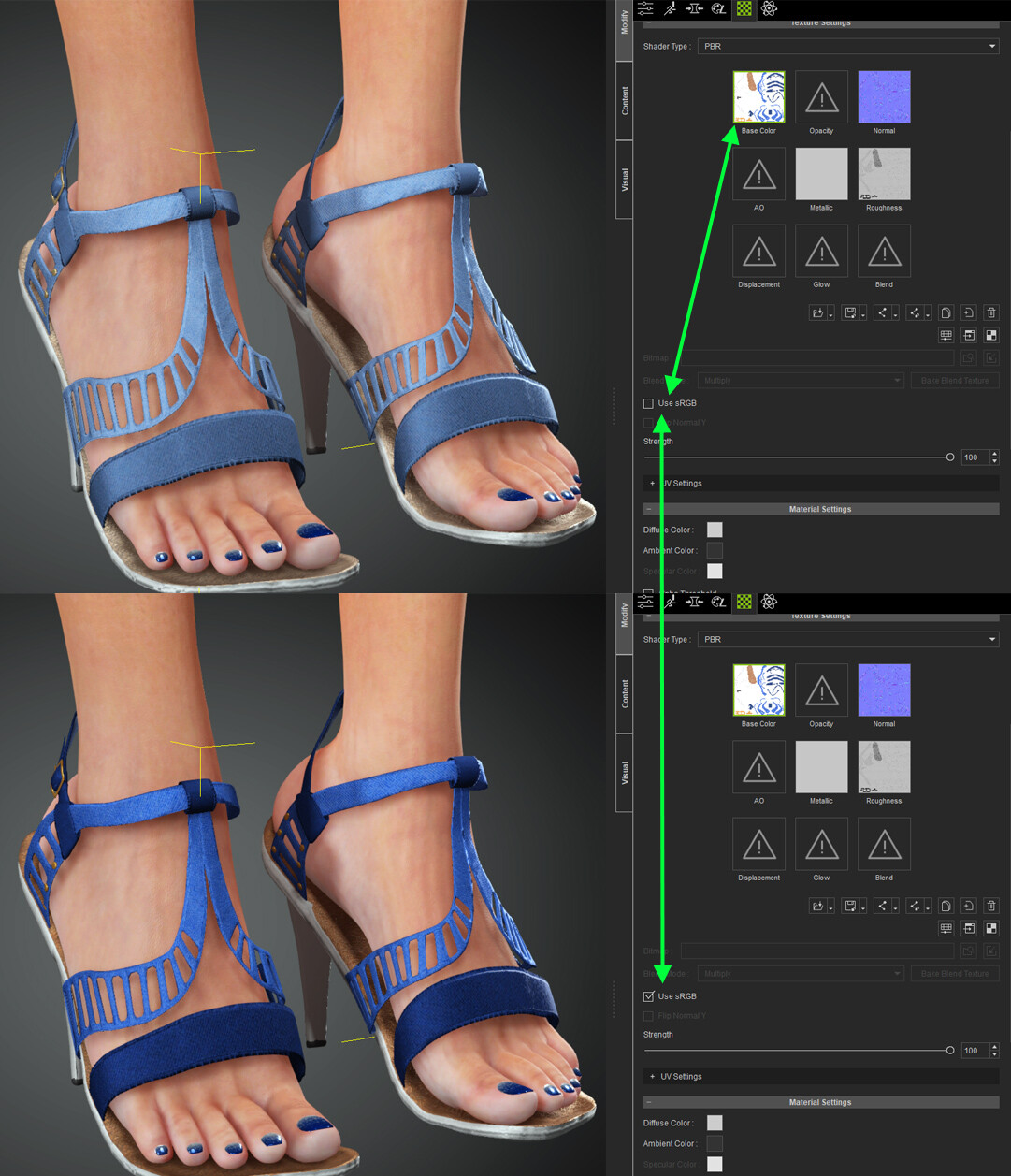
Hello,
I’d like to ask for some advice regarding materials.
I’m having an issue where the textures I assign to characters don’t match their colors. The textures were painted in Substance Painter with the understanding that they are PBR materials. I’m assembling them in CC5 as PBR materials, but the colors aren’t coming out right. I’ve attached an image. Could you please tell me what might be causing this? Do you perhaps have a guide on this topic that I can read?

Hi…
Check in the Materials tab of the Modify Panel that your material settings are correct such as making sure the Diffuse Color is white.
Then right click the Base Color and the other material channels and click Adjust Color to make the required changes. Do also check channels like AO etc. to see the influence they are having by turning them off temporarily and checking the results
Thanks for the reply.
I’ve already tried setting the diffusion colors to white; this is exactly the result I get when I use white in the settings.
I’ll try going through the other settings again and using only the Base Color.
I also consulted with the GPT chat ), and they advised me to review the HDR lighting map settings, as they might make a difference. I’ll experiment some more.