I downloaded the trial version of CC5 to see if it’s worth the extra $$.
I’ve got a CC3+ avatar that I have developed and fine tuned over a long time, which I would love to upgrade to CC5 HD. The character works perfectly as a CC3+
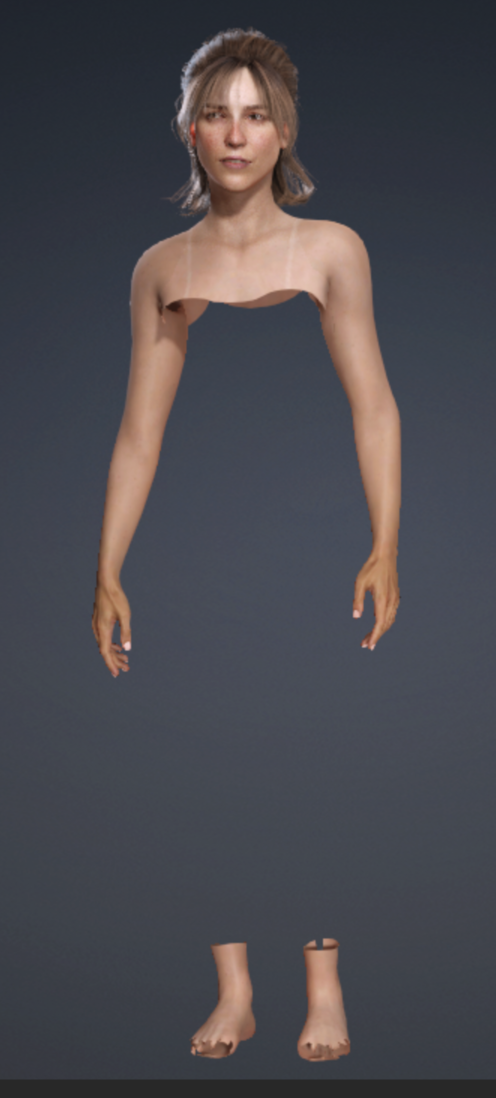
I followed the CC3+ t0o CC5 HD Reallusion video and no issues with converting the face to HD. However when I attempt to subdivide the mesh, the chest down to just above the ankles disappears. Arms & hands still appear.
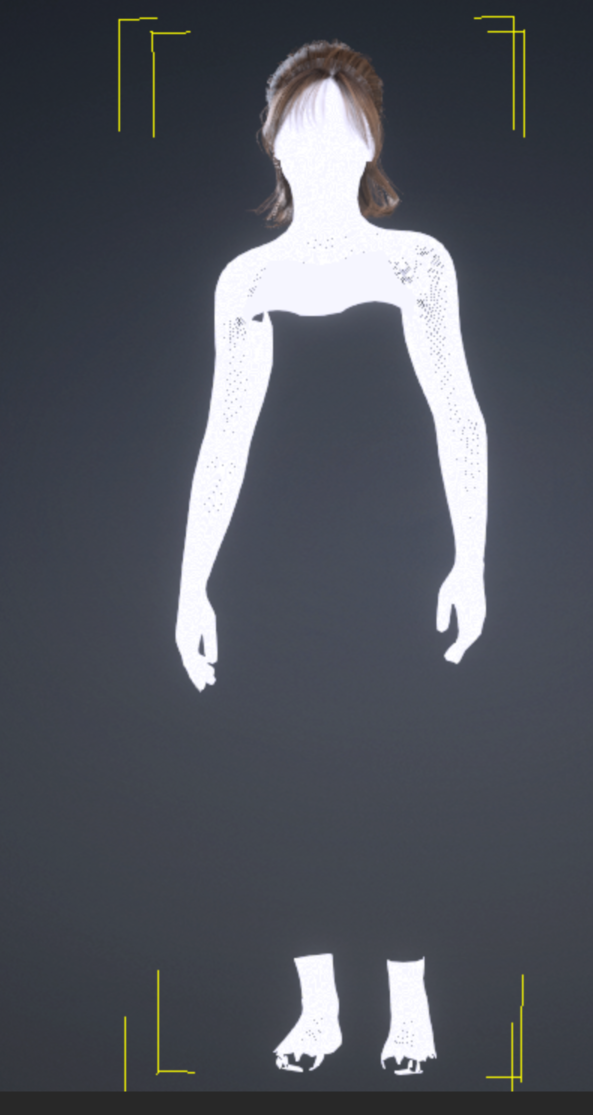
If I change view to wireframe that part of the body is also gone. However the mesh does appear when I select ‘edit mesh’.
I have tried the same process on other avatars without issue.
I’m not sure what is going on, but out of all of my avatars, this is the one I would most like to upgrade to CC5.
Any suggestions would be appreciated. Top image how the avatar appears when I attempt to subdivide the mesh. Second image is how it appears when I enter ‘edit mesh’ and third image is wireframe view from the scene manager
Thanks!