Hi
I’ve been working in the Iclone RTX beta2 0806 with a large project (11.5 GB) for the last few months using an RTX 2070 Super with no problems ( except long render times) I installed the 4070 Ti Super yesterday and have been struggling to open this project. The View port was high contrast black and white like a negative infrared film then went completely black. The only things visible were cameras. I could not work inside the project, clicking on anything produced an Error message “failed to create texture 0x80070057” then IClone closed and remained corrupted. I removed all but one assets and characters from the project in the standard Iclone , saved as DX11 then converted to RTX in the Beta RTX version and everything is normal and functions properly.
There is something in the original project that seems to be incompatible with this card. I dont want to have to start this mammoth project all over again. A short cut to finding what ever might be incompatible with this card would be greatly appreciated, thanks!
Could you please upload your file and share a Google Drive link so we can investigate the issue? Alternatively, you can submit a ticket with the file attached directly to our Feedback Tracker. One of our team members will look into it as soon as possible.
I am not really sure how you’ve been working in RTX mode and RTX2070, but the project does not practically have any lights for RTX mode. Directional lights would not go through confined room walls without windows.
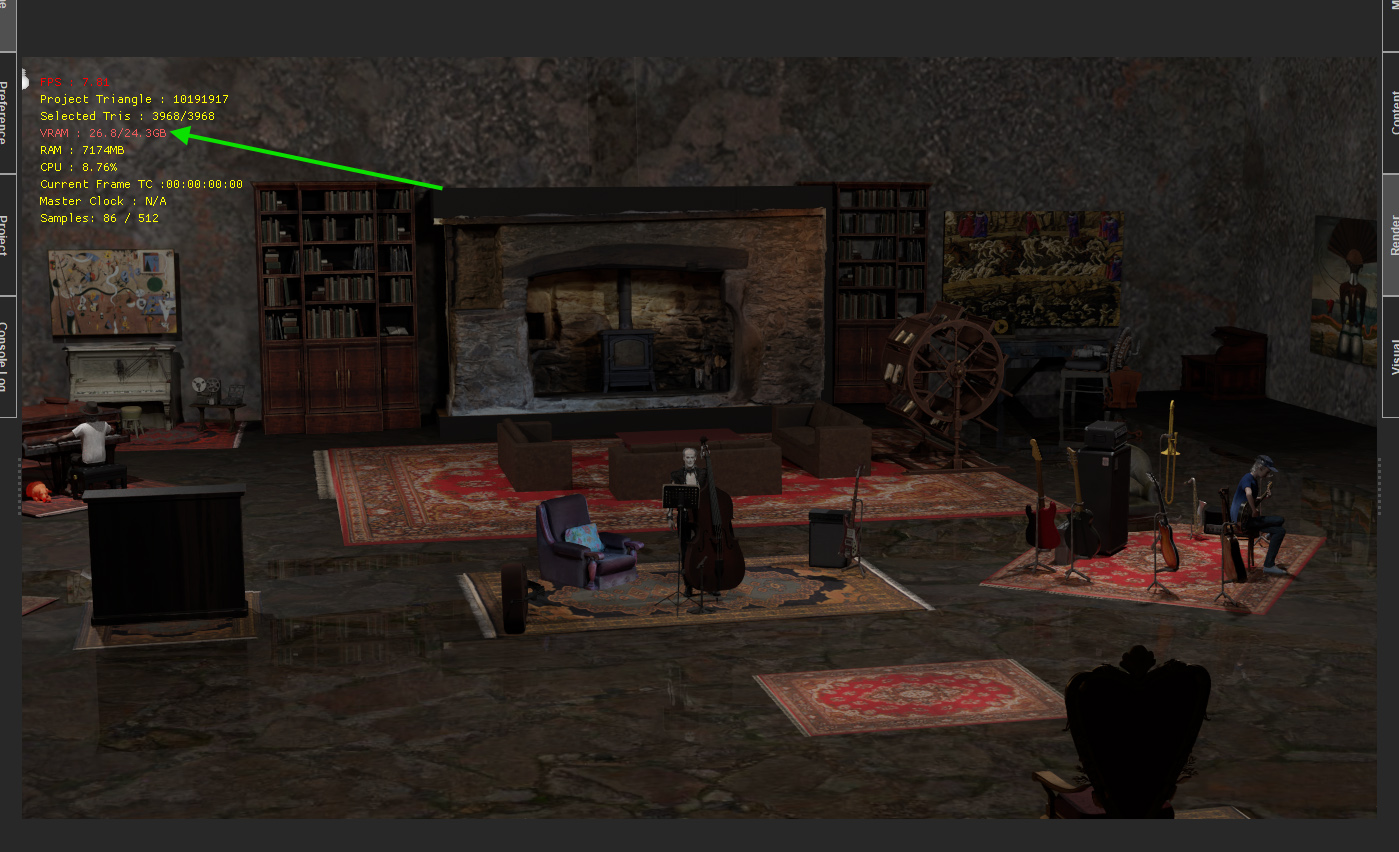
I also initially got practically black view-port after RTX conversion until I started adding point lights inside the room. At some point I also got that 0x80070057 error, but I believe it’s due to VRAM overload. I have 24 GB of VRAM (RTX 3090Ti) and it’s fully used.
RL might have some more comment on issues.
Thanks for responding, actually I had wind in my sails with the 2070 Super up until yesterday, and the 2070 only has 8G of VRAM. Except for rendering time which was 103 seconds a frame as opposed to 12 seconds with the 4070 Ti with exactly the same render settings.
I’m new to RTX. I wasn’t aware of special lighting requirements for RTX rendering that aren’t required for DX11. As you can see I haven’t lit this project yet but I was able to work in it and render it using the RTX 2070 in RTX. The black viewport occured only after installing the 4070 ti Super. The reduced project file ( I took everything out but the piano and the pianist you see in the far left hand corner of your screen capture) I am able to open and render with the 4070 Ti without alarms or crashes. This is a screen capture from an 8 sec RTX render using the 2070
Yeah, I think there is a possibility that RTX 2070 is not fully compatible with RTX render engine. Otherwise you would’ve been getting the same result as with 4070 or 3090 as I have. I suppose RL would have more info for that matter.
One thing is for sure though, confined space would not pass the light through from outside with any true light physics engine such as RTX, Iray and others (Directional light specifically since its source is not defined and is always coming from outside).
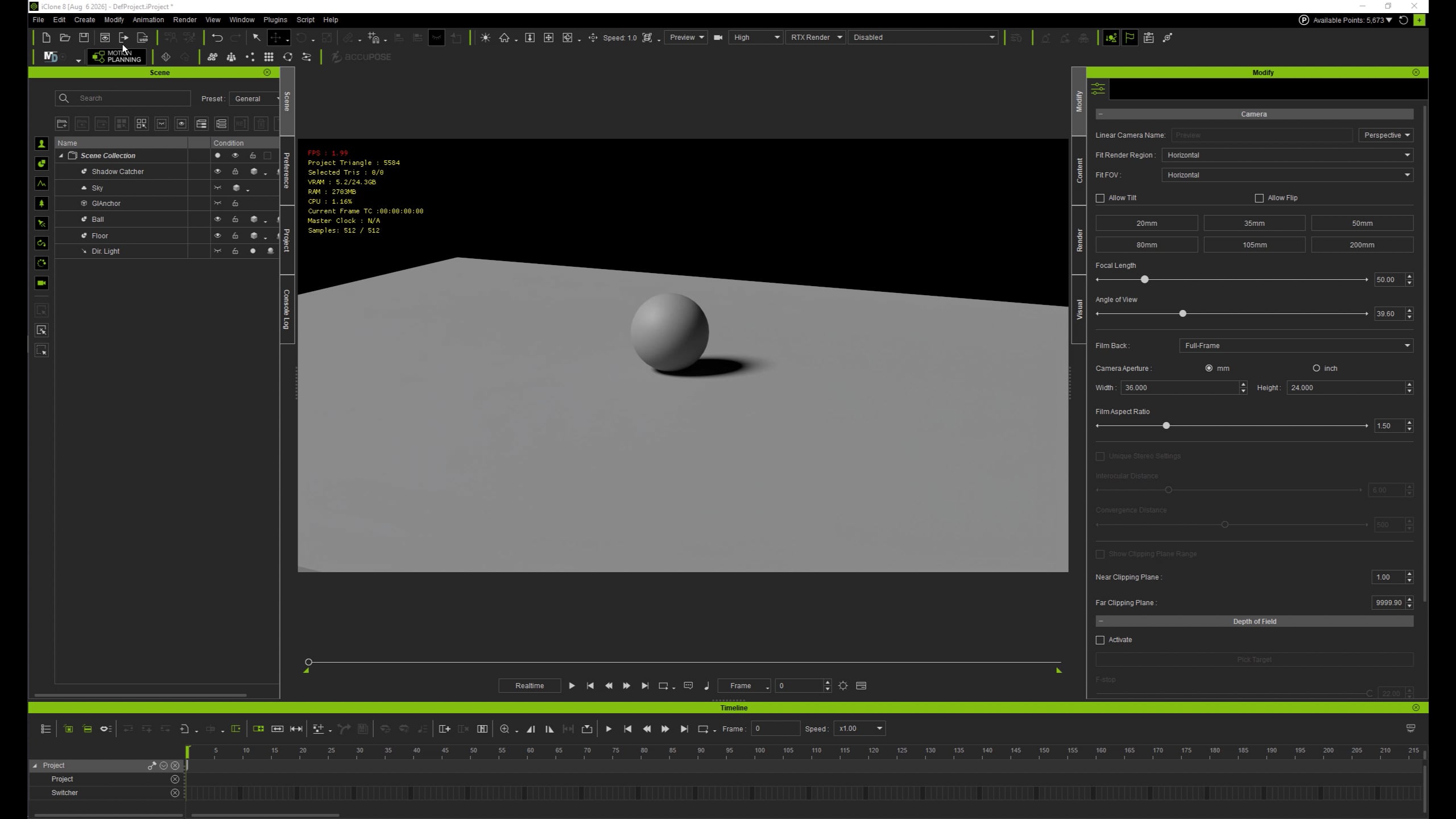
This is a simplified example of RTX lights behavior test in confined space (camera and a sphere are inside of the scaled cube):
Thank you for sharing the link to your files and submitting a ticket through our Feedback Tracker. I have also forwarded the link to the FT team and followed up with them regarding your issue. It should now be in the queue for testing.
We’ll keep you posted as soon as there are any updates.
In case anyone else is experiencing similar problems or still trying to solve this for me here is an update. UPDATE
I no longer believe the RTX 4070 Ti SUPER was responsible. I isolated the black screen to the Sketchfab basement OBJ, whose baked lighting/materials appear to convert incorrectly from DX11 to RTX; after conversion its materials are automatically set to 0 Diffuse Transmission and 0 Specular Transmission. With transmission at zero the basement is black, while increasing Diffuse Transmission restores its visibility, strongly implicating the converted material/transmission settings; removing the basement also eliminates the black screen.
The freezing and crashes appear separate. While opening this large project, iClone rapidly consumes system RAM and writes an enormous working set to iClone8Temp on C:. Free RAM fell from about 48 GB to 1.36 GB while iClone8Temp grew to 79 GB, eventually reaching about 92 GB. CPU activity was very high while GPU memory remained comparatively moderate; after loading, RAM was released and GPU memory settled at about 7.8 GB, but the 92 GB temp folder remained. I believe that this extreme RAM pressure and C: drive writing, combined with the temp folder sometimes remaining after an abnormal close or crash is responsible for the freezing and crashes.
I posted this to the feedback tracker (which seems to have replaced support tickets) where the problem was reported to R&D, but it doesn’t seemed to have elicited much interest , which is surprising given this is beta software.
It actually does it correctly. Diffuse transmission over 0 is intended to pass lights through thin, half-transparent materials, while specular transmission is mostly intended for refraction. While you can sort of “cheat” and allow outside lights passing through hard walls with Transmission, it’s not physically accurate and defeats the purpose of path tracing accuracy of RTX rendering.
Hi 4U2ges, thanks for responding again. I don’t have in depth knowledge of 3d animation which is why Iclone is good for me , mostly I can skirt through without fully understanding the rudimentary forces at play. But i do think this basement space I downloaded from sketchfab isnt up to specs. This OBJ object also defines the physical space of the project and as you saw it eclipses the lighting I added to the project even though it is localized within the space, and yet this baked lighting which I could not isolate lights the room adequately in DX11 but not in RTX. So whether this is normal behaviour or not it is an unexpected surprise when converting from DX11 to RTX.
Because I wanted to preserve the basement, I imported the OBJ into Blender and attempted to repair it. I joined its multiple meshes, recalculated the normals, and then tried adding wall thickness with Solidify modifier but neither approach changed its behaviour after re-importing it into iClone: the basement continued to block the ambient/environment lighting. I also established that the apparent baked lighting was not simply a removable Blender light—the lighting behaviour appeared inherent to the imported geometry/material setup. Since the OBJ was a single architectural environment with no useful subcomponents that could be selectively removed, and the repair attempts failed, I ultimately deleted the basement from the original DX11 project opting to reconstruct the walls with simple iClone geometry and apply the desired textures, eliminating the Sketchfab OBJ entirely.
Since then the project follows the laws of physics with respect to light and wall opacity.