Just wondering if there is an easy way to do this?
Based on my understanding of how the MetaHuman wardrobes work, if there was an CC5 character/body that matched the proportions of one of the MetaHuman bases or base characters, you’d be able to just export the clothes as fbx from CC5 and then just bring them into UE5 and associate their base to the MetaHuman base that matches, and then it would automatically resize to all metahuman morphs/bodies via their parametric clothing system.
I played around with it and it almost works like this, but its a little off because I don’t know if there is a character that matches a MetaHuman character perfectly in CC5. Anyone know anything about this or have an easy way to tweak it? If we had like a “metahuman_base” character in CC5, I think it would almost be as easy as export → import.
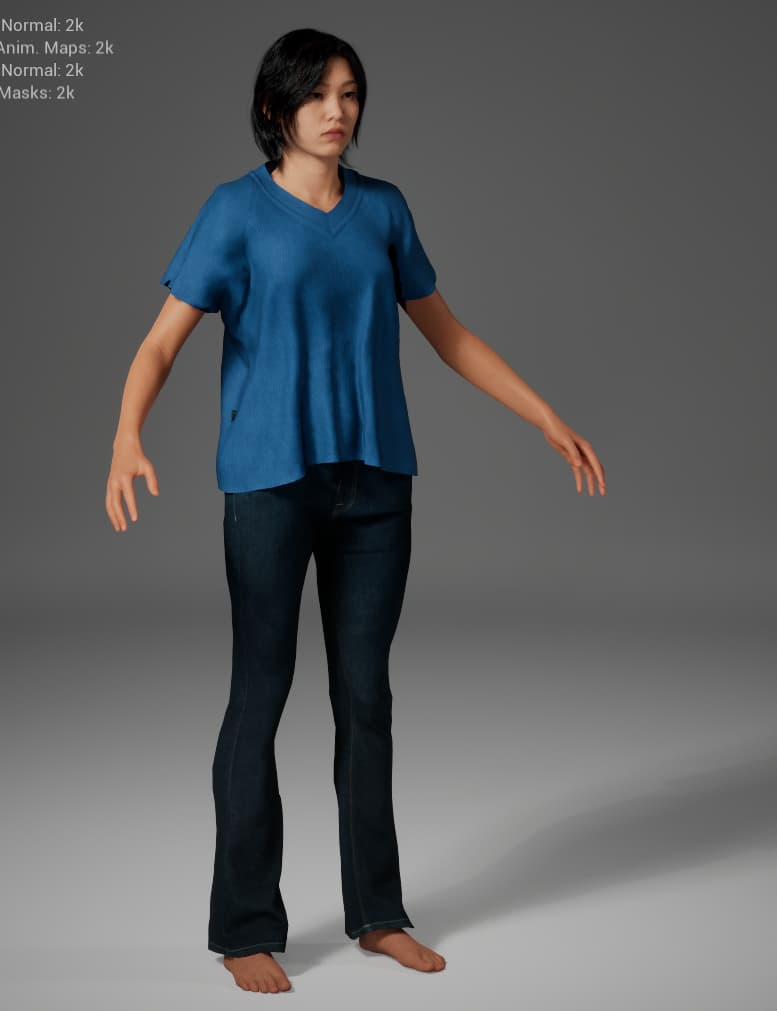
In case anyone is wondering, I don’t know if its a Metahuman thing or what, but the UE5 A-Pose CC5 exports seems to be slightly off in the arm and leg positions when compared to the MetaHuman base poses.
I adjusted the UE5 A-Pose Export manually in ${ReallusionPathHere}\Program\Character Creator 5\Program\Assets\Share\0_Open A_UE5.rlMotion and I scaled up the default female base ( the base one used with the mixer, but I didn’t apply any mixers ) to 170cm.
Note: modifying that particular file is not a good solution since its a core CC5 file that could be overwritten by updates, etc. Might be worth it if RL can see whats up with the different poses, if their UE5 pose is off, or if MetaHumans have a new pose different from the base UE5 pose.
When exporting from CC5, I set up one of clothing assets to hide the entire character body mesh, and selected Delete Hidden Faces on the export, so as to just have the clothing without the body. I also deleted all of the stuff related to the body other than the body itself ( i.e. the eyes, hair, eyebrows, etc ).
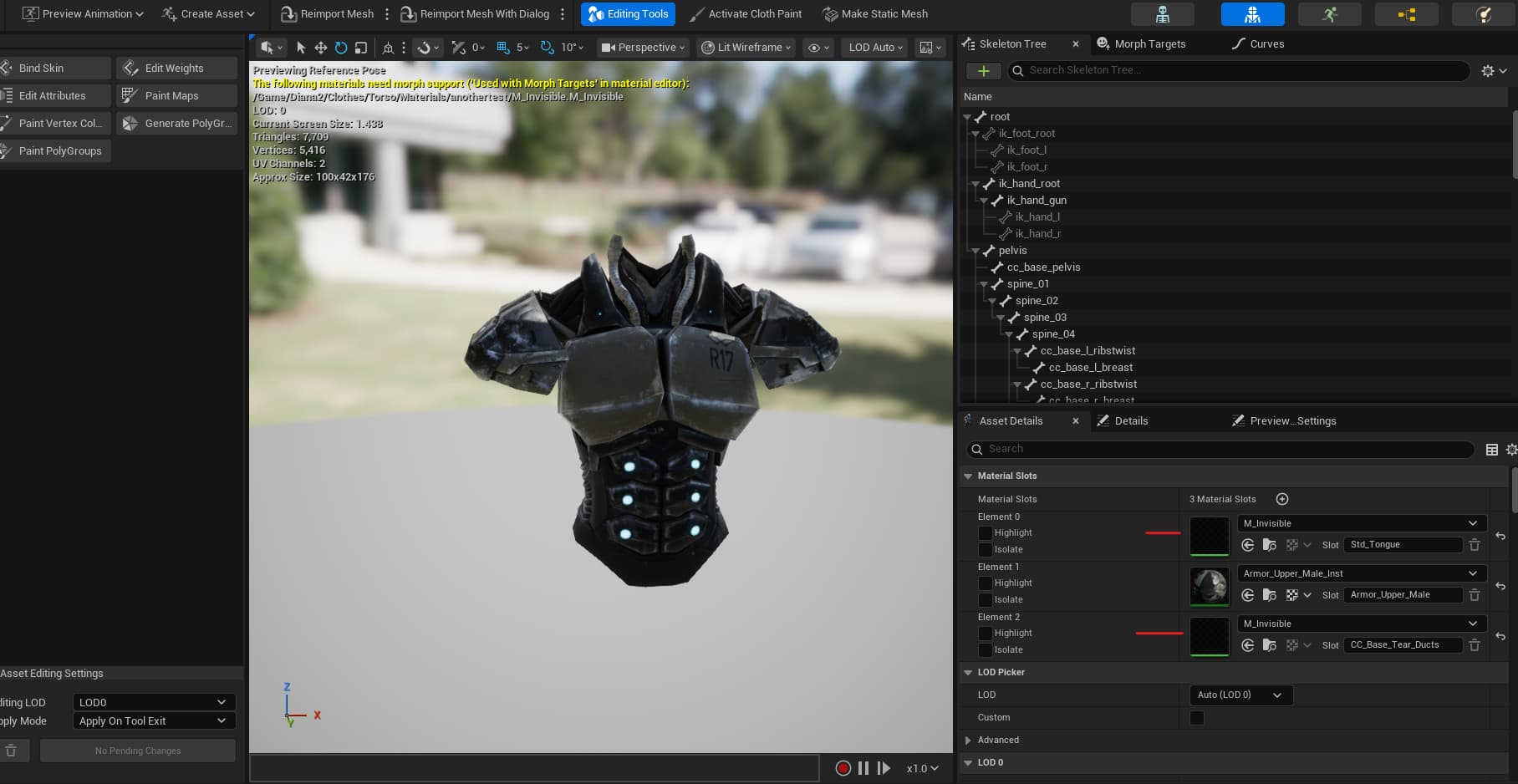
However, despite this, upon importing into UE5, there is still tearducts of the eyes or something like that still showing up, which you can easily modify using the in-engine modeling tools ( you can’t delete them but you can move them down into the body or somewhere that no one can see them ).
In UE5, in the OutfitAsset I set the source body part to bodyShapeB_CombinedSkelMesh.uasset and it actually comes out almost plug and play, although still might need a little cleanup and need to set up a body mask to hide body parts under the clothes.
In this image, I’ve done absolutely no adjustments at all other than moving the tearducts into the body and creating a body mask to hide parts of the body in the clothes. And this clothing will scale with the metahuman body, proportions, etc.
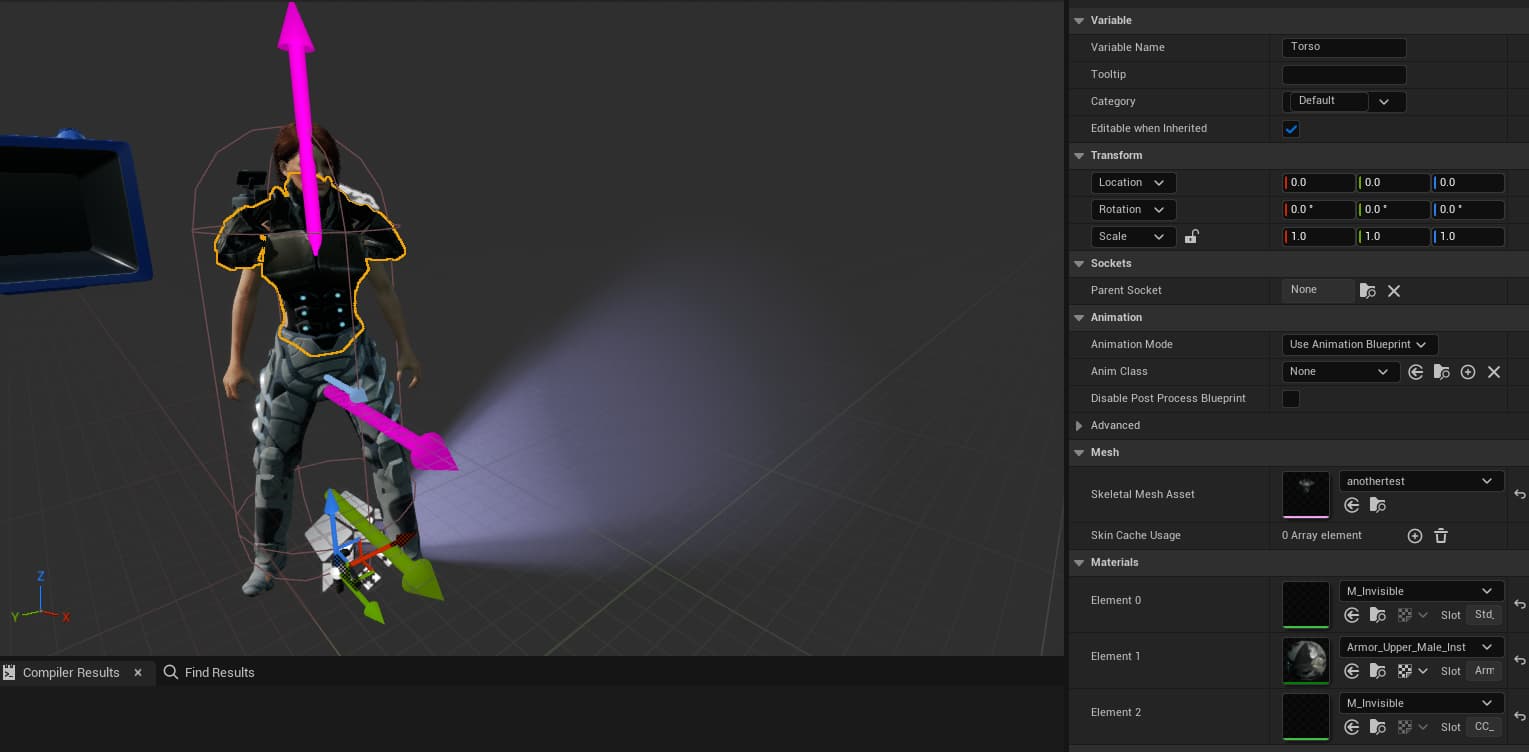
created an invisible material to hide the tear ducts
You also have to transfer the weights then bind to the skin of the skeletal mesh you want to use as your base. this way it will attach to the body part and move along with the AnimBP
Its hard to see in that 2nd screenshot but the Torso piece is hugging the body nicely. The only problem is the Torse mesh is bleeding through, which makes no sense because I have brought an entirecharacter with the clothes on the same exact CC5 character and it comes in perfect.
There are a couple options to make this work better:
The tear ducts, and eyelashes, can be hidden very easily in the Edit Mesh tool. Select the Element tab and click on them, then click the Hide button. Then make sure to check the the box to delete hidden mesh in the FBX export panel.
If your UE5 pose is not quite right, try exporting your FBX with the UE5 option from iClone instead of CC.
I’d be curious how this works out, I would be interested in this just for the cc characters converting the cloth to updated cloth system. One thing, I don’t know if its updated but when i messed with this last year it was really cludgy in unreal having to manually set up all these nodes etc, it seemed like a lot of it could have been stream lined into an editor window rather than manually editing and connecting nodes. The cc character could be pretty easily as a whole imported from iclone and converted to a sm and have the body masked out, or could even leave it as a skm in the newer UE setup.
So it seems 5.8 allows you to convert legacy cloth to the new chaos cloth assets, I’m not sure how reusable they are. Anyone experimented? I need to spend some time on this because good cloth sim in unreal for cinematics is not clean and using something like clo3d and marvelous to create amblemic caches is cumbersome to me.