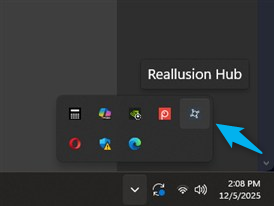
Environment: Windows 11
Issue Description:
When a new notification badge for Reallusion Hub appears on the Windows 11 taskbar and I click it, the program launches but the window is not visible on any screen.
- Pressing ALT + Tab confirms that the program is running, but selecting it still does not make the window appear on the screen.
- Even when the program is selected, using Windows Key + Shift + Arrow Key to try and force the window onto the current screen is unsuccessful.
Workaround:
In most cases, a Windows reboot resolves this issue.
Request:
I often end up ignoring the notification because I do not want to stop all my current work and reboot Windows just to check a single notification. I hope this issue can be resolved.