Reallusion has launched AI Studio, a new platform built on a powerful premise: your hard-earned 3D skills are not a liability in the AI era; they are your ultimate advantage. Instead of forcing artists to start over with unpredictable text prompts, AI Studio uses 3D as a precision control layer for cameras, motion, and layout, while letting AI handle the visual richness, expressions, and physics.
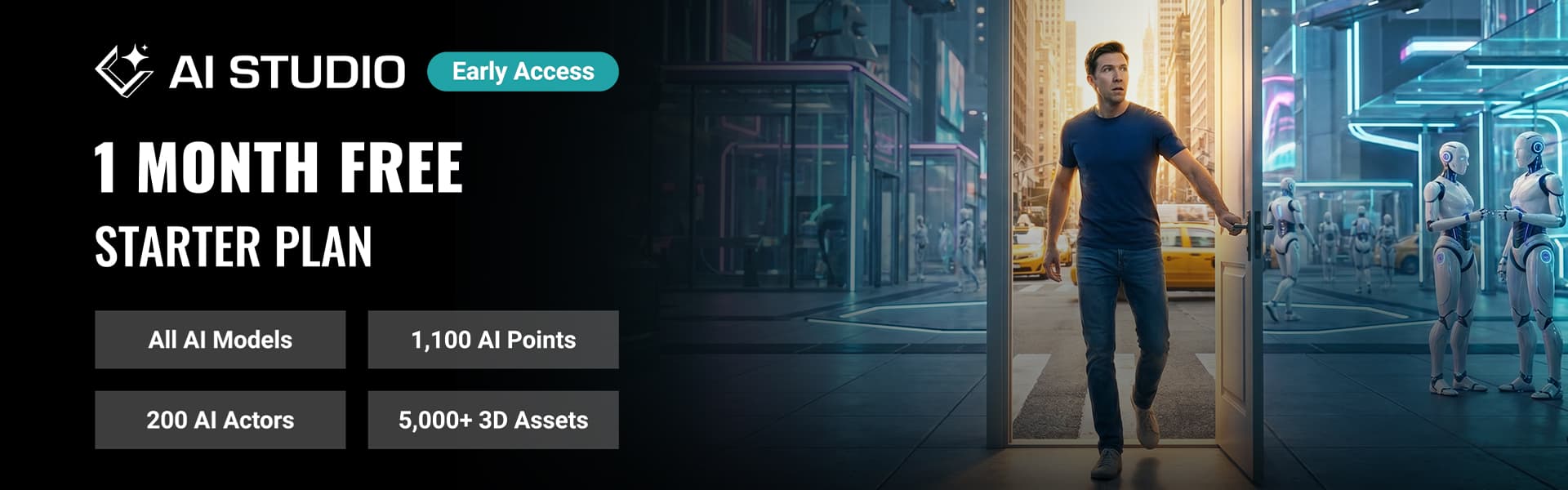
AI Studio is now available with Early Access for iClone 8, Character Creator 5, and Character Creator 4 Full Members, who receive one free month of the Starter Plan, including 1,100 AI points, full feature access, and the complete 3D Previz content and AI Actor library.
Learn more about AI Cloud Plans
Your 3D Scene as the Control Layer
AI Studio translates your exact 3D scene (spatial layouts, camera settings, and character animation) directly into AI inputs. You build the scene and frame the shot in 3D, then pass it directly to the AI to generate the final image or video without the guesswork.
Check out visual examples on product page
Multi-Model Integration
Artists can swap between leading AI models within a single environment to match the specific needs of any shot:
- Image Models: Flux, Nano Banana
- Video Models: Wan, LTX, Scail, Veo 3, Kling AI, Seedance 2.0
The Seedance 2.0 Advantage
A centerpiece of this launch is the native integration of Seedance 2.0, widely recognized as the most advanced video generation model on the market for interpreting precise 3D spatial data. Seedance 2.0 understands the mechanics of the 3D world like no other video model, making it the perfect counterpart to iClone.
-
Absolute Cinematic Fidelity: Complex camera paths, including crane shots, dolly moves, and multi-axis orbits, carry through faithfully. For the first time, even instantaneous camera switching and multi-camera cuts translate perfectly from the 3D viewport to the AI output.
-
Preserved Character Motion: The model accurately honors complex character movements and keyframed choreography, ensuring all spatial relationships and timing established in your 3D software remain completely intact.
-
Fluid Camera Enhancement: Seedance 2.0 rigorously respects your creative intent. Instead of altering your framing, it optimizes the execution by smoothing out camera translations and rotations for more realistic and natural results while keeping your original direction intact.
-
Advanced Camera Shot Prompting: Seedance 2.0 interprets camera terminology flawlessly. Even when using just a single start frame or start-end frame images as reference, you can simply type in different shots and how you want them, and the model will execute a phenomenal, physically accurate result.
Check out visual examples on product page
Build Your Scene First: 5,000+ 3D Previz Contents
What makes 3D-guided generation immediately practical is the depth of the library behind it. Reallusion has handpicked over 5,000 contents from its massive library and optimized them specifically for AI creation.
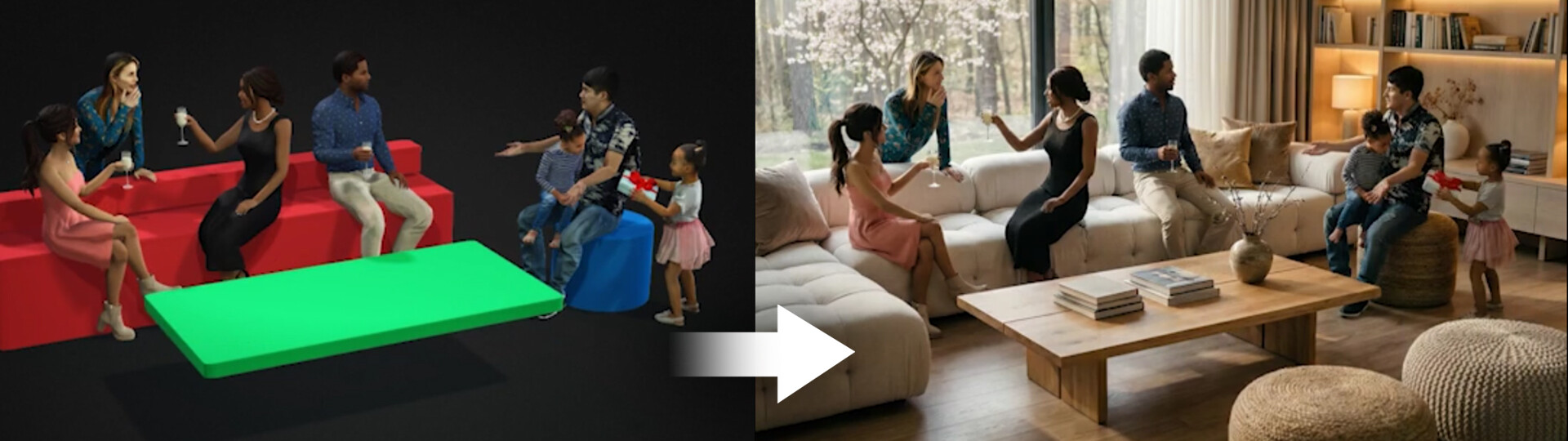
The library covers poses, posed people, interior furnishings, animals, trees, plants, and vehicles. Artists can fully populate and compose a scene to have a vision before you actually start generating.
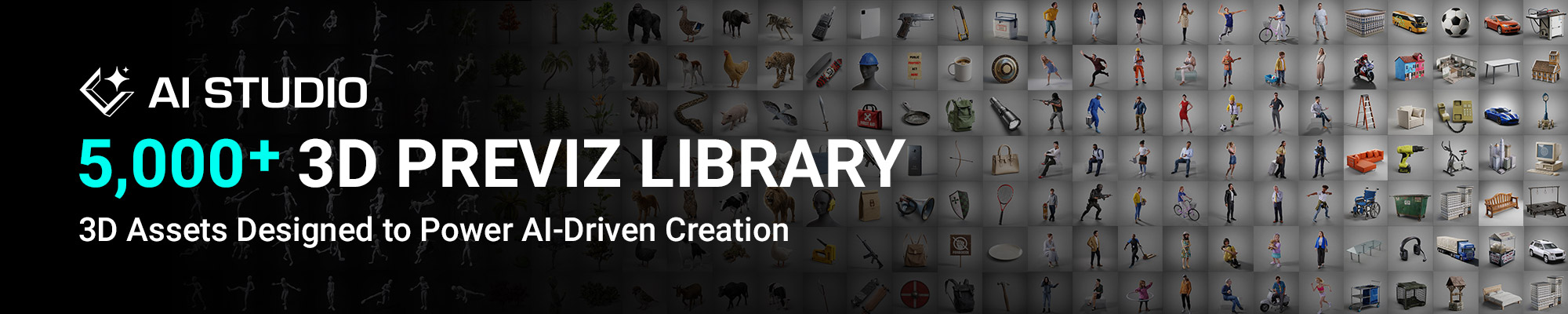
The full 5,000+ 3D content library is available to AI Cloud subscribers at no additional cost, while free-tier users have access to a curated selection of 200 sample assets to get started.
Resolving Character Consistency with AI Actor Creator
AI Studio solves the classic “AI drift” problem by AI Actor Creator. You can generate consistent AI Actors (iModels) from your own 3D characters or from a few reference photos. For artists who build their own characters, they have both the 3D asset and the AI version. Unlike flat AI generation that locks characters into a single platform, this dual-layer approach ensures true creative ownership and total flexibility to export your character to game engines, 3D printing, or broadcast animation.
- Consistent Character Sheets: The AI Actor Creator generates sheets of up to 14 images across multiple angles and expressions, locking in a visual identity that remains stable across different environments or styles.
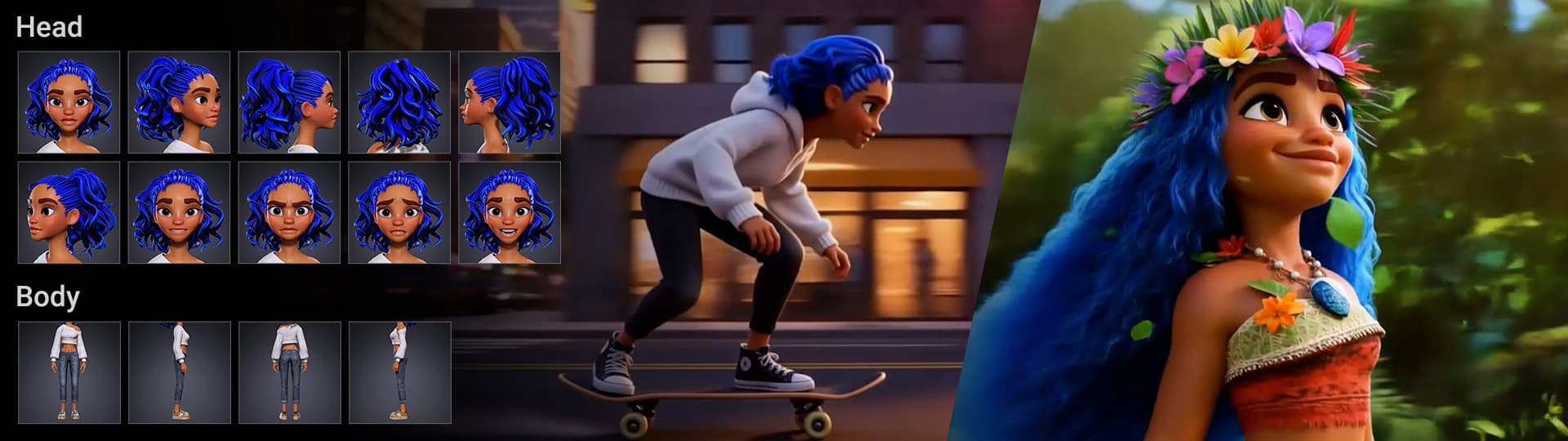
- Multi-Actor Scenes: You can assign multiple named AI Actors within a single scene, and each will maintain its individual identity even as visual styles shift from cinematic to sketch or toy-like treatments.
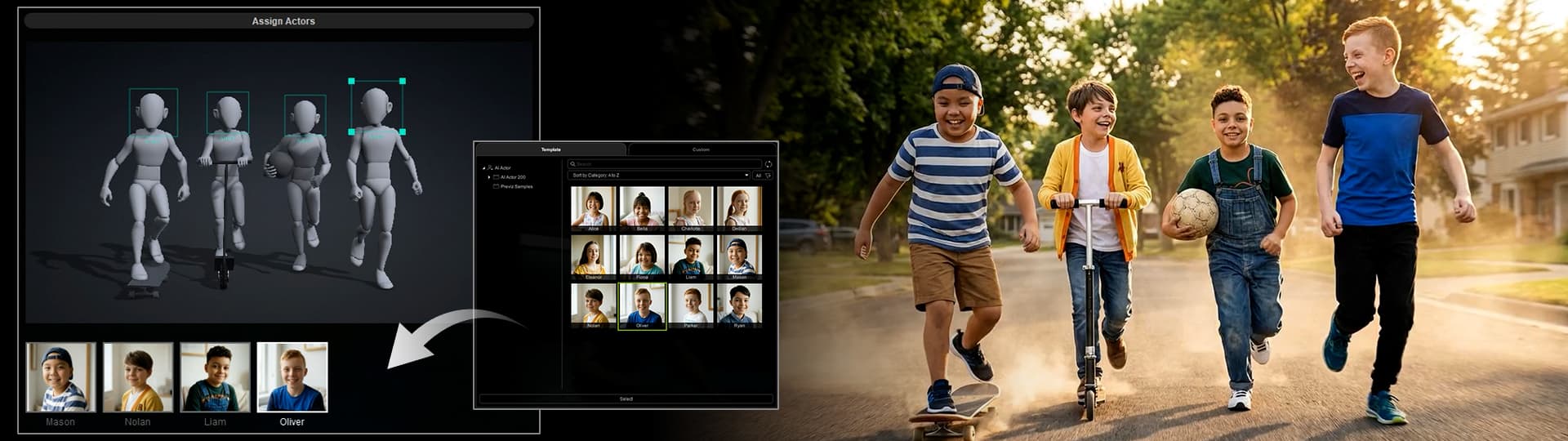
- 200 Production-Ready AI Actors: For projects that need to start immediately, AI Studio includes a library of 200 ready-to-use AI Actors (iModels) spanning realistic digital humans, stylized characters, aliens, and creatures. The complete 200+ actor roster is fully unlocked for AI Cloud subscribers, while free tier users can access 12 starter actors to begin exploring.
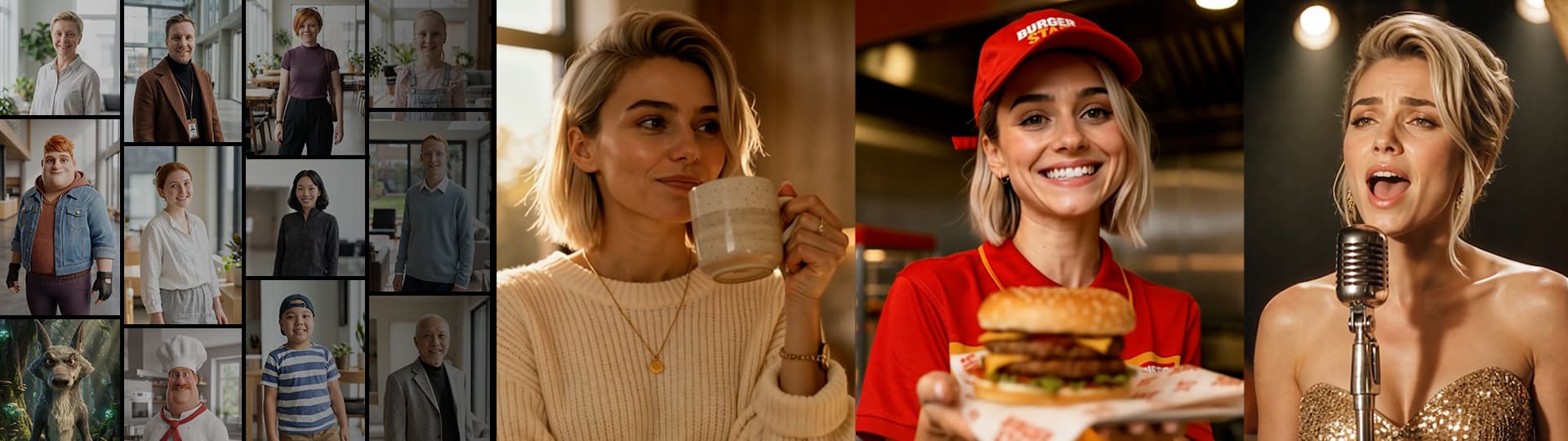
Advanced Voice and Filmmaking Dialogue Tools
AI Studio extends beyond visuals by offering a full suite of performance tools that let you direct digital actors like a filmmaker. The workflow automatically detects languages and supports multiple input types, allowing you to generate text-to-voice using default voice options, upload a reference voice for cloning, or directly import your own audio files.
-
Lip-Sync and Performance: Turn static portraits into speaking characters or synchronize voice lines to existing video footage with frame-accurate precision.
-
Multi-Character Dialogue Orchestration: Assign independent voices to multiple characters within a single scene, keeping full control over the delivery sequence, speaking pace, and emotional tone per performer to build natural, story-driven conversations.
-
Prompt-Driven Dialogue: Alternatively, advanced video models like Kling 3.0 and Seedance 2.0 support native audio generation within the prompt itself. This introduces a separate, highly efficient creation path, allowing you to generate contextual dialogue and ambient sound alongside your video content using nothing but text prompts.
Check out visual examples on product page
All-in-One AI Generation and Enhancement Toolkit
AI Studio consolidates the creative workflow by providing built-in tools that help you start faster with the basics and understand how AI features operate in intuitive ways. This complete environment supports everything from rapid conceptual testing and quick editing to the final visual enhancement of your project.
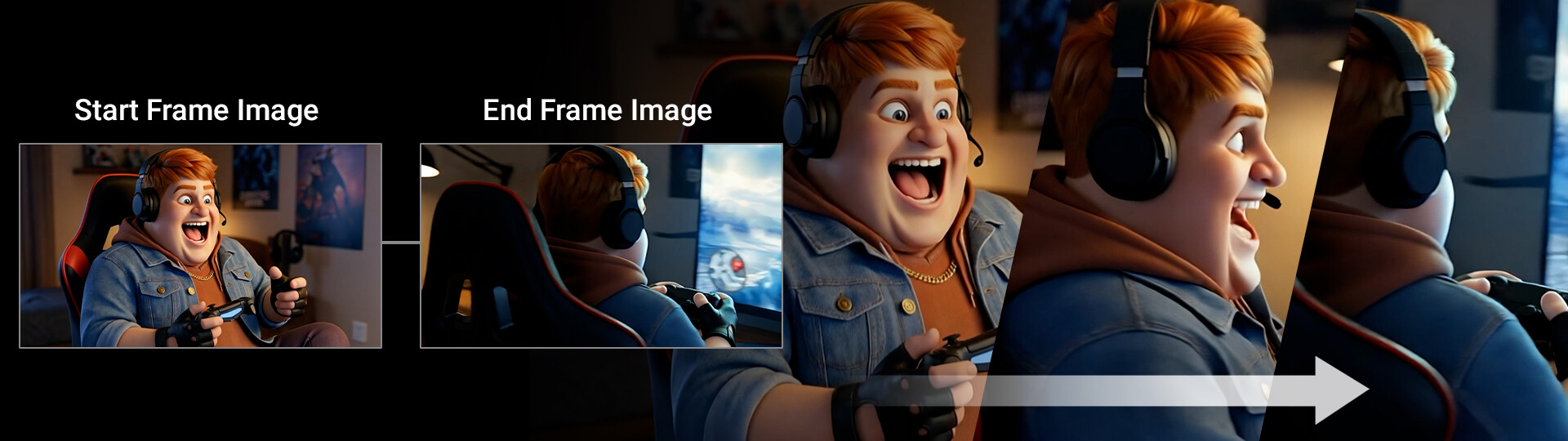
- Start-End Frame Video Generation: Provide the AI with your start and end frames, and let the video model creatively fill in the gaps. This allows the AI to dream up smooth, dynamic transitions and cinematic actions between your key beats while respecting your narrative goalposts.
- Production Templates: Easily handle common tasks and discover how tools work through intuitive setups for text-to-image generation, element swapping within existing visuals, animating still images, and replacing actors in video footage.
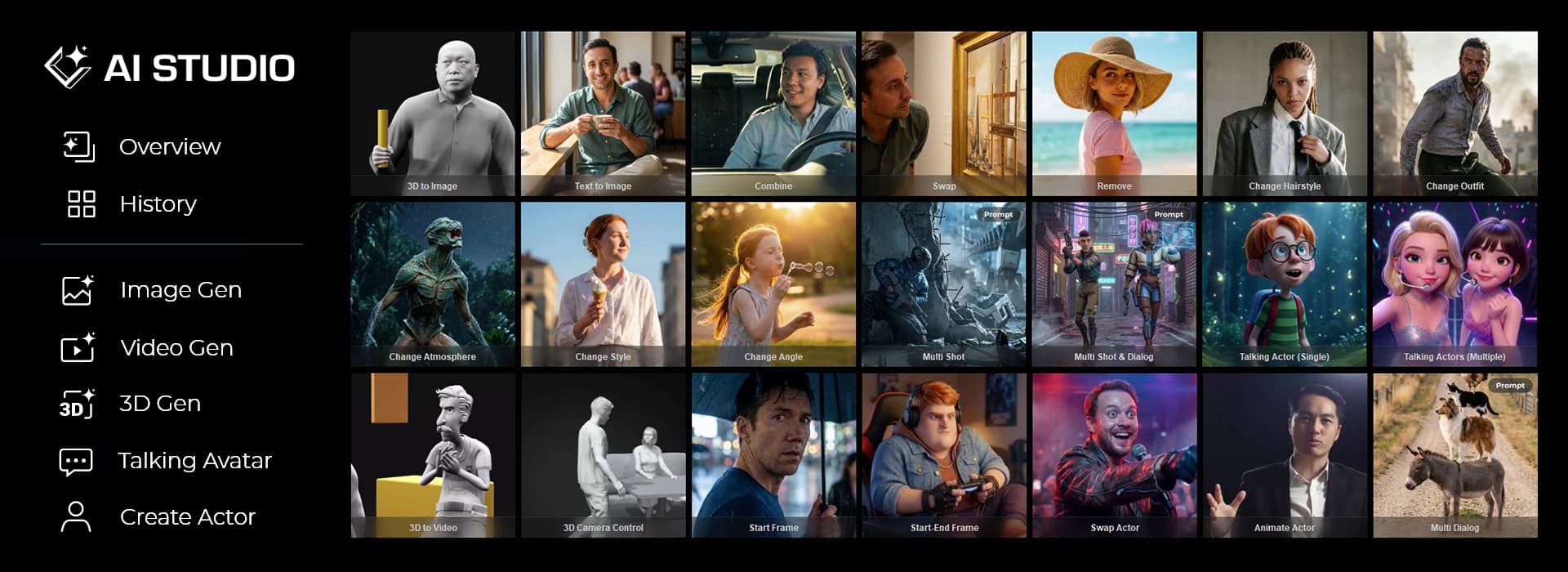
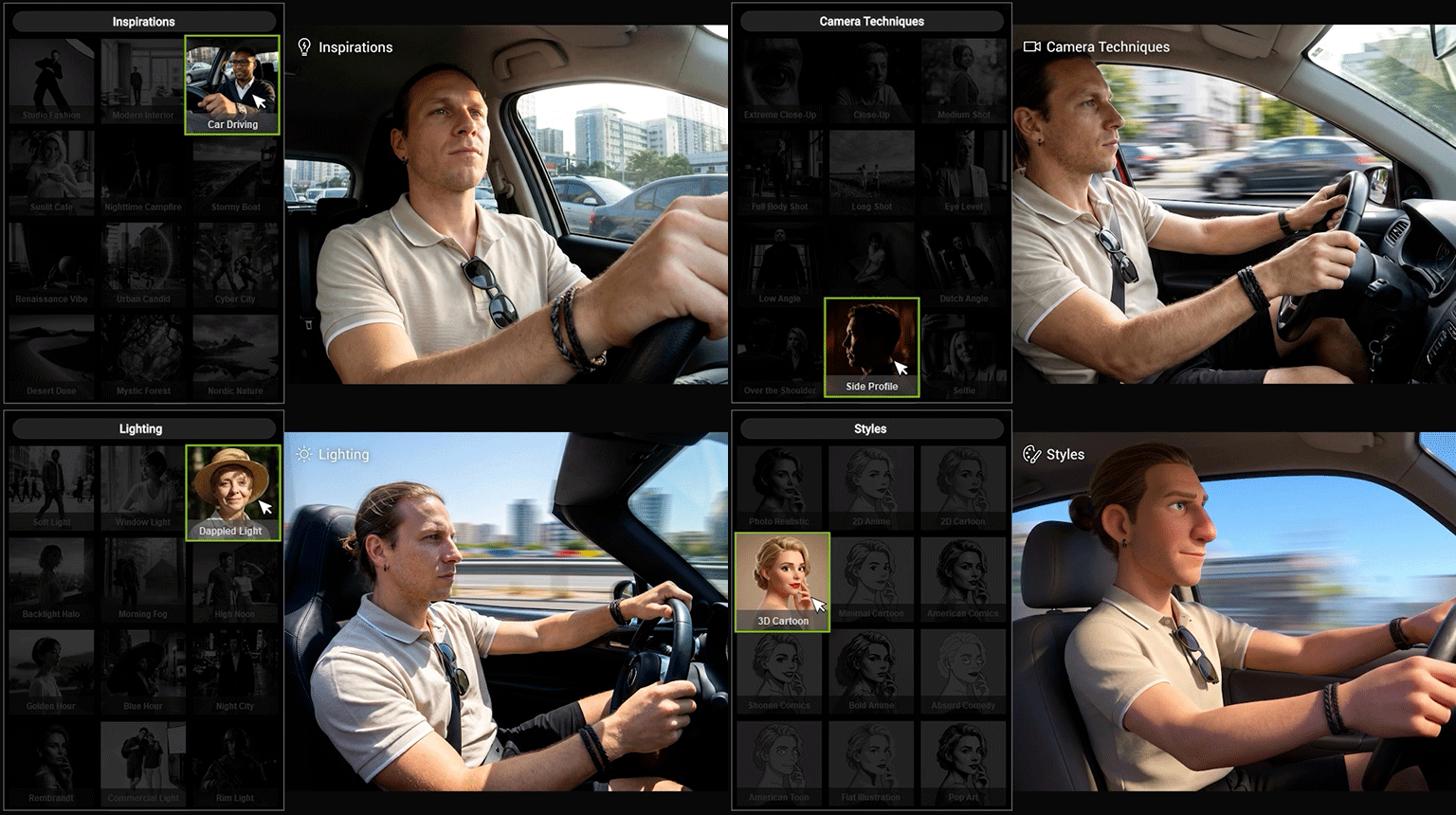
- Editable Prompt Presets: Jumpstart your ideas with ready-made combinations of lighting, camera angles, and styles, allowing you to fine-tune the prompt for total creative control.
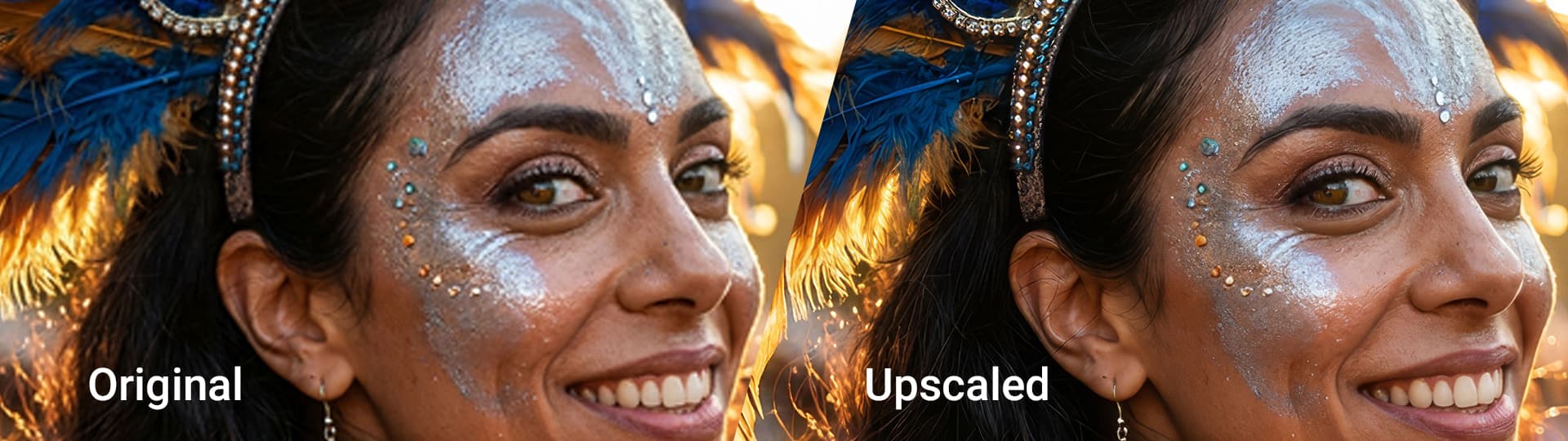
- Built-in Upscaling: Raw AI generations often come with resolution limits to image and video. The built-in upscaling tool closes that gap during final enhancement, sharpening fine details like eyes, skin textures, reflections, fire, and fabrics to bring your work up to professional broadcast standards.
Early Access Now Open
AI Studio is now open for Early Access. If you are a Full Member of iClone 8, Character Creator 4, or Character Creator 5, you have immediate access to this new workflow ecosystem.
To get started, please upgrade your software to the latest version via the Reallusion Hub. Once updated, you can immediately redeem your complimentary one month of the AI Studio Starter Plan. Redeem Here
What is Included in the Starter Plan?
The Starter Plan equips your pipeline with everything needed to transition your 3D assets into production-grade AI generations:
-
1,100 AI Points included for free
-
Full access to all AI Studio features
-
Access to all AI models, including Kling 3.0, Seedance 2.0, and Veo 3
-
User-generated assets are private by default
-
Generated content is licensed for personal and social use only (non-commercial)
-
5,000+ 3D Previz assets for AI-guided creation
-
200+ AI Actors (iModels) for AI-powered performances