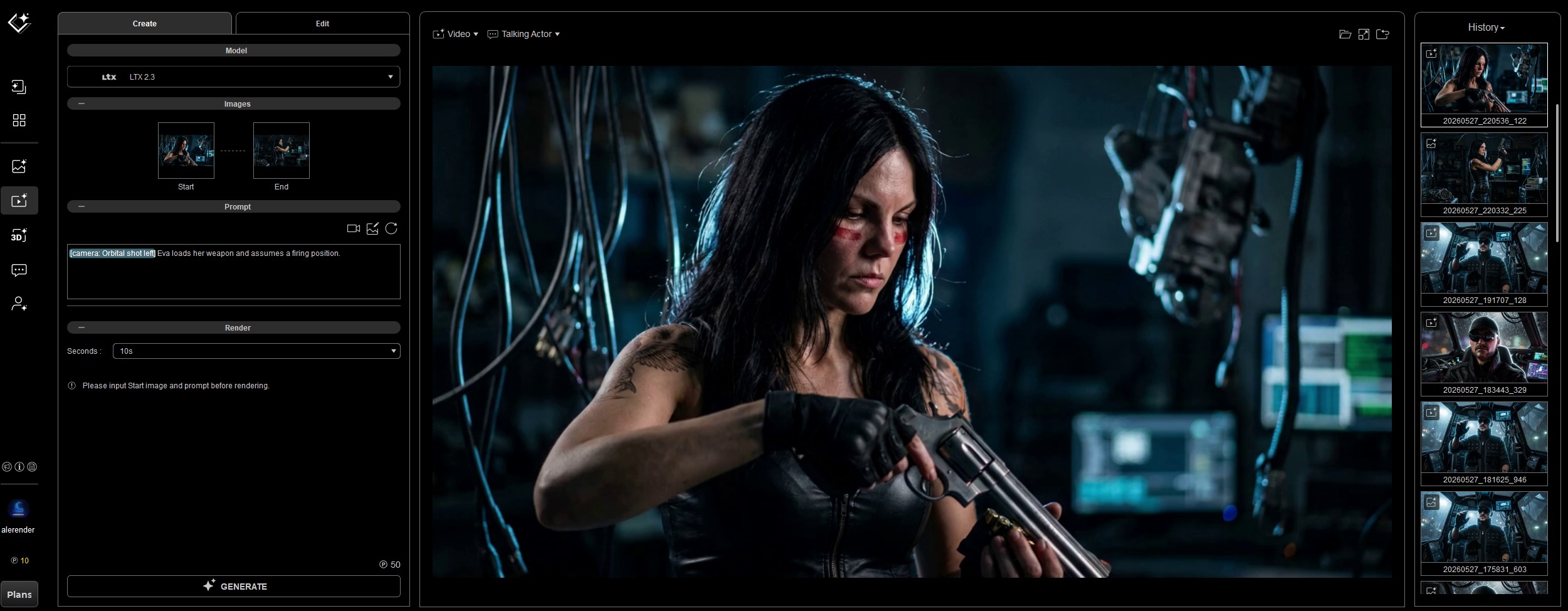
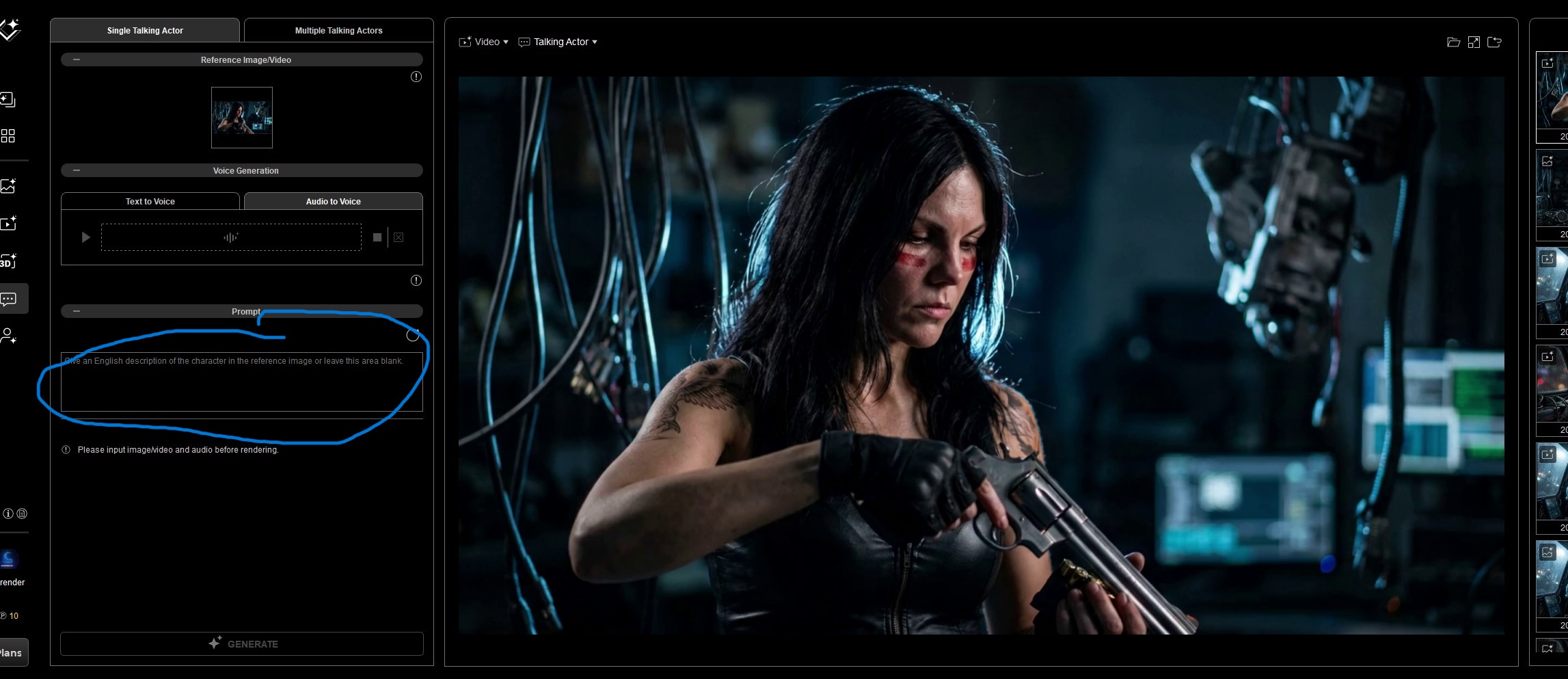
Some of the doubts that arose for me after these tests 
-
When a character in iClone has body and facial animations, is the facial animation lost when it’s converted to AI?
I tried it that way and the result wasn’t good.
I thought it would be better to create a video from an image and then add audio.
-
What is the correct way to make the character speak in the AI video?
for example :
A) I generate a video with 2 images (created with an actor for consistency)
B) Then I’ll go to the “talking” part
It will keep the same video here, right?
What goes in this prompt? If here the video does not need a prompt…
Hi, For your first question, I’d definitely recommend heading over to the 3D to Video section and trying either Scail or Seedance 2.0. Both models do a great job of preserving body and facial animations. Personally, I think Seedance gives better results overall (you get what you paid for lol).
As for your second question, I think your workflow looks good! Creating the video first and then using Talking Actor to add speech with a specific voice is exactly how I’d approach it.
For the prompt, I’d mainly focus on the emotion and overall vibe you want. Since you already have both the video and audio as guidance, adding a lot of extra prompt details usually doesn’t help much.
You can also use Video Create directly to generate speaking animations. Most of the models there are capable of handling that. For example, a simple prompt like:
“The woman says, ‘Hey, watch out!’”
The only downside is that the voice output may be somewhat random, so it’s not nearly as controllable as using the Talking Actor workflow.
Hope this helps!
3 Likes
That’s right. Thanks for the advice!