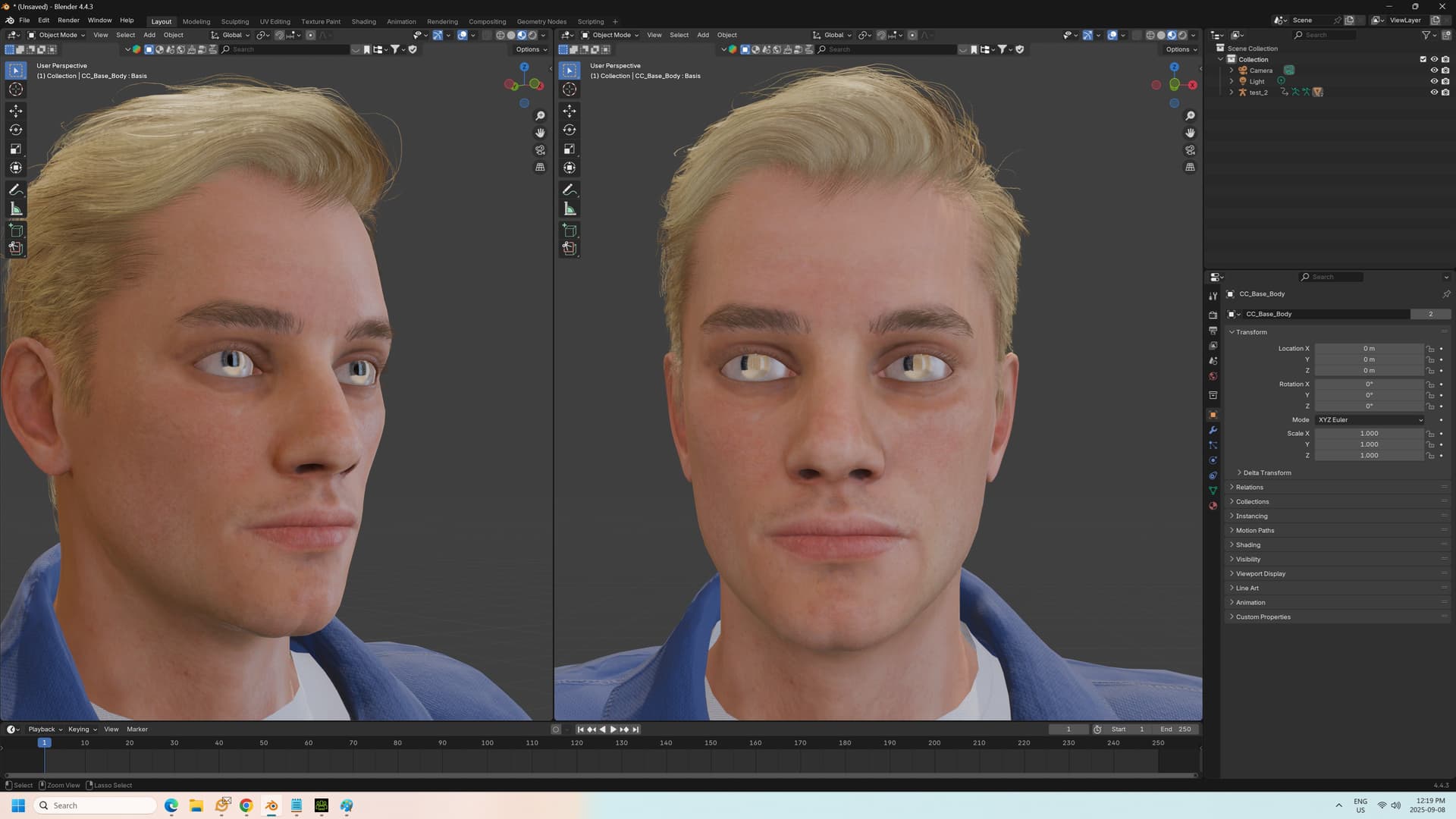
When I use the Blender pipeline, the imported eye shader has something weird going on which renders the cornea over the iris 100% reflective on axis to the camera (this is either a facing or fresnel effect). It looks as though the avatar is wearing mirrored contacts.
I’ve tried baking, and not baking textures - it makes no difference.
I tried skipping the pipeline plugin and just exporting a baked .fbx, but then I’m unable to rigify the armature, and all the textures come out weird.
I know this has been an issue before, because I’ve seen Reddit posts about it, but the eye shader has been changed since those were made.
I don’t mind admitting that I don’t understand what’s going on in this shader, which makes it impossible for me to diagnose and fix it on my own.
I really need help from someone who understands Blender: I simply can’t use any of my avatars until I can fix this issue. This is pretty urgent for me.
I can post screen shots of what the shaders look like if that helps.