after using that feature successfully before the latest update to 5.05, now CC5 freezes when I click it. So I am not getting the window with the selection options (actorbuild/LOD1/LOD2) and can’t select anything else, it completely locks up. First I thought it might be hiding someplace (I have two monitors I usually use and an additional projector connected - that was the solution for another problem I once had (hiding on the third screen) - but apparently not this time), however, upon monitoring CPU usage during some attempts it sometimes seemed to be be quite active in between, using up to 35 % of the CPU - but nothing happens. In my latest attempt there weren’t any usage spikes, but still no joy. I can’t even close it without using the task manager.
I am trying to convert a normal CC3+ character with a randomly created head by actormixer, so nothing outlandish or unusual there and it didn’t work with either of the characters I had previously converted either.
Could you please record the video of the workflow?
This will help us identify possible clues based on your operations.
“now CC5 freezes when I click it. So I am not getting the window with the selection options…”
"I am trying to convert a normal CC3+ character with a randomly created head by actormixer,… ’
it would appear the window was hiding somewhere, where it could not be found. In order to record the video, I opened CC5 on my primary monitor, instead of the secondary as usual - and lo and behold, as soon as I started recording, the missing window magically reappeared - so the problem is fixed, great!
Is there any way to prevent CC5 and iClone 8 from being so “creative” with the placement of windows? I already spent many frustrating hours trying to locate especially pop-up menus that have been moved to another monitor, there even placing it half (and in the current case apparently completely) out of its range and so forth.
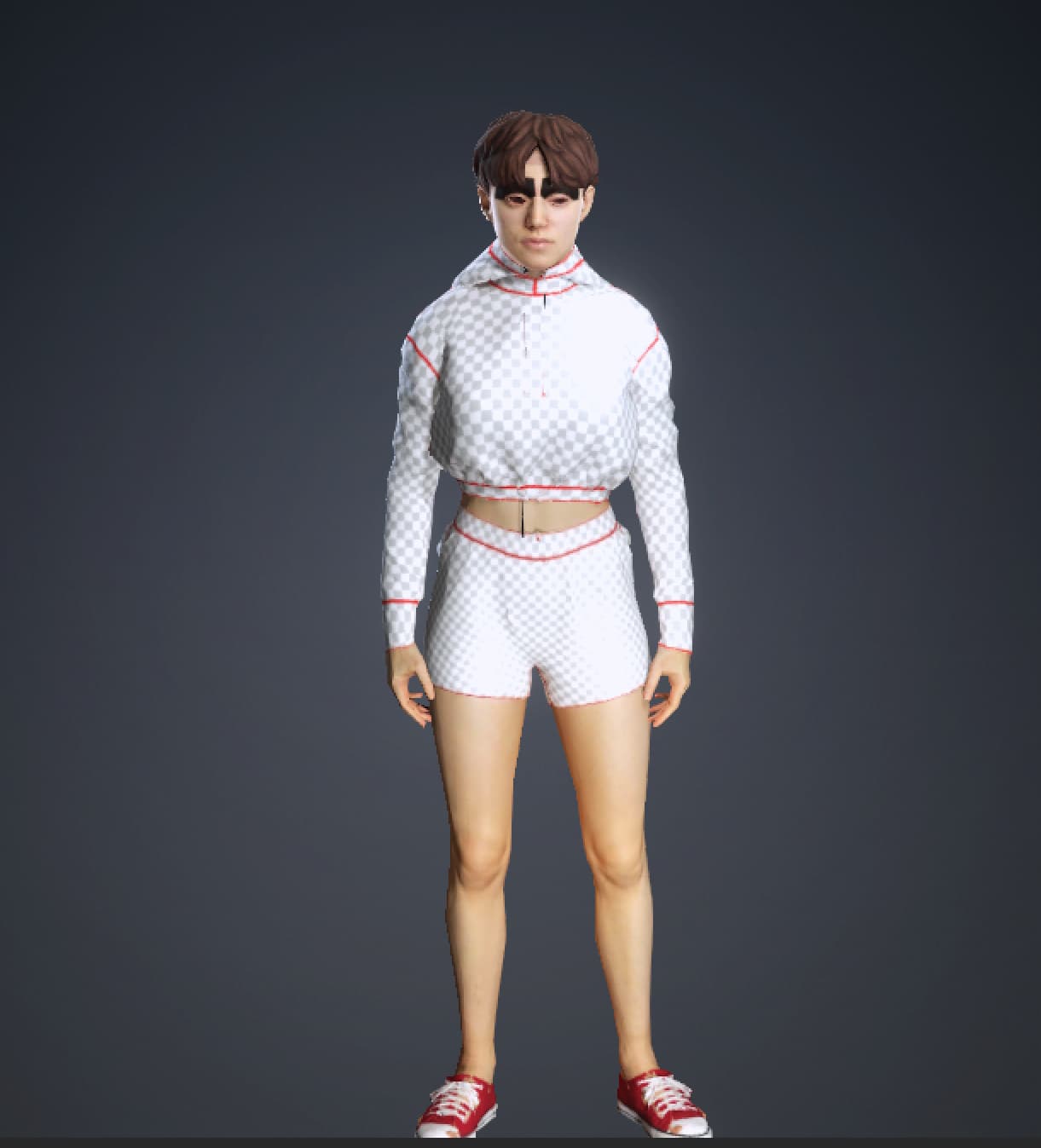
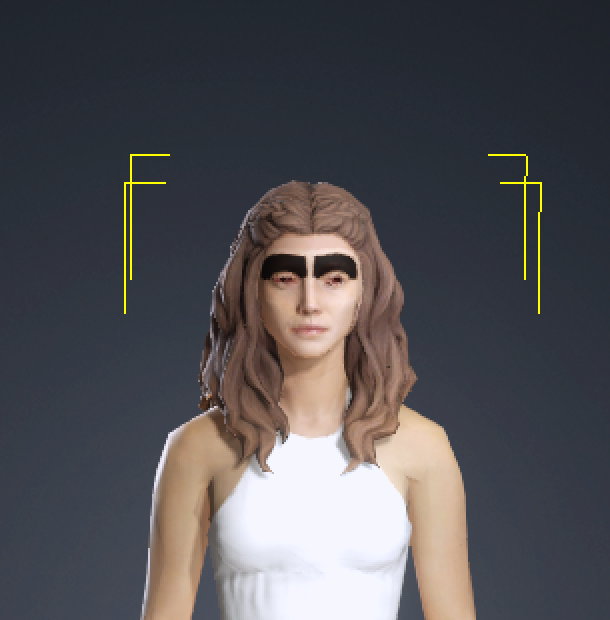
It just finished the conversion to LOD1 and I discovered another issue I had once before, namely that it appears to have problems with regular eyebrows (see screenshot) - how can I fix that? (occurs like once every eight or ten conversions):
Upon reflection, all the ones that went through without problems were actually created with headshot 2.
And the same thing happened to a third, all of them were created with actormixer and the HiRes originals look fine. Will stop for now, it would be illogical to assume that I fare any better with the remaining characters I want to convert, since they have identical origins.
b. The new HD eyes cannot be correctly used during the LOD process.
We are currently working with R&D to analyze the data and find a proper solution.
At the moment, we can only offer a manual workaround. Please follow these steps:
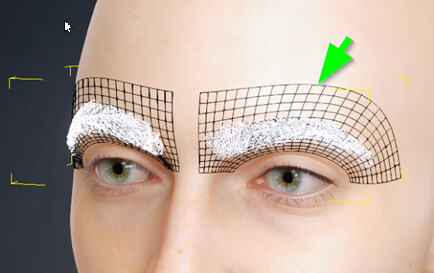
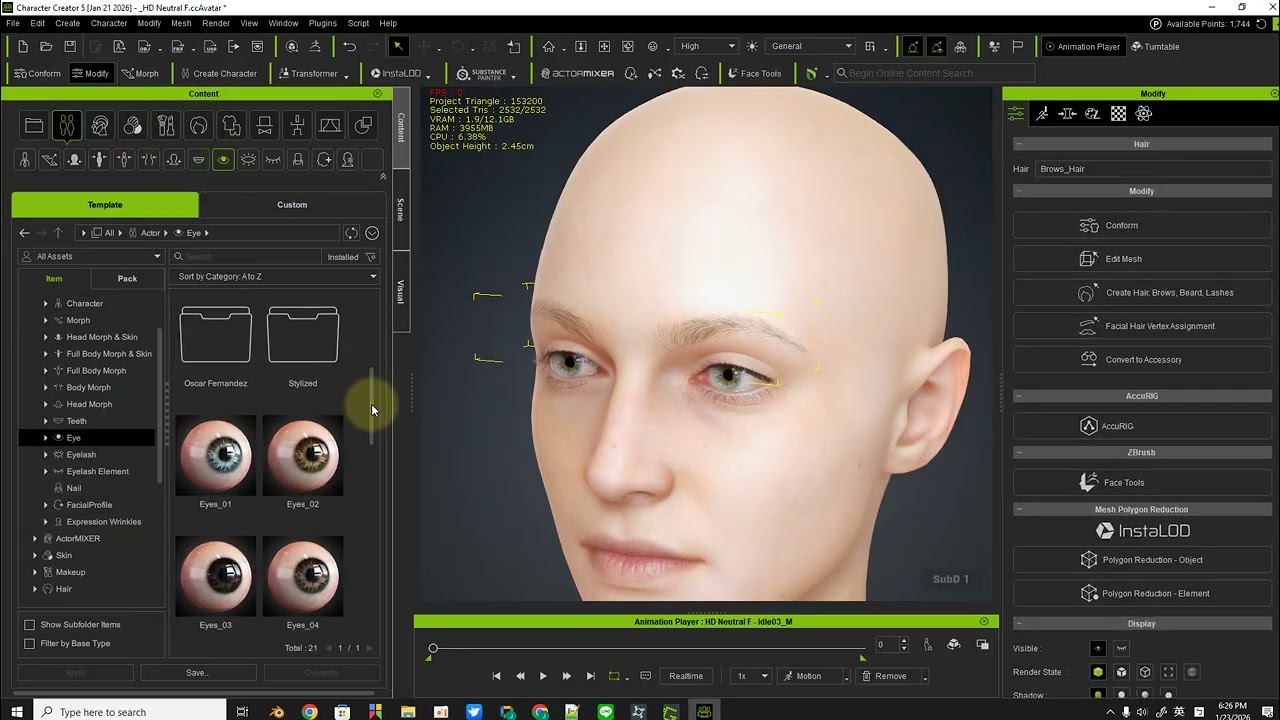
Convert the eyebrow to an accessory.
Go to Edit Mesh and delete the base mesh of the eyebrow (there are two layers).
Select Create Hair… and choose Template: Eyebrow.
Apply the older eye content.
Run Optimize and Decimate > LOD1. This should produce the expected LOD result.
(PS: In the video, the waiting time for LOD1 processing was skipped.)
Regarding the Headshot 2 characters you mentioned: this issue rarely occurs with them.
This is because Headshot 2 characters do not use the new eyebrow or HD eye assets, so the LOD process works as expected.
We sincerely apologize for the inconvenience this has caused, and thank you very much for your patience and cooperation.
Thank you very much. I will try out the workaround later. I tried to find a solution myself yesterday (scaling down in steps) and discovered that when decimating to actorBuild the eyes are showing almost as expected (looked a little larger than with the HiRes version (which was not altogether undesirable, considering I am trying to create actors for a dancing crowd at a techno club )), but the eyebrow issue came up there as well - so I stopped my attempts there and then.
Thanks again for the quick response!
Update: Your workaround works great, I have successfully converted several actors. By the way, you don’t have to apologize for minor bugs like this, your products are simply amazing. I just started in November last year, after using a range of other products before like 3DS and Maya ages ago, more recently DAZ, Blender and since I am developing games, Unreal.
Kindly drop me a line, when R&D has found a final solution, but I can definitely live with the workaround for the time being.
It’s nice to see such a positive response. There’s been a lot of negativity in the forum lately. Your response made my day better and I don’t even have this problem.
 )), but the eyebrow issue came up there as well - so I stopped my attempts there and then.