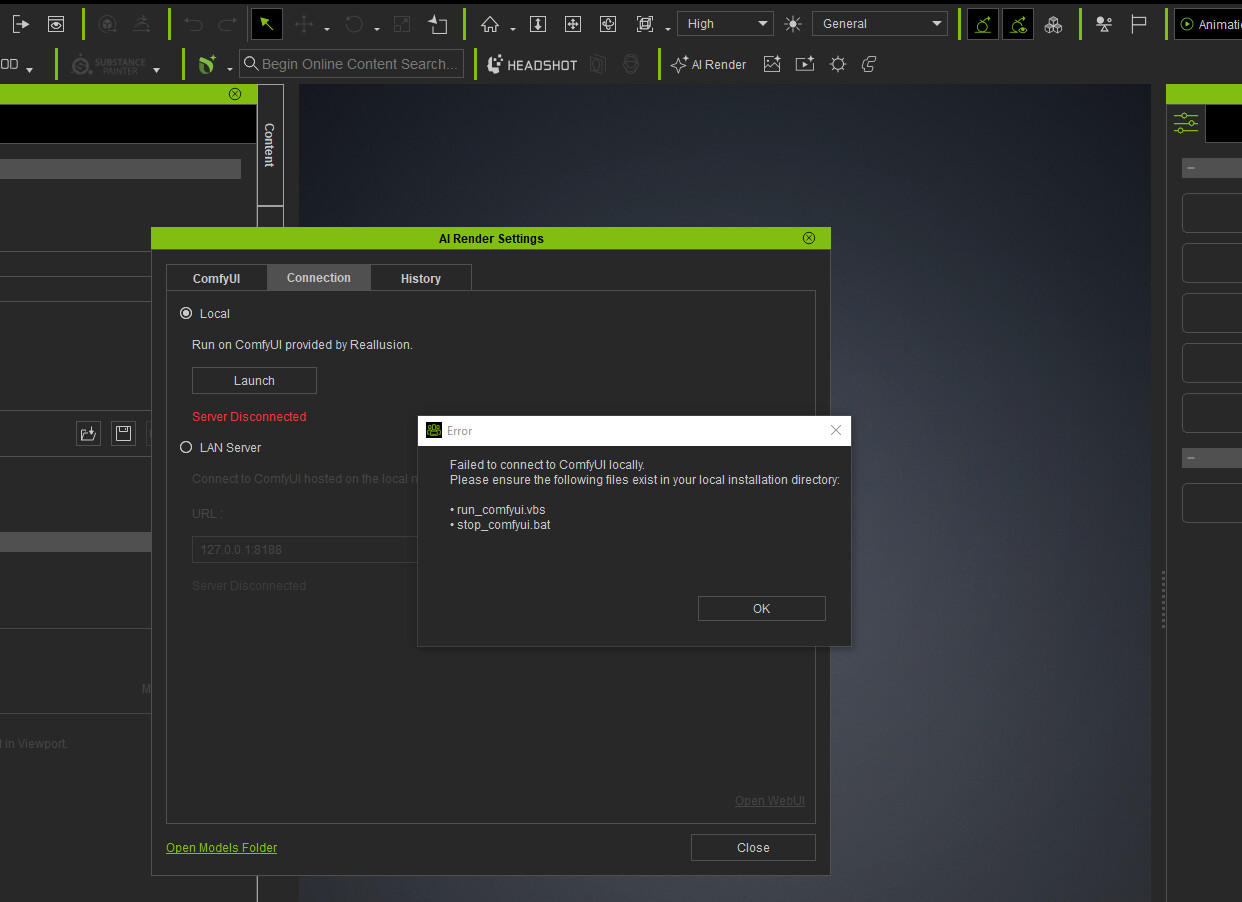
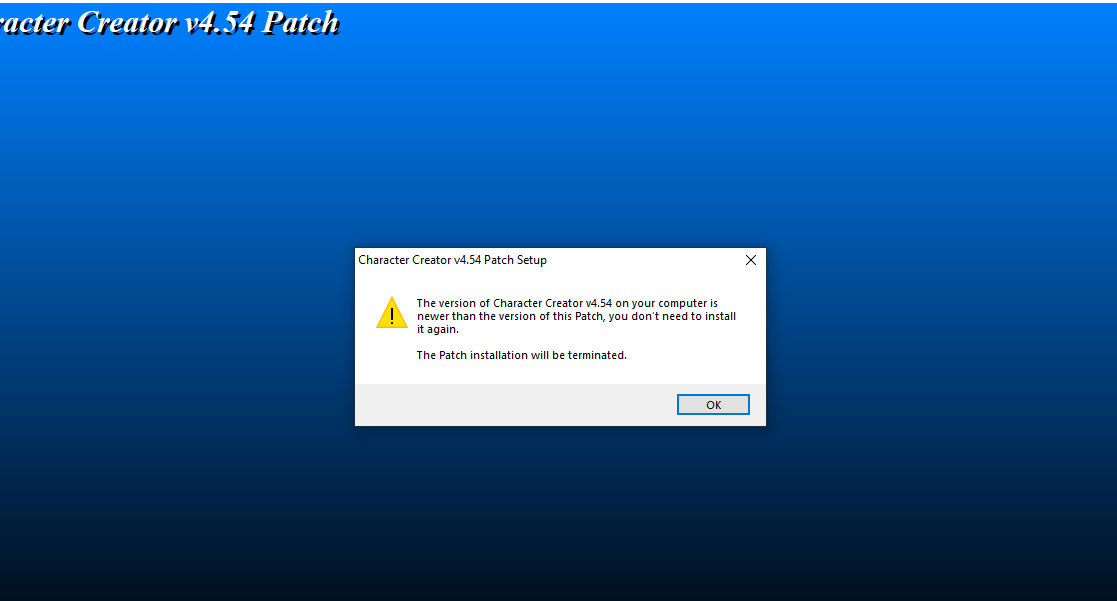
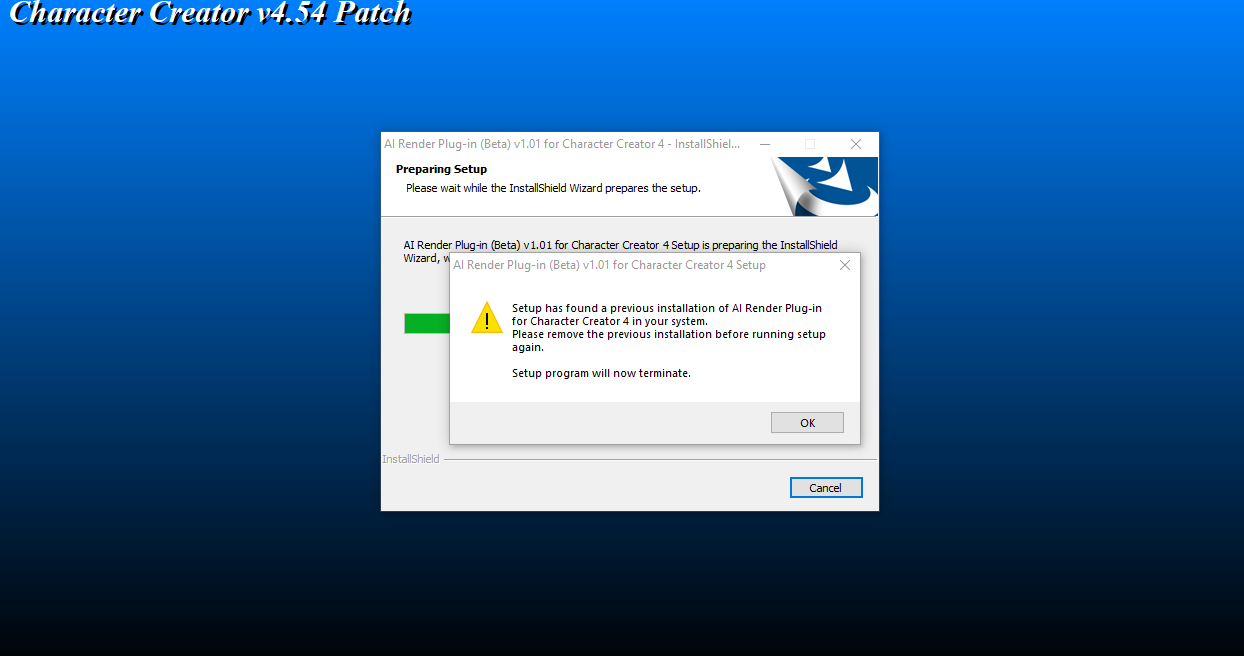
I moved some files around, and now it isn’t working. I was able to install the patch successfully, but I think a full reinstall might be necessary. However, every time I try to do a full install, I keep getting this error message.
Your instructions are unclear because you write
If you are on iClone 8.6 or Character Creator 4.6 → just apply the AI Render patch in Disk1 (ignore the iC / CC patch in the ZIP).
But when you install the ai render button doesn’t appear at all in iclone.
Is there any solution to this or can someone who has installed IC version 8.6 simply not use AI Render?
Hi… iClone 8.6 can certainly use the AI Render Plug-in.
It may be you have installed an incorrect version.
To resolve the issue, try uninstalling your current version of the AI Render Plug-in (Beta) from Start > Settings > Apps > Installed Apps
Then download the full iClone 8 version HERE. Once downloaded, unzip and then install using Disc 1 > Setup.exe
Thank you, now I also uninstalled the previous installation and installed the one you gave and I see the AI RENDER icon in iclone
Now for some reason it doesn’t want to download the ComfyUI modules
Is there a link to download the modules manually?
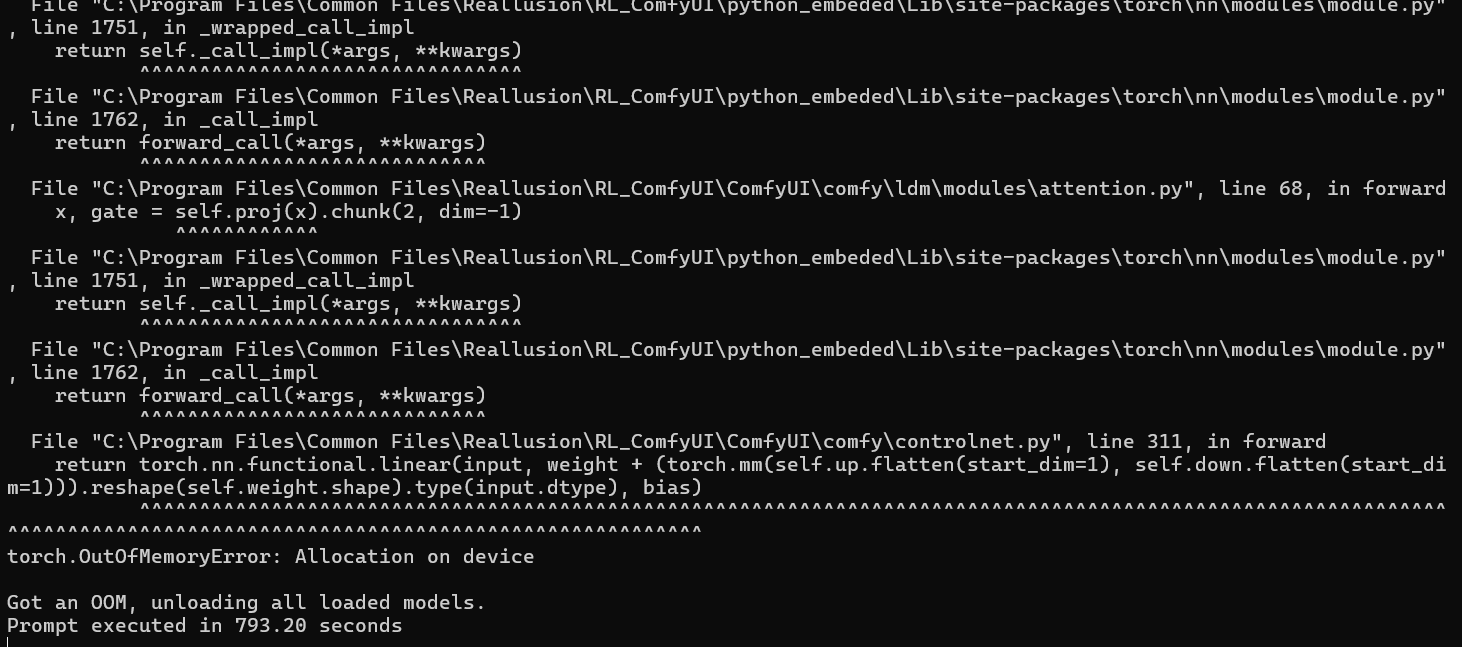

The render videos show me Execution error!
How ca I fix it, please?
I have final update for IC8 & CC4.
Same problem for me here!
Even as Image renders > The final render is show me a Femail Character but I used a Male Characters!!
Why this happens. Is there any way to fix this problems, please?
Hi sherifdaizer,
Has your render error issue been resolved? If not, could you please provide the error code or a screenshot?
Regarding the character’s gender issue, it’s likely caused by having the AI Creativity (denoise) parameter set too high. You can try lowering it to around 0.8–0.5.
You can also explicitly specify in the prompt that the character is male.
Hope these suggestions help!
This is terrible! I really want to say how messed up this situation is, I have spent hours trying to get this to actually work. You guys jumped the gun on this feature. Seriously, ComfyUI is already such a fickle application. Just saying, trouble shot everything, I’m no noob either. I use ComfyUI on a daily basis. I was hoping this would fill the ControlNet gap, to give me a more seamless workflow. All this has done is frustrated me.
We are sorry to hear you are having problems using the AI Render Plugin.
The AI Render Plugin does work as can be seen by the many examples shown on this forum, but the installation procedure can be a little confusing so that may be the issue here.
Perhaps you can share exactly what the problem is you are having and we can try to help you. If you get any error messages, please post them here as this will help greatly in diagnosing the issue.
First off, I’m running an NVIDIA 5090, and it’s quite amazing how your fresh install takes 10 minutes to load the Web UI for ComfyUI. Right from the start I have 3 failed imported nodes: and then Import times for custom nodes:
0.0 seconds: C:\Program Files\Common Files\Reallusion\RL_ComfyUI\ComfyUI\custom_nodes\comfyui-logic
0.0 seconds: C:\Program Files\Common Files\Reallusion\RL_ComfyUI\ComfyUI\custom_nodes\ComfyUI_Ib_CustomNodes
0.0 seconds: C:\Program Files\Common Files\Reallusion\RL_ComfyUI\ComfyUI\custom_nodes\websocket_image_save.py
0.0 seconds: C:\Program Files\Common Files\Reallusion\RL_ComfyUI\ComfyUI\custom_nodes\cg-use-everywhere
0.0 seconds: C:\Program Files\Common Files\Reallusion\RL_ComfyUI\ComfyUI\custom_nodes\ComfyUI-Reallusion
0.0 seconds (IMPORT FAILED): C:\Program Files\Common Files\Reallusion\RL_ComfyUI\ComfyUI\custom_nodes.git
0.0 seconds: C:\Program Files\Common Files\Reallusion\RL_ComfyUI\ComfyUI\custom_nodes\ComfyUI-GGUF
0.0 seconds: C:\Program Files\Common Files\Reallusion\RL_ComfyUI\ComfyUI\custom_nodes\ComfyUI_IPAdapter_plus
0.0 seconds: C:\Program Files\Common Files\Reallusion\RL_ComfyUI\ComfyUI\custom_nodes\comfy-image-saver
0.0 seconds: C:\Program Files\Common Files\Reallusion\RL_ComfyUI\ComfyUI\custom_nodes\ComfyUI-Custom-Scripts
0.0 seconds: C:\Program Files\Common Files\Reallusion\RL_ComfyUI\ComfyUI\custom_nodes\ComfyUI_essentials
0.0 seconds: C:\Program Files\Common Files\Reallusion\RL_ComfyUI\ComfyUI\custom_nodes\ComfyUI-Impact-Subpack
0.0 seconds: C:\Program Files\Common Files\Reallusion\RL_ComfyUI\ComfyUI\custom_nodes\efficiency-nodes-comfyui
0.0 seconds (IMPORT FAILED): C:\Program Files\Common Files\Reallusion\RL_ComfyUI\ComfyUI\custom_nodes\comfyui-impact-pack
0.0 seconds: C:\Program Files\Common Files\Reallusion\RL_ComfyUI\ComfyUI\custom_nodes\ComfyUI-KJNodes
0.0 seconds: C:\Program Files\Common Files\Reallusion\RL_ComfyUI\ComfyUI\custom_nodes\rgthree-comfy
0.1 seconds: C:\Program Files\Common Files\Reallusion\RL_ComfyUI\ComfyUI\custom_nodes\ComfyUI-MultiGPU
0.1 seconds: C:\Program Files\Common Files\Reallusion\RL_ComfyUI\ComfyUI\custom_nodes\ComfyUI_Comfyroll_CustomNodes
0.1 seconds: C:\Program Files\Common Files\Reallusion\RL_ComfyUI\ComfyUI\custom_nodes\comfyui-manager
0.1 seconds (IMPORT FAILED): C:\Program Files\Common Files\Reallusion\RL_ComfyUI\ComfyUI\custom_nodes\ComfyUI-SimDA
0.3 seconds: C:\Program Files\Common Files\Reallusion\RL_ComfyUI\ComfyUI\custom_nodes\ComfyUI-VideoHelperSuite
0.3 seconds: C:\Program Files\Common Files\Reallusion\RL_ComfyUI\ComfyUI\custom_nodes\ComfyUI_LayerStyle
0.3 seconds: C:\Program Files\Common Files\Reallusion\RL_ComfyUI\ComfyUI\custom_nodes\ComfyUI-LogicUtils
0.4 seconds: C:\Program Files\Common Files\Reallusion\RL_ComfyUI\ComfyUI\custom_nodes\ComfyUI-Long-CLIP
0.5 seconds: C:\Program Files\Common Files\Reallusion\RL_ComfyUI\ComfyUI\custom_nodes\comfyui-advancedliveportrait
0.7 seconds: C:\Program Files\Common Files\Reallusion\RL_ComfyUI\ComfyUI\custom_nodes\ComfyUI-Florence2
1.0 seconds: C:\Program Files\Common Files\Reallusion\RL_ComfyUI\ComfyUI\custom_nodes\comfyui-art-venture
1.5 seconds: C:\Program Files\Common Files\Reallusion\RL_ComfyUI\ComfyUI\custom_nodes\ComfyUI-Image-Analysis-Tools
1.7 seconds: C:\Program Files\Common Files\Reallusion\RL_ComfyUI\ComfyUI\custom_nodes\ComfyUI-WanVideoWrapper
2.2 seconds: C:\Program Files\Common Files\Reallusion\RL_ComfyUI\ComfyUI\custom_nodes\comfyui_custom_nodes_alekpet
2.5 seconds: C:\Program Files\Common Files\Reallusion\RL_ComfyUI\ComfyUI\custom_nodes\was-node-suite-comfyui
4.9 seconds: C:\Program Files\Common Files\Reallusion\RL_ComfyUI\ComfyUI\custom_nodes\ComfyUI-Easy-Use
Starting server
To see the GUI go to: http://127.0.0.1:8188
[ERROR] An error occurred while retrieving information for the ‘Wav2VecModelLoaderMultiGPU’ node.
Traceback (most recent call last):
File “C:\Program Files\Common Files\Reallusion\RL_ComfyUI\ComfyUI\server.py”, line 594, in get_object_info
out[x] = node_info(x)
^^^^^^^^^^^^
File “C:\Program Files\Common Files\Reallusion\RL_ComfyUI\ComfyUI\server.py”, line 558, in node_info
info[‘input’] = obj_class.INPUT_TYPES()
^^^^^^^^^^^^^^^^^^^^^^^
File “C:\Program Files\Common Files\Reallusion\RL_ComfyUI\ComfyUI\custom_nodes\ComfyUI-MultiGPU\wanvideo.py”, line 779, in INPUT_TYPES
“model”: (folder_paths.get_filename_list(“wav2vec2”), {“tooltip”: “These models are loaded from the ‘ComfyUI/models/wav2vec2’ -folder”,}),
^^^^^^^^^^^^^^^^^^^^^^^^^^^^^^^^^^^^^^^^^^
File “C:\Program Files\Common Files\Reallusion\RL_ComfyUI\ComfyUI\folder_paths.py”, line 345, in get_filename_list
out = get_filename_list_(folder_name)
^^^^^^^^^^^^^^^^^^^^^^^^^^^^^^^
File “C:\Program Files\Common Files\Reallusion\RL_ComfyUI\ComfyUI\folder_paths.py”, line 306, in get_filename_list_
folders = folder_names_and_paths[folder_name]
~~~~~~~~~~~~~~~~~~~~~~^^^^^^^^^^^^^
KeyError: ‘wav2vec2’
[ERROR] An error occurred while retrieving information for the ‘Wav2VecModelLoaderMultiGPU’ node.
Traceback (most recent call last):
File “C:\Program Files\Common Files\Reallusion\RL_ComfyUI\ComfyUI\server.py”, line 594, in get_object_info
out[x] = node_info(x)
^^^^^^^^^^^^
File “C:\Program Files\Common Files\Reallusion\RL_ComfyUI\ComfyUI\server.py”, line 558, in node_info
info[‘input’] = obj_class.INPUT_TYPES()
^^^^^^^^^^^^^^^^^^^^^^^
File “C:\Program Files\Common Files\Reallusion\RL_ComfyUI\ComfyUI\custom_nodes\ComfyUI-MultiGPU\wanvideo.py”, line 779, in INPUT_TYPES
“model”: (folder_paths.get_filename_list(“wav2vec2”), {“tooltip”: “These models are loaded from the ‘ComfyUI/models/wav2vec2’ -folder”,}),
^^^^^^^^^^^^^^^^^^^^^^^^^^^^^^^^^^^^^^^^^^
File “C:\Program Files\Common Files\Reallusion\RL_ComfyUI\ComfyUI\folder_paths.py”, line 345, in get_filename_list
out = get_filename_list_(folder_name)
^^^^^^^^^^^^^^^^^^^^^^^^^^^^^^^
File “C:\Program Files\Common Files\Reallusion\RL_ComfyUI\ComfyUI\folder_paths.py”, line 306, in get_filename_list_
folders = folder_names_and_paths[folder_name]
~~~~~~~~~~~~~~~~~~~~~~^^^^^^^^^^^^^
KeyError: ‘wav2vec2’
I have been trying to get in an update things but it seems your version of ComfyUI is locked, I’ve even tried to lower the security level so I can update the version of ComfyUI. I’ve tried connecting via one of my other 4 versions of ComfyUI I have on my system, and I have tried uninstalling and reinstalling the patches or full version updates depending on what version. Initially I had a simlink set up so I didn’t have to have double the models on my system, but as of the moment, I’m simply trying to get this even render a single image. Or better yet, fill in the prompt via the Image to prompt workflow you’ve set up. So, please, do not patronize me with the it can be a little confusing. What else would you like to know. As I can see, many people are having issues. I don’t think it’s all the way you either, ComfyUI is always breaking do to this tech. It’s not a day until ComfyUI has broke down. I’m not a noob. So.
@calypsodevelopmentlv I don’t use the Reallusion AI Renderer, but in my experience it’s generally a bad idea to have ComfyUI installed in a folder with spaces in the directory name like “Program Files” or “Common Files”. Was this directory automatically choosen by the installer?