Hi,
I have been maintaining an old project since 2022 where we have to change or add new character animations. This project had migrated from UE4 to UE5 because of that we use the UE4 skeleton when exporting animations from iClone.
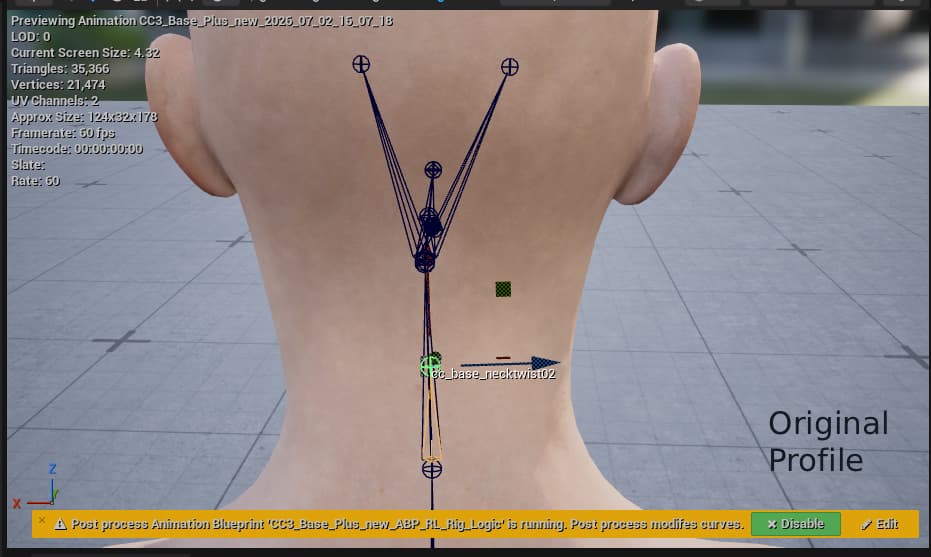
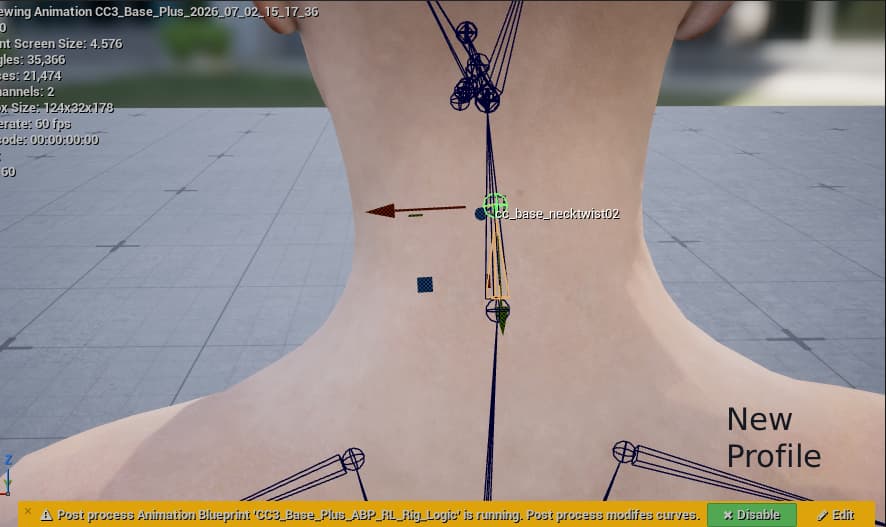
I had add new animations to that project today and noticed a twist in the neck. It appears that the neck twist bone has a different orientation if I export it from iClone, it looks fine in iClone but not in UE5. Last time I did work on this project was august of last year and those animations exported fine. But now even if I just open de .project file for those animations and export them to UE I see a neck twist when importing them. So sometime between then and now the bone got flipped during export.
Hi…
I would recommend reporting this issue (and supplying a link to your project) in the Feedback Tracker. The dev team will then take a look to see what the problem is. The FT is the best way to get issues logged and investigated and is worth using when you can’t resolve the issue yourself or via the forum. Thanks.
Hi p.svetachov,
Would you be able to provide us with your old project file so we can check it on our end?
You are welcome to send the file to winnerhung@reallusion.com.
Thanks
Hi @p.svetachov,
There has been an orientation update between iClone versions for the UE4 profile, which is why you may encounter the neck twist issue.
To maintain the previous orientation, please follow the steps below:
-
Download the UE4 Profile.zip
-
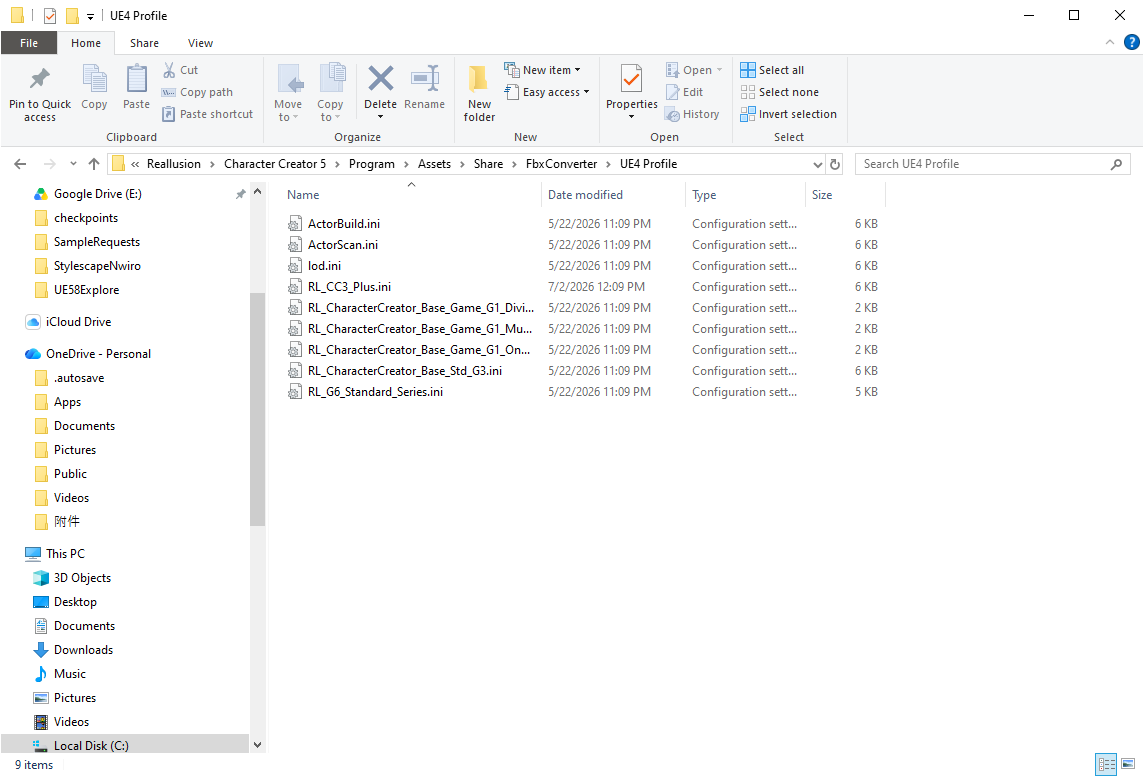
Back up the following folders: C:\Program Files\Reallusion\iClone 8\Program\Assets\Share\FbxConverter\UE4 Profile
and
C:\Program Files\Reallusion\Character Creator 5\Program\Assets\Share\FbxConverter\UE4 Profile
(Please refer to Image 1.)
-
Copy UE4Profile.zip and replace the files in both of the above paths.
-
Restart the application. The exported UE4 Motion will then use the previous necktwist02 axis orientation.
Please see the original and new profile that we have tested
If you need to use the new profile again in the future, please restore your backup files to the current paths.
Feel free to let us know if you still have any further questions
Best Regards,
Winner