So, Im making a small game and I want to optimize the characters, once of the things I want to do is to reduce the number of material drawcalls in UE5, bu default I get 20ish, which is just too much
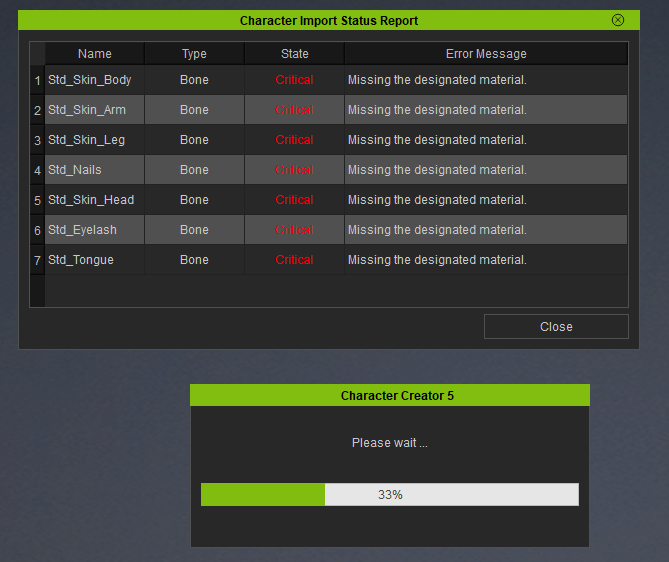
So, I sent it to blender through the plugin, merged most of the UVs into just 2 materials, but when I want to take it back into CC5 nothing works, I get an error that “missing the designated material” is there a work around this?
Since changing UV/materials/topology/armature invalidates a standard CC character structure, you need to re-import character as a humanoid.
So if you need to use a custom character optimization outside of CC, there is an option in Blender CC/IC Link > Edit panel to convert it to Humanoid before sending character back to CC using DataLink.
The problem is that Reallusion CC meshes need to adhere to a specific topology otherwise morphing between different settings would not be possible.
For example, if you change the CC base meshes in another modeling application, you are not allowed to add or remove vertices, edges or faces otherwise this will change their orders. Polygons that belonged to the face might now belong to the feet or hands. It looks identical to you and me, but internally they are all numbered and now the numbers don’t fit any longer to the original order.
Reallusion showed an upcoming feature in their roadmap video that allows transferring the CC topology onto arbitrary 3D models. So, technically it should be possible to convert humanoid characters to CC characters sometime in the future.
Currently this is only possible by doing it manually or with external tools like Faceform Wrap or Zwrap.