I want to use one CC5 character, linked from one .blend file and use it in other scenes. I managed to do this by Linking the collection with the character in it, and give it a Library Override on the rig and the body mesh, then connect the animations to the rig via the Action Editor and to the body mesh with the Shape Key editor.
It works, but to send the animation from iClone to Blender via the Datalink panel this way, I have to first send the avatar from iClone, because otherwise there is nothing in the Blender scene to receive the new animation data. And I have to keep it in the scene to receive future updated animation data. After that I have to connect the animation data to the linked character by hand the way I described above.
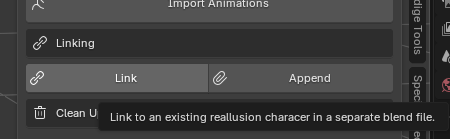
For that reason I would like to make use of this “Link” function:
“Link an existing Reallusion character in a seperate Blend file”
Because it sounds like that would connect the linked character in some smart way, so all these extra steps won’t be neccessary. Do I understand that right?
But I have no idea how to get it to work and I cant find any documentation about it.
Could you please point me to some documentation, or if there isn’t any available, help me setting this up?
Start a new blend file. Press the link button, select the main character blend file, and it will link that character and import all it’s data. Then you can use it as if it was freshly imported from iClone.
If you’re linking you will still need to do the Library overrides by hand in the UI, as I leave the choice of what to override to the user.
Though Library overrides are a confusing mess, which is why I much prefer to append.
Thanks for your fast reply!
Haha, I really want to try this confusing mess because it sounds like it is gonna be super efficient too.
But… when I click the Link button, I can select a file, but then nothing happens.
Any idea what I’m doing wrong, or might there be a bug in the latest version?
(BTW The Append-button is also doing nothing.)
I tried with Aaron and Eddy, sent from CC and from iClone.
I get no error messages in iClone nor CC.
It is strange… when I Link the regular way, they come in the scene like they 're supposed to. (Only if I put them in a collection first ofcourse.)
Via the Link button in your addon, they don’t get imported (not the unchanged ones, and not when they are in a collection), but when I re-import (with your addon) a linked character that is already in the scene (linked the regular Blender way) the collection that is already there gets emptied, and just the empty is shown in the scene.
And when I try to link it again afterwards (the regular way), Blender only imports more empty collections.
Only when I open a new file, the regular Linking works again.
This is why I said linking is a mess, because it remembers what you did. It hangs onto old references, even if you deleted them, and it won’t link them again.
It works perfectly for me. I can’t get it not to work.
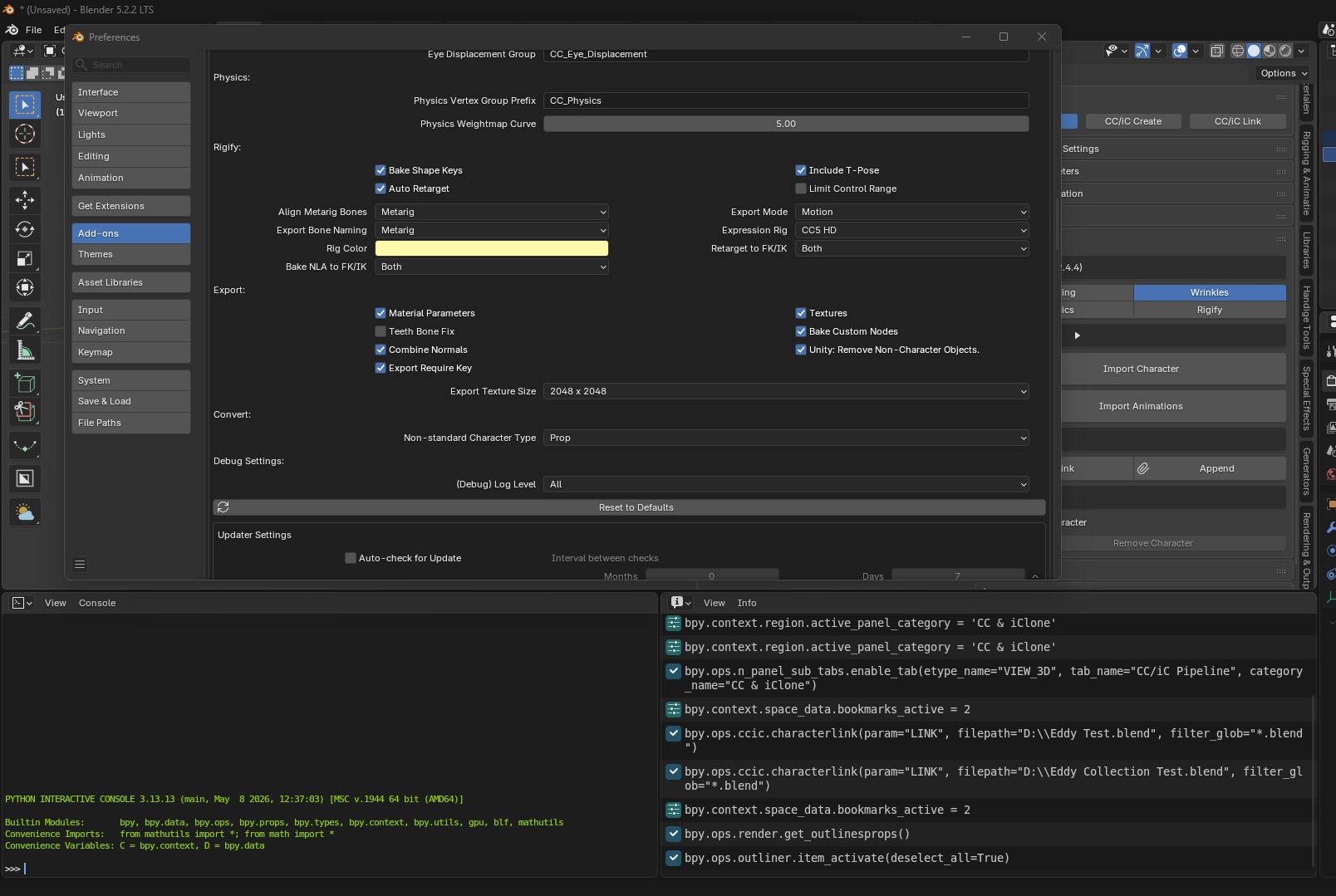
In the “CC/iC Tools” add-on preferences in Blender. There’s a setting right at the bottom: “(Debug) Log Level”. Set this to “All”.
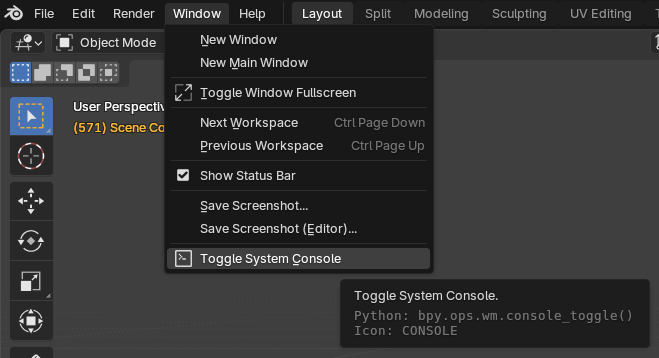
It will log everything it’s doing to the system console, see what that says when you try to link a character:
e.g. It says this when I link a Camila from another Blend file:
Okay, I fired up the right thing now. Sorry for the inconvenience.
At the first attempt, nothing happens and the console writes:
Link/Append Reallusion Character
--------------------------------
With the second attempt it says this:
Link/Append Reallusion Character
--------------------------------
01:24.031  blend.readfile   | WARNING Append: ID 'OBT_Shirt_Cut' is already linked
01:24.031  blend.readfile   | WARNING Append: ID 'OBStrap' is already linked
01:24.031  blend.readfile   | WARNING Append: ID 'OBProtect' is already linked
01:24.031  blend.readfile   | WARNING Append: ID 'OBPants' is already linked
01:24.031  blend.readfile   | WARNING Append: ID 'OBLight' is already linked
01:24.031  blend.readfile   | WARNING Append: ID 'OBKnee_Pad' is already linked
01:24.031  blend.readfile   | WARNING Append: ID 'OBJacket' is already linked
01:24.031  blend.readfile   | WARNING Append: ID 'OBHelmet' is already linked
01:24.031  blend.readfile   | WARNING Append: ID 'OBHair_Front' is already linked
01:24.031  blend.readfile   | WARNING Append: ID 'OBHair_Base' is already linked
01:24.031  blend.readfile   | WARNING Append: ID 'OBGun' is already linked
01:24.031  blend.readfile   | WARNING Append: ID 'OBGloves_Cut' is already linked
01:24.031  blend.readfile   | WARNING Append: ID 'OBGloves' is already linked
01:24.031  blend.readfile   | WARNING Append: ID 'OBEyebrows' is already linked
01:24.031  blend.readfile   | WARNING Append: ID 'OBCyber_Legs' is already linked
01:24.031  blend.readfile   | WARNING Append: ID 'OBCC_Base_Tongue' is already linked
01:24.031  blend.readfile   | WARNING Append: ID 'OBCC_Base_Teeth' is already linked
01:24.031  blend.readfile   | WARNING Append: ID 'OBCC_Base_TearLine' is already linked
01:24.031  blend.readfile   | WARNING Append: ID 'OBCC_Base_EyeOcclusion' is already linked
01:24.031  blend.readfile   | WARNING Append: ID 'OBCC_Base_Eye' is already linked
01:24.031  blend.readfile   | WARNING Append: ID 'OBCC_Base_Body' is already linked
01:24.031  blend.readfile   | WARNING Append: ID 'OBCC4 Eddy' is already linked
01:24.031  blend.readfile   | WARNING Append: ID 'OBCamera' is already linked
01:24.031  blend.readfile   | WARNING Append: ID 'OBBoots' is already linked
01:24.031  blend.readfile   | WARNING Append: ID 'SCScene' is already linked
Are you using the Go-B function? What version of Blender does it send to?
I think it might be sending to an old version of Blender with a different named version of the add-on. It shouldn’t matter, but Blender can be funny with add-on names.
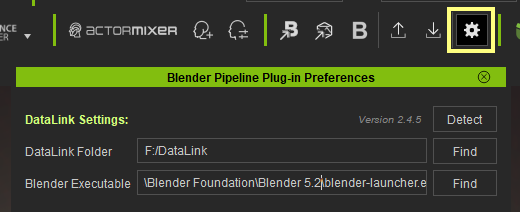
You could try making sure the DataLink is sending to the same version of Blender as you are Linking with:
When I send a pose, Blender crashes, but animations work.
I think I’m gonna do the linkage the regular way and connect the animations by hand though, because it doesn’t feel very stable.
Too bad, because it is a great function.
Anyway, thank you for your help.
Hopefully, a future version works more stable because it actually is a great function.
Can you maybe explain what the difference is, under de hood, compared to standard linking in Blender?
Does the standard method still work if you have linked a character using this approach?
Or are certain things locked or different?
Because if I can fallback on the regular method in case things go south, I will definitely use your method.