Is it possible to attach or associate a grayscale image to a light to cast that shape/image as a shadow? I also tried positioning a physical object in front of a spotlight to cast the shadow, but it also appears in the render - no bueno. Any ideas are appreciated!
You can do this with a Point Light according to the manual:
https://manual.reallusion.com/iClone-8/Content/ENU/8.0/20-Scene/Light/Creating_Light_with_Custom_Shape.htm
However, it’s tricky. I tried it and the light needs to be close to the object to get a sharp shadow, so a lot of trial and error is involved.
I’ve used gobos in a couple of my projects, but I haven’t found a way to “hide” the image plane…as animagic said, the plane needs to be pretty close to the light source. I attached the spotlight and the gobo to a parent ‘dummy box’ so I can move them around and maintain the distance and angle between the 2 (see pic). I also created a ‘library’ of gobos all the same size so I can swap them out of the rig to get different effects. Good luck!
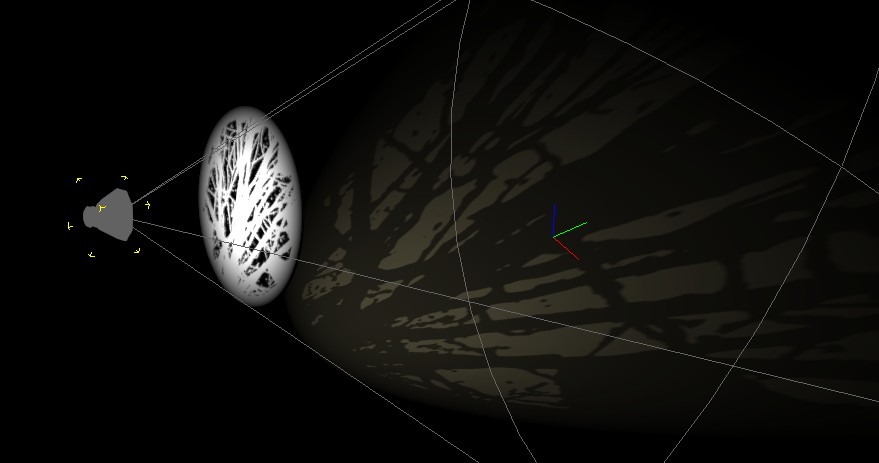
Here are gobo material settings that you can use to make your gobo invisible.
- In the Texture Settings:
Set the base color, metallic, and roughness to black. Set the opacity to your gobo image.

- In the Material settings:
Set the Shadow Threshold to zero.
Set the Opacity to 1.
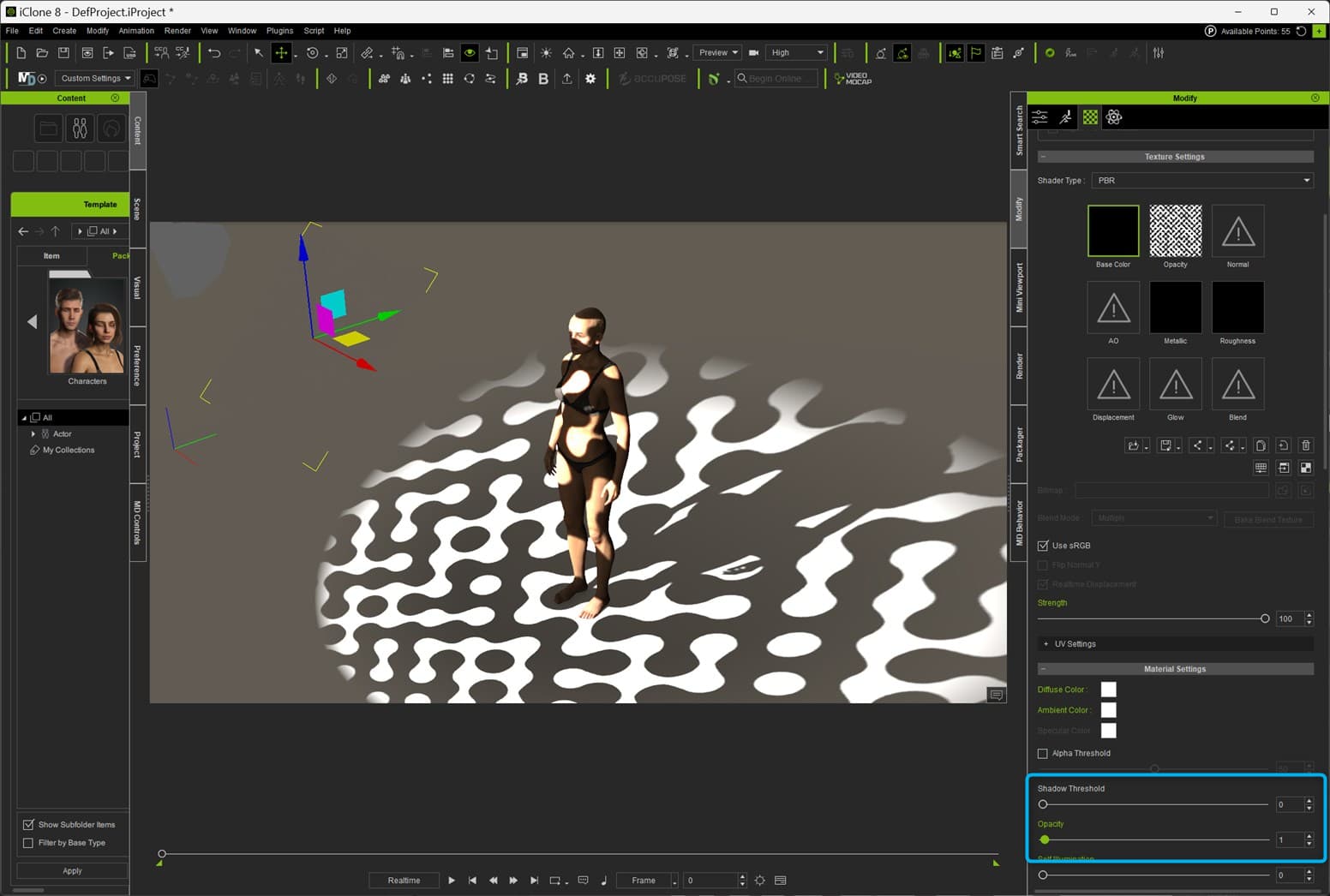
You may also want to snug the gobo right up to your light. Then you can make it really small.
Hello!
Your method is extremely helpful. Thank you for the advice. I will employ this technique going forward. Many Thanks!
Respectfully,
Randall
Hello,
Great info! I struggled with this by trying to use methods I’ve employed in Blender, Lightwave and Maya and was stumped. Many Thanks!
Respectfully,
Randall