please bear with me. im fairly new to this. i know its me doing something wrong or maybe a glitch somewhere. the character is laying on the bed facing the opposite direction of where i want her to turn to. i have an idle motion of her breathing. i need to turn her around to follow the motion of the song. thats when i get that message keys cant be set on motion loops. i watched videos and thought i would be able to create another layer and then make the adjustments accordingly. i create another layer but it still says the same thing. it does not set a key automatically. im running windows 11 pro, 64ram, rtx 5090 32ram, 20tb external hard drive, 4tb internal hard drive. im still at the beginning of the song so i can always redo everything if its a glitch. im wondering if i just remove the motion and animate will that work better., sigh
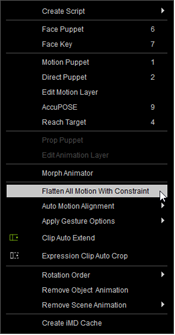
Flatten your breathing loop first. Select your character and then choose the Flatten option from the Animation menu. Then you can proceed with your new layer and adding keys.
thank you. i thought you could do it without flattening that layer but i guess i misunderstood instructions. thanks for answering!
You can use “Flatten Motion Clip > Flatten and keep All Keys” option with right mouse click on a loop clip. This way it will only merge the loop segments, but keep the keys intact (if you need those keys inside the loops for whatever reason).
thank you! i cant wait to become proficient at this. liitle learning curve. i refuse to use ai to do this even tho reallusion is pushing their new addon. nothing better than hands on doing things yourself if you are able. thanks again!