When I am using the burn-in overlay with the camera switcher, sometimes the camera is listed in the camera burn-in as the actual name of the different cameras as it switches in the timeline. But sometime it just lists the camera as Switch Camera.
It would be helpful to see which actual camera is being used for a given shot, how do I make it show the actual camera, is it a bug that it switches between these two different “modes” or am I missing something.
Hi martin.s,
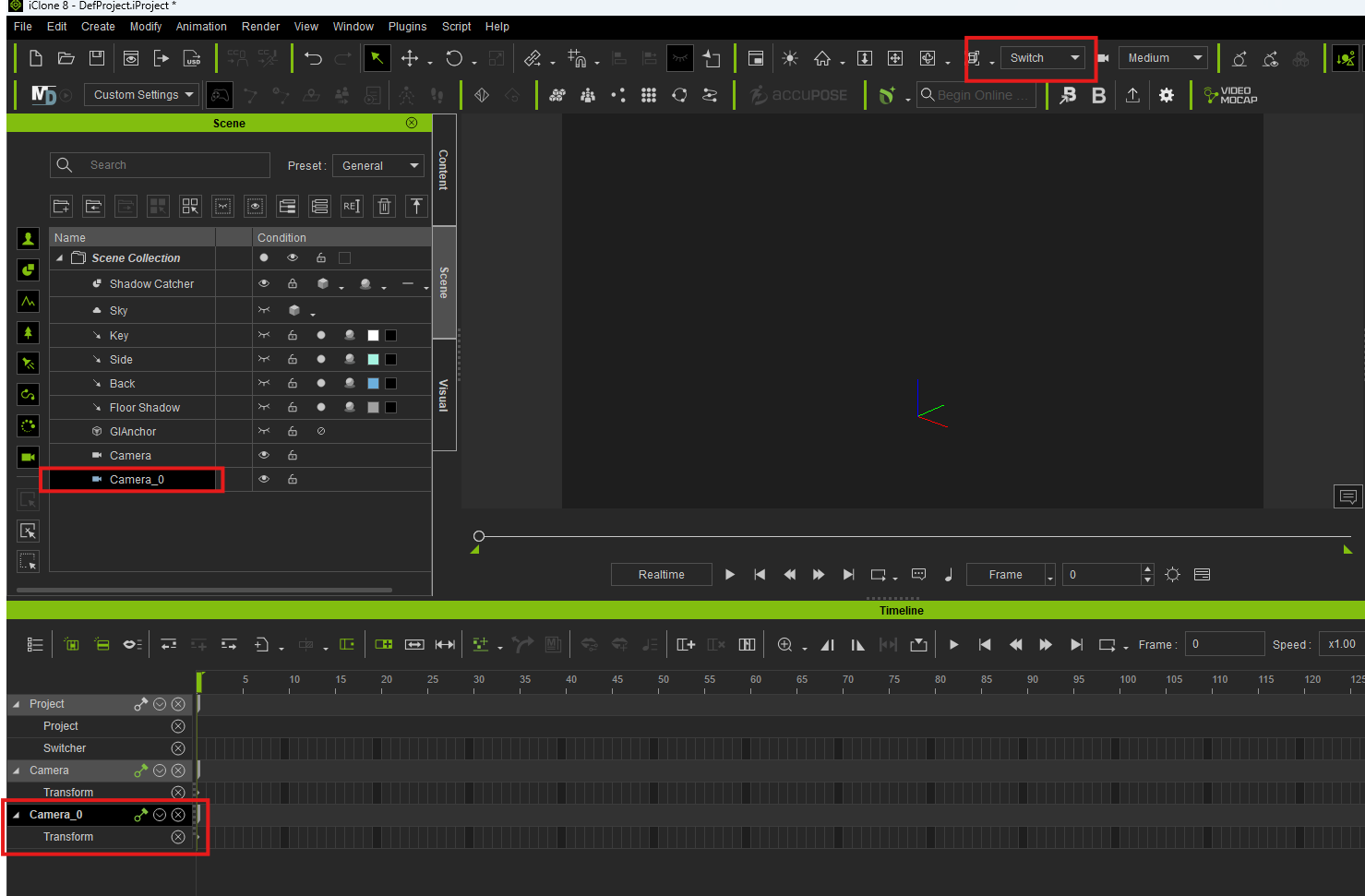
Unfortunately, this is expected behavior. When using Switch Mode , the current camera name will not be displayed.
You can only confirm which camera is currently selected in the Scene panel or the Timeline .
Thank you for your understanding. If you have any further questions, please feel free to let us know.
It does seem that the occasions it was displaying the actual camera name, when switching on the timeline was just a desirable bug  I’ll have to try and reproduce the bug and remember how it was done.