Title:
How can I keep identical material names when exporting from CC5 to Substance Painter?
Body:
Hi,
I am working with Character Creator 5 and Substance 3D Painter using the CC5 Substance Painter pipeline.
For Mesh by Name baking in Substance Painter, I separated my clothing meshes into several parts. Each mesh has its own mesh name so that it can match the corresponding high-poly mesh during baking.
However, all of these clothing meshes are intended to share one material and one Texture Set, so I assigned the same material name to them in my DCC tool before importing them into CC5.
The problem is that when I export from CC5 to Substance Painter, CC5 automatically adds numeric suffixes to the identical material names.
For example:
cloth_all
cloth_all1
cloth_all2
cloth_all3
cloth_all4
Because of this, Substance Painter imports them as separate Texture Sets instead of one shared material / Texture Set.
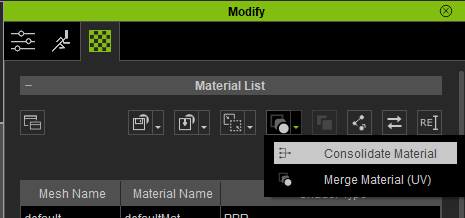
I found the manual page about Auto Suffixes for Identical Material Names, and I understand that Character Creator may add suffixes to prevent material merging issues in game engines. However, in this case I intentionally want these separated meshes to share the same material for my Substance Painter workflow.
Is there any option or recommended workflow in CC5 to export multiple separated meshes with the same material name to Substance Painter without automatically adding numeric suffixes?
My goal is:
- Multiple separated meshes for Mesh by Name baking
- One shared material / one Texture Set in Substance Painter
- Use the CC5 Substance Painter pipeline if possible
Is this possible in CC5, or is the automatic suffix behavior unavoidable?
Thank you.