Honest breakdown of Headshot 3

I didn’t come in expecting to be blown out of the water. The world of “AI” assisted anything is often more about buzz than actual results, i know this. However, i’ve done a bit of messing around with other AI Img-to-3D tools and thought that I would compare the results with this new tool.

Test 1 - Custom Image:

I will compare all results to the results given by TripoAI with the exact same image used.

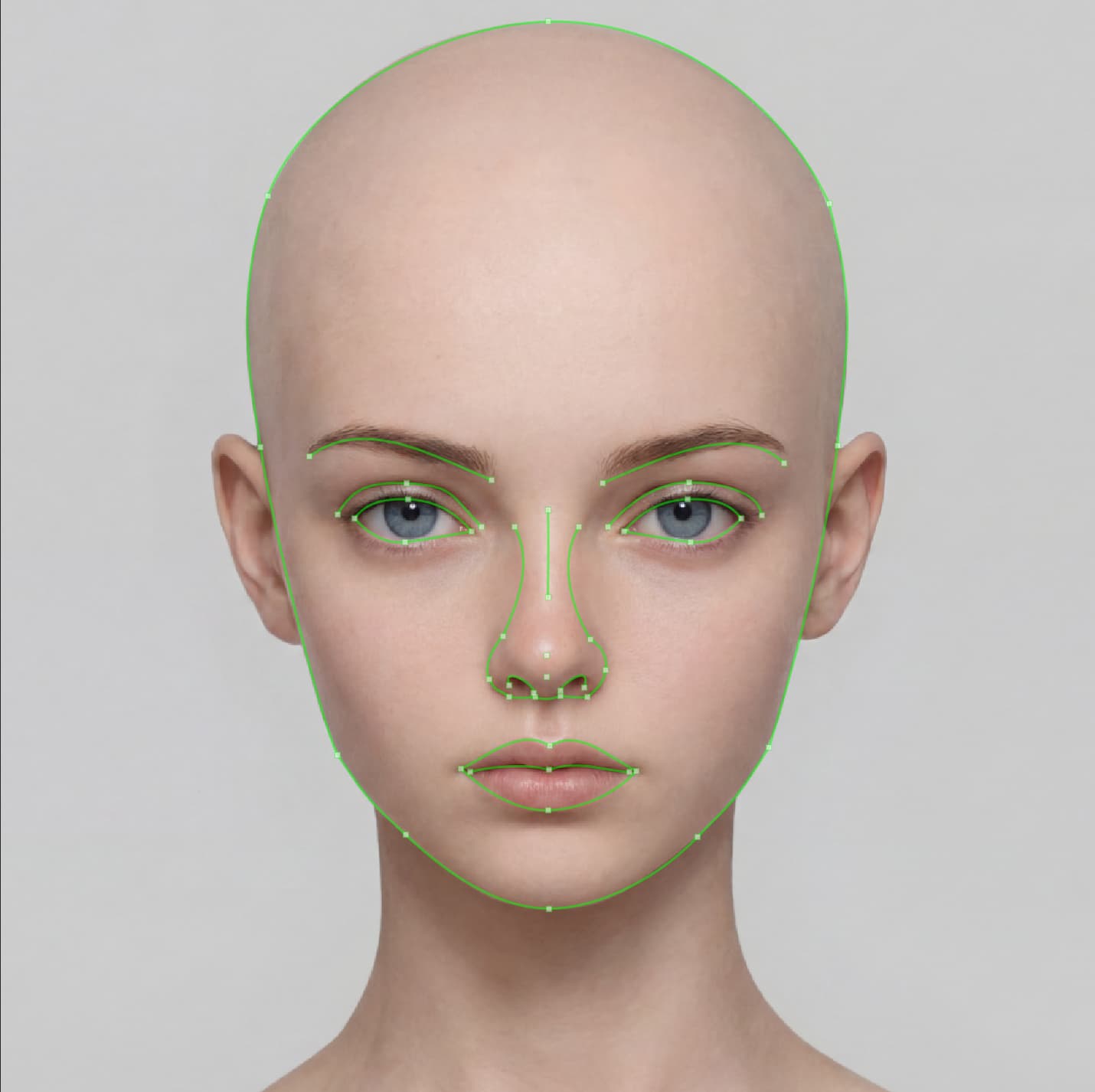
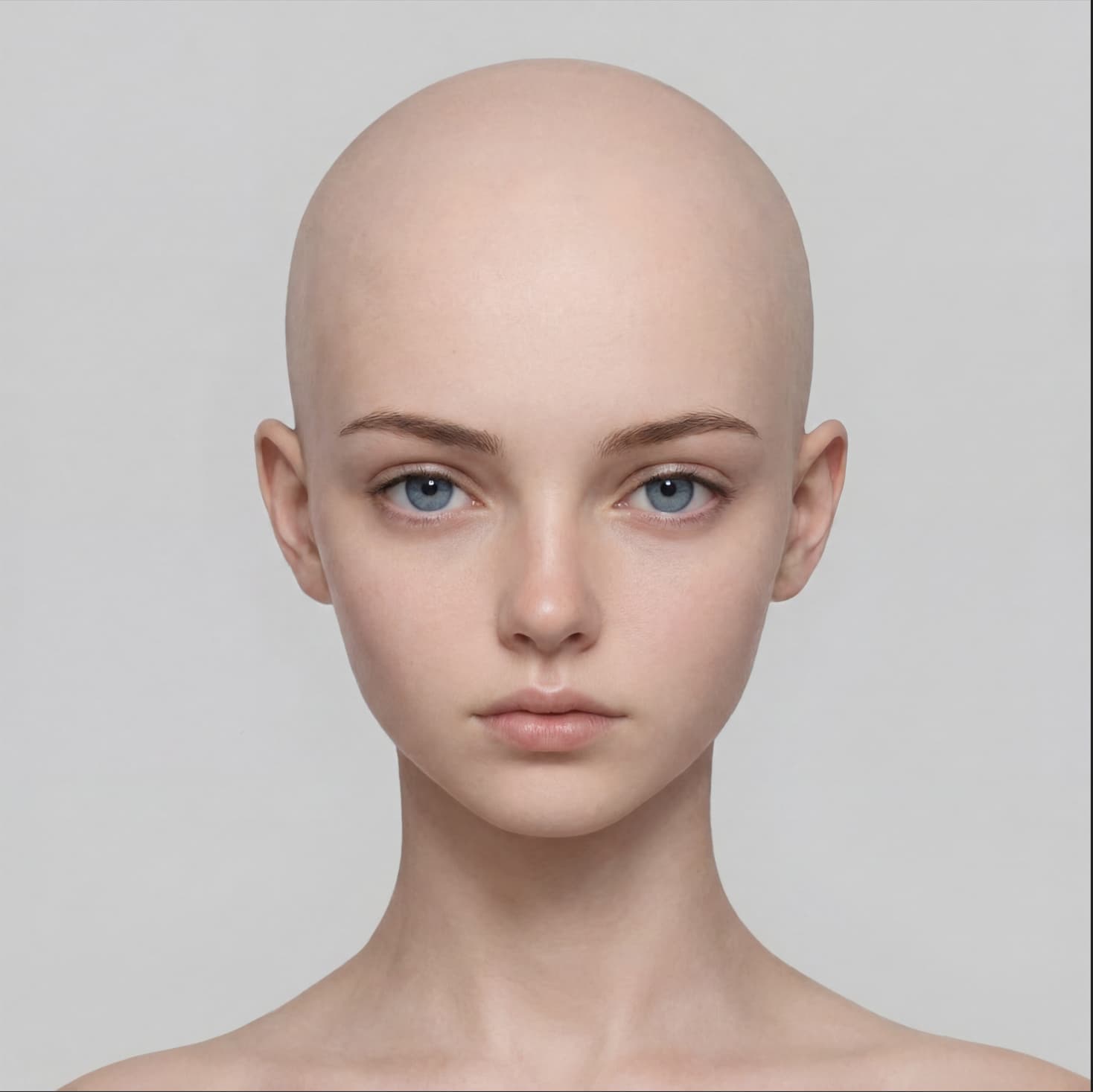
The image:
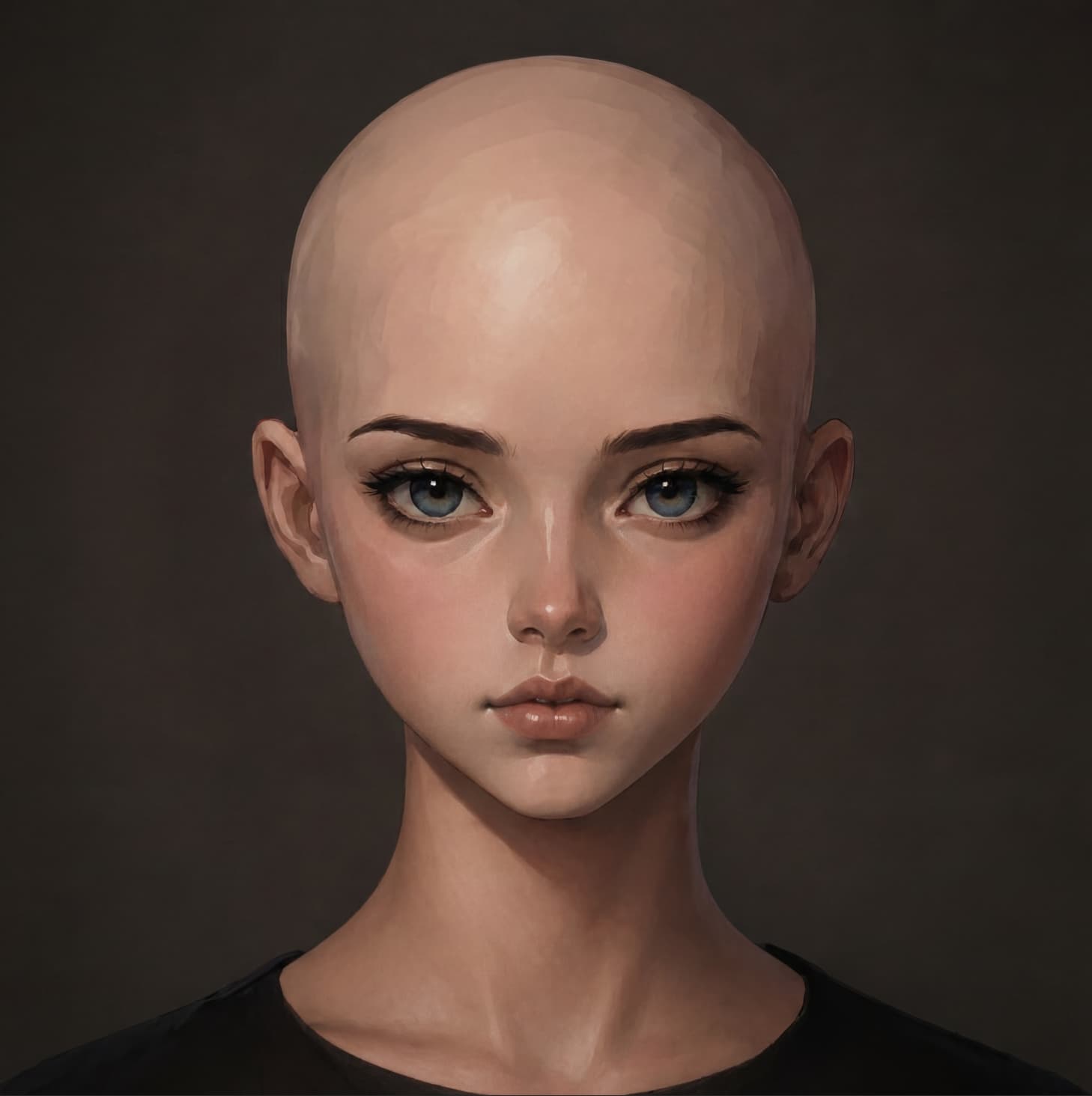
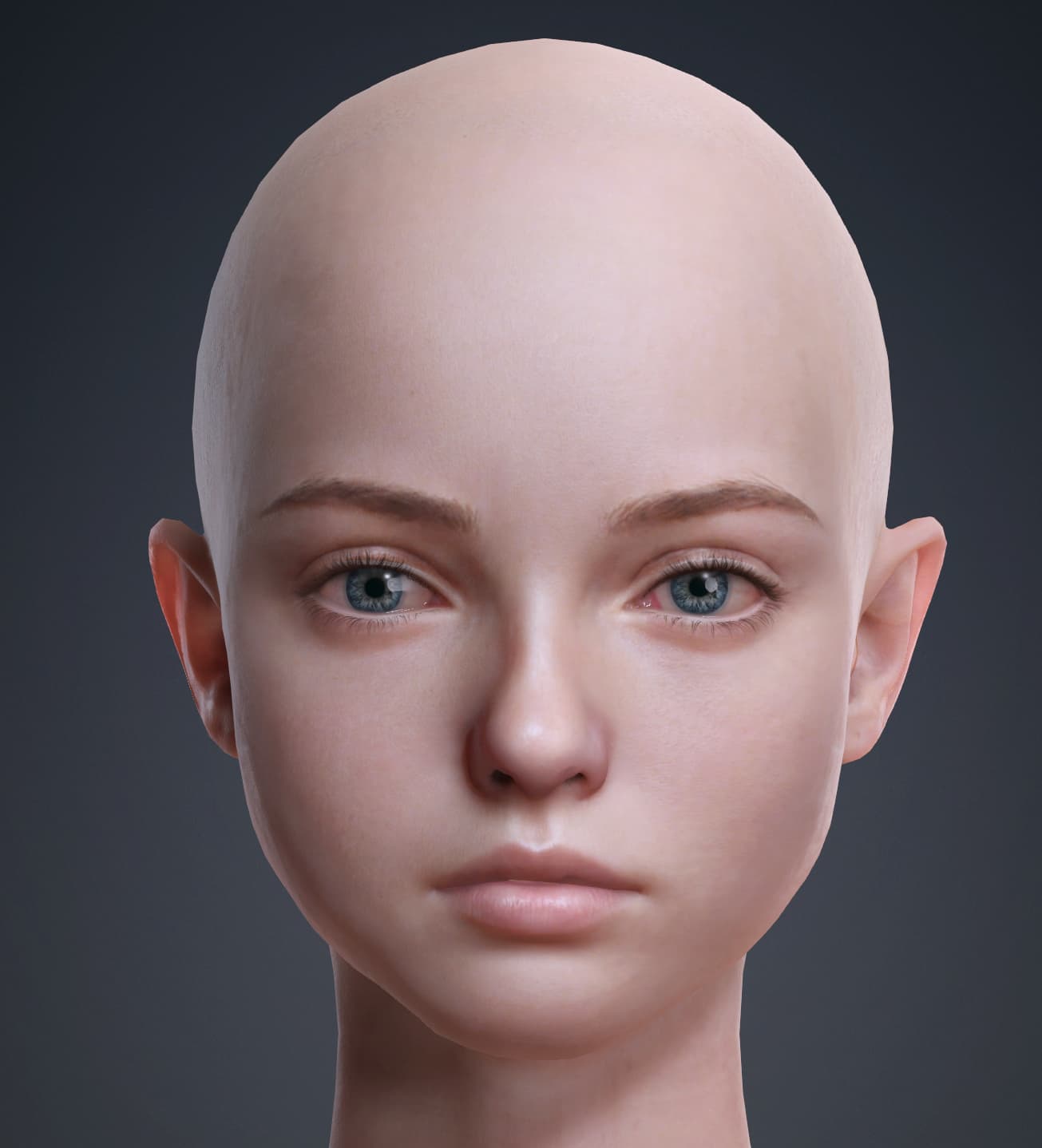
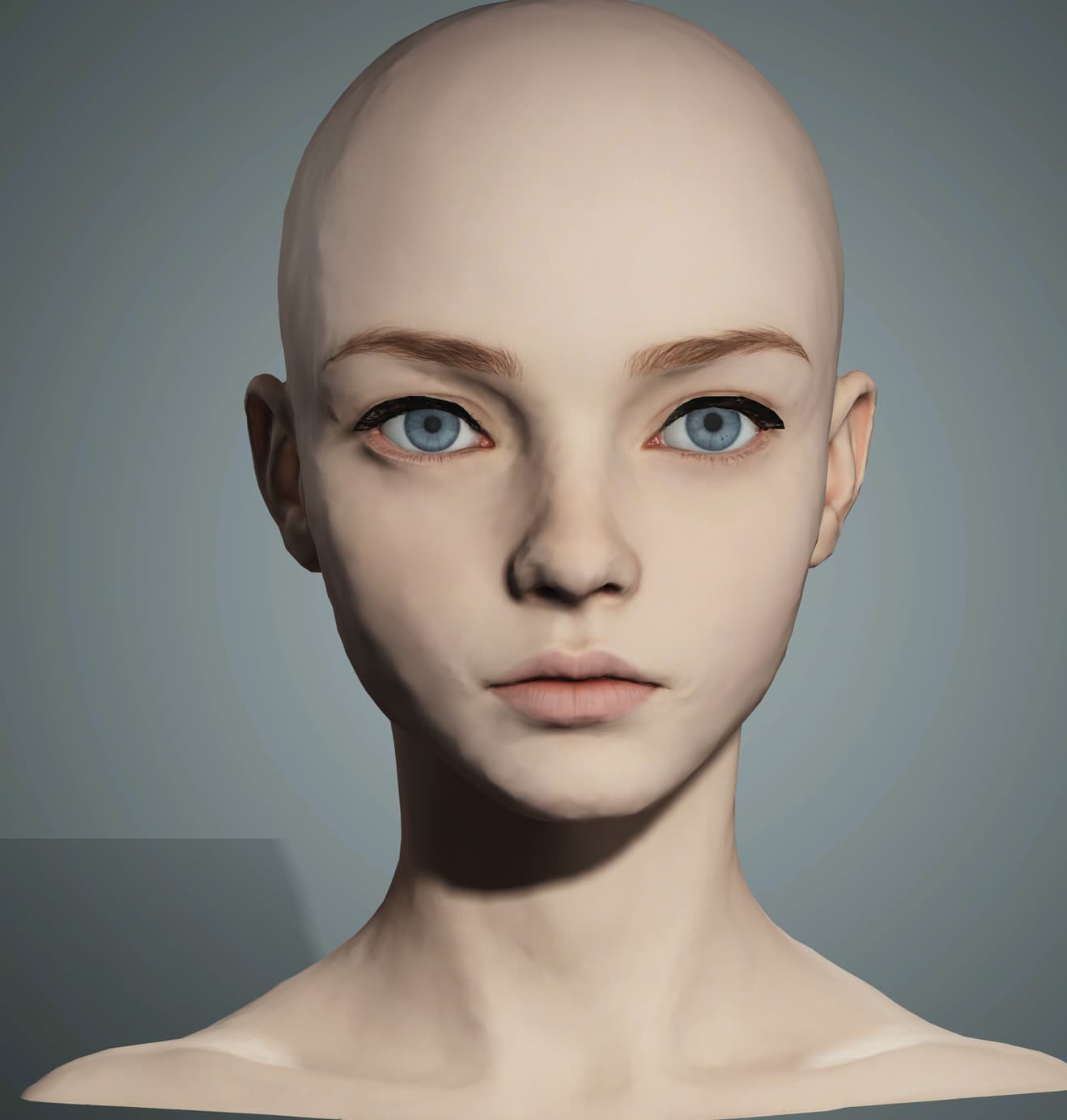
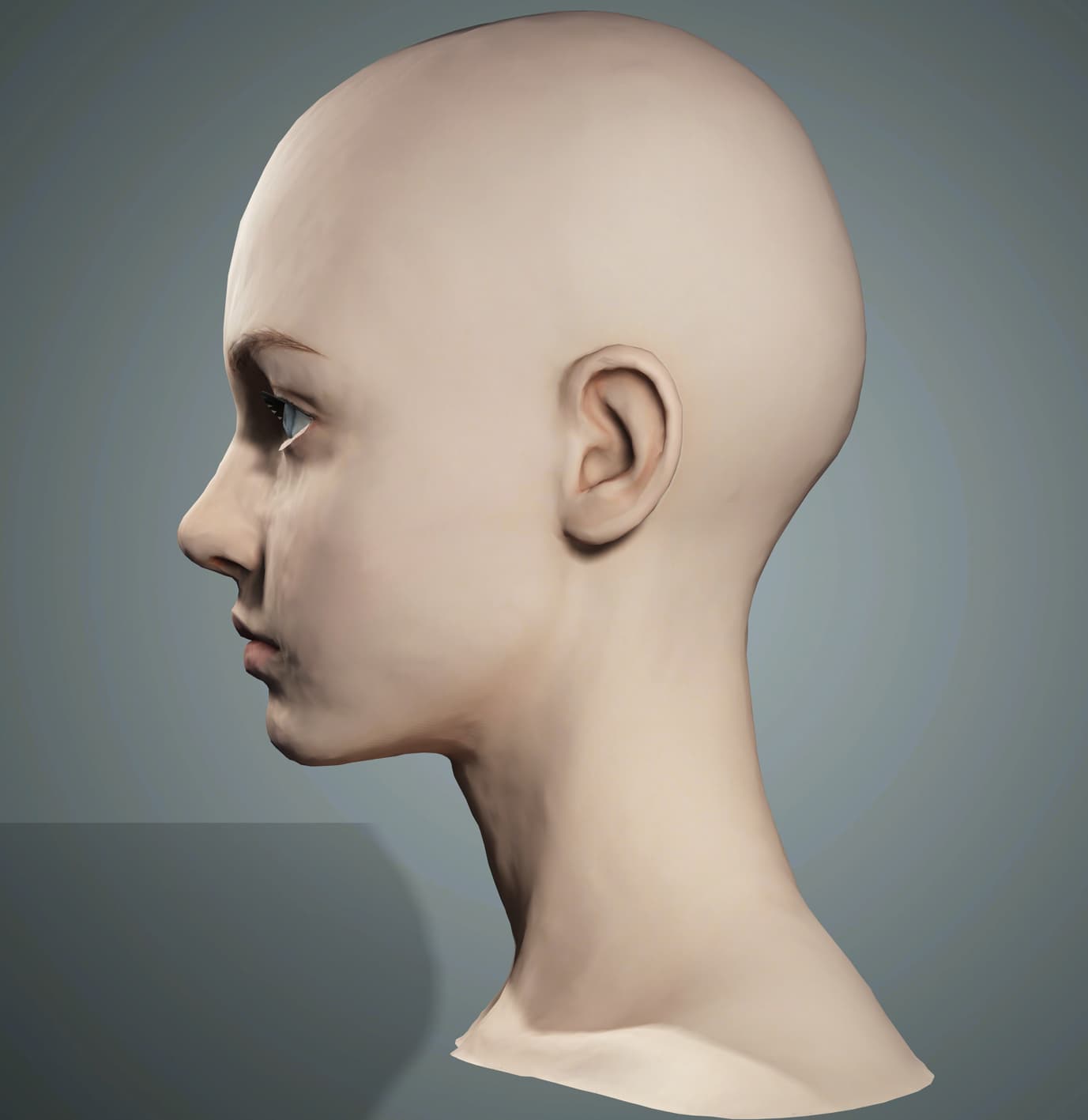
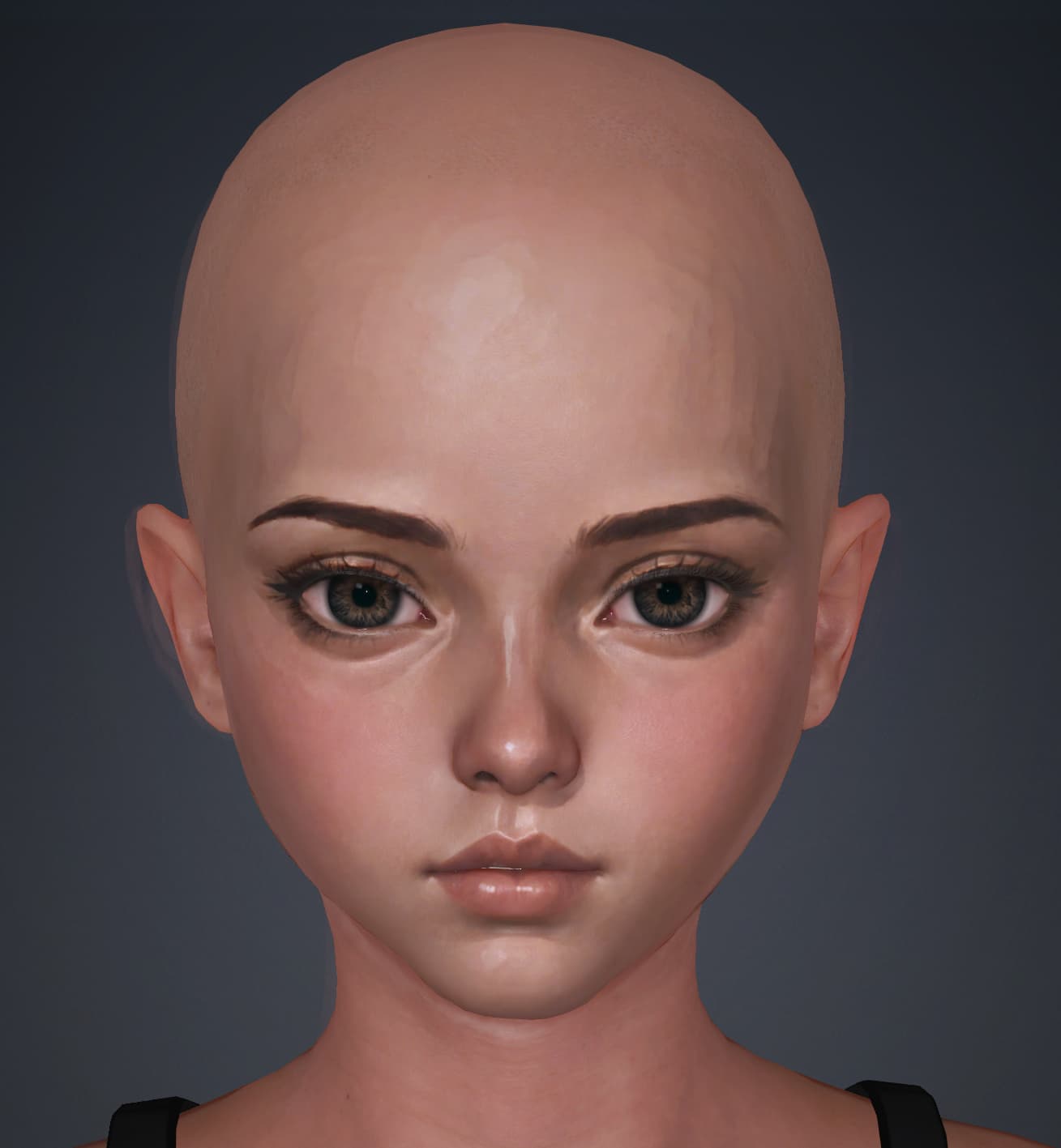
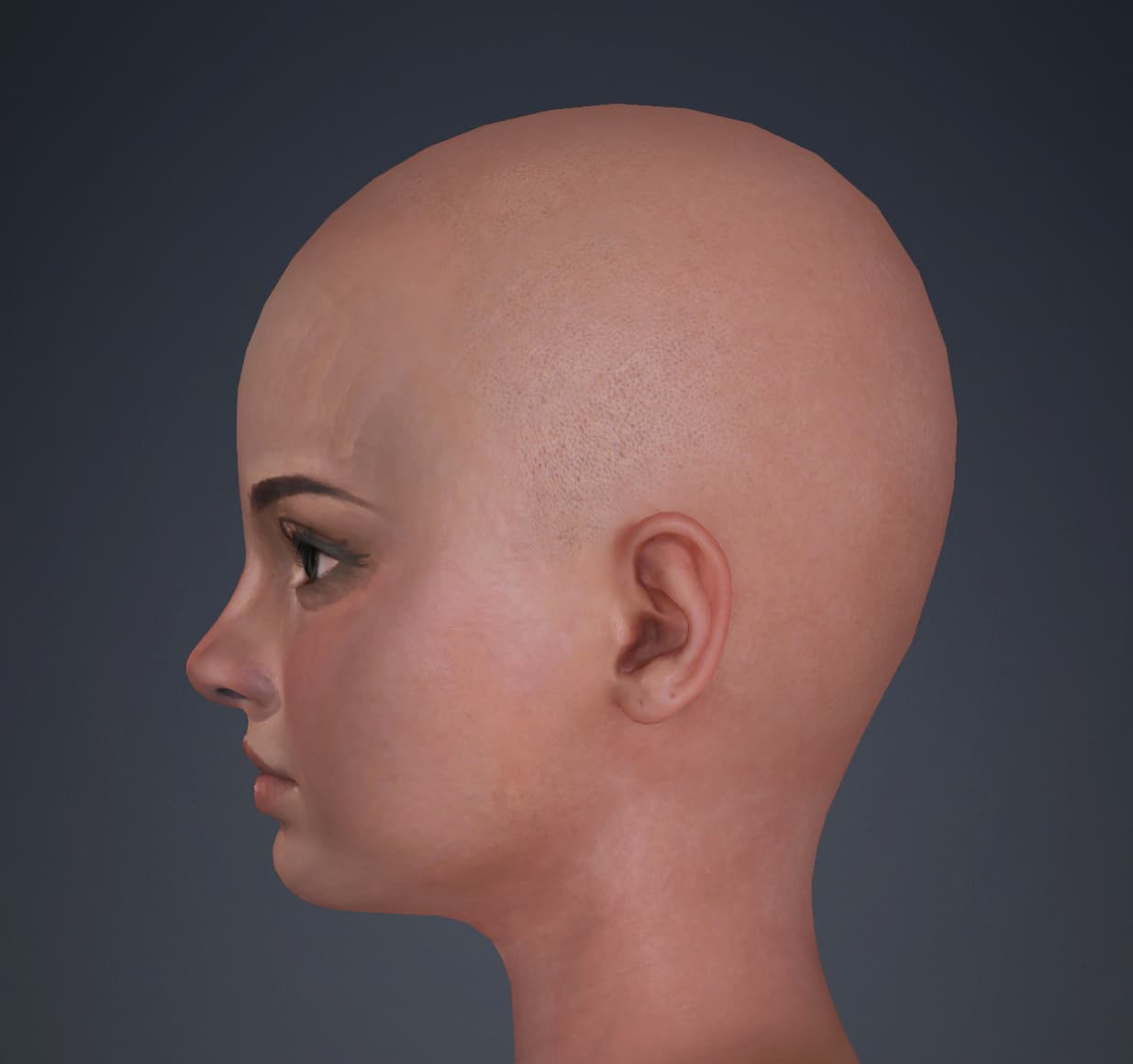
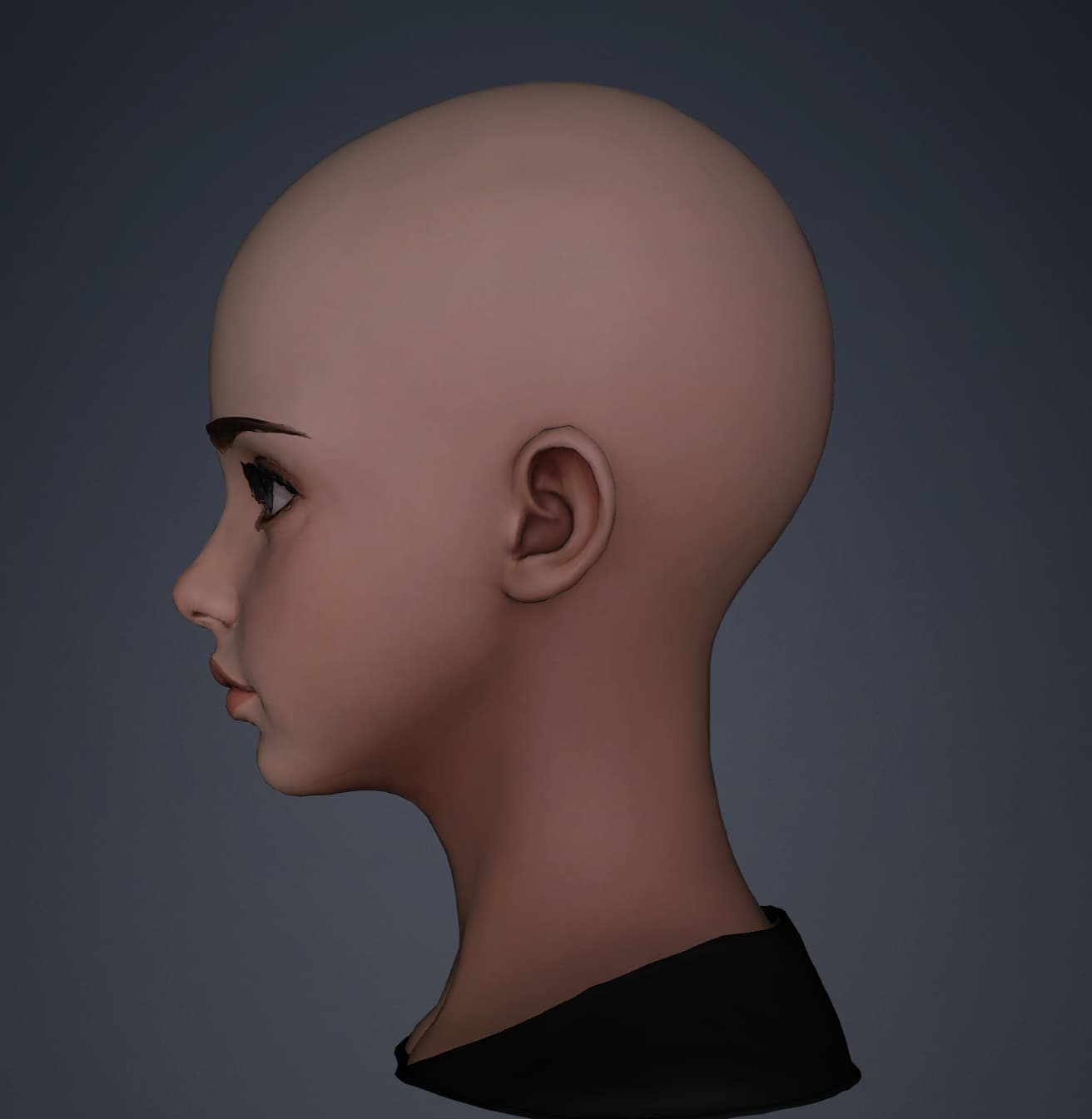
Headshot 3:
These results come after going through the different steps of refining via curves, though no side image was used.
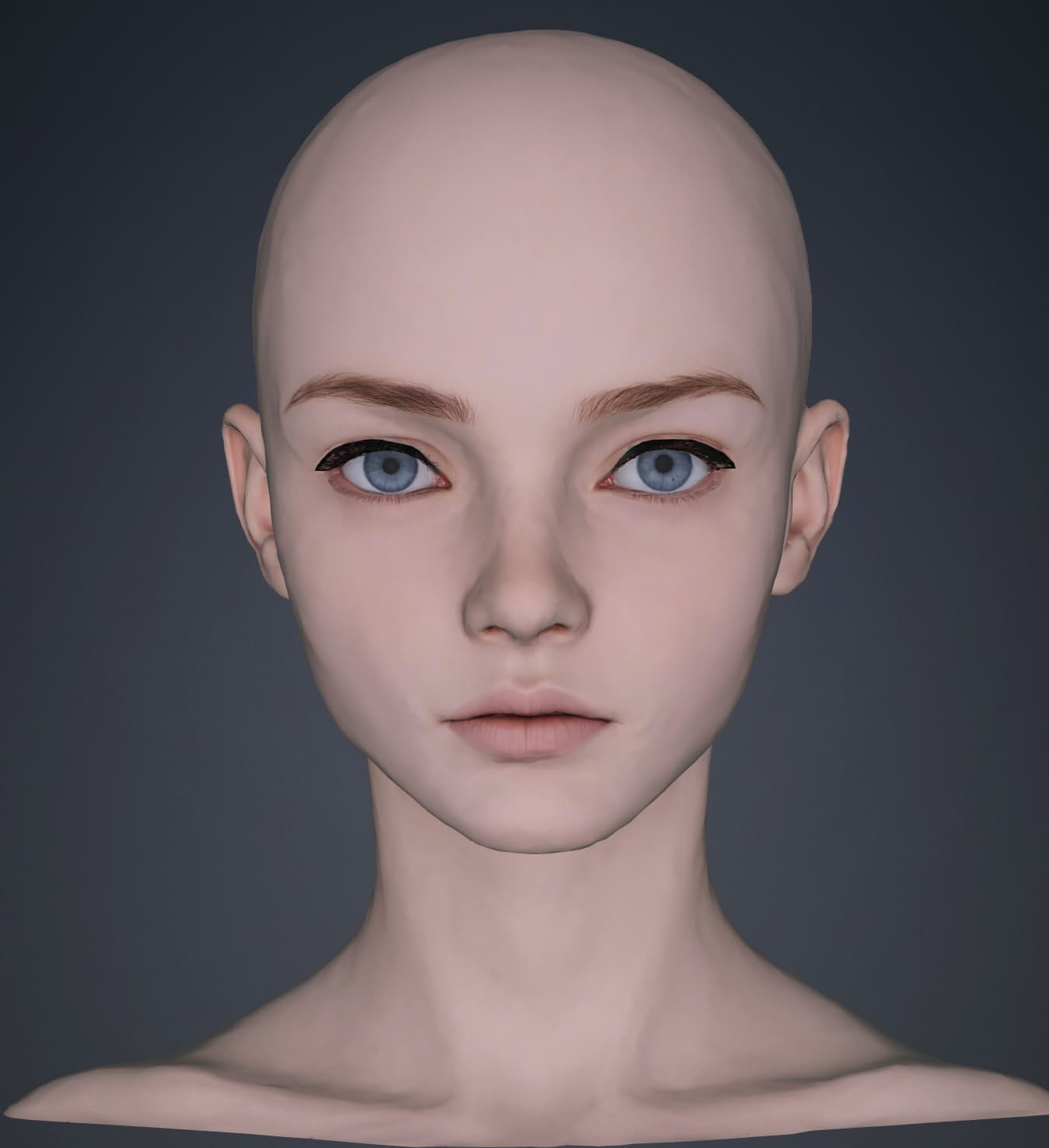
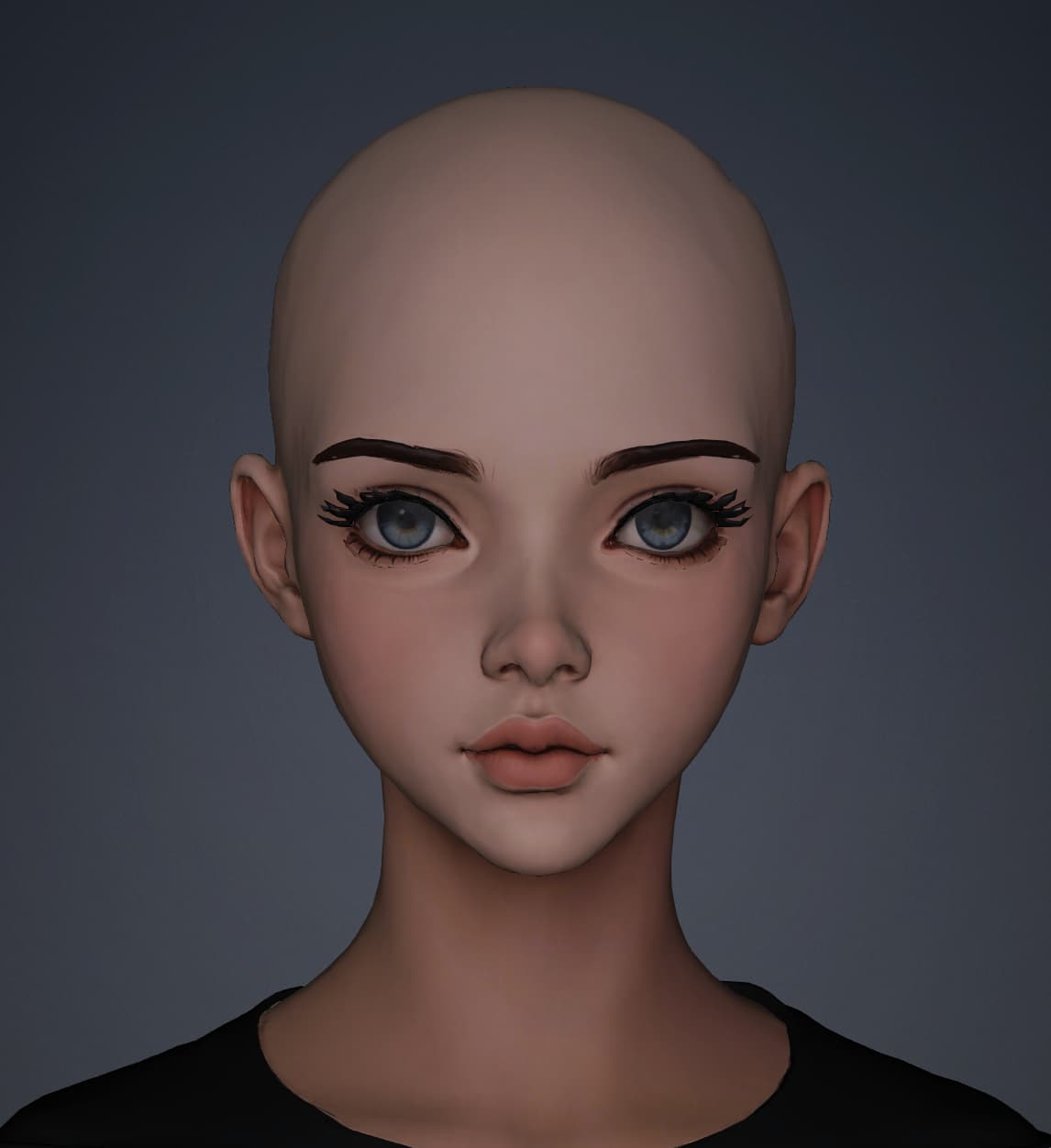
TripoAI:
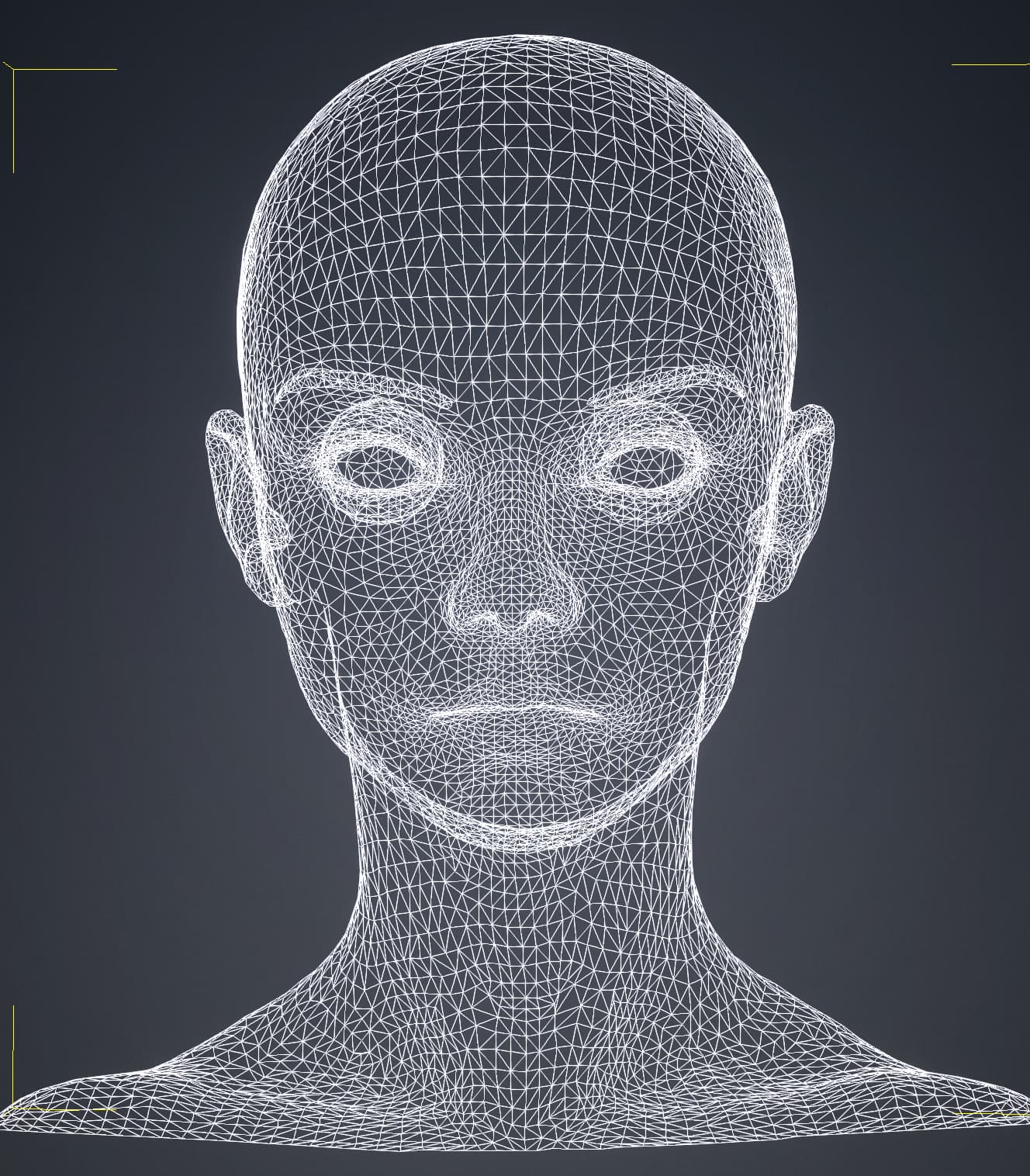
I brought the model into CC5 via FBX. There were no edits or manipulation done to the model.
I also included a wiremesh of this to show that the argument “yeah, but it achieves that by having incredibly bad topology” doesn’t really hold water. (i was surprised to see it even has eyeballs and a mouth cavity)
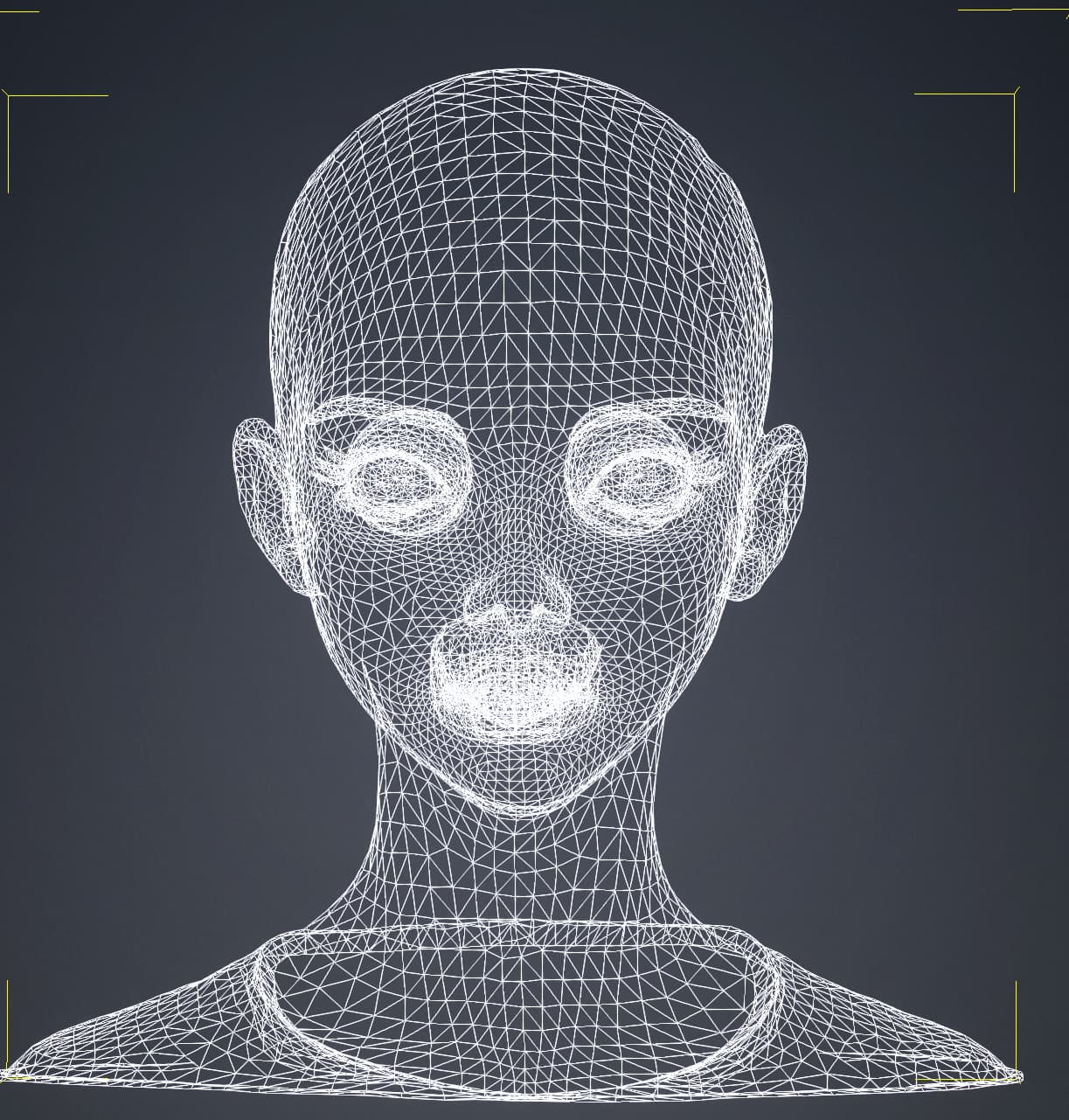
As you can see, the Tripo model is substantially more accurate. I was kind of hoping that HS3 would allow us to achieve results similar to this after putting in the work with the refine tools, but i’m kind of surprised to find that they do little to solve the issues that come. It made corrections for the eyes, but did very little for things like head shape and jaw line.

I’m going to post a few other tests over the coming days, but i also don’t want it to seem like this was my first go with the tool. I read the documentation and spent a few hours with it.

All in all, I found the tools offered with HS3 to be half-baked at best. I’ve seen other people with decent results, and I had a few of my own that were pretty good, but the overwhelming majority of them were like this. I included the TripoAI head to show that it’s not impossible to achieve better results via a photo, and that this product simply doesn’t deliver on it’s most basic promises.

For the time being, the best way to get from image to CC5 head topology is to create a 3D head via other means (Tripo is my current fav), and then bringing it in through the mesh workflow of Headshot 2 (or 3)
@ender570 The headshot-based workflow in Reallusion works differently than AI-based mesh generation.

It uses a Reallusion base mesh and distorts it to fit an image or an imported 3D mesh. The point is that the topology is preserved, otherwise all topology-based features like morphs, UV coordinates, and animations will not be possible.

I haven’t tried it myself yet, but I assume that Headshot wasn’t trained on distorted anime or cartoon heads, but rather on human heads with realistic proportions. Therefore, in case of anime heads it needs to be manually edited afterward to better match the input image. Or as you suggested, better use the mesh import feature.

1 Like

That’s a fair callout, but i think my further tests will show that it’s not the case.

The simple claim is this: the HS3 plugin has consistently lower quality in recognizing and recreating facial and head shapes from images than other tools openly available right now. I think the tool is far behind the curve in terms of this technology.

Let’s try this next test.

Test 2: Enhanced Image

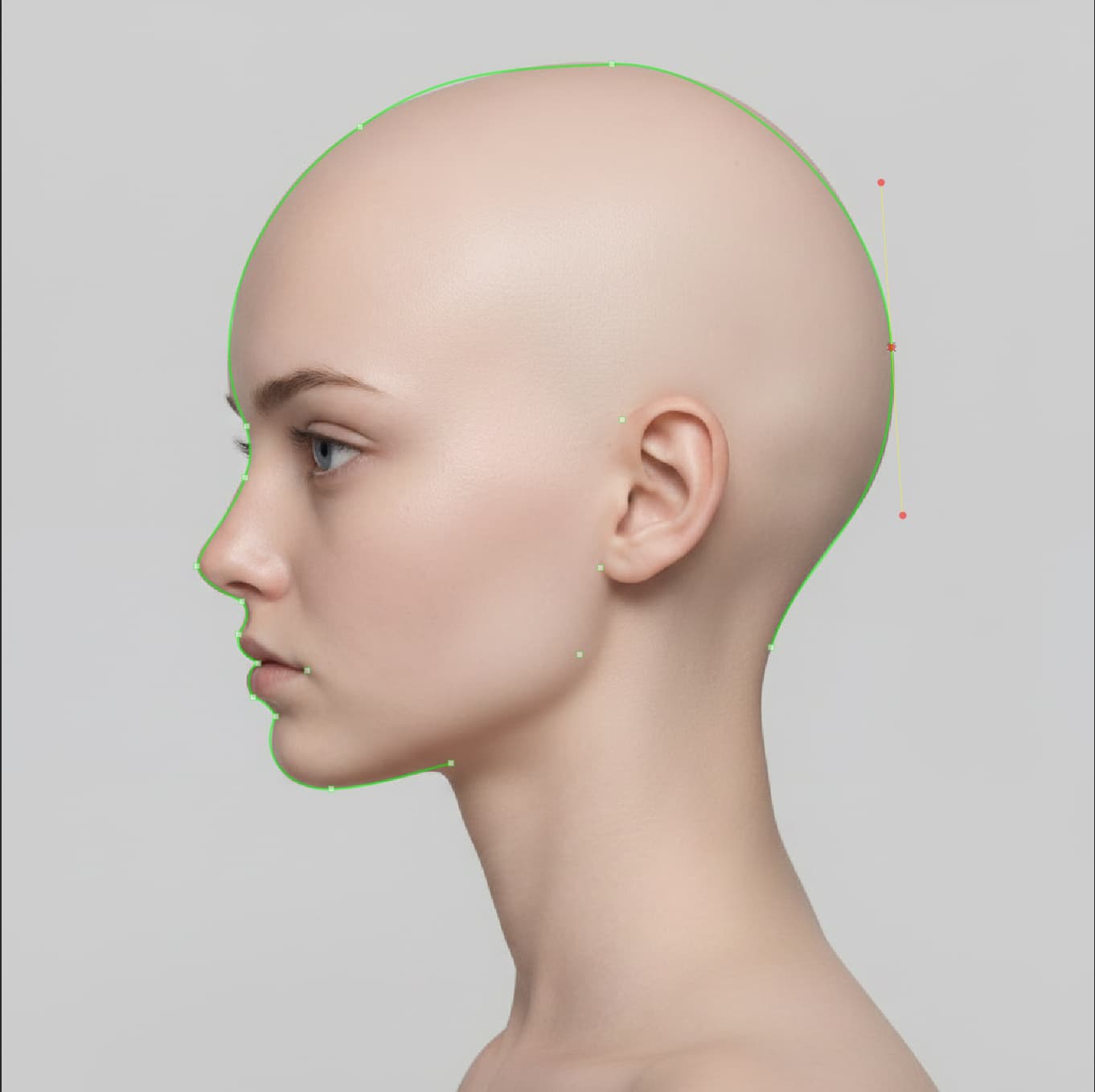
I used the built in nano-banana connector to enhance the previous image into the standard “photorealistic” format that you mentioned HS3 might need. I got the following images:


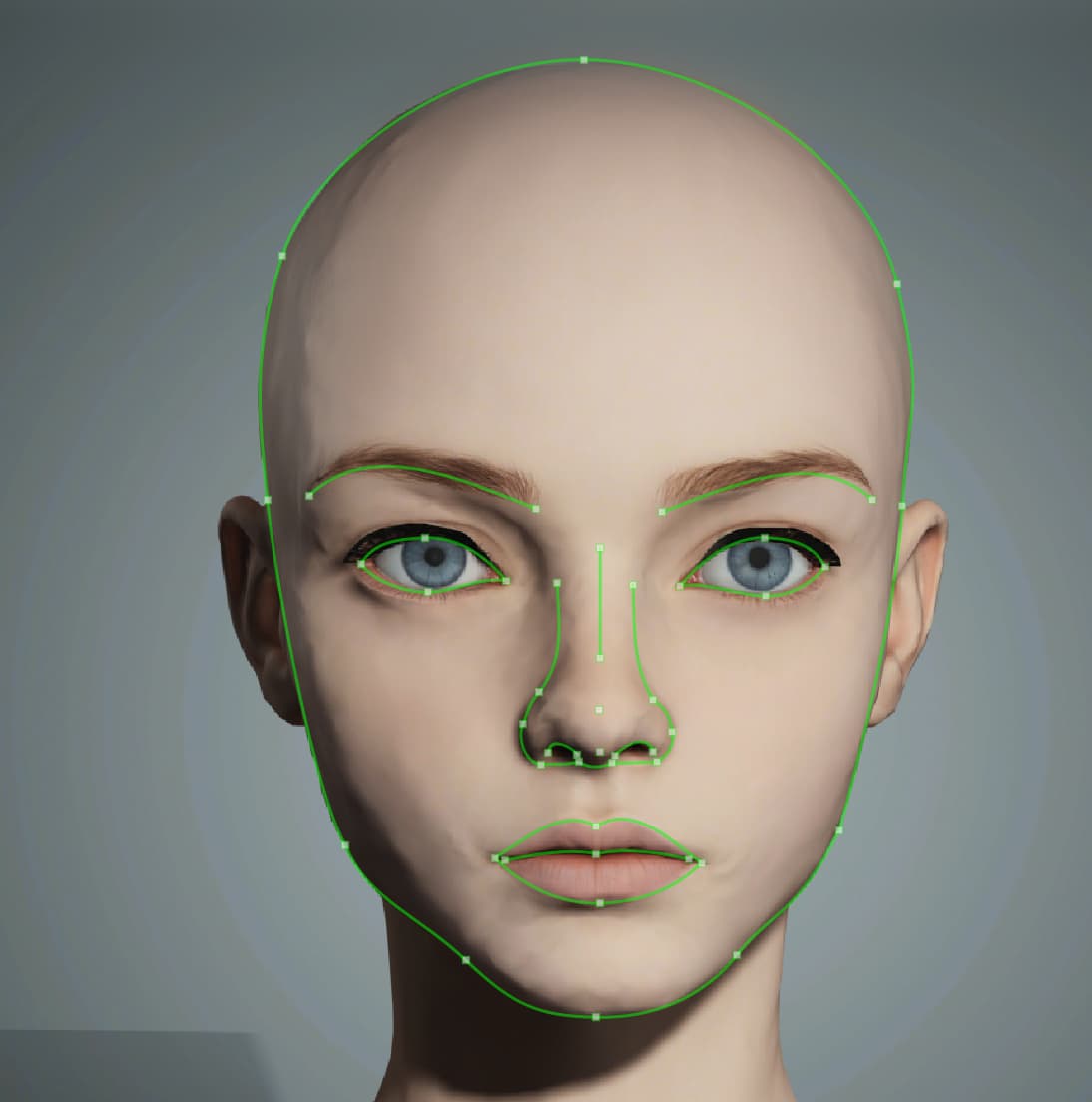
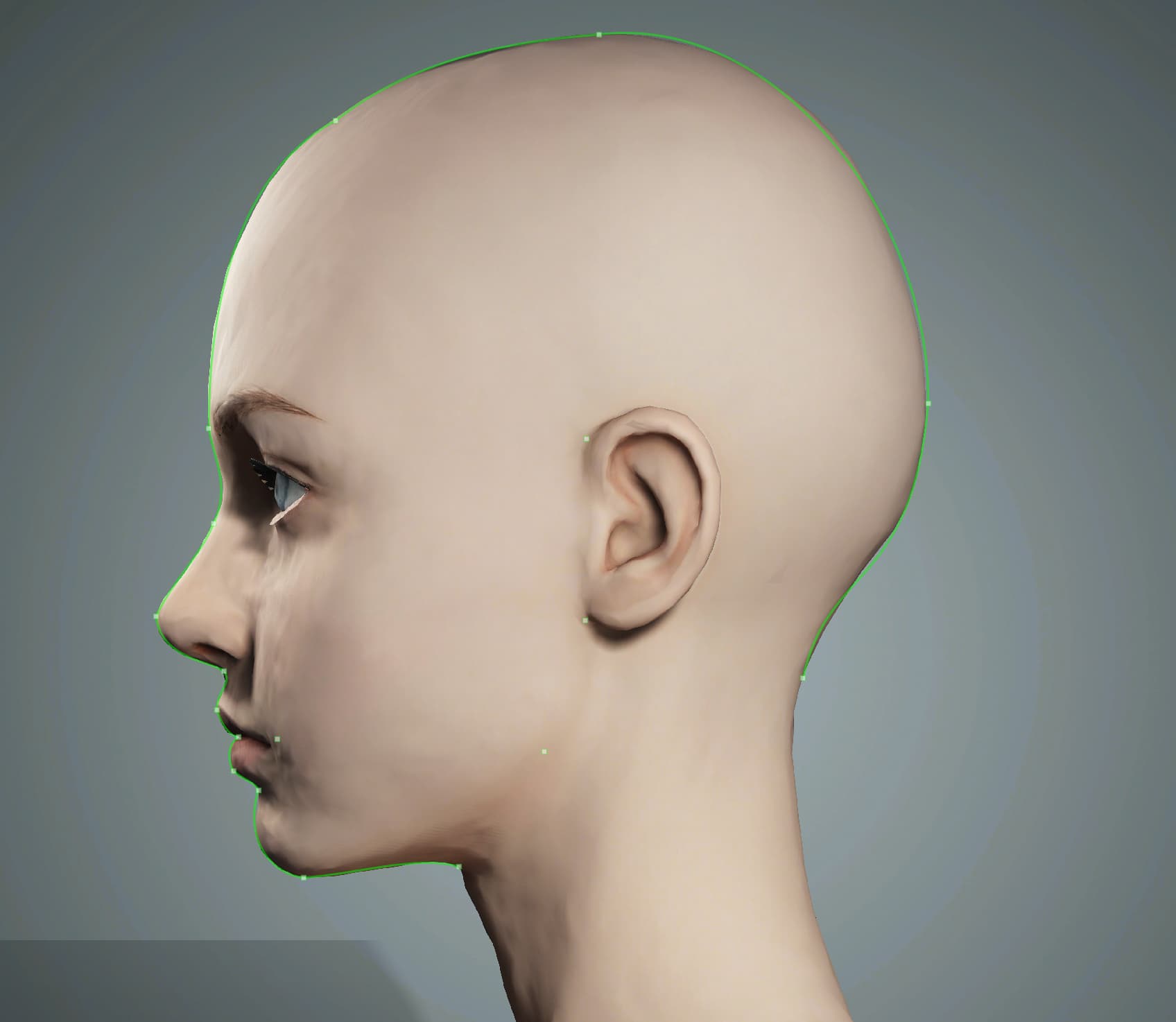
After going through the refine stages, I adjusted the points as such:


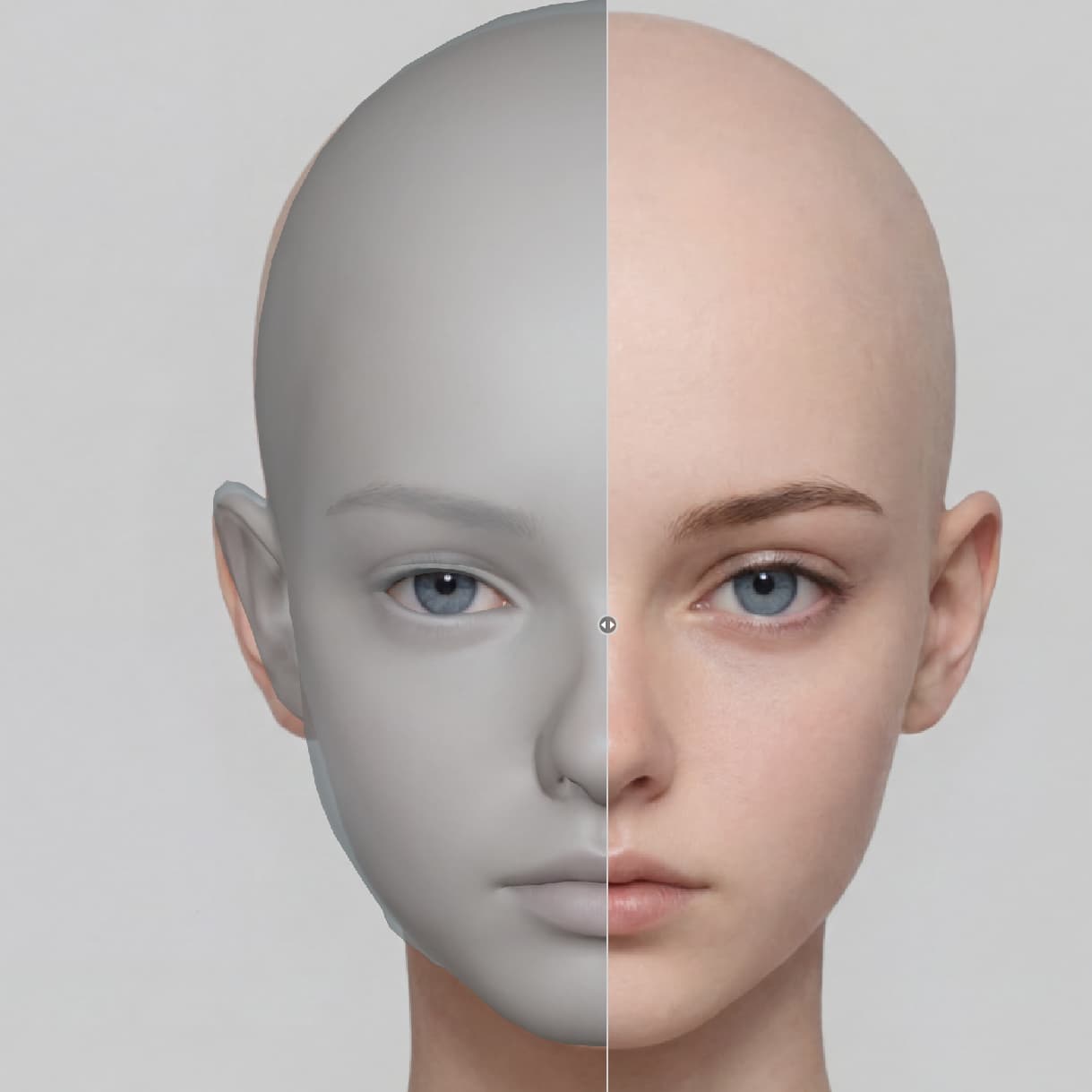
These were the results:


Here, you can see in the preview that the tool is not following the set curves for the head. Why does it bother having me meticulously place the points and adjust the curve, only to say “Nah, i don’t think so” when it comes time to generate the mesh? You can clearly see around the jaw where the mesh diverges from the image and the curves.

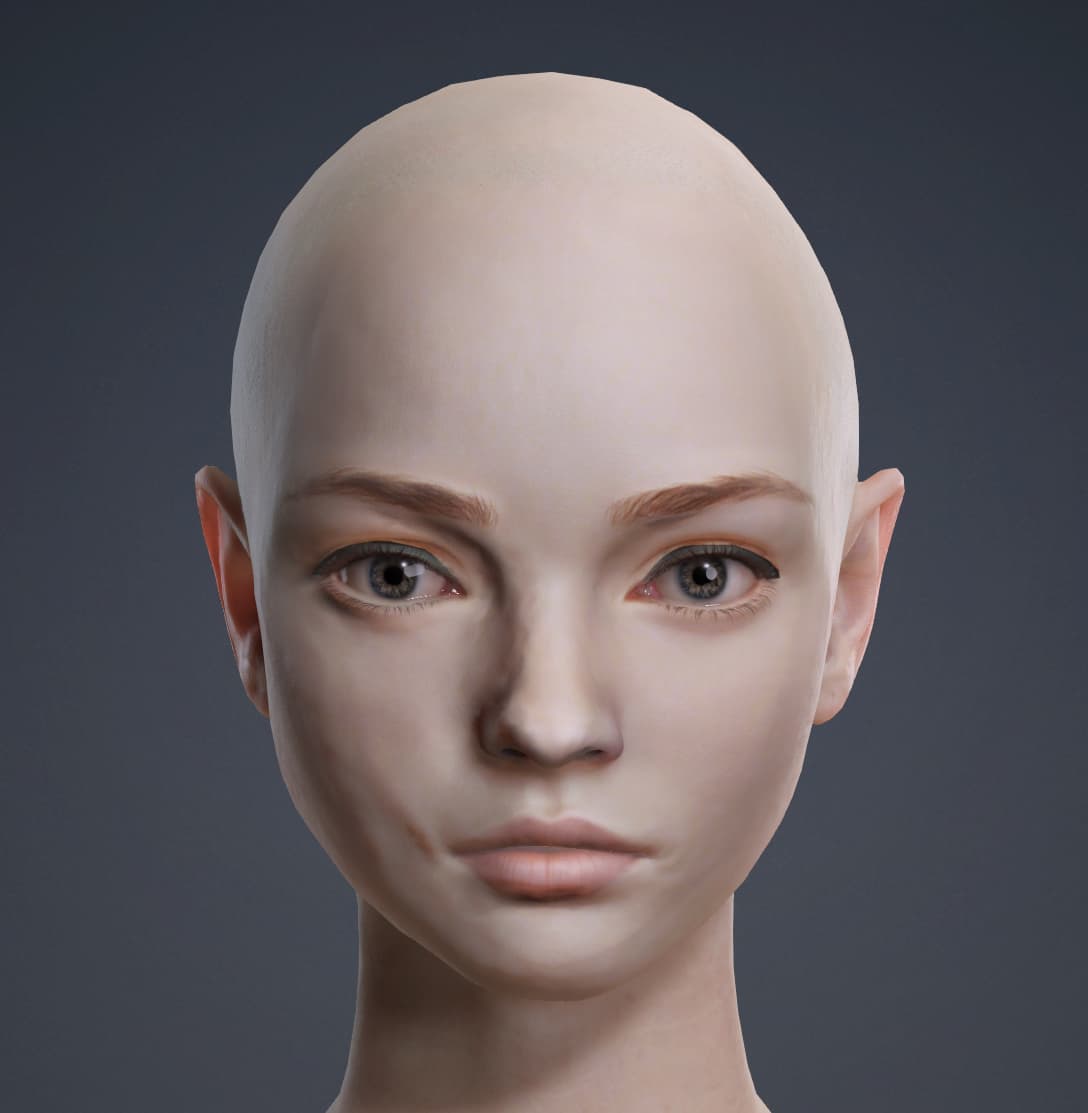
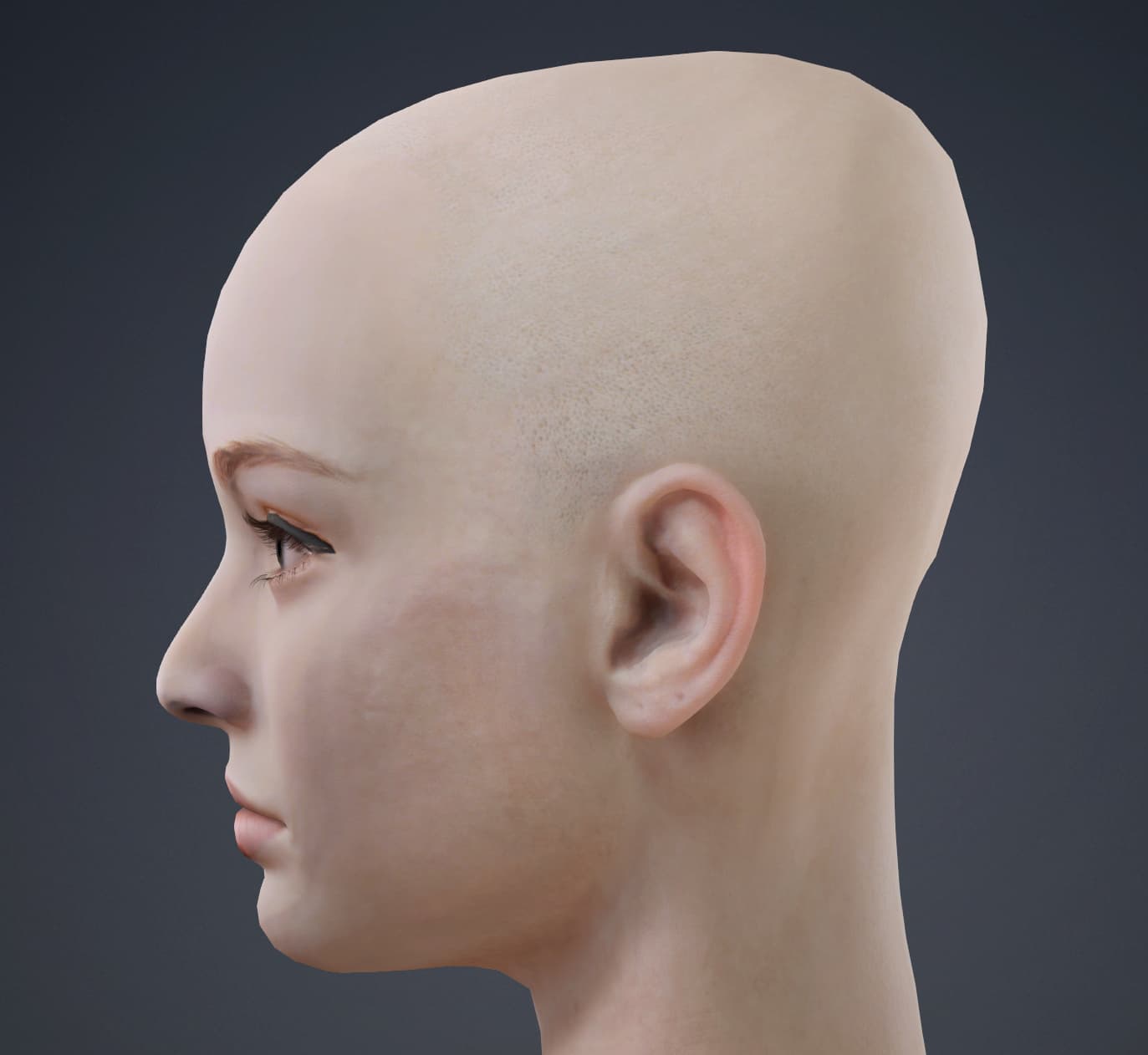
As before, here is the mesh created by Tripo with the same images.


Here is the wireframe:


(no mouth cavity this time, interesting)

The results this time with Tripo were a little messier than the first (i suspect it’s due to the inclusion of a side image), but it’s nothing that can’t be smoothed out via Blender. Still, i don’t think it’s unfair to say that the Tripo models adhered to the shape of the head and face much more accurately than the HS3 model.

Is it possible to get good results with HS3? Absolutely. But, the usual immediate results are disappointing to say the least. Out the the dozens of attempts i’ve made, most of them were bad, a few were workable, and only one was actually impressive (oddly enough, that good one was a very stylized man). The bezier curves set aren’t adhered to strictly enough, the side-view tool is clunky and does almost nothing to refine the mesh, and the tool’s reliance on Nano Banana without giving access to adjusting the prompt all leave the tool with limited use case. The whole point of this is supposed to be to set the user up with a good starting point. The buzz and hype often try to market it as an A-to-Z workflow, which it’s not, but it could be useful as a means of creating something more viable than a UV-sphere to begin with. However, i’ve found nothing that justifies the upgrade from HS2 to HS3. This isn’t a complaint or shade being thrown at Reallusion, it’s an honest assessment. The curves work great for the eyes. Credit where it’s due, for sure.

The whole point of this is that there’s a decent bit of work that goes in to going from image to CC5 mesh with this tool, and yet the results are behind the results of other image to 3D tools. The accuracy should go up with more manual control and a proprietary, job-oriented model, but we don’t see that. We see what feels like something that could have been done in 2021, not something worth getting behind in 2026.

@ender570 Hmm, just a guess from my side, but maybe the margins or head positions of the first and second image aren’t identical. Maybe that’s why it gets distorted?

Have you tried to create a frontal and side view screenshot of your tripo head and use that as input images? In that case, frontal and side view should match exactly.

@ender570 I don’t know if you uploaded the originals, but if I stack both images, you can see they don’t fit. The face is much higher in the side view than in the frontal view.

If I adjust the height and scale, the differences become more clear.

In comparison, your frontal and side view of the tripo model fit very well.

This is the workflow that HS3 provides. Both of these images were from the AI generation pipeline from within HS3 itself.

Also, the documentation and tutorial video states that the side image is used for depth corrections, not height or width. All of the issues i’ve had were problems with overall face/head shape, not necessarily depth

And they were screenshots of the images, so they might not have been sized correctly

I edited my post to include more pictures.

Would be interesting to know if screenshots of the tripo head create better results. If yes, than the side view generation by Nano Banana is unusable.

I get what you’re saying, let me give it a try and post back here

I rendered the head directly in CC5, which was a bad idea in the end. I’ll redo this test later by rendering them in maya with some better lighting and smoothing. But, here is a first go:

Here are the renders:


Curves:


Results:


I’m starting to think something is wrong with my install. It always gives them this egg head. I don’t use any of the extra features (face shape preset, head shape, etc), but maybe it’s applying them automatically for some reason?

I will retry this test later with some better renders and also do a clean re-install of HS3 to be safe

@ender570 Thanks for trying. There was also a hotfix for HS3 released a couple of hours ago although it doesn’t mention problems with distorted heads.

Overall, it feels like the faces generated in HS3 consistently look a bit swollen or “bloated,” as if they’ve gained facial weight. Because of this, I find it necessary to always go into Blender after the initial creation to refine the facial shape.

The facial lines produced by HS3 show a distinct difference even when compared to those made with ‘Tripo.’

In ‘Headshot 2,’ I used a workflow where I created the head mesh with ‘FaceGen Modeller’ and then applied it to CC. FaceGen also produces very sharp and well-defined facial lines.

I believe the facial contours and cranial structure generation in HS3 definitely need some improvements and adjustments.

Yes, I am also having similar problems, particularly when I try to use the refine face for side projection. I tried many different kinds of faces, both real as AI corrected. The frontal refinement works better, especially with the last update of the plugin. But whenever any adjustments are made to the side projection, I end up, most of the time, with an “Alien-like” distorted head. With the AI reference images, I am getting much better results manually changing the morphs, but I believe this should be automatically done by the tool. Other things that cannot be improved with the alignment are the depth of the eyes and ears. Even using the profile depth or the face planar perspective, it is not possible to match the pictures. Another problem is that the final texture of the skin is too rough; some characters seem older than the reference pictures. However, at least this can be improved by working with the skin textures, by modifying the micro normal strength, or with the Mask Brush Tool.

There is no improvement even if I use a reference where the hair was removed, or if I apply or do not apply the mesh subdivision.

This is an example:

  1. The character produced with the reference pictures (front and side):

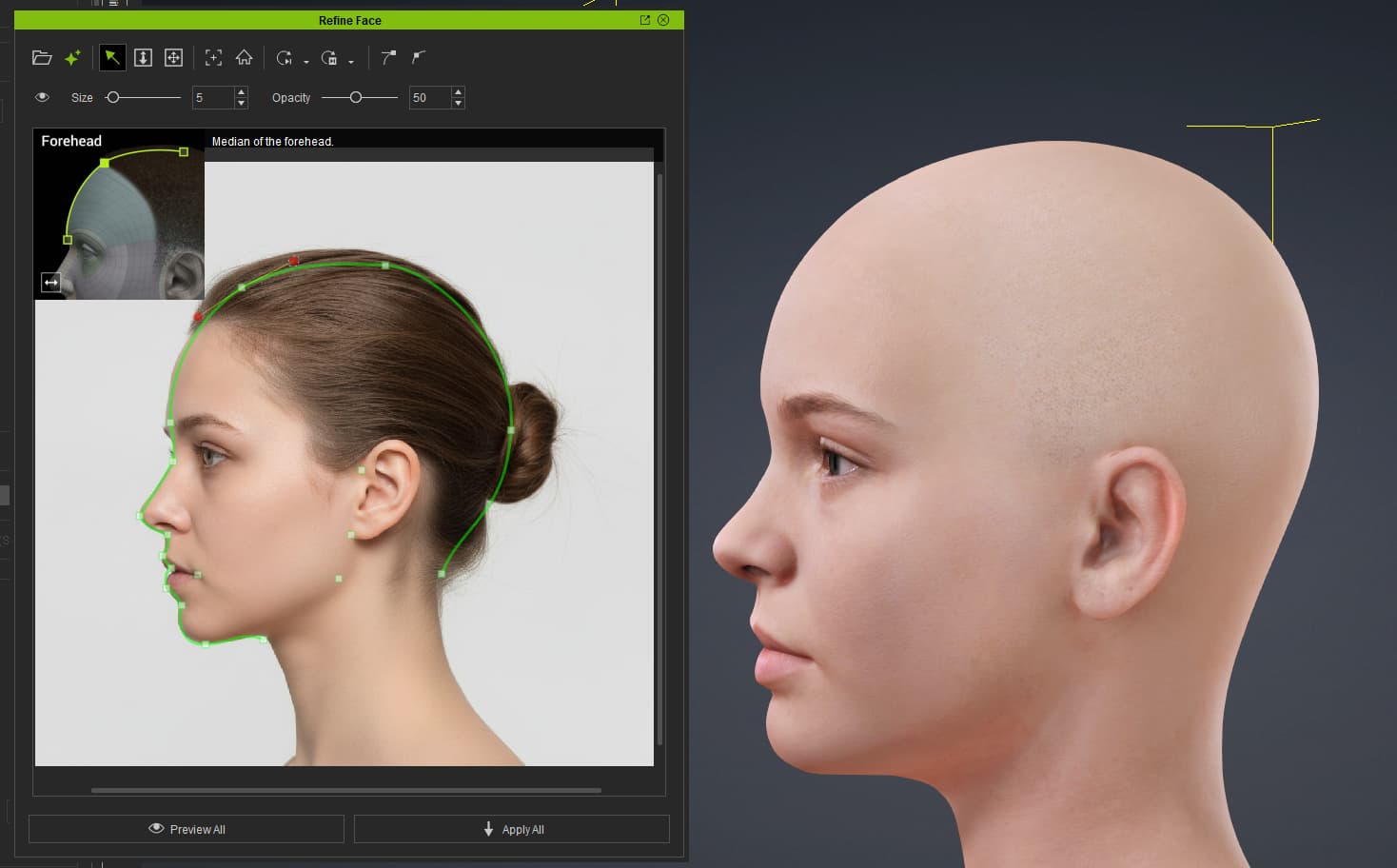
  2. The initial alignment with the side reference for refinement:

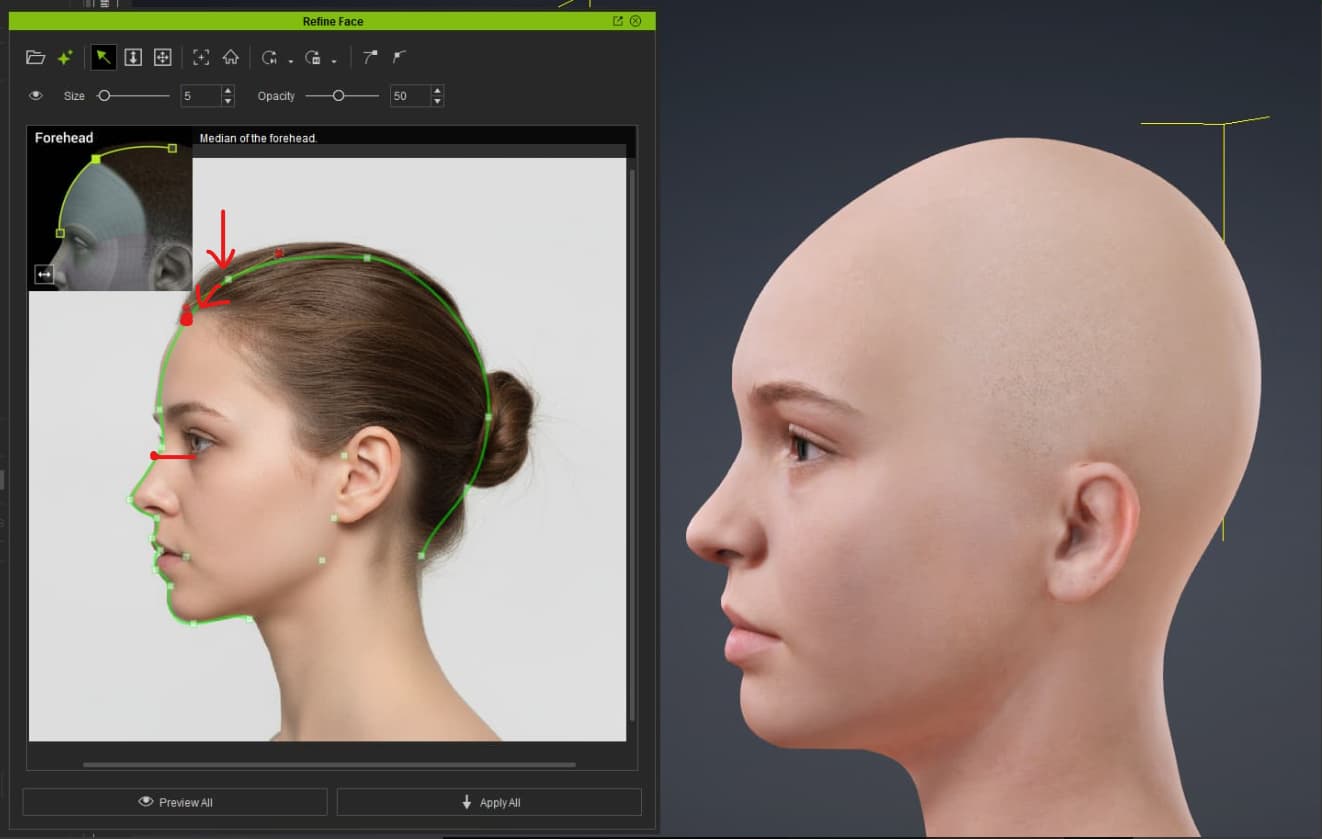
  3. The points adjusted with the reference picture:

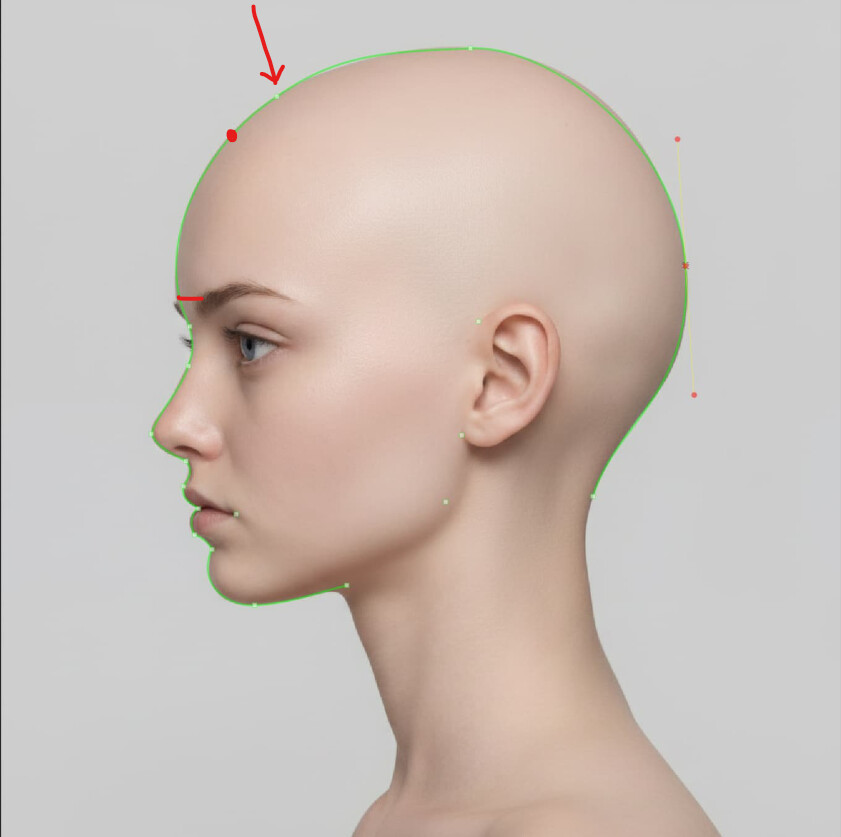
  4. The “refined” model resulting in an Alien-like or Mayan-like head:

1 Like

I can confirm i am having exactly the same issues - The front projection seems to work fine but as soon as the side is brought into play it all goes wrong
I thought to start with that i hadnt followed the little guide in the top left hand corner properly and thats what was causing the distortion but i have done 4 or 5 models now where i have been really careful to place the markers exactly as shown (and also to make sure the bezier handles on the points were making a nice consistent curve) but no luck. Yet another bug it seems :frowning:

I concur on the issues with the side profile curves adjustments. I get much the same results with the head/skill getting squished as if it’s been wrapped in heavily starched bandages since birth. I avoid using the curve adjustments for now. I’ll wait till the issue is resolved in a future patch.

Try moving the forehead point a bit lower (more forward) on the curve of the forhead.

Just chiming in that I have used HS3 for more traditional realistic human models and trying to bend it to do stylized models.

I have found in all my test cases that I was better off generating an AI front and side image and then using a 3D mesh generator to get a “bust” then using headshots 3D wrap to get a more accurate final product. Super bummer that HS3 didn’t overhaul the 3D mesh wrap with some of the same curves workflow.

Would be awesome to be able to highlight edges/verts on the CC base mesh and then draw a guide showing where they should line up to on the imported mesh (edge of ears, jaw line, etc.)

Was excited for the full body wrap they previewed in the 2026 road map. This has be a little worried about their ability to achieve that.